Signatures
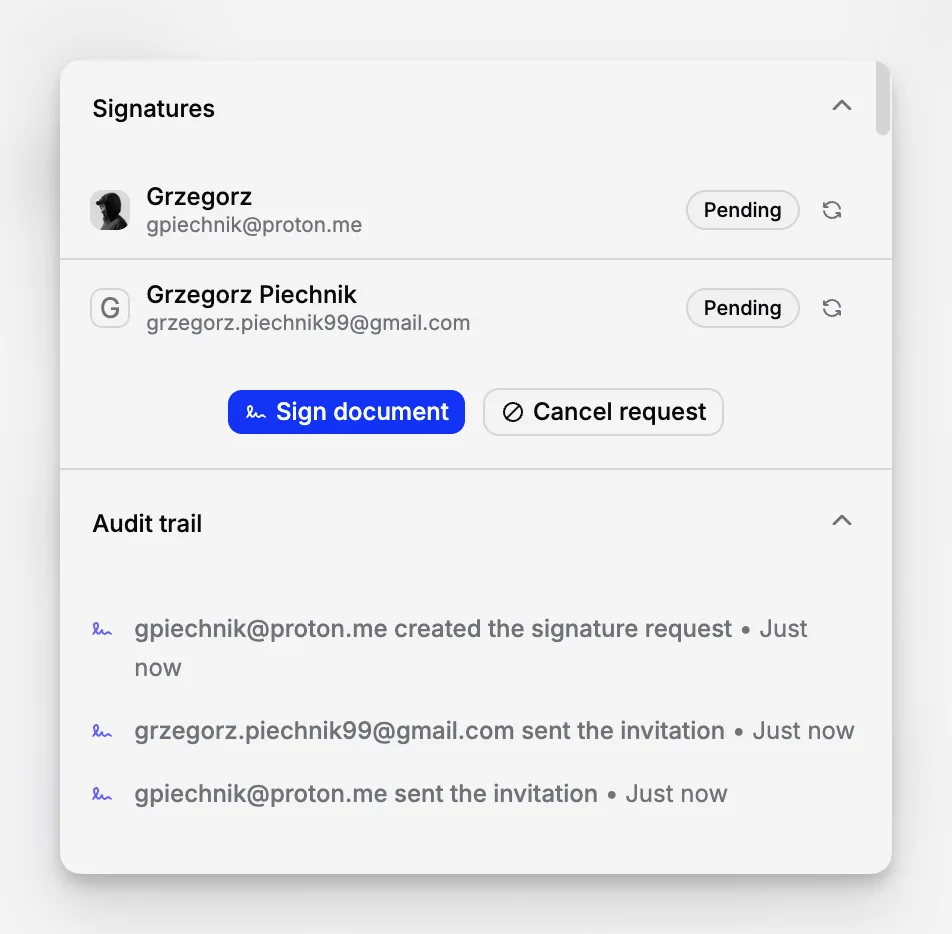
Manage document signatures in Scale without separate tools. Send requests, track progress, and keep secure evidence, invitations, and signatures linked to the document.
 Grzegorz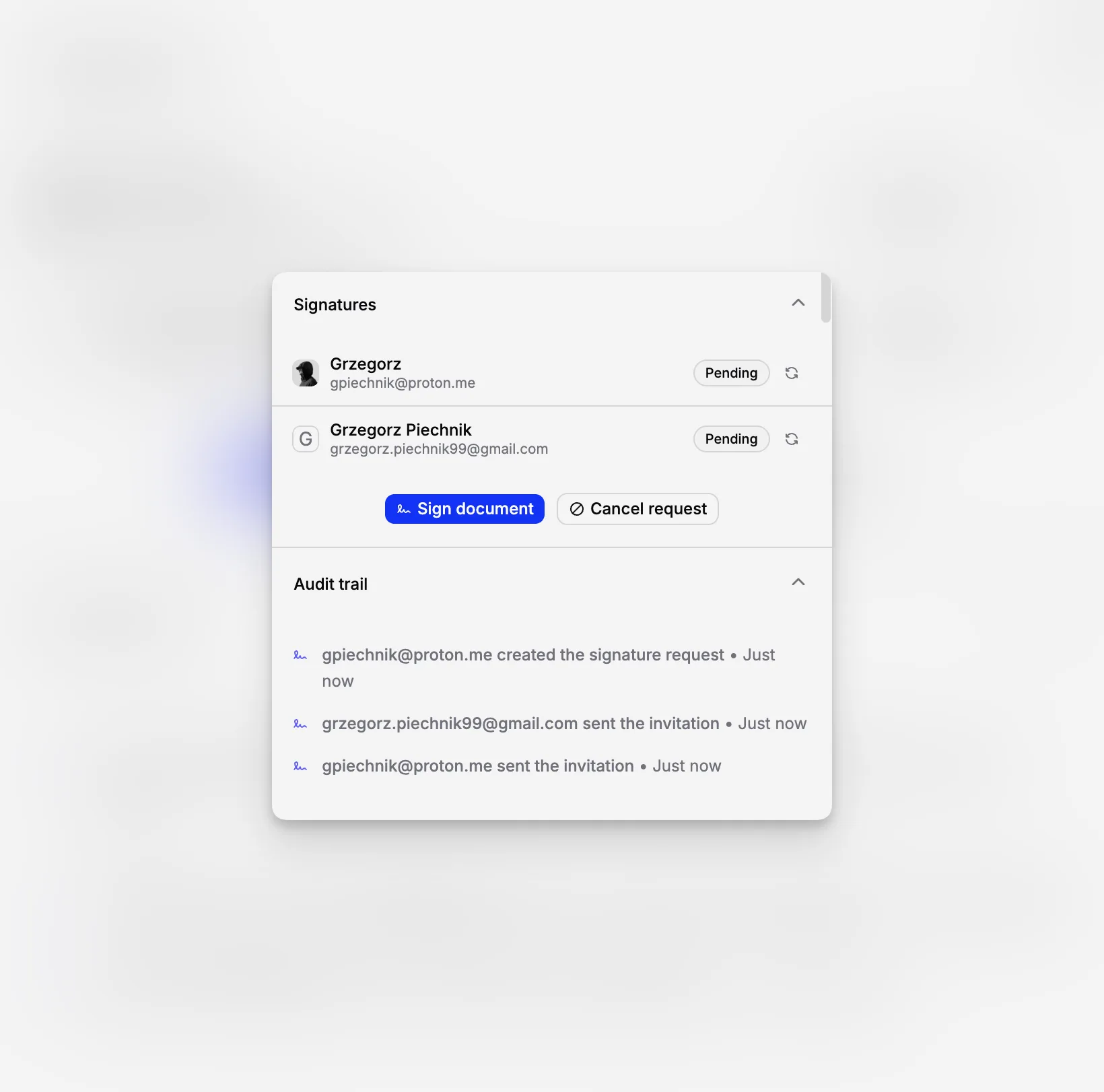
Signatures let Scale organizations complete approvals without moving a document to a separate signing tool. The request, progress, and evidence all stay connected to the document.
Prepare the request
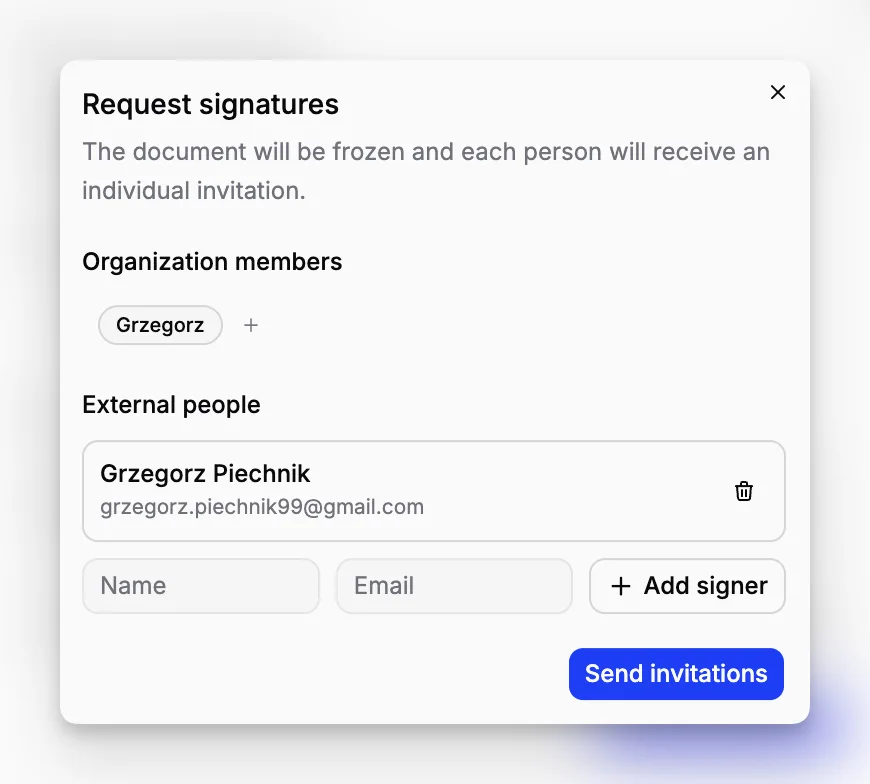
From the document's signature section, add:
people from your organization,
external signers by name and email,
a title for the request,
the signing order when order matters.
Make sure the document has a clear title and finished content before sending it. Once the request begins, the wording, main details, and attached files are locked so everyone reviews the same version.
Give signers a safe review
External signers receive an invitation and confirm their identity with a one-time code. They can then read the document, review its files, and add their signature.
Internal members follow the same document progress from Blueputto. The signature panel shows who is waiting, who has opened the request, and who has completed it.
Manage the request as it progresses
You can resend an invitation when someone missed it. Before anyone signs, the request can be canceled and prepared again.
After signing has begun, the document can instead be marked as void with a reason. Existing signatures remain in the history, so the record continues to show what happened rather than pretending the earlier approval never existed.
Keep reliable evidence
Blueputto records the reviewed version and important events around the request. This creates a clear history of invitations, confirmations, signatures, cancellations, and voiding for later review.