

Document Editor
Document Editor for writing, formatting, attaching files, linking objects, and managing signatures in one place—easy to edit, review, and export as PDF.
 Grzegorz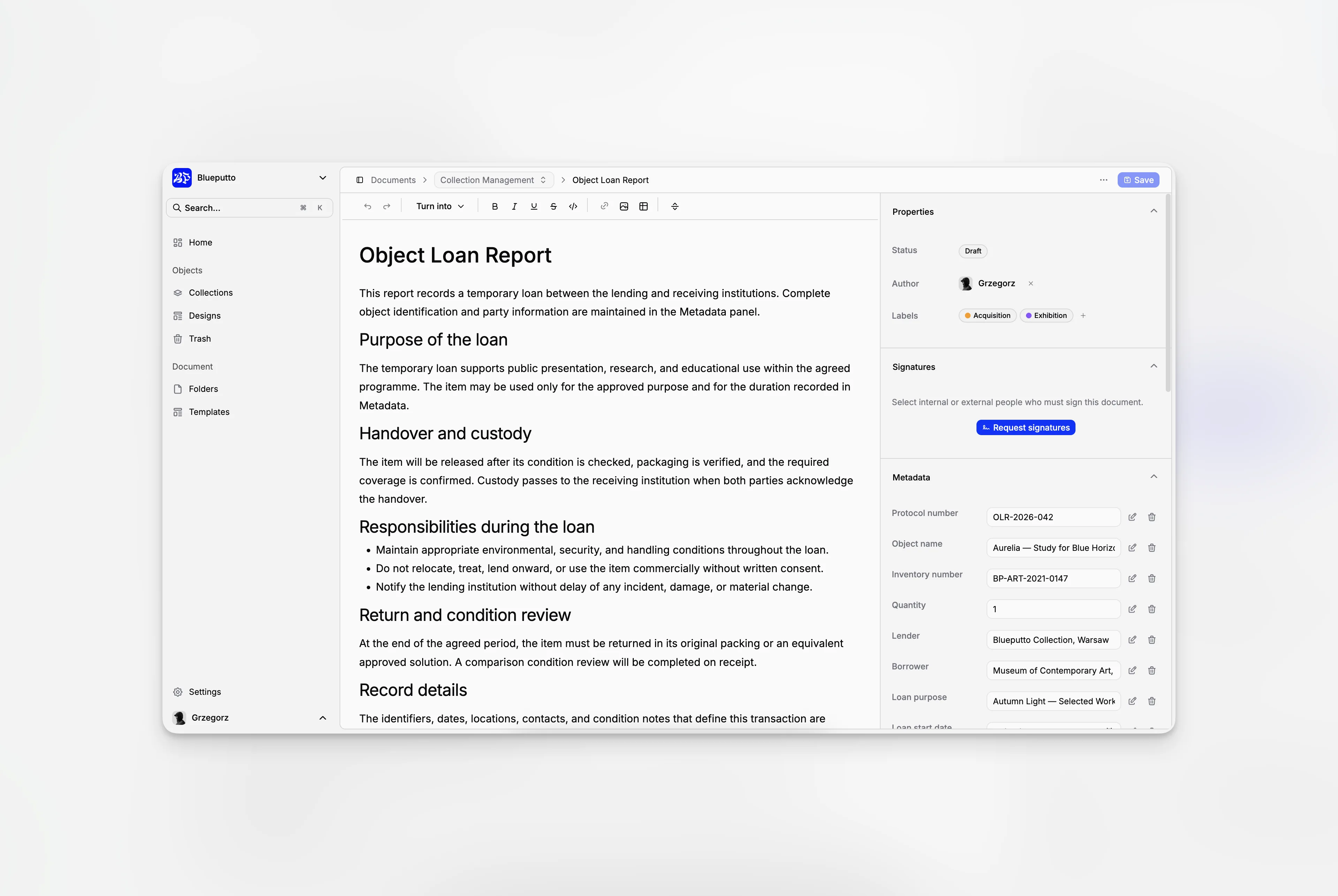
The Document Editor brings the content and all supporting information into one place. You can write the document, attach files, connect related objects, and prepare it for signature without moving between separate tools.
Write and format your document
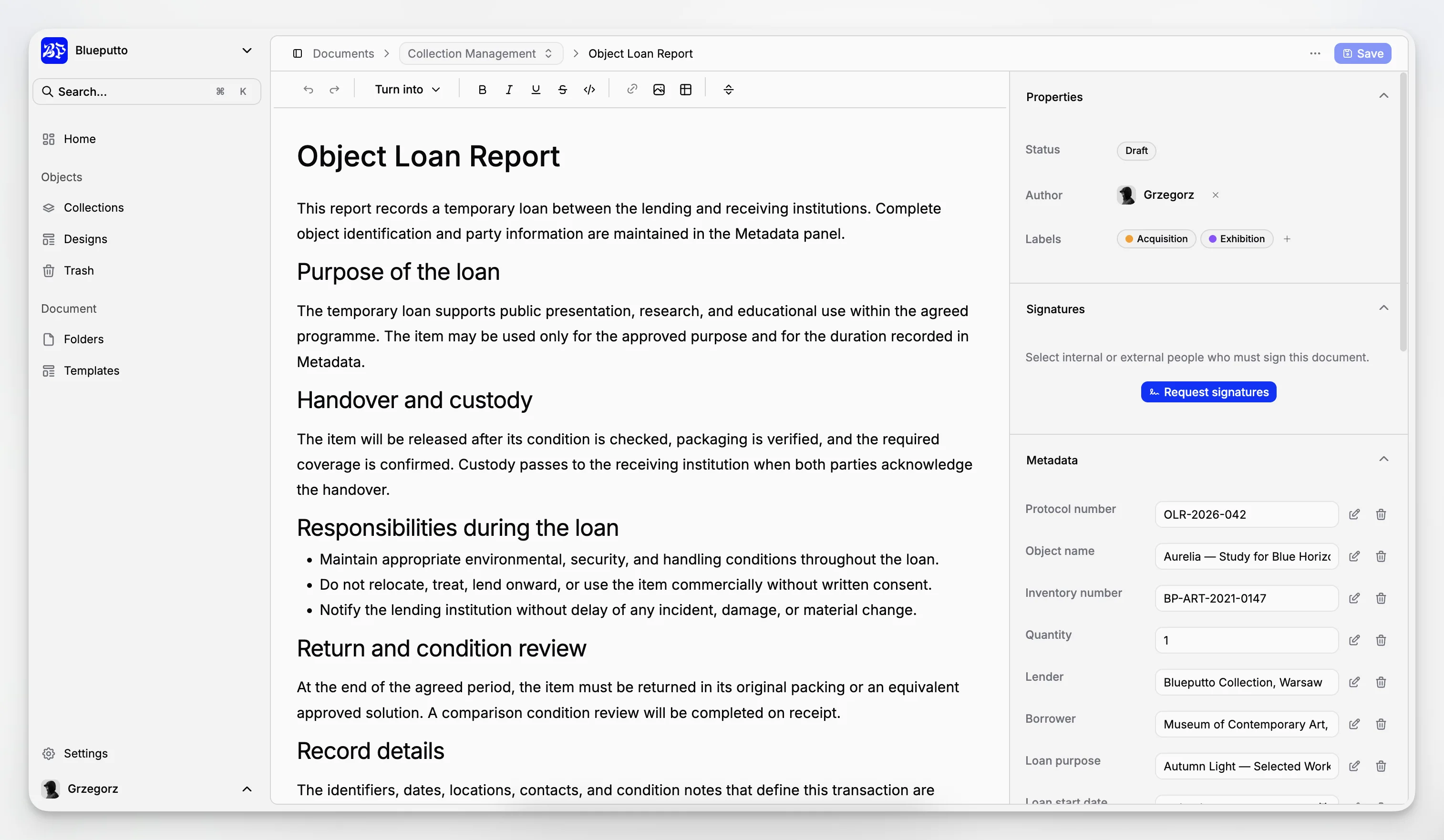
Give the document a clear title, then use the editor for headings, lists, tables, tasks, links, and images. Your work can be saved from the toolbar or with Ctrl+S on Windows and Command+S on macOS.
The result stays easy to read in Blueputto and can later be exported as an A4 PDF.
Keep the surrounding details close
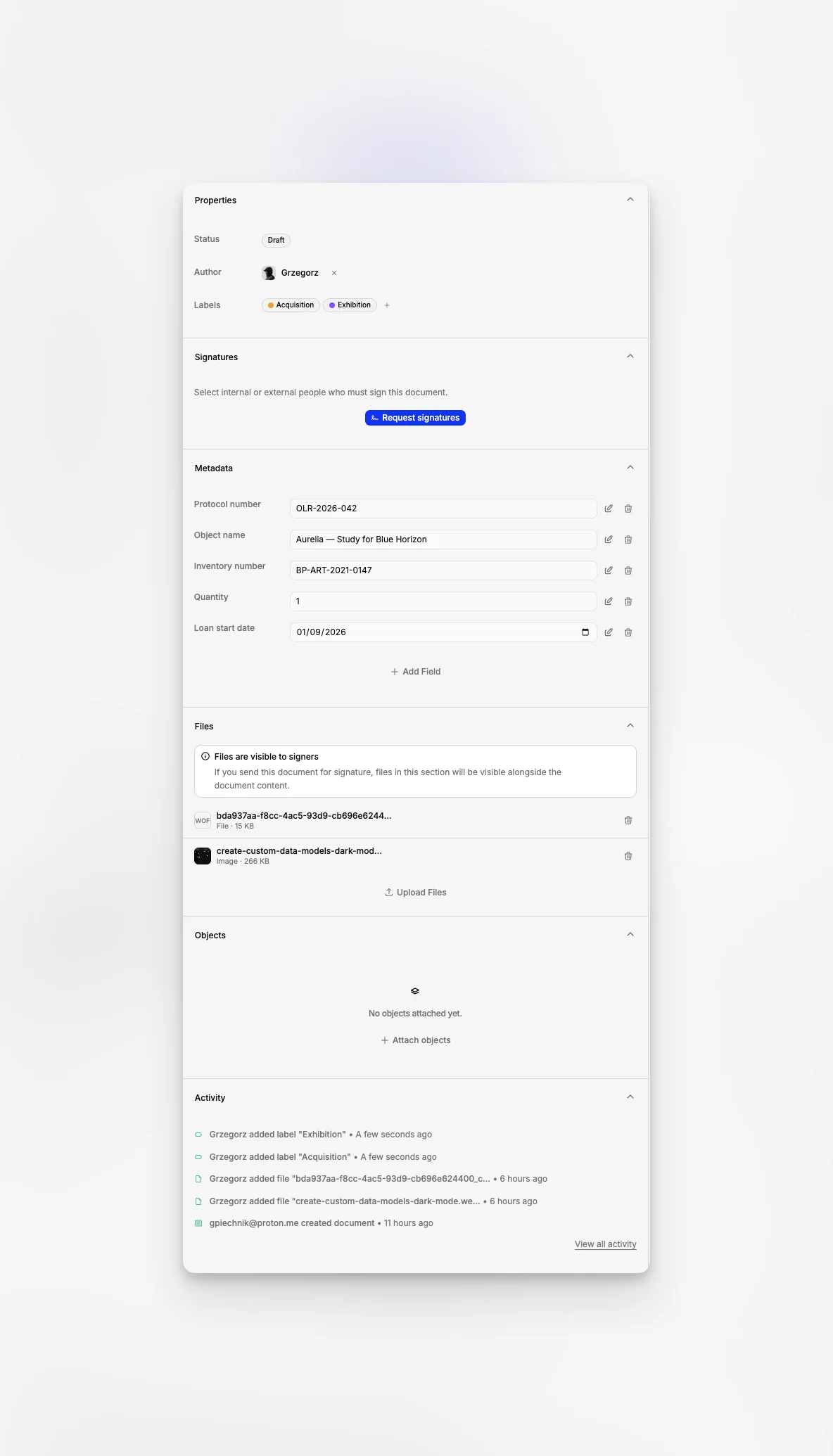
The side panel organizes everything that supports the document:
properties such as folder, status, author, and labels,
signature progress,
a history of important changes,
custom information,
attached files,
linked objects,
recent activity.
Open only the section you need and return to the text without leaving the document.
Protect a document during signing
Once a signature request begins, the wording, main properties, and attached files are locked. This makes sure everyone reviews the same version.
You can still maintain custom information and linked objects when needed. The signature section shows who has been invited and how the request is progressing.
Leave without losing work
Blueputto compares the document on screen with its last saved version. If you try to move to another page while there are unsaved changes, it asks whether you want to stay or leave.
Closing or reloading the browser also shows the standard unsaved-changes warning. Stay on the page to save your work, or leave only when you are ready to discard the edits.
