

Data Models
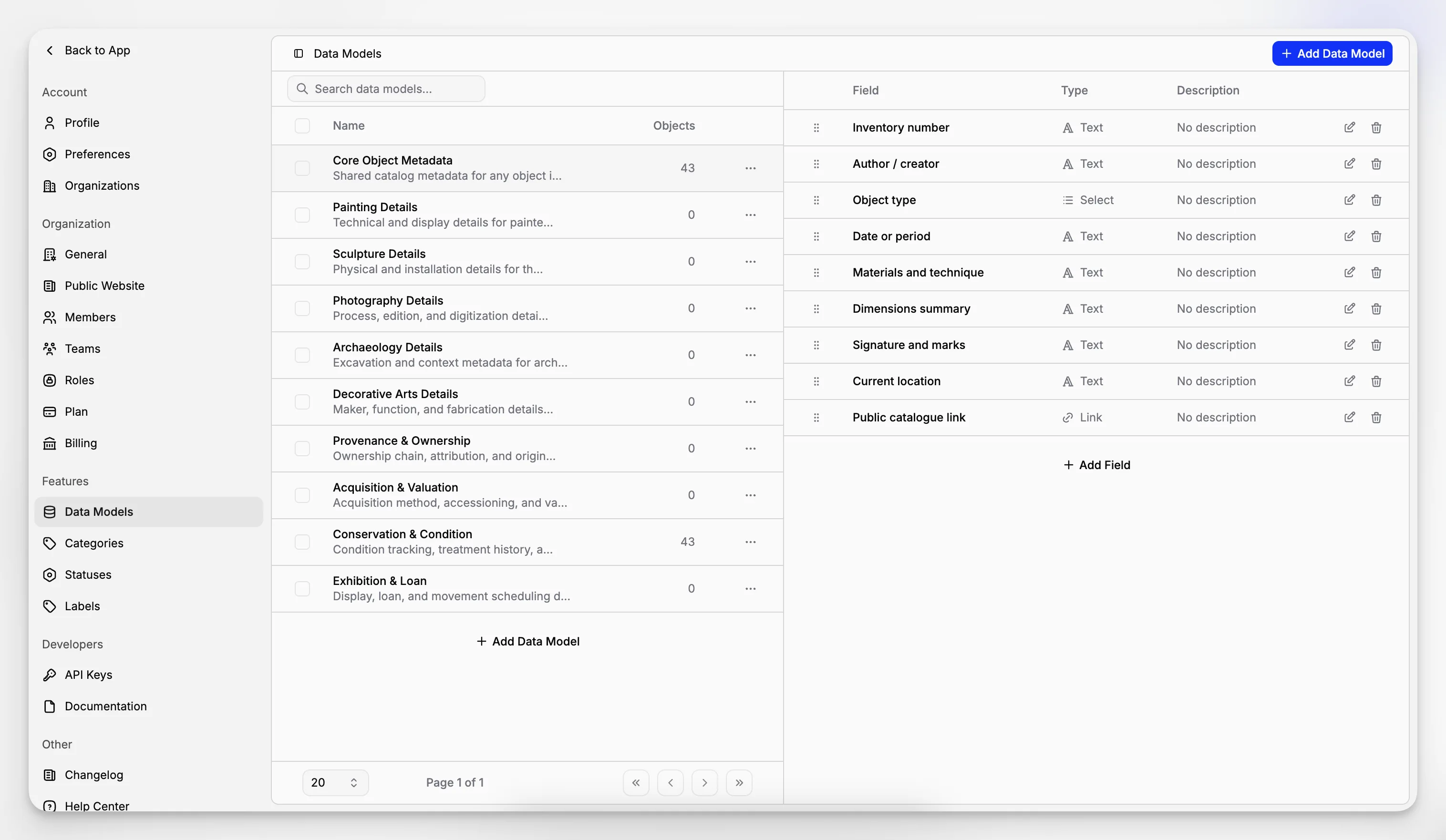
Data Models let you define reusable fields for similar objects, control public visibility, and keep records consistent across your organization.
 Grzegorz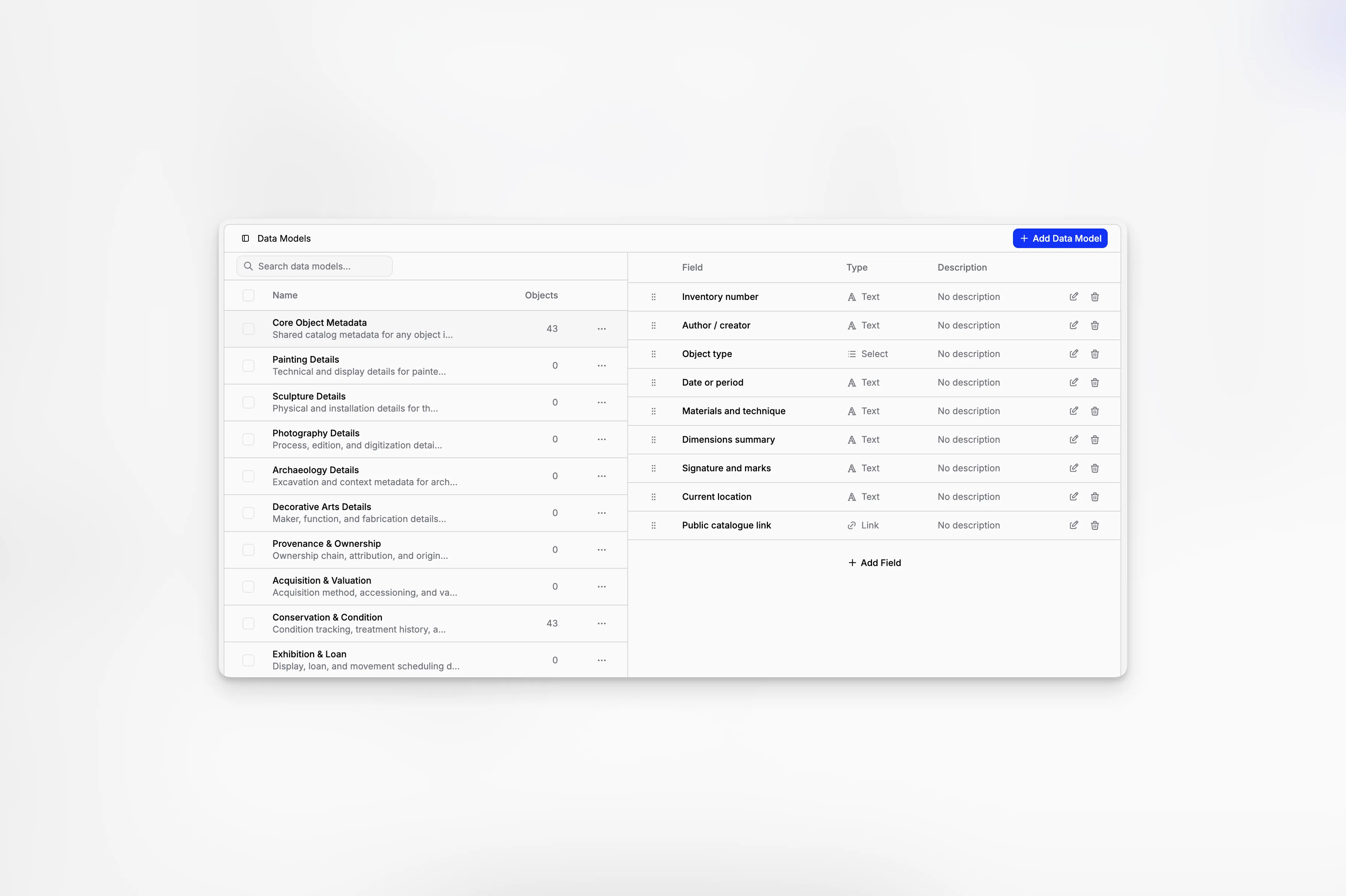
Data Models help your organization collect the same information for similar objects. Define the fields once, then reuse them wherever that structure is needed.
For example, a model for artwork might include artist, year, technique, and dimensions, while a loan model could include lender, dates, and agreement number.
Choose the information you need
A model can include:
text and number fields,
yes-or-no choices,
dates or dates with a time,
single-choice and multiple-choice lists,
currency values,
links.
Give every field a clear name and, when helpful, a short explanation. Fields can be reordered at any time, so the form follows the way your team naturally works.
Decide what visitors may see
Each field can be marked as visible on public pages. This gives you precise control: useful details can appear on an object's public profile, while internal notes stay private.
Changing this setting affects how the field may be presented publicly; it does not remove the information from the object.
Use models on objects
One object can use one or several models. After you add a model, its fields appear together on the object page, ready to be completed alongside status, categories, files, and linked documents.
This keeps records consistent without forcing every kind of object into the same form.
