Members
Manage Blueputto workspace access with Members: invite by email, assign roles, review active users and pending invitations, and control seat capacity.

Members is the organization access workspace in Blueputto. It is where teams invite people, review who already has access, and manage what should happen next for both active users and people who still have not accepted their invitation.
The page sits at the center of collaboration setup because access is not only about presence. It is also about roles, seat capacity, and whether a workspace is ready for another person to join.
Active members and pending invitations share one surface
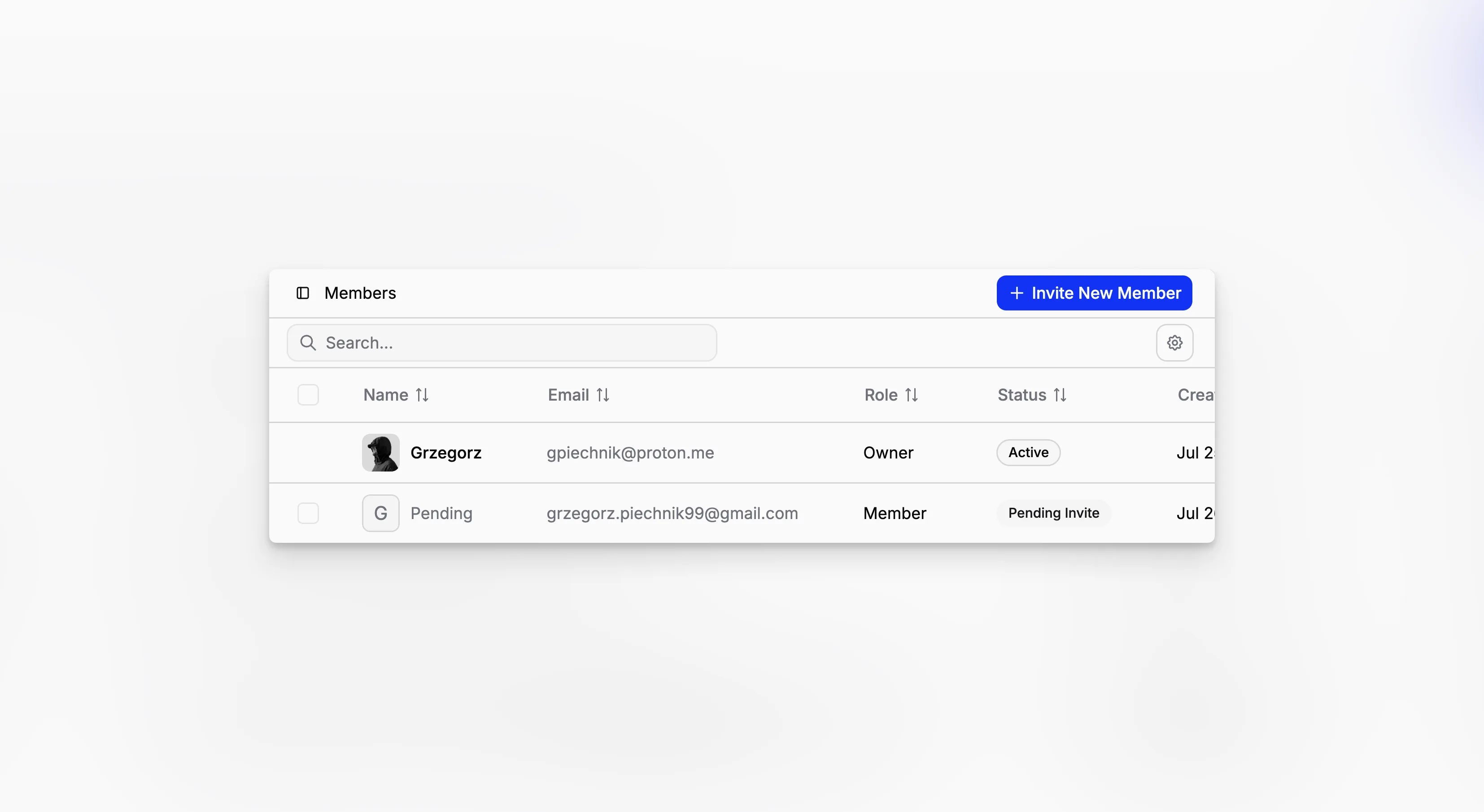
The Members table combines two access states in one operational view: active organization members and pending invitations. Each row shows practical details such as name, email, role, status, and created date, so teams can see who is already inside the workspace and who is still waiting on an invite link.
That matters because access cleanup should not require hopping between separate tabs. In the current implementation, pending invitations get a dedicated badge, while active users show as active members in the same table.
Owner accounts are protected more tightly than the rest. They cannot be selected for bulk removal, and their row does not expose the destructive actions that other records do.

Invite by email and choose the right role
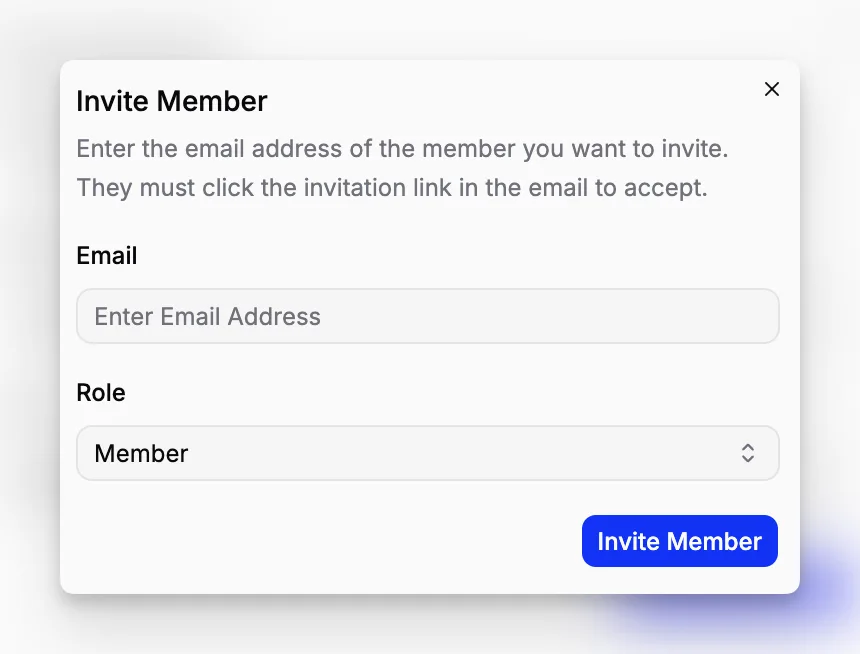
The invite flow is intentionally direct. Open the dialog, enter an email address, choose a role, and send the invitation. The invited person must click the email link to accept before they become an active member of the organization.
The role picker includes system roles other than Owner, and it can also include custom roles when the organization uses Roles and Permissions. That makes the invite flow more than a simple email collection step. Access can be shaped correctly before the person ever joins.
Member invitations are also plan-aware. In the current implementation, Members and invitations are available on Pro and Scale, and capacity is treated like seats: active members and pending invitations both count toward the organization limit. The current built-in caps are 5 members on Pro and 15 on Scale before a team needs to upgrade or contact support.

Owners can reassign access and clean up safely
After the invite is sent, the same page remains the control surface. Pending invitations can be resent or canceled. Active members can be removed. Owners can also reassign roles for non-owner members directly from the table.
That owner restriction is important. In the current implementation, non-owners only see role values as read-only labels, while the owner account itself cannot be removed or downgraded. Blueputto keeps the organization from losing its top-level administrator by mistake.