

Top 5 Archive Software for 2026
Top 5 archive software for 2026, comparing Blueputto, Axiell, CollectionSpace, CollectiveAccess, and PastPerfect for museums and archives.
 Grzegorz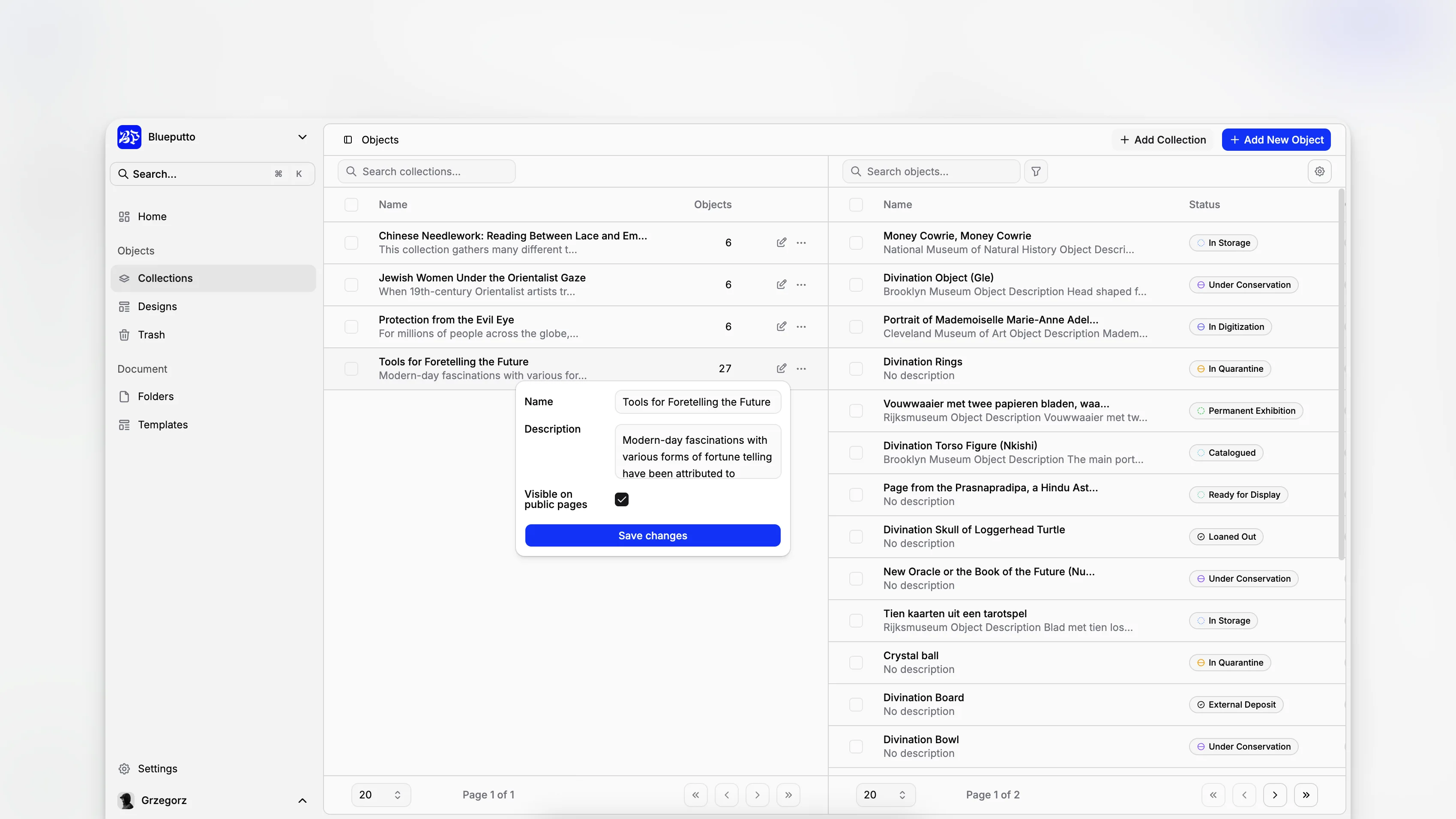
Choosing archive software in 2026 is less about finding the longest feature list and more about finding a system your team can actually live in for the next decade. Museums, archives, and collection-led institutions need software that can handle object records, digital files, institutional documentation, staff collaboration, and steady growth without turning cataloging into a workaround-heavy process. That is where the differences between products become very real.
TL;DR: The best archive software for 2026 balances structured metadata, document control, long-term scalability, and day-to-day usability. For museums and collection-led institutions, Blueputto stands out when you want one practical system for collections, archives, records, and documentation rather than a patchwork of tools.
What counts as archive software in 2026?
The term archive software gets used loosely. Sometimes it means digital preservation infrastructure. Sometimes it means records management. Sometimes it means a museum collection database with archival support layered in. For institutions managing objects, archives, and documentation together, the more useful definition is simple: archive software is the operational system that helps staff create, organize, retrieve, and maintain records over time.
That definition matters because museums rarely work with only one record type. You may be cataloging accessioned objects, attaching condition reports, storing donor correspondence, maintaining exhibition files, and organizing born-digital material in the same week. Guidance from the Canadian Heritage Information Network vendor profiles is a useful reminder that software selection in this space is rarely one-size-fits-all.
Why are museums rethinking archive software now?
The pressure points are familiar. More digitization. More born-digital documentation. More demands for access. More staff needing controlled permissions. More expectations that records stay searchable instead of vanishing into shared drives and inboxes.
The Society of American Archivists glossary and the International Council on Archives both reinforce a basic truth of archival practice: good systems are not just storage containers. They support description, accountability, retrieval, and continuity. In museum settings, that often extends to provenance information, media attachments, and documentation tied to specific items or collections.
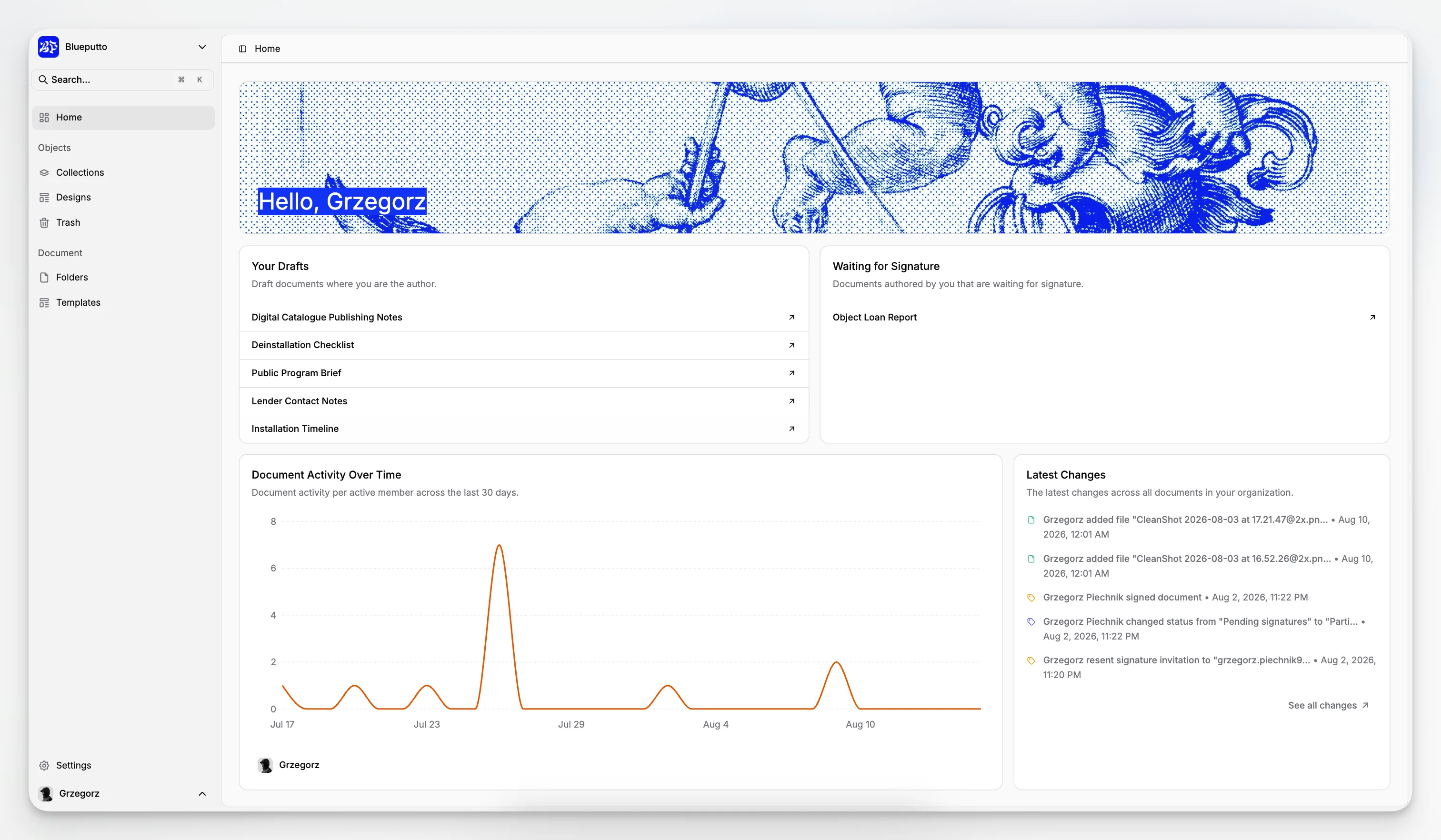
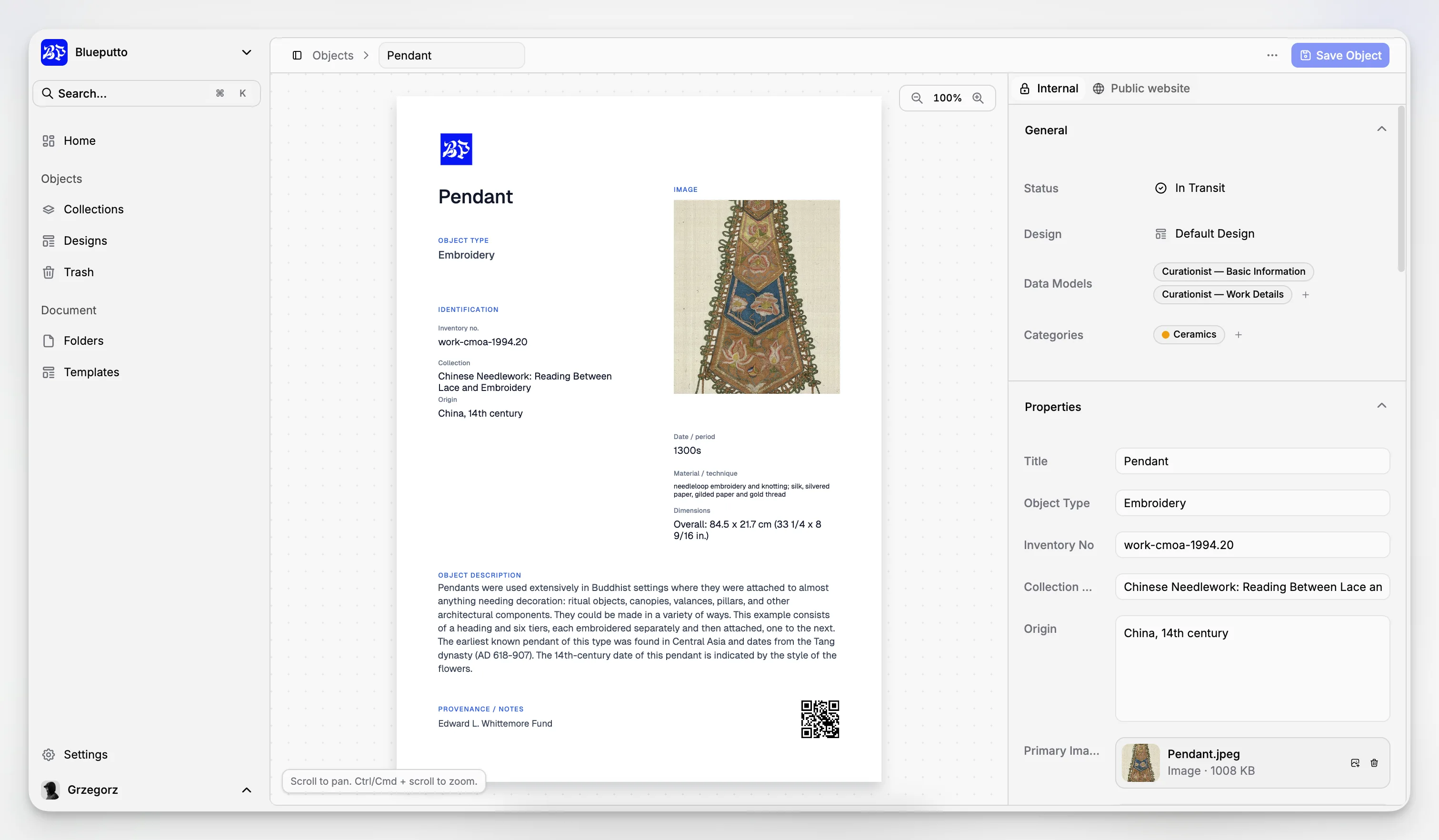
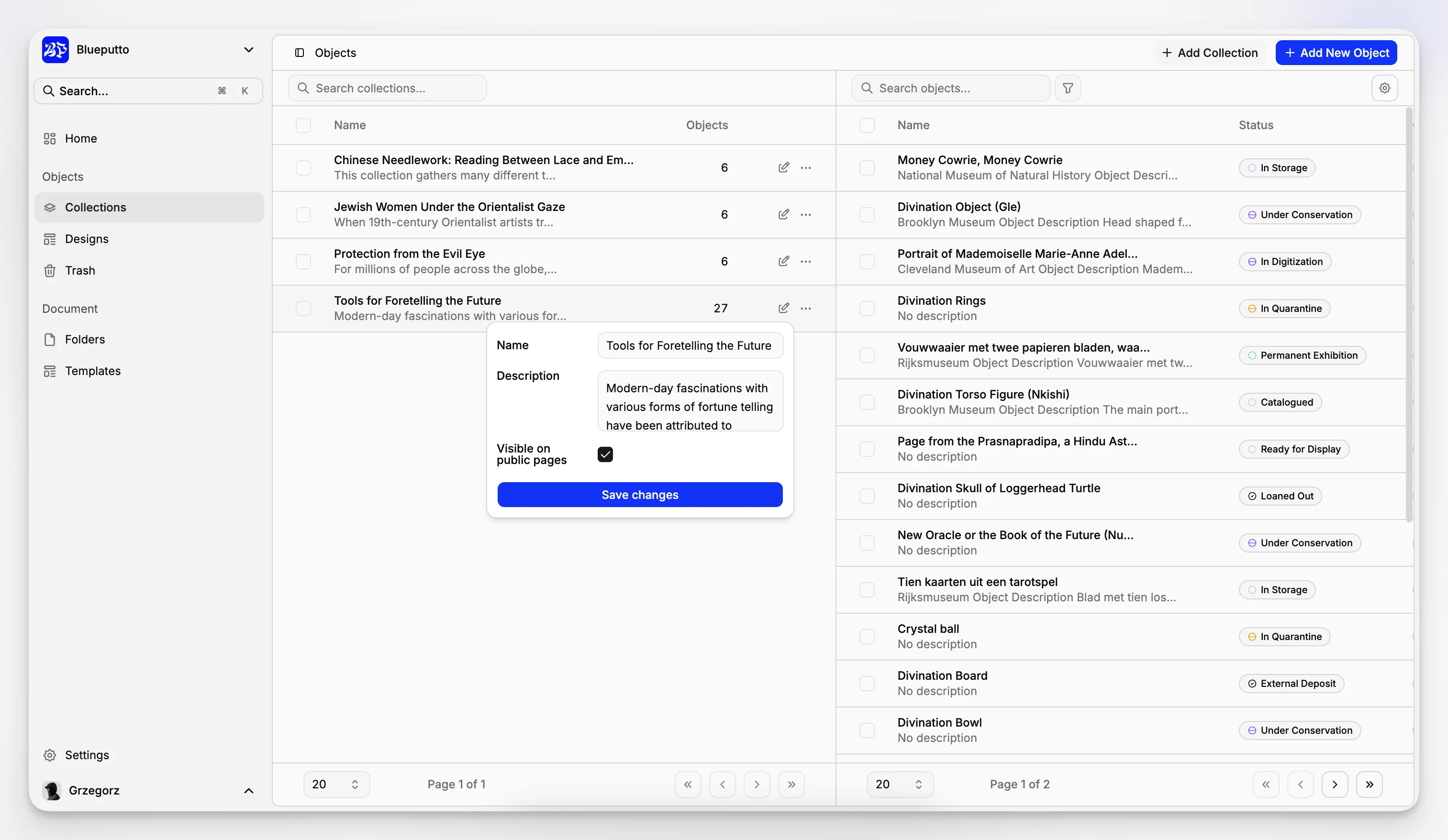
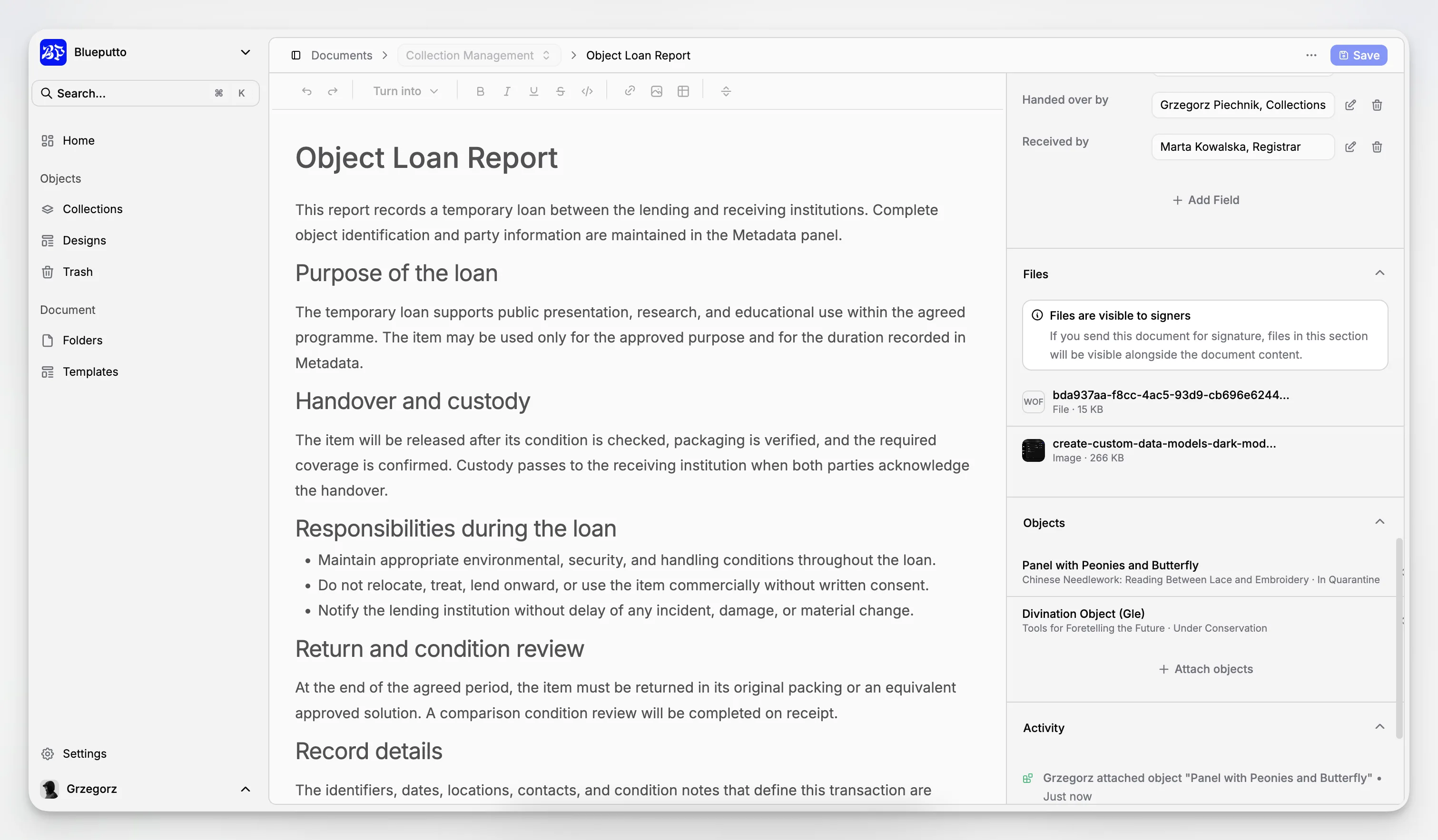
Blueputto is especially relevant here because it is positioned as museum management software for collections, archives, records, and documentation, not just as a lightweight catalog or a generic DAM. Its public documentation shows real application areas for items, documents, collections, folders, categories, statuses, labels, and document templates, which is exactly the kind of structure many institutions need when physical and digital records overlap.
Which 5 archive software options are most worth considering in 2026?
A “top 5” list is always contextual. Different institutions will prioritize public access, conservation workflows, archival standards, enterprise complexity, or ease of adoption. Still, five names come up repeatedly across museum and archival buying conversations, industry directories, and institutional evaluations.
Here is a concise comparison before we go deeper.
Software | Best fit | Strengths | Tradeoffs |
|---|---|---|---|
Blueputto | Museums and collection-led institutions that need collections, archives, records, and documentation in one application | Clear operational scope, structured entities, documentation workflows, growth-oriented design | Less suitable if you only need a public-facing discovery layer with no internal collection operations |
Axiell Collections | Larger museums and heritage organizations | Established museum market presence, broad institutional fit | Can be heavier to implement and govern |
CollectionSpace | Institutions comfortable with community-led platforms and configuration | Museum-focused data model, flexible adoption paths | May require more internal technical ownership |
CollectiveAccess | Teams that need flexible cataloging and public presentation options | Strong flexibility, wide adoption in culture-sector projects | Flexibility can increase setup complexity |
PastPerfect | Smaller museums needing familiar collection management workflows | Known in the small museum market, approachable for many institutions | Can feel narrower for institutions with more complex archival and documentation needs |
This is not a universal ranking for every archive use case. It is a practical shortlist for institutions comparing software in the museum and collections management category, informed by sector references such as CHIN vendor listings and museum software directories from Capterra, GetApp, and institutional evaluation work like the WPI collections management software study.
Why is Blueputto on this list?
Blueputto belongs in a serious 2026 archive software conversation because its structure maps cleanly to real museum work. Public documentation indicates support for items, documents, collections, folders, categories, statuses, labels, and document templates. That may sound simple on paper, but in practice it covers a large share of the administrative and collections documentation work that makes archive systems valuable.
Instead of treating archival work as an afterthought, Blueputto appears designed around the operational reality that records accrete over time. The product’s scaling documentation explicitly frames growth around expanding collections, archives, documentation, teams, and locations. That is a more museum-specific framing than the generic “content management” language you see elsewhere.
What Blueputto seems to do especially well
A few things stand out from the available product material.
It treats institutional growth as normal, not exceptional.
It separates content types clearly, which usually leads to cleaner governance.
It supports documentation as part of collection operations, not as a detached file repository.
It acknowledges operational controls, including rate limiting and security-related architecture in its documentation.
That last point matters more than many buyers assume. Blueputto’s public rate limits documentation notes a default backend limit of 5 requests per second and recommends backend-oriented API use for preview, sync, automation, and migration workflows. That is not a flashy marketing claim. It is a practical indicator that the platform is being thought about as production software, not just a brochure.
Where Blueputto fits best
Blueputto looks strongest for institutions that need one operational home for collections data and supporting records. That includes:
museums with mixed physical and digital holdings
small to mid-sized institutions trying to replace spreadsheets plus shared drives
teams formalizing accession, documentation, and archive workflows
organizations that expect collections and records volume to keep growing
It is also worth noting the platform’s own public language around security and role-based controls in its documentation navigation, alongside its emphasis on long-term growth. For museums handling internal records, donor files, restricted documentation, or staff-only notes, permission structure is not optional.
How does Blueputto compare with the other top archive software options?
The most useful comparison is not “who has the most features.” It is “which system matches the work your institution actually does every week?”
Blueputto vs Axiell Collections
Axiell Collections is a well-known option in museum software. It is often considered by institutions with broad collections management requirements and more formal system procurement processes. If you are a large institution with established cataloging policies, multi-department complexity, and a budget for a more involved implementation, Axiell will often be on the table.
Blueputto’s appeal is different. It reads as a more focused operational environment for collections, archives, and documentation. If your team wants clarity and cohesion over enterprise sprawl, Blueputto may feel more proportionate.
Blueputto vs CollectionSpace
CollectionSpace has long been part of museum software conversations, and CHIN continues to include it in vendor references. It can be attractive for institutions that value an open, museum-focused platform and have internal or partner capacity for configuration.
Blueputto is the better fit if you want a product that feels less like a platform project and more like a ready-to-use museum management application centered on records and documentation workflows.
Blueputto vs CollectiveAccess
CollectiveAccess is flexible and widely discussed for museums, archives, and special collections projects. That flexibility is valuable, but it often comes with more decisions about setup, data design, and presentation strategy.
Blueputto looks stronger when the priority is operational consistency for staff. If your goal is to reduce the gap between cataloging, document handling, and institutional recordkeeping, its tighter application model is a real advantage.
Blueputto vs PastPerfect
PastPerfect remains familiar to many smaller museums and appears in current CHIN vendor profiles. It is often chosen because it is recognizable and approachable.
Blueputto becomes more compelling when your archive and documentation needs are expanding beyond straightforward object cataloging. If your staff are juggling object files, archive folders, digital records, and internal documents in multiple places, a more unified structure starts to matter.
Blueputto vs generic DAM or records systems
A digital asset management platform or records repository can be useful, but many museums discover that generic tools do not model collections work well. You can store files in them. You can search them. What often breaks down is the relationship between item records, collections, documentation, and museum-specific process.
That is why category fit matters. Archive software for museums should not force teams to choose between “object database” and “document repository” if their real workflow needs both.
What should you actually evaluate when choosing archive software?
Most buying mistakes happen because teams compare feature bullets instead of work. A better approach is to assess the software against the routine jobs your staff already perform.
Here are the criteria that matter most.
1. Can staff manage different record types without chaos?
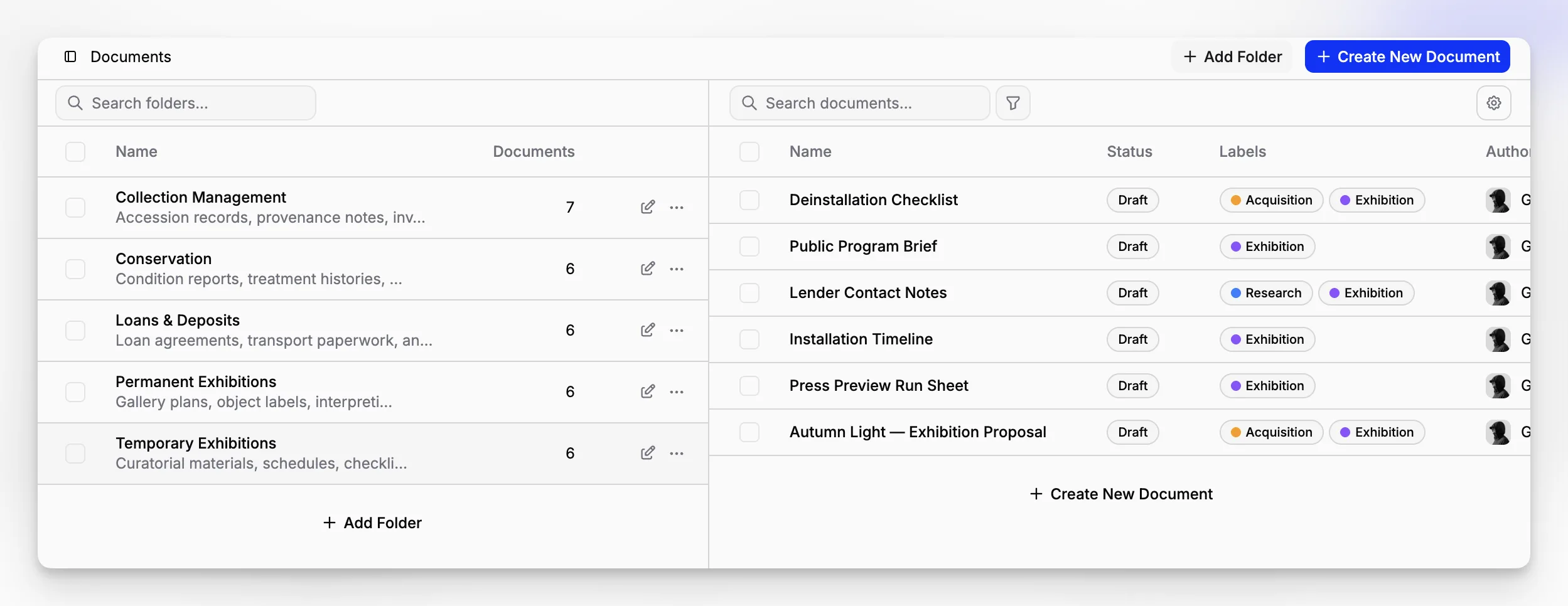
The ability to distinguish items, documents, collections, folders, and supporting metadata is not cosmetic. It shapes how easily staff can keep records consistent over time. Blueputto’s documented structure suggests a system where those distinctions are first-class, which is often healthier than forcing everything into one generic content type.
2. Does the system support long-term growth?
Archive software should still be usable when your institution has ten times more records than it has today. Blueputto explicitly frames scalability around growing collections, archives, users, locations, and workflows. That is exactly the right lens for museums with long retention horizons.
3. Can you control workflows, not just store data?
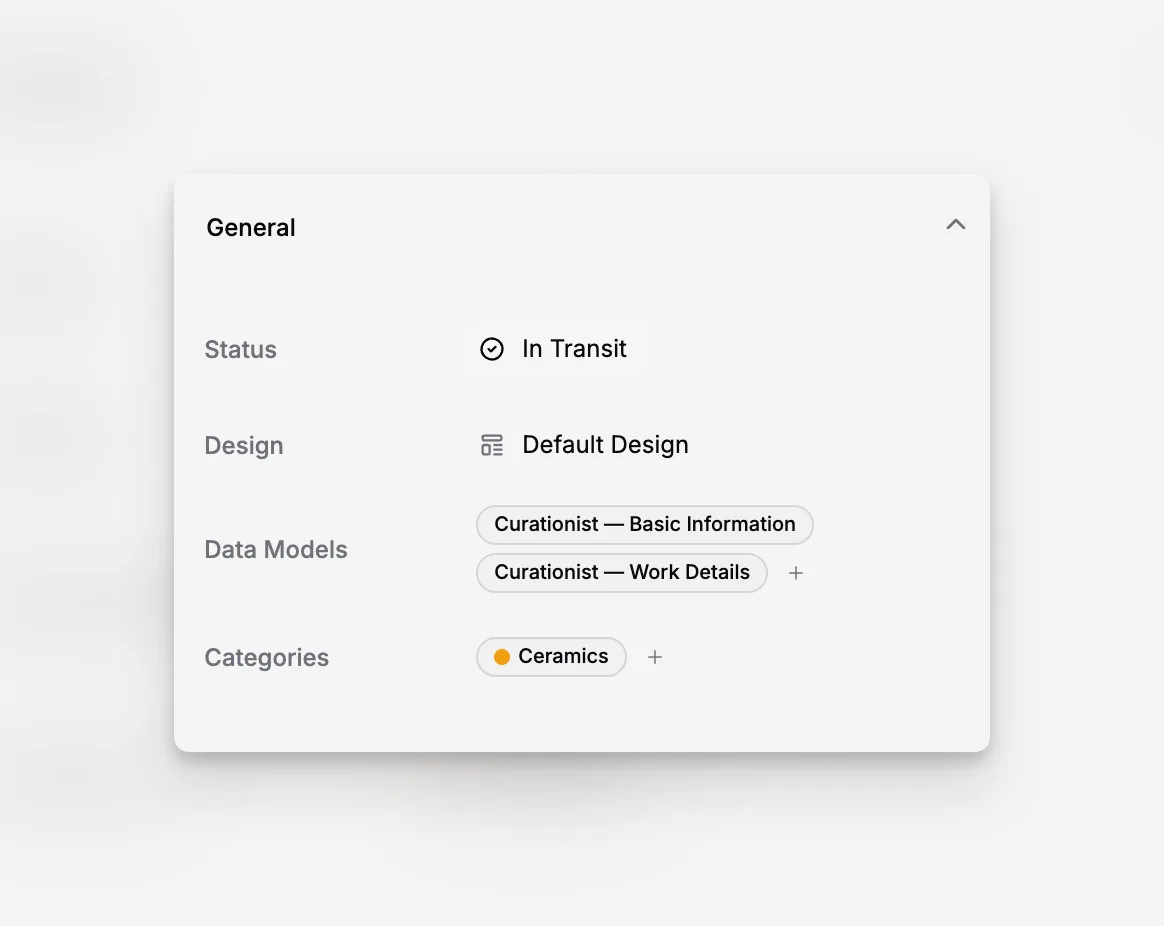
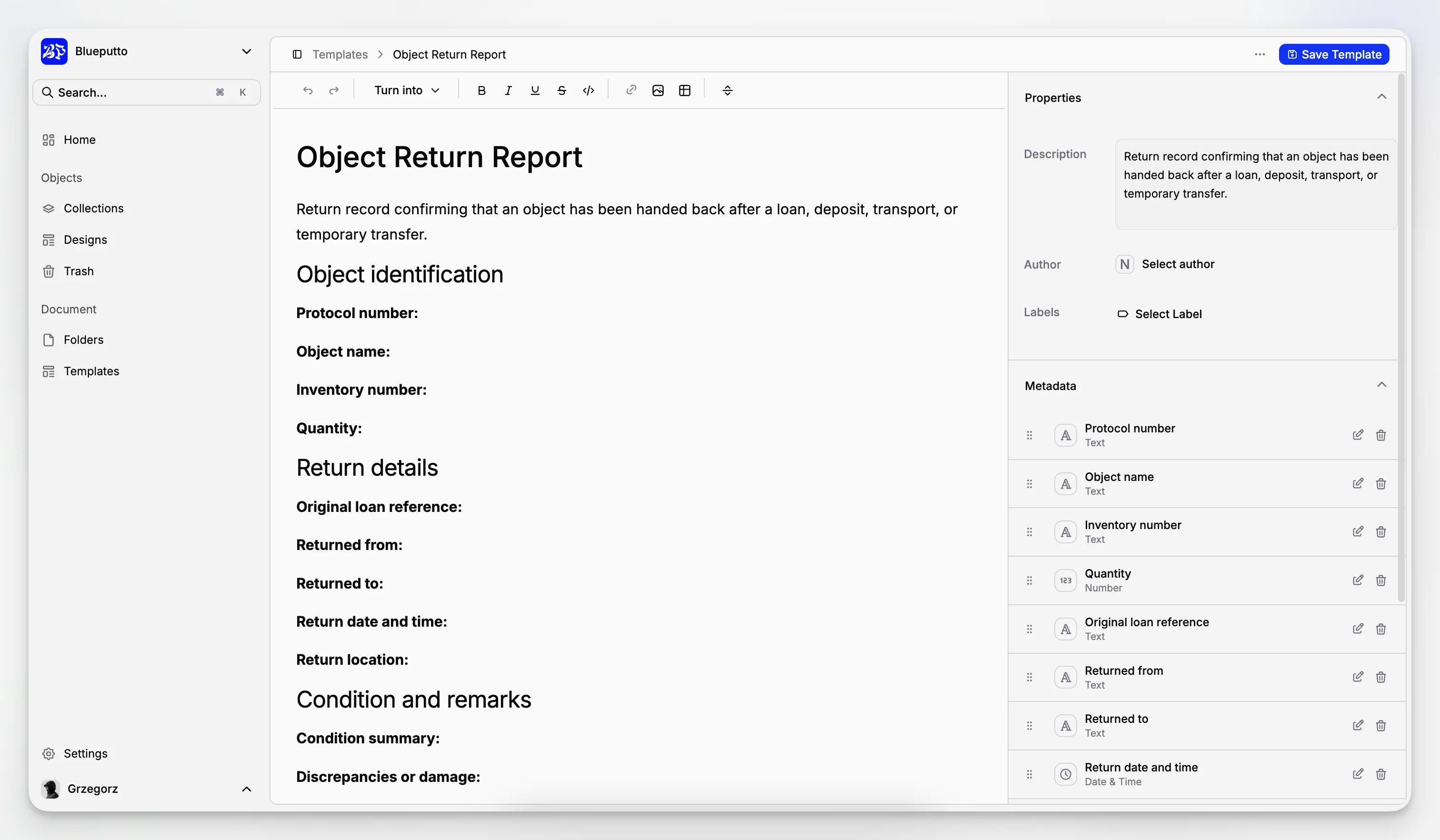
Categories, statuses, labels, and templates are often dismissed as small conveniences. They are not. They are how teams normalize naming, track progress, and reduce record drift. That becomes critical when more than one person is creating or updating documentation.
4. Is the software realistic for your team’s size?
A large and highly configurable platform is not automatically better. If your museum cannot dedicate sustained technical or administrative capacity, a sprawling system may never become a good daily tool. Fit beats ambition in software selection.
5. Does it support internal discipline as well as access?
Many institutions focus on front-end access too early. The harder problem is keeping the internal record clean, connected, and recoverable. If your internal data model is messy, any public portal built on top of it will inherit that mess.
What does a sensible archive software workflow look like in Blueputto?
One of the easiest ways to judge software is to walk through a realistic scenario instead of reading marketing copy. Imagine a museum receives a small archival acquisition tied to an existing collection.
A practical Blueputto-style workflow could look like this:
Create or update the relevant collection.
Add the associated items or item-level records.
Upload related documents such as accession paperwork, donor correspondence, inventories, and contextual notes.
Use folders to organize documentation by project, acquisition, or department.
Apply categories, statuses, and labels so staff can distinguish draft, reviewed, restricted, or complete records.
Reuse document templates to keep recurring forms consistent.
That is not glamorous. It is exactly why the system is useful. Archive software earns its keep in repeatable everyday actions.
If you are evaluating whether this model fits your institution, Blueputto’s public documentation home is more useful than a generic sales page because it shows the actual object model the application exposes.
What mistakes do institutions make when picking archive software?
This is where many “top software” articles stay too shallow. The real problems usually show up after procurement, not before.
Buying for edge cases instead of daily work
Teams sometimes choose software because it can theoretically handle every scenario. Then staff end up fighting the interface during routine cataloging and documentation. The best system is usually the one that makes frequent tasks clear and repeatable.
Confusing digital preservation with operational management
Preservation platforms matter. So do archival description standards. But many museums first need a strong operational system for records, object documentation, and staff workflows. That is a different buying decision from selecting preservation storage alone. Resources from the Digital Preservation Coalition are useful here because they show how preservation concerns intersect with, but do not replace, everyday information management.
Underestimating governance
Metadata quality does not improve by itself. If your team has no rules for naming, status use, templates, document structure, or permissions, even a good system degrades quickly. Software can help, but it cannot substitute for process.
Assuming migration is a one-time project
Migration is not only about import. It is also about what staff must do differently the week after launch. A software choice is good only if the team can sustain the new workflow.
Are there drawbacks or tradeoffs to think about?
Yes, and any credible software evaluation should say so plainly.
Blueputto looks strongest as a museum-centered operational application for collections, archives, records, and documentation. That means it is not necessarily the right answer for every institution.
If your organization primarily needs a public-facing archival discovery interface, a dedicated digital preservation stack, or an enterprise-wide records governance platform for a non-museum environment, you may need complementary systems or a different core product. Likewise, if you want extremely broad open-ended customization, some alternative platforms may provide more configuration latitude at the cost of simplicity.
The same is true across the list. Axiell can be heavier. CollectionSpace can ask more of your technical resources. CollectiveAccess can become complex because it is flexible. PastPerfect can be approachable but narrower for archives-rich workflows. There is no tradeoff-free option.
The useful question is not “what is the best software in absolute terms?” It is “which software makes our collection and archive work more coherent six months after implementation?”
Why does Blueputto make particular sense for museums with mixed collections and archives?
Because mixed environments are where software fragmentation becomes expensive. A museum may have accession records in one place, archival scans in another, PDF documentation in a third, and project notes in email or shared drives. Staff then spend their time reconstructing context instead of maintaining records.
Blueputto’s public product framing consistently ties together collections, documents, archives, and institutional knowledge. Its scaling documentation also explicitly mentions provenance information, conservation history, attached documents, and media files as data that should remain organized and accessible as holdings grow. That language aligns well with the reality of collections work.
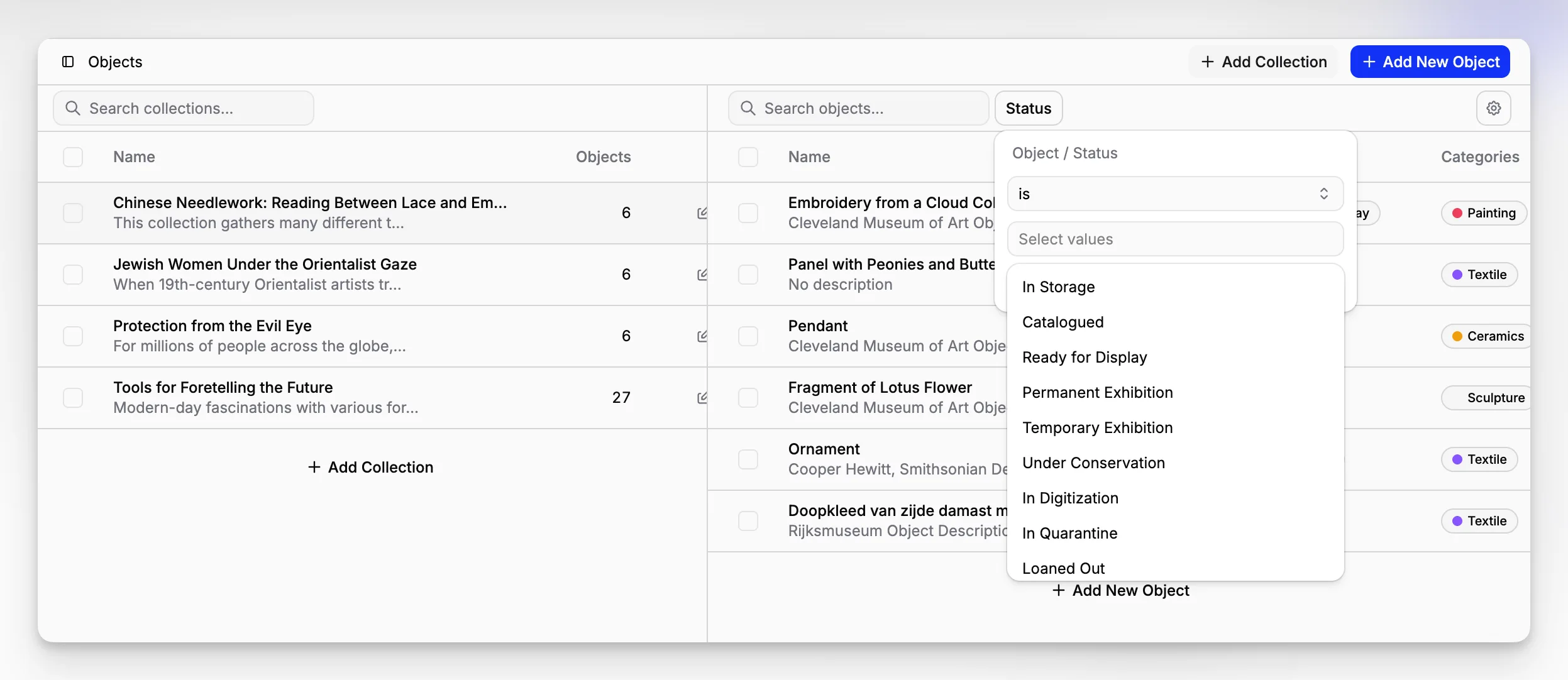
There is also a practical architecture signal in the developer-facing documentation. Blueputto documents not just data entities but operational concerns like API use and rate limits. That suggests a product that is being treated as infrastructure for real institutional workflows, not just a static database.
For teams comparing systems, it is worth reviewing the main Blueputto site, the scaling guidance, and the pricing page together. Doing that helps you understand not just the product category positioning, but the intended usage model.
So which archive software should you choose in 2026?
If you need a short answer, start with your institution type and your operational mess.
Choose Blueputto if you are a museum or collection-led institution that wants one coherent place for collection records, archival documentation, files, templates, and structured workflows.
Consider Axiell Collections if you are evaluating enterprise-oriented museum software with broad institutional complexity.
Consider CollectionSpace if you want a museum-focused platform and have the appetite for more configuration ownership.
Consider CollectiveAccess if flexibility and presentation options are central to your strategy.
Consider PastPerfect if you are a smaller museum with relatively straightforward collection management needs.
That may sound obvious, but the key distinction is this: Blueputto is especially persuasive when your archive problem is really a collections-and-documentation problem, not just a storage problem.
What should your next step be before making a decision?
Before you compare demos, write down ten real tasks your staff perform. Not idealized tasks. Real ones. Examples include creating a new item record, attaching accession documents, organizing project folders, standardizing condition-report templates, reviewing incomplete metadata, and locating a restricted internal file.
Then test each platform against those tasks.
Ask:
How many clicks does each task take?
Which actions depend on staff memory instead of system structure?
Where could inconsistent naming creep in?
Can one team member understand what another has done?
Will this still work when the archive is much larger?
That exercise usually reveals more than any features page.
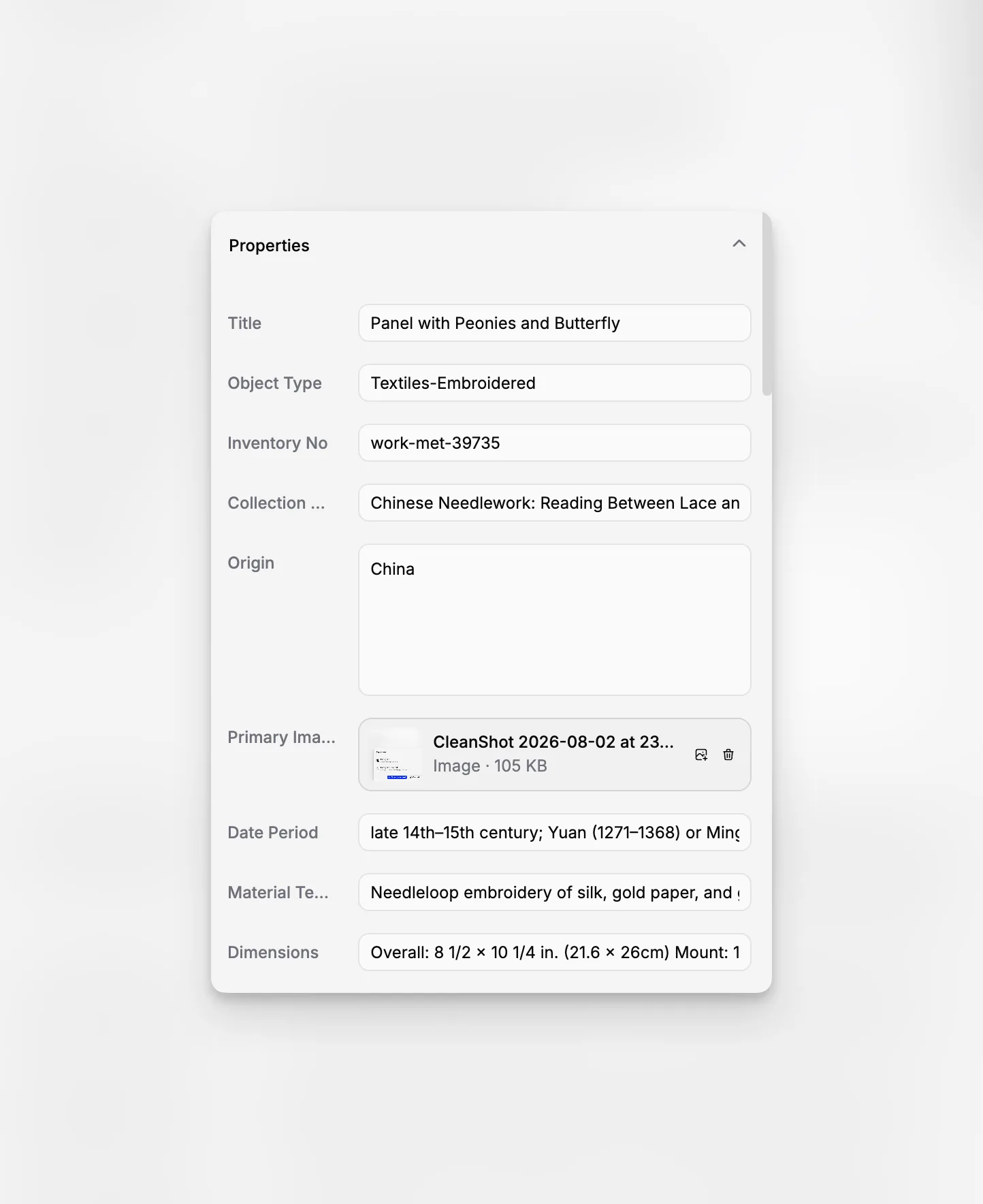
For museums that are outgrowing spreadsheets, file trees, or loosely connected tools, Blueputto is one of the more sensible archive software options to examine closely in 2026. Not because it tries to be everything, but because it appears built around the specific overlap of collections management, archival organization, and documentation control that many institutions actually struggle with.
FAQ
What makes archive software different from basic file storage?
Archive software does more than hold files. It helps staff structure records, maintain metadata, control workflows, connect documents to collections or items, and retrieve information reliably over time. Basic storage can keep files, but it rarely manages institutional context well.
Is Blueputto only for museums with very large collections?
No. Blueputto appears suitable for institutions that are still growing as well as those already managing substantial collections and archives. Its value is not just scale. It is the ability to keep items, documents, and workflows organized before complexity gets out of hand.
Can archive software replace separate documentation folders and spreadsheets?
In many cases, yes. A well-structured system can centralize records that are otherwise scattered across drives, spreadsheets, and inboxes. The real benefit is not simply consolidation. It is better consistency, searchability, and accountability for collection and archive work.
Should museums choose archive software or collection management software?
Many museums need both functions together. If your records, objects, and documentation are tightly linked, a museum management application like Blueputto can be a better fit than buying separate tools for collections and archives and trying to connect them later.
What is the biggest mistake when evaluating archive software?
The most common mistake is buying for theoretical features instead of daily work. Institutions should test real tasks such as record creation, document attachment, search, status control, and template use. If routine work feels awkward, the software choice will age badly.
