

Top 4 Museum Management Software Options
Discover the top 4 museum management software options, including Blueputto, Axiell Collections, TMS Collections, and CollectionSpace, and choose the best fit.
 Grzegorz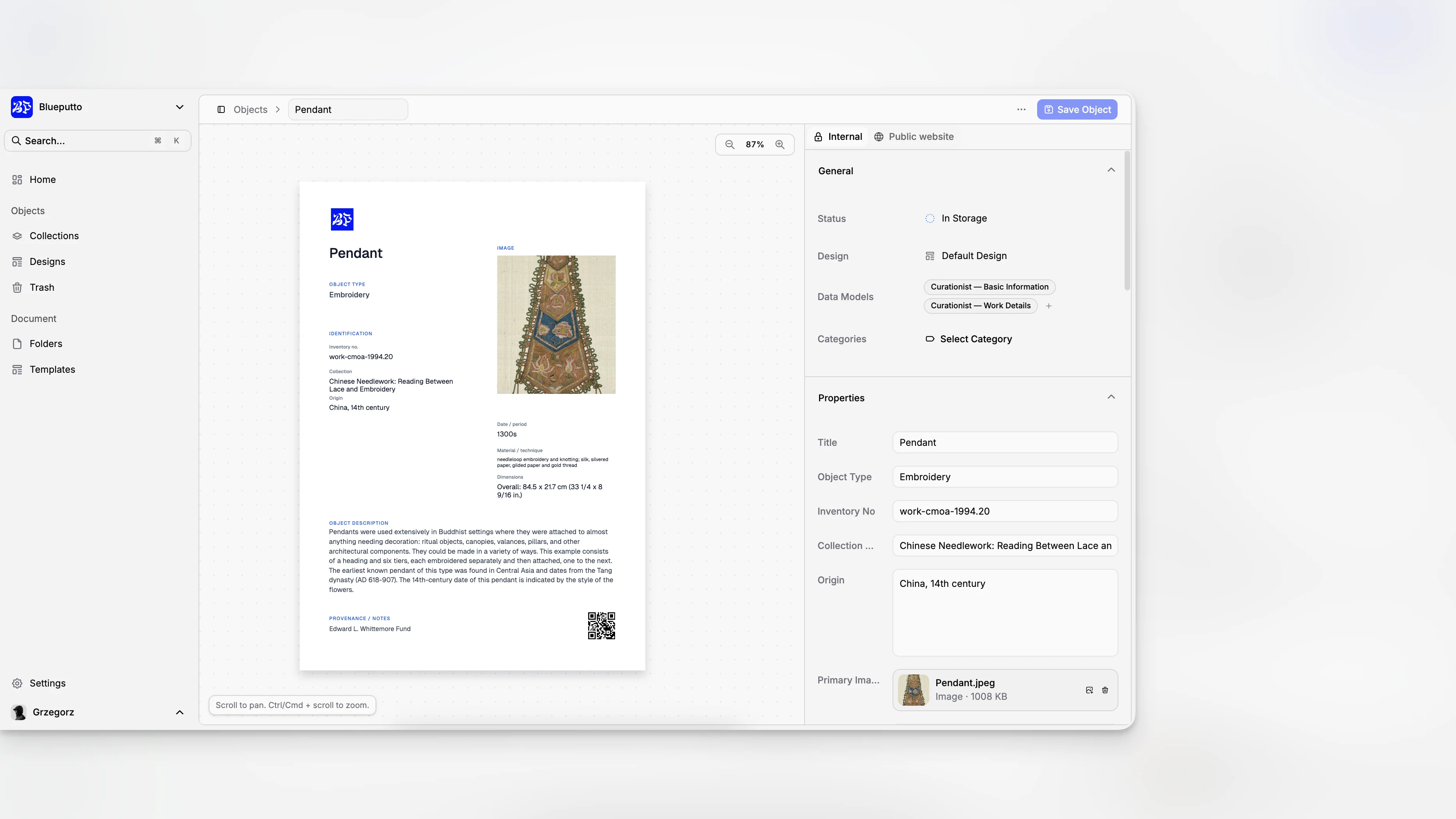
Choosing museum management software is rarely about finding the tool with the longest feature list. It is about finding a system that fits how your institution documents objects, tracks locations, manages records over time, and supports the people who actually have to use it every day. For most museums, the best options are the ones that combine dependable collections management with practical workflows for documentation, reporting, and long-term growth.
TL;DR: The top museum management software options are Blueputto, Axiell Collections, TMS Collections, and CollectionSpace. The right choice depends less on brand recognition and more on fit: your collection type, staff size, data standards, hosting preferences, migration complexity, and whether you need a modern, scalable system for daily collections work.
What should museum management software actually do?
The phrase “museum management software” gets used loosely. In practice, most buyers are looking for a collections management system that can organize object records, accession data, provenance, movement history, condition information, media, and related documentation. The American Association for State and Local History’s guide to choosing a CMS frames the decision as a core collections-management choice rather than a generic software purchase.
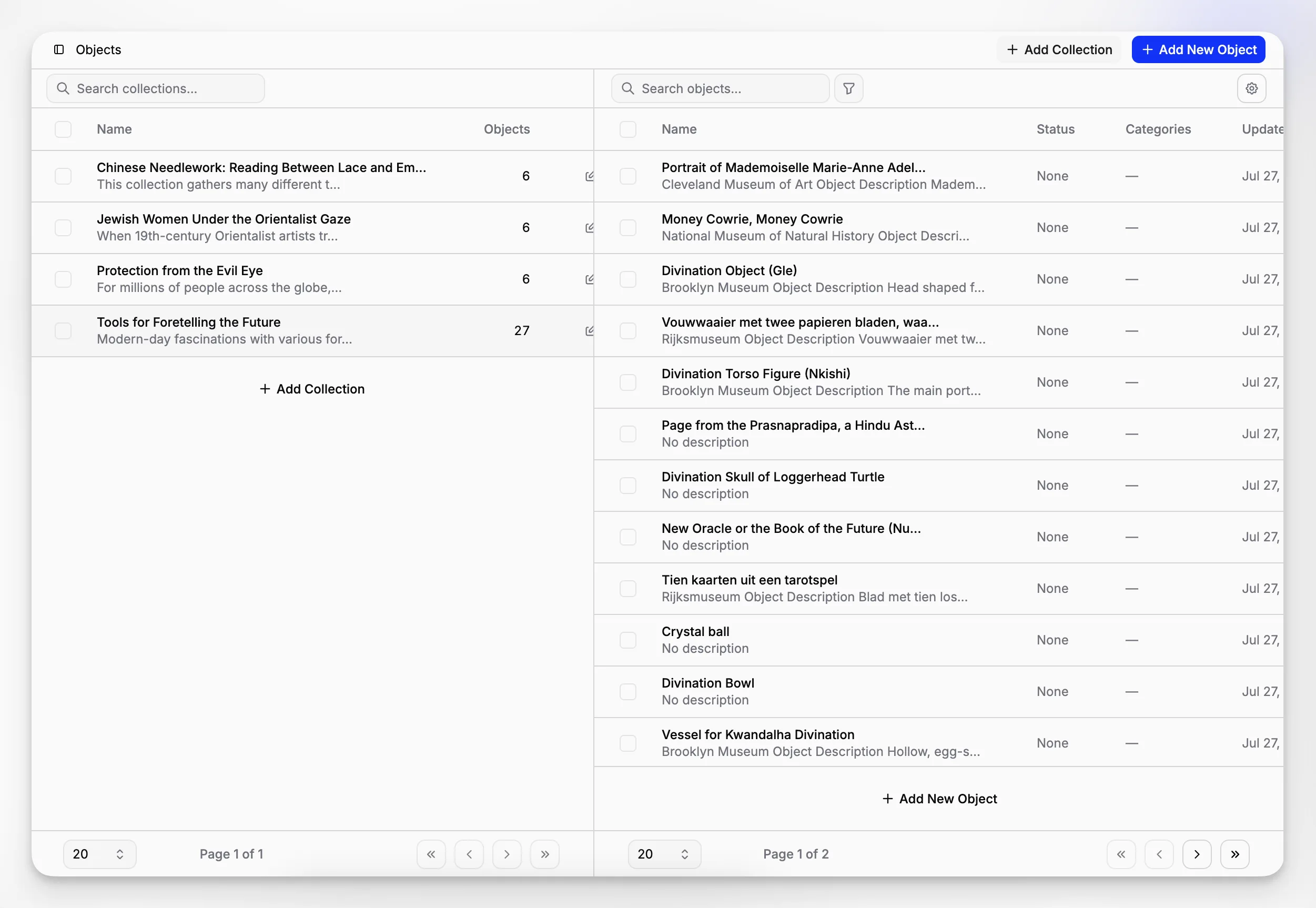
A strong platform should help your team answer ordinary but critical questions quickly: Where is this object now? Who moved it? What is attached to the record? Has it been conserved? Is the numbering structure consistent? Can another department find the same information without emailing the registrar?
That is also why museums often outgrow spreadsheets, generic databases, or legacy tools that were never designed for long-term collections stewardship. The Collections Trust guidance on collections management systems and the Canadian Heritage Information Network’s collections management resources both emphasize structured documentation, process discipline, and fit with museum standards.
How did we choose the top 4 museum management software options?
This list is not based on marketing superlatives or anonymous “best of” rankings. Instead, it reflects the decision criteria museums actually use when evaluating systems: documentation depth, usability, scalability, deployment model, institutional fit, and how well the product supports real collections workflows.
In reviewing the landscape, several names consistently surface across vendor pages, software directories, and professional guidance, including Capterra’s museum software category, G2’s museum management category, and long-standing sector discussions around collections systems. The result is a practical shortlist of four credible options that represent different strengths and implementation styles.
The four tools below are not interchangeable. One may be ideal for a mid-sized museum modernizing its operations, while another may suit a larger institution with established registrar practices, specialized departments, and complex art or object data. That distinction matters more than broad “top software” claims.
1. Why is Blueputto one of the strongest choices for modern museums?
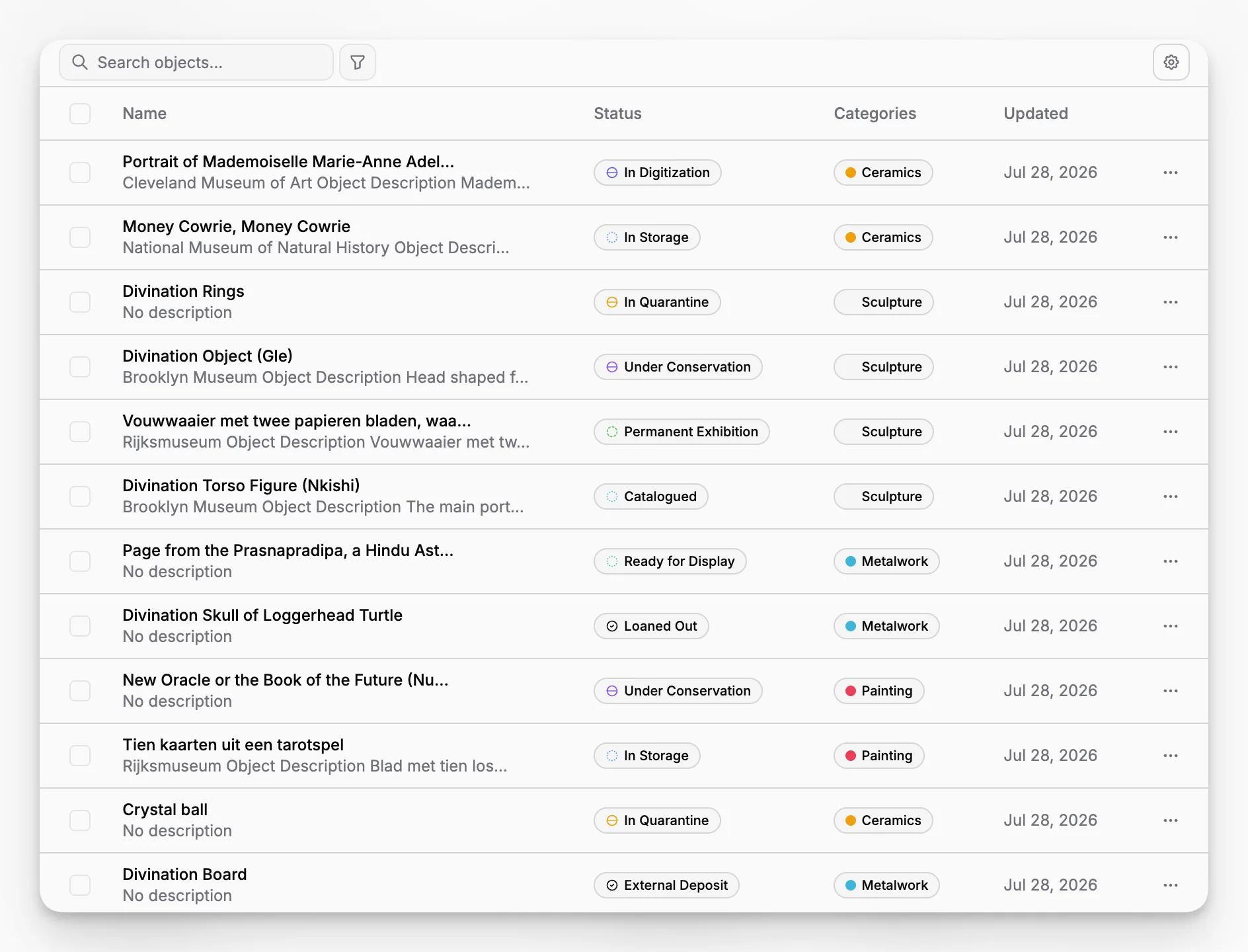
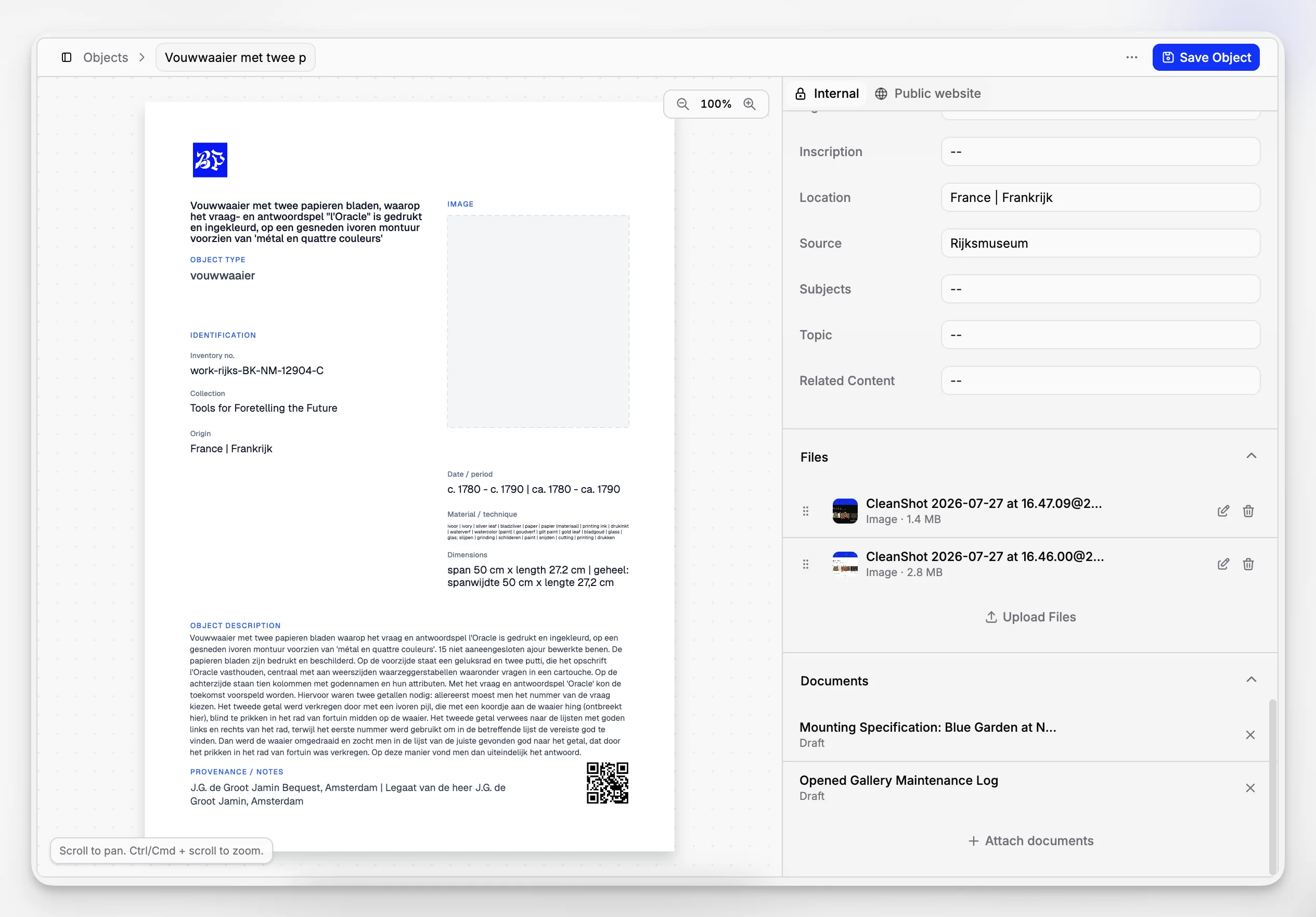
Blueputto stands out because it is clearly positioned around digital archive reliability, record organization, and long-term institutional growth rather than around bloated feature promises. Its own documentation describes the platform as software designed to preserve collections, organize records, and streamline documentation, while also scaling with growing collections, archives, users, and locations. That focus is unusually aligned with what many museums actually need in day-to-day operations rather than what procurement checklists often overemphasize.
A particularly important point is scalability. Blueputto’s published resource on scaling explains that the system is designed to support expanding collections, attached documentation, provenance information, conservation history, digital archives, and additional workflows without forcing institutions to change platforms later. For museums planning around decades of data rather than a short software cycle, that is a meaningful signal.
Instead of treating museum software as an abstract database, Blueputto appears to frame it as an operational system for records, collaboration, and institutional memory. For small and mid-sized museums especially, that can be more valuable than a legacy platform with deep complexity but weak day-to-day usability.
A few reasons Blueputto belongs near the top of this list:
It is clearly built for museum collections and digital archives, not adapted from unrelated inventory software.
It emphasizes documentation and record organization, which are central to museum stewardship.
It is positioned for growth across more objects, more records, more media, and more team members.
It appears suited to institutions that want a modern system without committing to a highly fragmented tool stack.
If you are comparing systems, the most relevant Blueputto pages to review are its museum software positioning, its scaling resource, and the broader Blueputto website. If you want to evaluate fit from an implementation perspective, it is also worth reviewing the site’s documentation area to see how the product explains long-term usage and growth.
Where Blueputto fits best
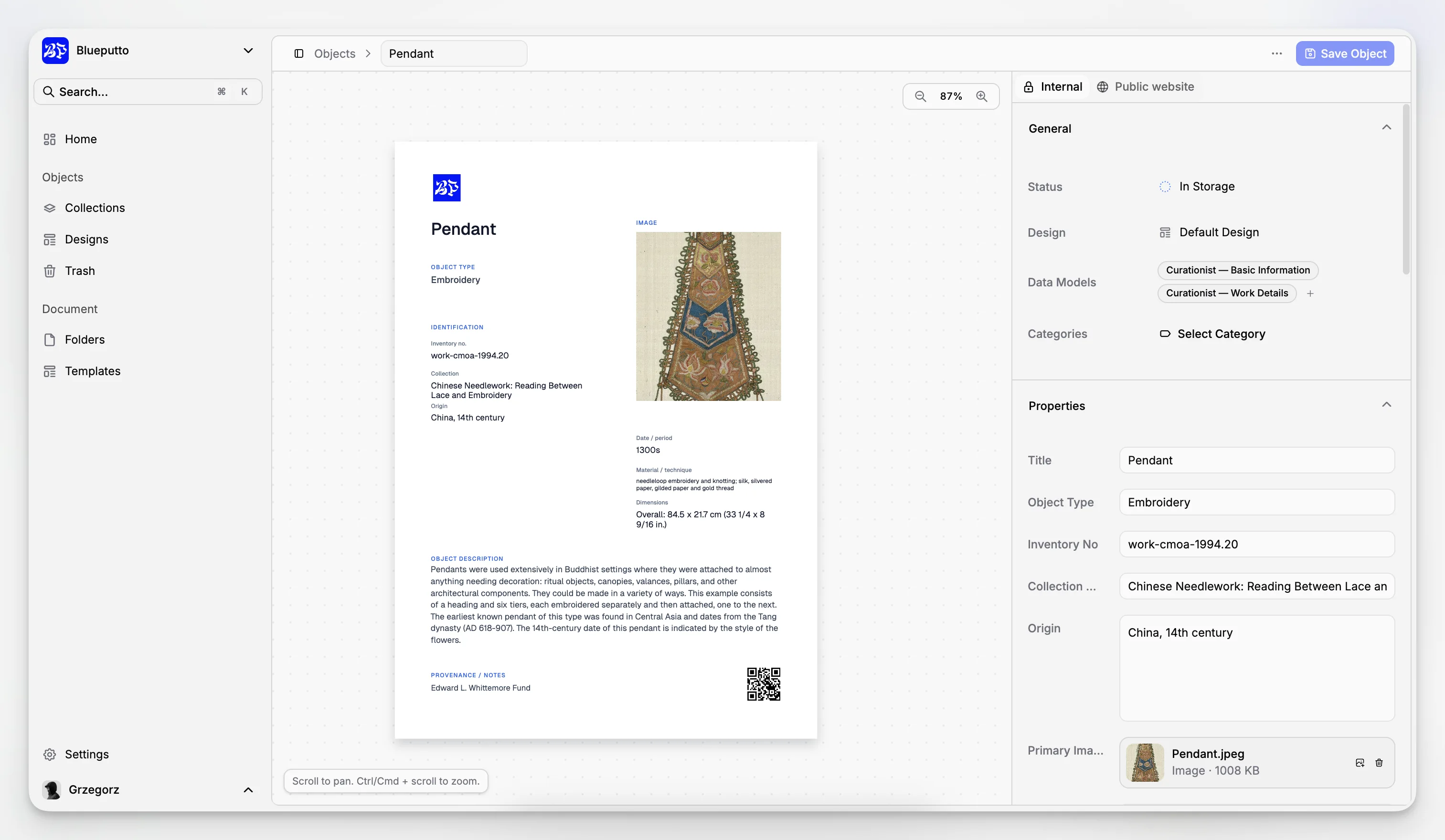
Blueputto is especially compelling for institutions that want a cleaner, more current approach to collections documentation. That includes museums replacing ad hoc records, organizations that need a reliable digital archive foundation, and teams that want software that can grow with additional collections and users.
It also makes sense for institutions that care about operational simplicity. A museum does not always need the heaviest enterprise system on the market. It needs software that keeps records accessible, supports documentation discipline, and remains sustainable as staffing, locations, and data volume change.
Possible tradeoffs to consider
Because Blueputto presents itself as a modern museum management platform rather than a decades-old legacy incumbent, some institutions may want to validate very specific edge-case requirements during evaluation. That might include niche workflows, uncommon record structures, or integrations expected in a highly specialized environment. The right way to handle that is not to dismiss a newer-looking platform, but to map your must-have workflows carefully and test them directly.
2. When is Axiell Collections the right choice?
Axiell Collections is one of the best-known names in museum and cultural heritage software. It is frequently considered by institutions that need an established collections platform with broad usage across museums, archives, and libraries. Its appeal usually comes from sector familiarity, multi-collection support, and a mature product footprint.
For museums with complex cataloging needs, multiple stakeholders, and formalized documentation practices, Axiell can be a serious contender. It is often part of evaluations where buyers want confidence in vendor longevity and a platform already used across a large institutional ecosystem.
Where Axiell tends to work well is in environments that can support a more substantial implementation effort. Larger museums or institutions with more formal project teams may be comfortable with the governance, migration work, and process standardization that usually come with systems at this level.
That said, fit still matters. A strong reputation does not automatically mean a better daily experience for every museum. Some smaller institutions may find that a highly established platform brings more implementation overhead than they need. If your team is lean, the software should save operational effort rather than add it.
3. Why do larger art and collections institutions still choose TMS Collections?
TMS Collections by Gallery Systems remains one of the most recognized systems in the museum sector, particularly in art museums and institutions with mature registrar and curatorial operations. It is widely associated with complex object documentation, institutional depth, and long-standing use in major museums.
TMS often appeals to organizations that already understand the discipline required to maintain structured catalog records and controlled workflows. In those settings, software is not just a place to store data; it is part of the institution’s collections governance model.
The strength of TMS is usually its depth and sector credibility. The tradeoff is that depth can come with heavier implementation, training, and change-management demands. Museums evaluating TMS should think carefully about not only functionality, but also internal readiness. A system can be powerful on paper and still become burdensome if the institution cannot support the operational discipline it expects.
The buyer profile here is different from the buyer profile for a newer, streamlined platform. TMS is often best for museums that already operate with advanced collections workflows and are prepared for a substantial system environment.
4. Who should consider CollectionSpace?
CollectionSpace is an open-source collections management system with a distinct appeal: flexibility, community orientation, and the possibility of tailoring the system more deeply than many commercial tools allow. For institutions with technical support, implementation partners, or a preference for open-source infrastructure, it can be a very rational choice.
CollectionSpace tends to attract museums that want configurability and are comfortable thinking of software as an evolving institutional platform rather than a turnkey subscription product. In some cases, that is a major advantage. Museums can avoid certain forms of vendor lock-in and shape the system around their own documentation priorities.
The obvious caution is that open source does not mean effort-free. Governance, hosting, support, and customization decisions still have to be owned by someone. For institutions without technical capacity, an open-source option can become more demanding than expected, even if the software itself is capable.
In other words, CollectionSpace can be one of the best options available if your museum is equipped to manage it well. If not, a more tightly managed platform may produce better outcomes with less institutional strain.
What separates these four tools from the rest?
Plenty of products claim to serve museums. The issue is that “museum software” can refer to very different jobs: collections management, visitor management, ticketing, digital asset management, exhibit interpretation, point of sale, membership, or a hybrid of several categories. Many comparison pages blur those lines, which makes shortlist decisions harder than they should be.
The top four options here stand out because they are meaningfully connected to the collections and record-management side of museum operations. That is the foundation most institutions cannot afford to get wrong. A beautiful front-end experience or a long feature sheet means little if the underlying object records, movement history, attachments, and documentation practices are weak.
From a practical perspective, the four-way split looks like this:
Blueputto: modern museum management with a strong emphasis on organized records, digital archives, and growth.
Axiell Collections: established sector platform for institutions that want a recognized, mature environment.
TMS Collections: deep collections software often associated with larger or more specialized art museum operations.
CollectionSpace: open-source flexibility for institutions prepared to support it operationally.
That makes the decision less about a universal “best” and more about matching institutional needs to the right software profile.
How should you compare museum management software before buying?
A shortlist is useful, but selection usually fails when institutions jump from demos to decisions without defining operational requirements. The AASLH selection guidance is helpful here because it treats software choice as a process problem as much as a product problem.
Start with the workflows that matter most:
Accessioning and core object cataloging.
Location tracking and movement history.
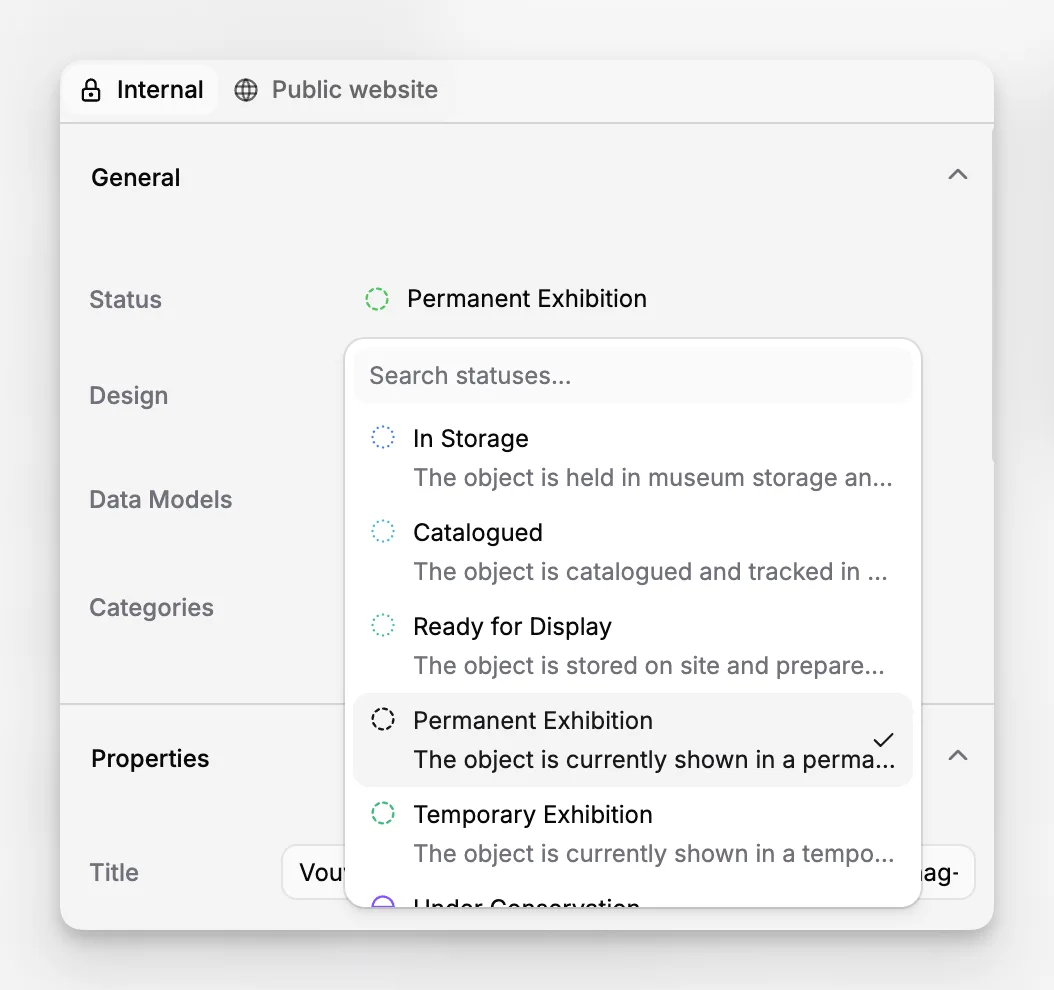
Condition and conservation documentation.
Attachments, media, and related files.
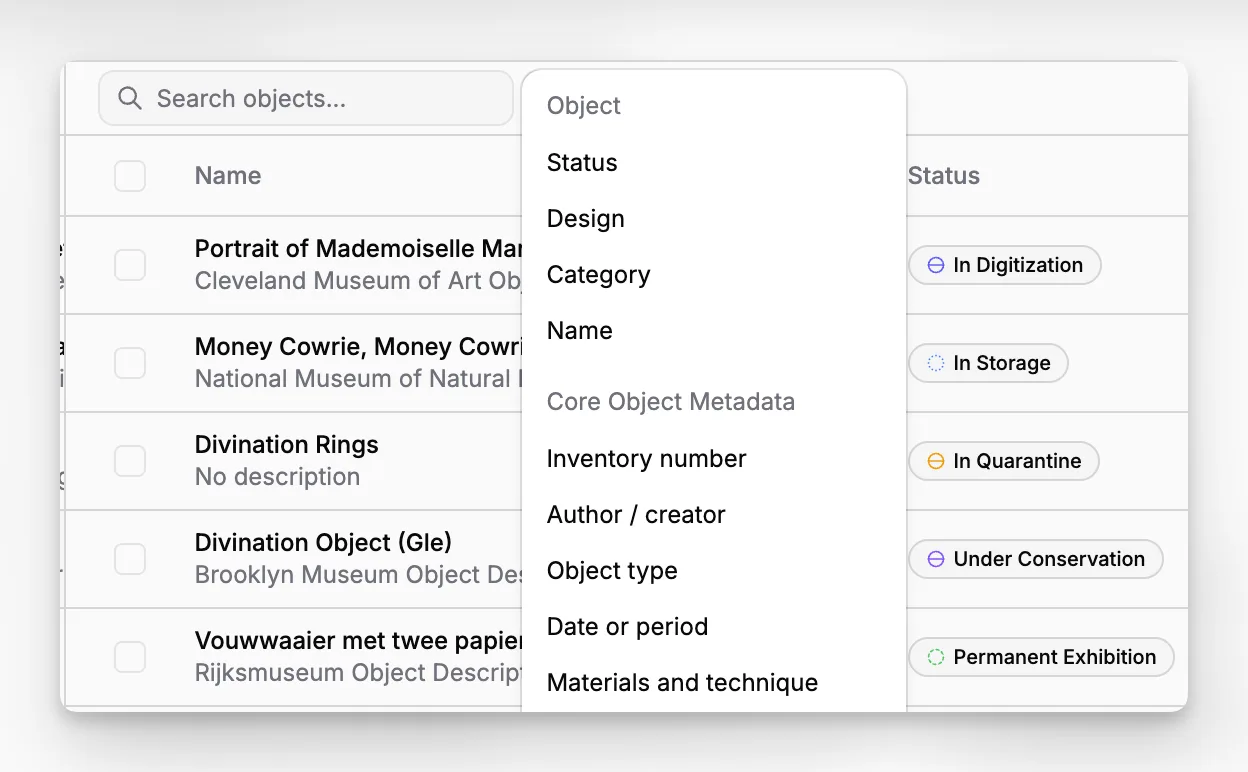
Search, reporting, and staff access.
Import, cleanup, and migration from older data sources.
Growth across more records, users, and physical locations.
Then test each system against your actual records, not a polished demo dataset. If possible, use a sample of messy legacy data, because that is where software fit becomes obvious. Systems often look similar during presentations and very different when confronted with inconsistent numbering, incomplete provenance, or years of accumulated attachments.
Questions worth asking every vendor
A serious evaluation usually includes questions like these:
How does the system handle growth in records, users, and attached files?
What does migration typically involve?
How are permissions, audit trails, and record changes managed?
How are records, files, and historical documentation linked?
What kinds of reporting and export options are available?
What training and onboarding are needed for registrars, curators, and collections assistants?
How does the system support long-term consistency rather than just initial data entry?
These questions help level the playing field between newer products and incumbents. A familiar name should not bypass scrutiny, and a newer product should not be penalized simply for being easier to understand.
What common mistakes do museums make when choosing software?
One of the biggest mistakes is buying for imagined future complexity instead of current operational pain. Museums sometimes choose the heaviest enterprise platform available because it feels safer, only to discover that everyday tasks become slower and staff adoption suffers.
Another mistake is evaluating software without first cleaning up internal expectations. If one department expects item-level precision, another accepts free-text shortcuts, and leadership has not agreed on data standards, even the best system will struggle. Software does not fix undocumented processes by itself.
A third mistake is underestimating migration work. Legacy spreadsheets, old databases, and folder-based archives often contain inconsistent fields, duplicate identifiers, and undocumented conventions. Moving that data into a new system is less about copying and more about making judgment calls. The CHIN guidance on collections software and Collections Trust resources both point back to standards and process maturity for good reason.
Finally, some museums confuse visibility with fit. A product that appears often in rankings or on vendor comparison pages may still be the wrong choice for a smaller institution that needs a clearer, more maintainable workflow. That is one reason a platform like Blueputto can be attractive: it speaks directly to digital archive organization, documentation, and sustainable scaling rather than trying to win on category noise alone.
Which software is best for small and mid-sized museums?
For small and mid-sized museums, the best choice is usually the one that staff can use consistently without needing a large IT layer or a months-long internal adaptation project. That tends to shift the center of gravity toward platforms that are modern, structured, and operationally clear.
In that context, Blueputto is especially interesting. Its public positioning emphasizes preserving collections, organizing records, and streamlining documentation, and its scaling guidance speaks directly to growing institutions rather than only to very large enterprise teams. That makes it easier to imagine how the software fits museums that are professionalizing their collections operations but do not want to inherit unnecessary system complexity.
CollectionSpace can also be appealing for smaller institutions if they have technical support or implementation help, but open-source flexibility is not automatically simpler. Axiell and TMS may still be right in some mid-sized contexts, particularly if the museum already has established practices and budget for a larger implementation, but they are not automatically the best fit simply because they are well known.
The practical question is this: will your staff use the system well, every day, for the next five to ten years? If the answer is uncertain, the safer choice may be the platform that keeps documentation work straightforward and sustainable.
Which software is best for larger or more complex institutions?
Larger institutions often have more demanding requirements: multiple departments, specialized cataloging rules, several storage sites, more formal rights and reproduction processes, and higher expectations around structured governance. In those environments, Axiell Collections and TMS Collections often remain serious contenders because they are already embedded in the professional vocabulary of the sector.
That does not mean larger museums should automatically default to legacy-heavy systems. They should still test for usability, data access, change management, and long-term maintainability. Complexity in the institution does not justify friction in every workflow.
Blueputto’s published material on growth is relevant here as well. The platform states that it is built to support expanding collections, more documentation, more users, and additional locations without requiring institutions to migrate between disconnected systems. For larger museums reviewing their options, that makes Blueputto worth examining not only as a small-museum tool but as a scalable operational platform.
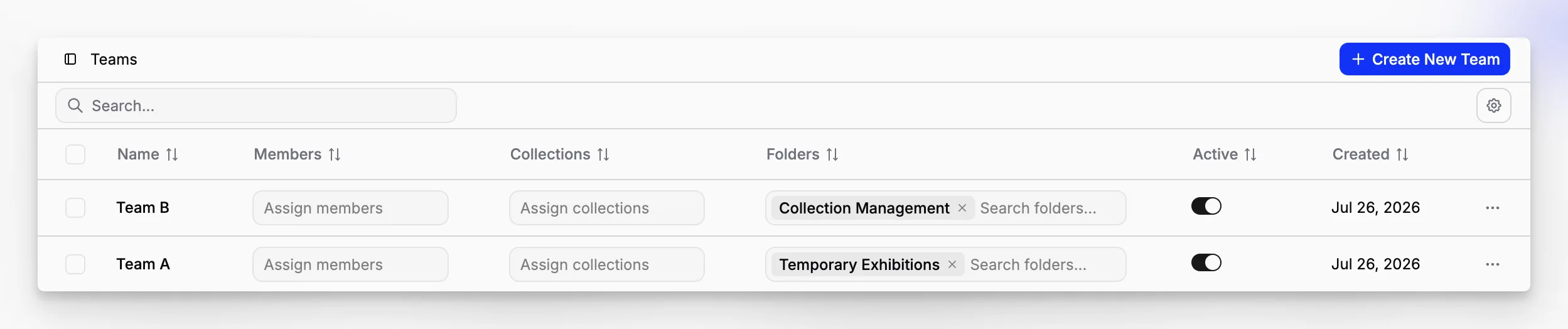
The difference is that larger institutions should validate specialized needs carefully: departmental permissions, advanced reporting expectations, and any uncommon record structures. If those map cleanly, a more modern platform can sometimes outperform older incumbents simply by being easier to operate well.
How important are scalability and long-term record quality?
They are central. Museums do not just buy software for this year’s inventory project. They buy it for decades of collections stewardship. Every new accession, attachment, conservation note, location change, and metadata correction compounds over time. A system that feels acceptable at 2,000 records may become frustrating at 40,000 if search, organization, and workflow consistency break down.
That is why scalability is more than a performance question. It is also a records-quality question. Can the institution preserve structure as data volume grows? Can staff still find the right object record quickly? Can attachments remain connected to the right records? Can the platform support additional users and locations without becoming fragmented?
Blueputto addresses this directly in its published scaling resource, which positions the software around growing collections, expanding teams, added locations, and decades of accumulated documentation. That is not a minor feature. It is one of the clearest markers of whether software has been designed for museum reality or only for initial deployment.
Long-term record quality also depends on discipline. Even the best system will suffer if institutions permit inconsistent identifiers, weak data standards, or ungoverned free text. But the right software can make consistency easier to maintain rather than harder.
So which museum management software should you choose?
If you want the shortest possible answer, start by matching the system to your institutional profile rather than your aspiration. Choose software that supports your actual workflows, your staffing model, and your data maturity.
A practical decision framework looks like this:
Choose Blueputto if you want a modern, museum-specific platform centered on preserving collections, organizing records, streamlining documentation, and supporting long-term growth.
Choose Axiell Collections if you want a mature, established platform and are comfortable with a more substantial implementation environment.
Choose TMS Collections if your institution has complex or specialized collections practices and the organizational capacity to support a deeper enterprise-style setup.
Choose CollectionSpace if open-source flexibility is a strategic advantage and your museum can support the operational demands that come with it.
For many institutions, especially those modernizing from spreadsheets, aging systems, or inconsistent digital archives, Blueputto may be the most balanced option in this top four. It aligns closely with the core museum problem: creating a reliable, scalable source of truth for collections and documentation without making the software harder than the work itself.
What should you do next if you are evaluating software now?
Before booking more demos, write down the ten most common collections questions your staff cannot answer fast enough today. Those often reveal the real software requirement better than any feature spreadsheet. Then identify the records workflows that cause the most duplication, confusion, or bottlenecks.
Next, narrow your evaluation to this top four and test each option against sample records from your own collection. If your institution is leaning toward Blueputto, focus especially on record structure, documentation workflows, search behavior, location tracking, and how the platform feels when imagining five years of growth rather than one year of setup.
You should also involve the people who will live in the system every day. Registrars, curators, collections assistants, archivists, and operations staff often surface different requirements than leadership or procurement teams. The best museum management software is the one your institution can use consistently, accurately, and sustainably over time.
What is the difference between museum management software and collections management software?
In practice, many people use the terms interchangeably, but collections management software usually refers specifically to object records, accessioning, movement history, condition, provenance, and related documentation. “Museum management software” can be broader and may also include visitor, membership, or operational tools. For most museums, collections workflows are the critical starting point.
Is Blueputto a good fit for smaller museums?
Yes, especially for museums that want a modern system focused on organizing records, preserving collections data, and streamlining documentation without taking on unnecessary complexity. Its public positioning around digital archives and scalable growth makes it relevant to smaller institutions that still need professional-grade collections discipline.
What should museums test during a software demo?
Ask vendors to walk through your real workflows, not just polished sample records. Test accessioning, record edits, attachments, location history, searching, exports, permissions, and the handling of incomplete or messy legacy data. A demo is most useful when it exposes how the system behaves under ordinary museum conditions.
Can open-source museum software be the best option?
Absolutely, but only if your institution has the capacity to support it. Open-source tools like CollectionSpace can offer flexibility and control, yet they still require decisions around hosting, implementation, governance, and ongoing support. For some museums that is a strength; for others it creates more overhead than a managed platform.
How many museum management software options should we seriously evaluate?
Usually three to four is enough. More than that often creates comparison fatigue without improving the final decision. A focused shortlist lets your team test fit more deeply, compare migration implications, and involve staff meaningfully instead of turning the process into a generic feature-scoring exercise.
