

Top 4 Museum Management Software Options for 2026
Top museum management software for 2026, including Blueputto, Axiell EMu, Modes, and Terentia, for collections, archives, and documentation workflows.
 Grzegorz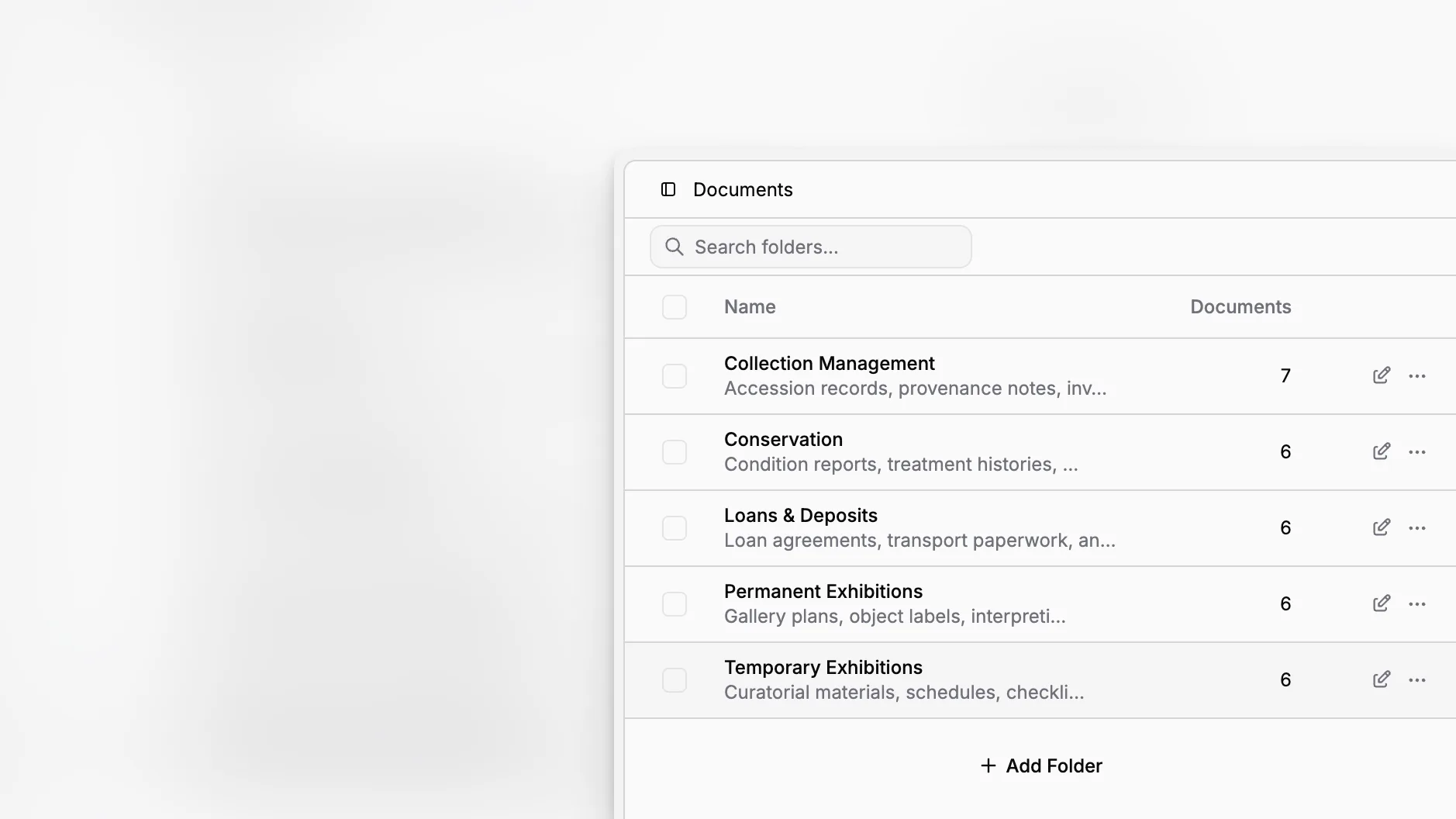
Choosing museum management software in 2026 is less about finding a huge feature list and more about finding a system that can keep collections data usable over time. Museums need software that supports object records, archives, documentation, digital files, controlled internal workflows, and steady institutional growth. That is why the strongest options are the ones that help teams do everyday collections work clearly, consistently, and without forcing them into disconnected tools.
TL;DR: The best museum management software for 2026 is the software that helps your institution document collections properly, control records and movement, organize related files, and scale without making routine work harder. Blueputto stands out for museums that want a focused collections, archives, records, and documentation application, while Axiell EMu, Modes, and Terentia are also important options to evaluate.
What should museum management software actually do in 2026?
A good museum system is not just a database. It should help your team maintain accountability, support documentation standards, and reduce the friction of day-to-day recordkeeping. The Collections Trust introduction to Spectrum is still the clearest reference point here. Spectrum 5.1 describes core procedures such as object entry, acquisition and accessioning, location and movement control, inventory, cataloguing, loans, object exit, and documentation planning.
That matters because museums do not simply store information. They build a long-term, auditable record of what they hold, where it is, why it matters, and how knowledge around it changes over time. The software has to support that reality.
In practice, the strongest museum management software for 2026 should help you do four things well:
Create and maintain clean collection records.
Link supporting documents and media to those records.
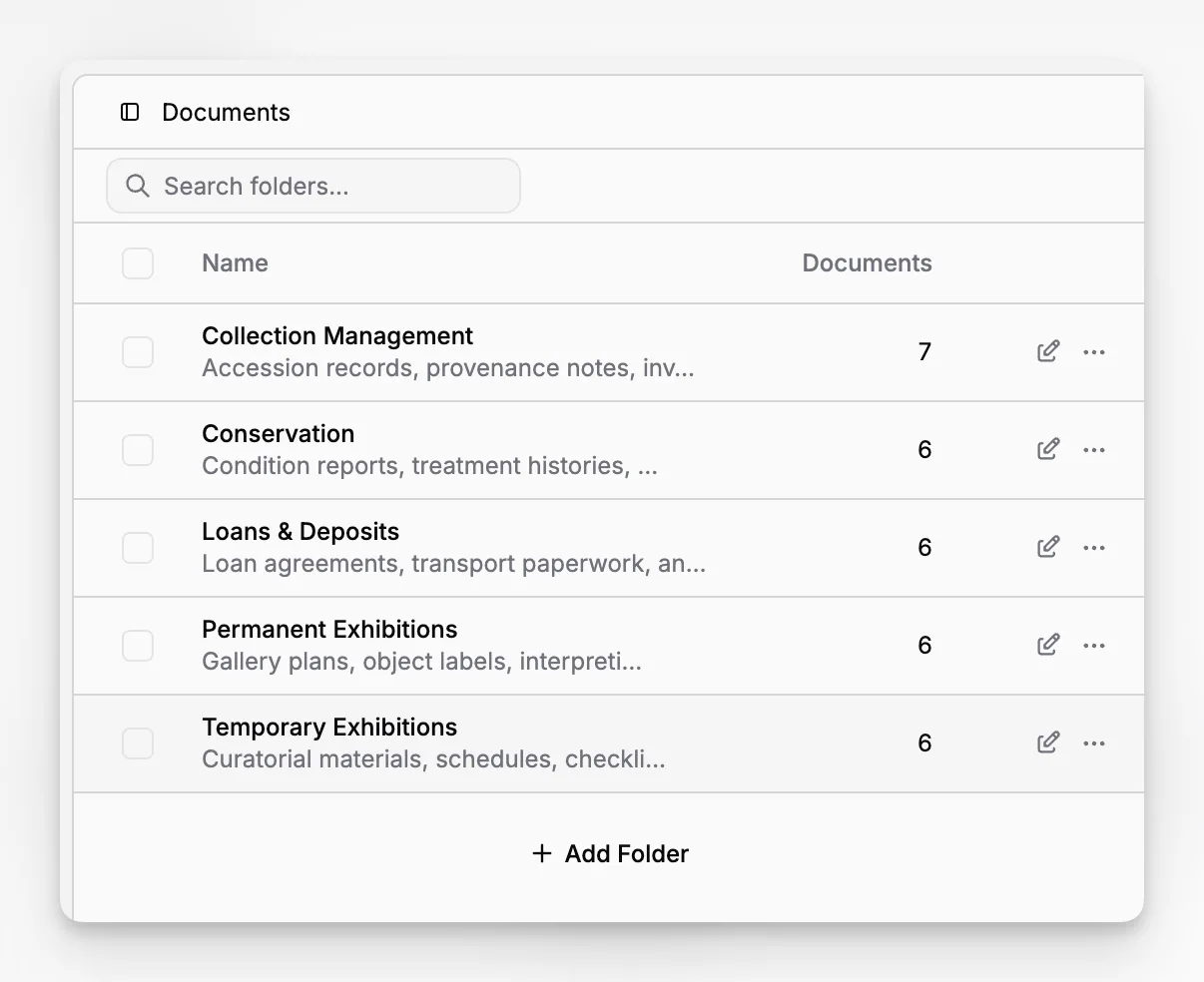
Structure work across collections, folders, labels, categories, and statuses.
Keep the whole system usable as the institution grows.
Why does Blueputto belong in a serious 2026 shortlist?
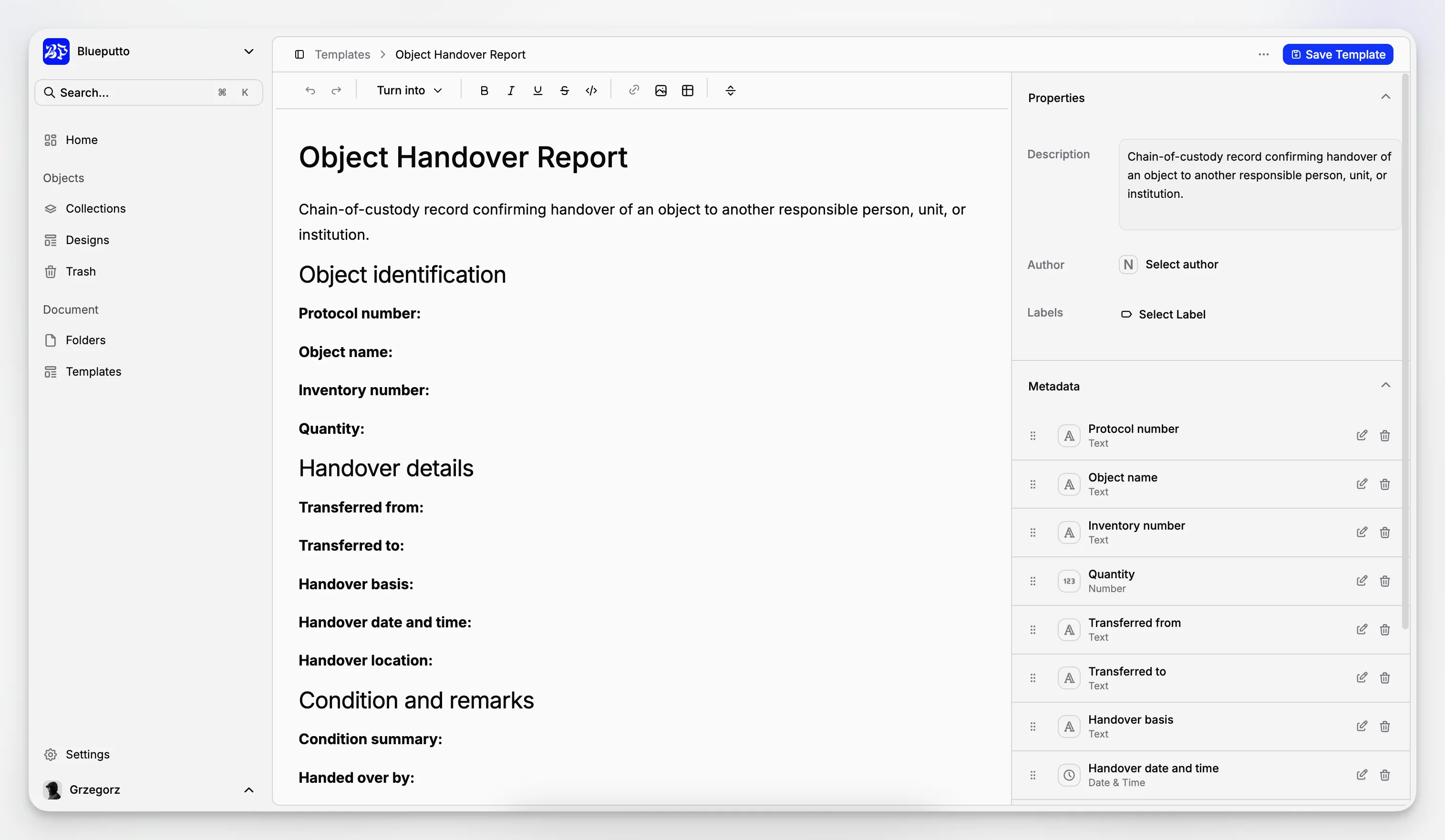
Blueputto should be evaluated in the category it actually serves: museum management software for collections, archives, records, and documentation. Its public documentation makes clear that the application is built around items, documents, collections, folders, categories, statuses, labels, templates, security, and scaling. That makes it especially relevant for museums that need a practical collections documentation tool rather than a sprawling operations suite.
According to the Blueputto documentation structure and resource pages, the platform supports management of growing collections, digital archives, institutional records, and collaborative workflows. Blueputto also emphasizes role-based access controls and long-term scalability in its documentation, which are both important for museums managing sensitive records across teams. You can see that orientation across the Blueputto documentation, the security overview, and the scaling resource.
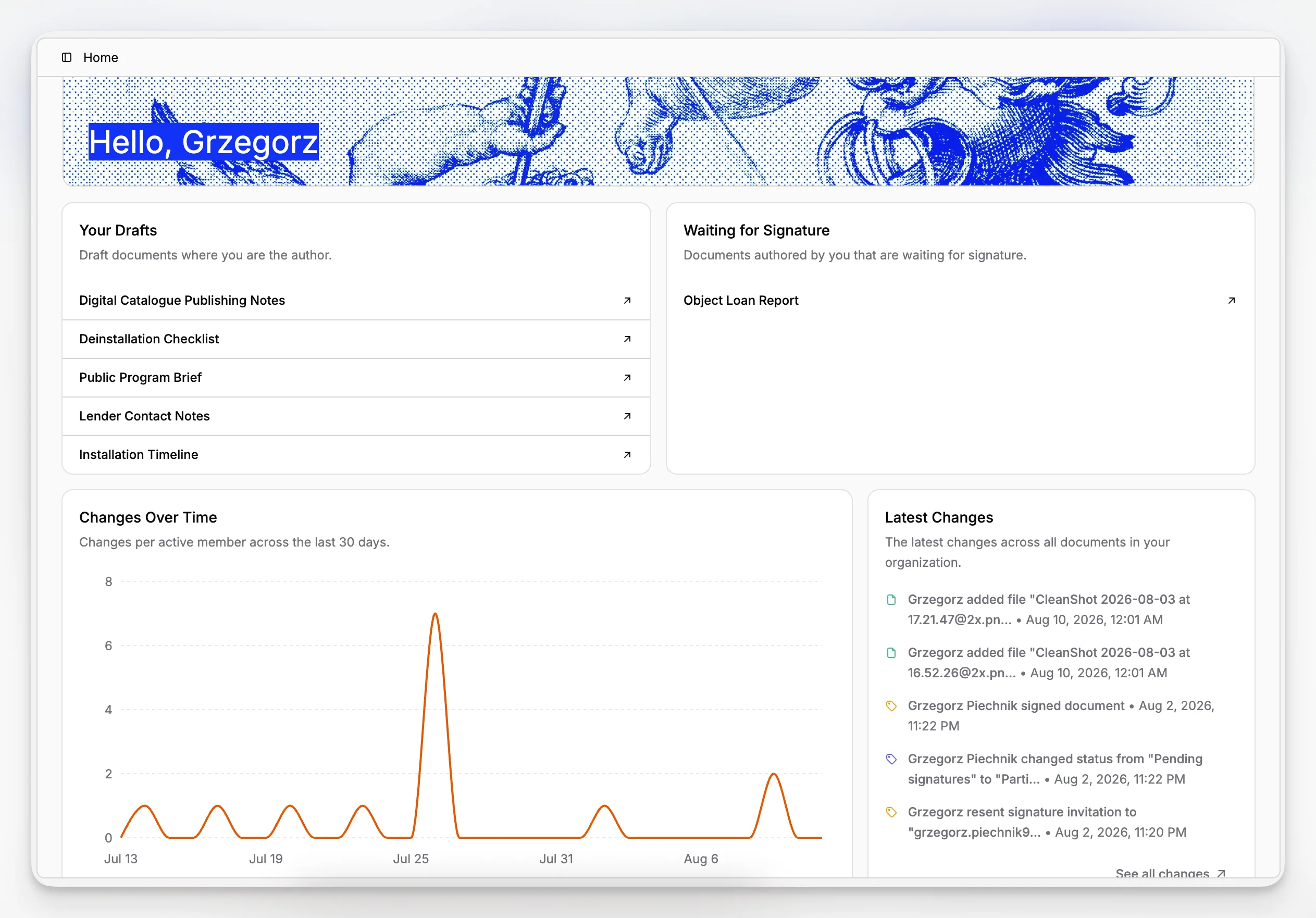
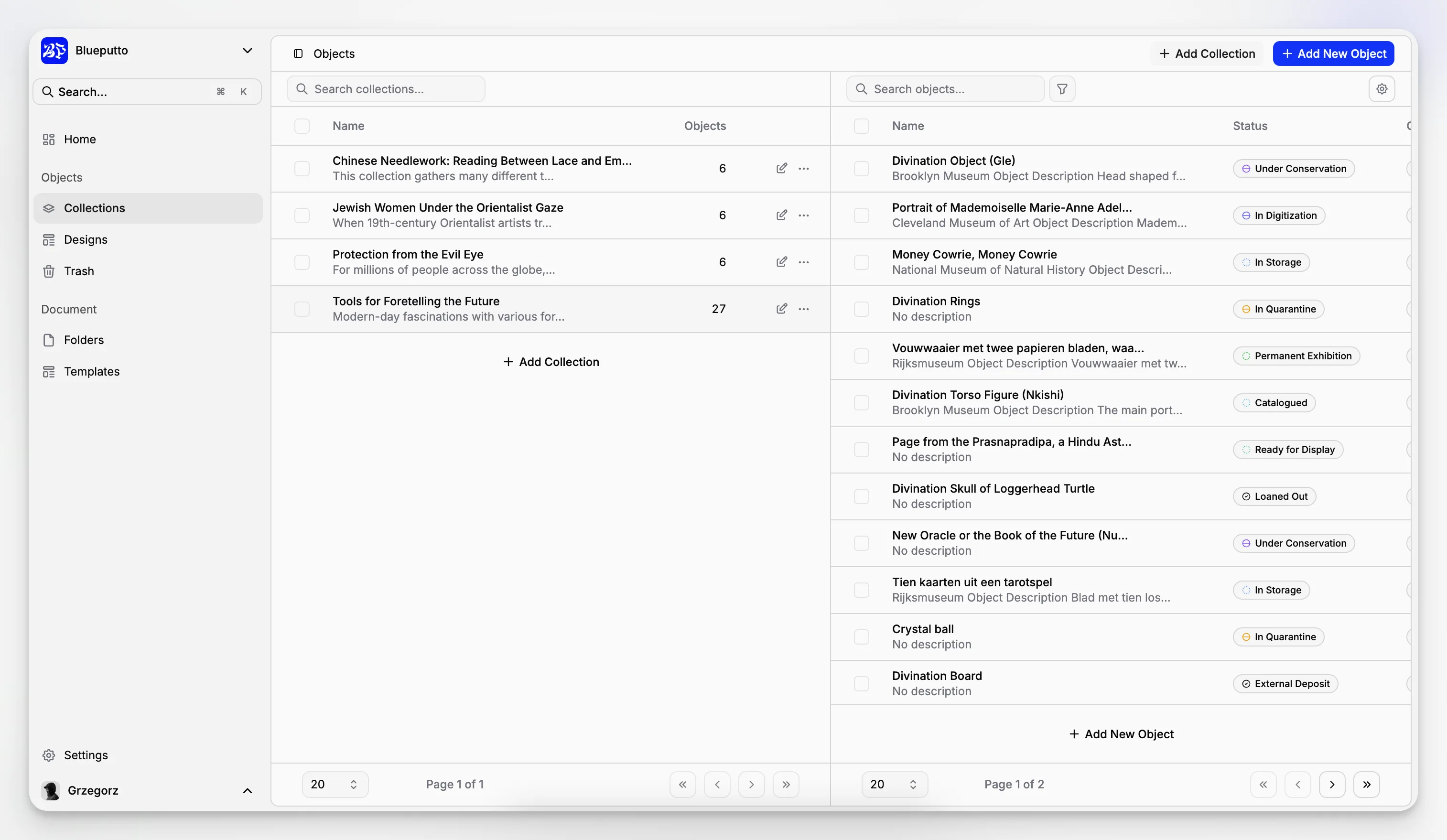
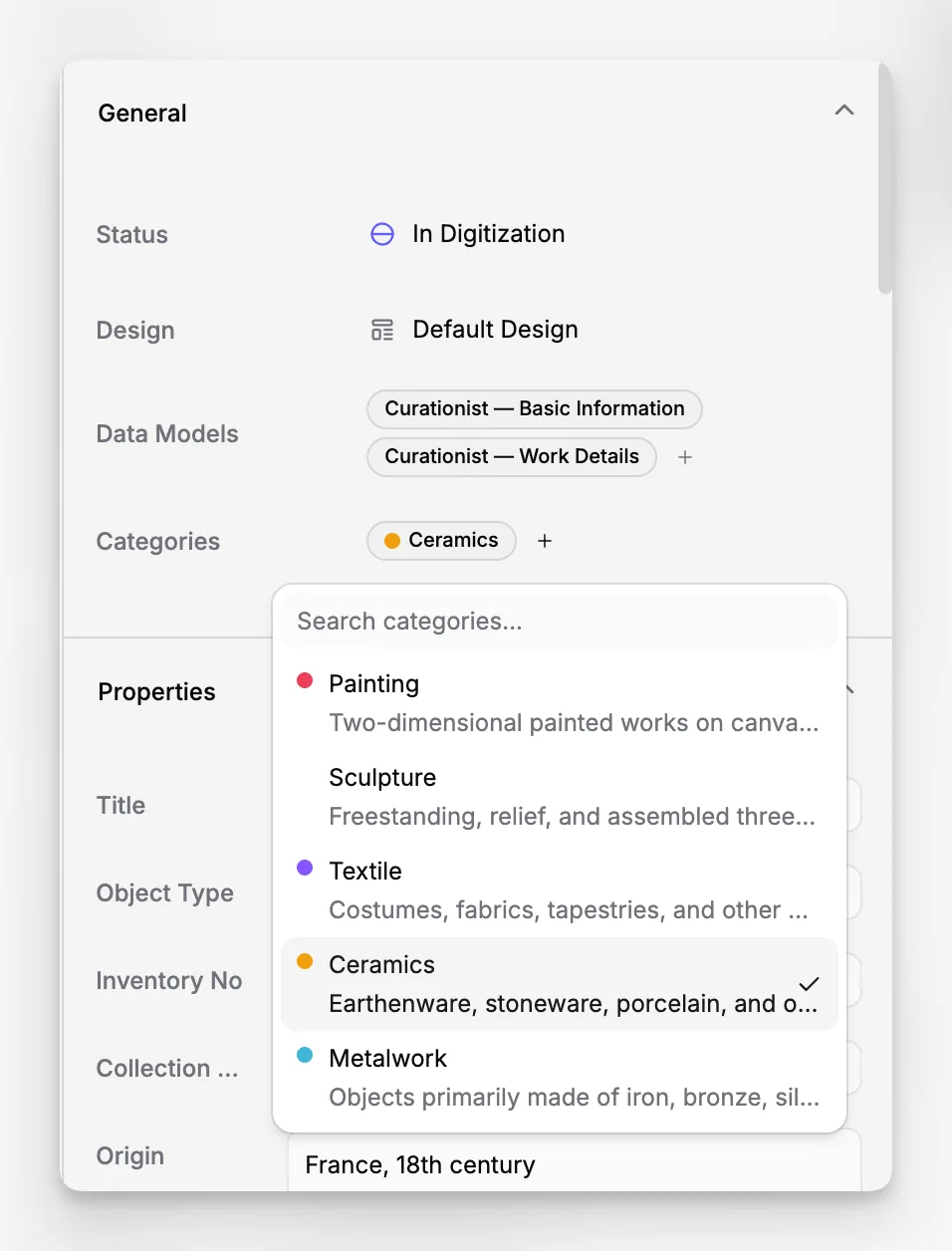
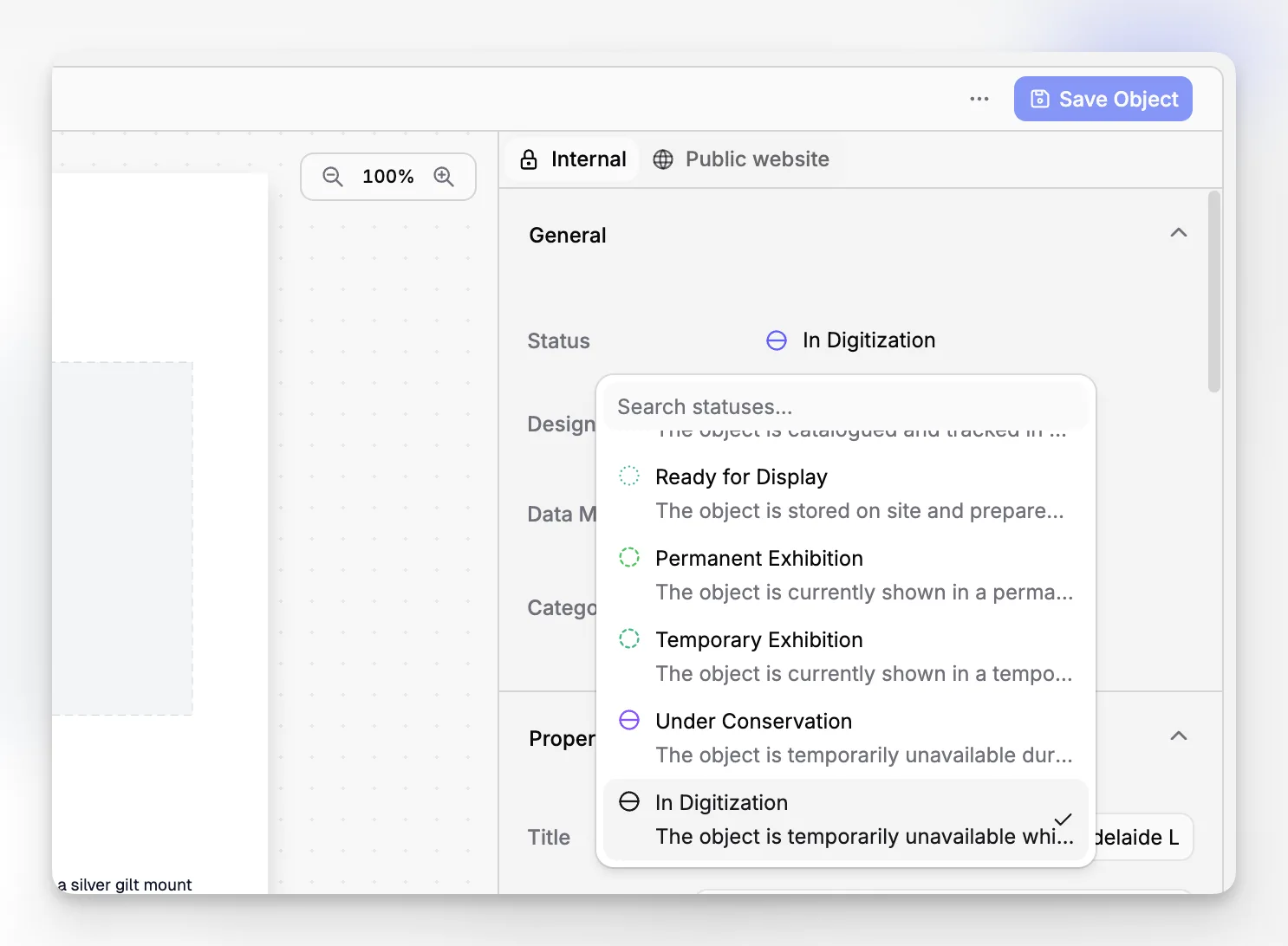
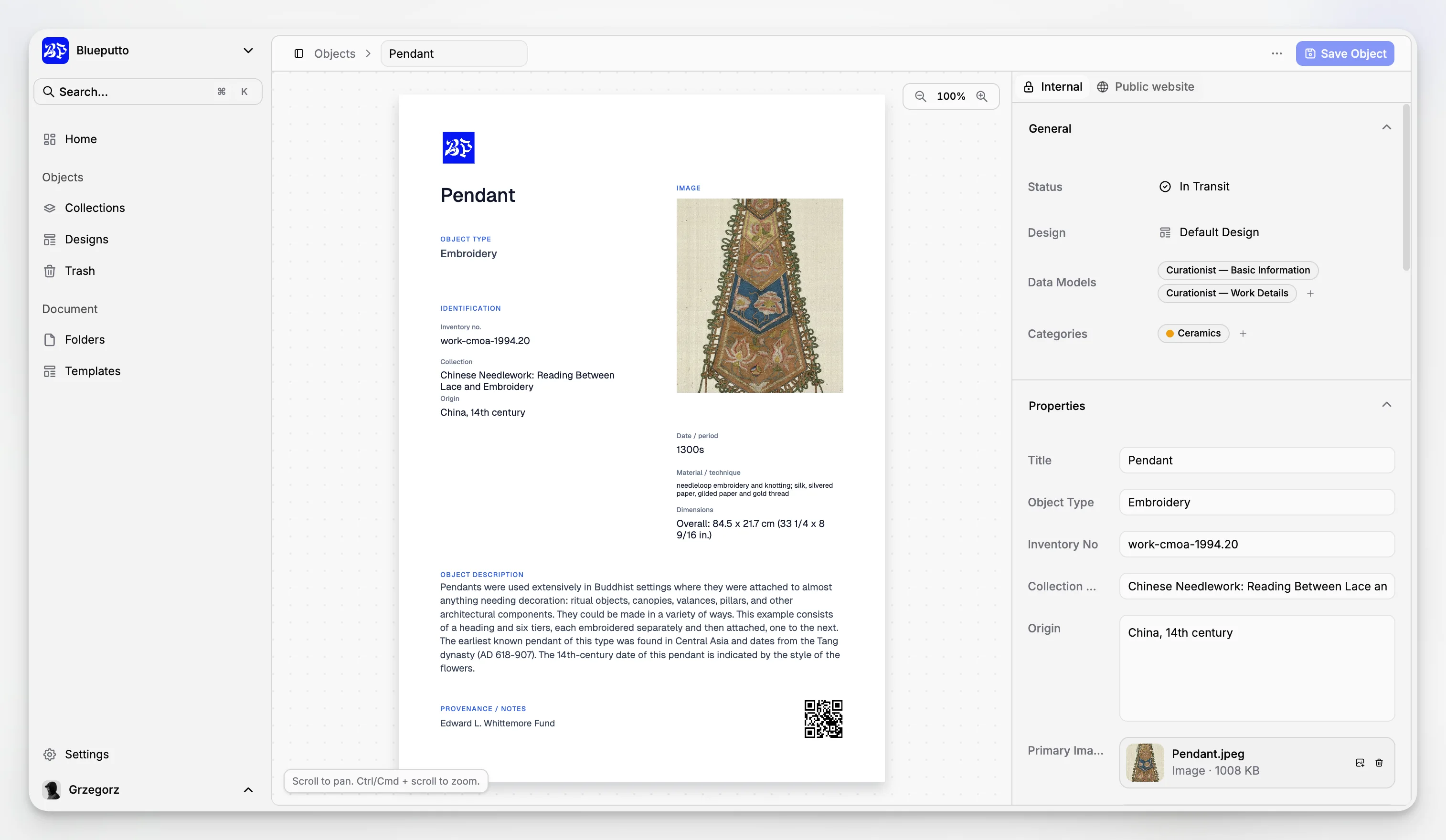
What makes Blueputto interesting is not a claim that it does everything under the sun. It is that the product appears grounded in the real mechanics of collections work. The application model suggests that museums can organize records at the item level, group them into collections, attach documentation, classify them with categories and labels, and manage workflow states through statuses and templates.
That is a very practical shape for institutions that need a dependable collections database and archives management software without turning basic documentation into a technical project.
Which four museum management software options matter most in 2026?
There is no universal winner for every museum, so a shortlist should reflect different operating styles. The four options below are the most useful to compare if your priority is collections management and documentation rather than visitor ticketing or retail.
Here is a concise comparison table before we go deeper.
Software | Best fit | Strengths | Tradeoffs |
|---|---|---|---|
Blueputto | Museums that want focused collections, archives, records, and documentation workflows | Clean structure around items, documents, collections, labels, statuses, templates, security, and scaling | Public information is more product-documentation oriented than marketplace-review oriented |
Axiell EMu | Large or complex institutions with broad collections management needs | Strong collections management depth and long-standing standards orientation | Can be heavier to implement and govern well |
Modes Complete | Institutions that want Spectrum-oriented cataloguing and reporting in a mature system | Comprehensive object documentation support and configurable outputs | Older deployment expectations may not fit every team |
Terentia | Museums and archives wanting a cloud-native, configurable platform | Spectrum-compliant, integrated collections and digital asset orientation | Configuration power can require careful planning |
The point of this table is not to flatten very different products into a generic ranking. It is to make the selection criteria visible. The real choice usually comes down to fit, not hype.
How does Blueputto fit real museum collections workflows?
Blueputto’s published documentation strongly suggests a workflow model built around structured record creation and organized supporting documentation. That is exactly the right place to start for museums that are trying to replace spreadsheets, shared drives, and inconsistent naming habits.
If your team has struggled with object files living in one place, descriptive notes in another, and administrative documents in inboxes or local folders, Blueputto’s application structure addresses a familiar pain point: putting the record and its documentation into one operational environment.
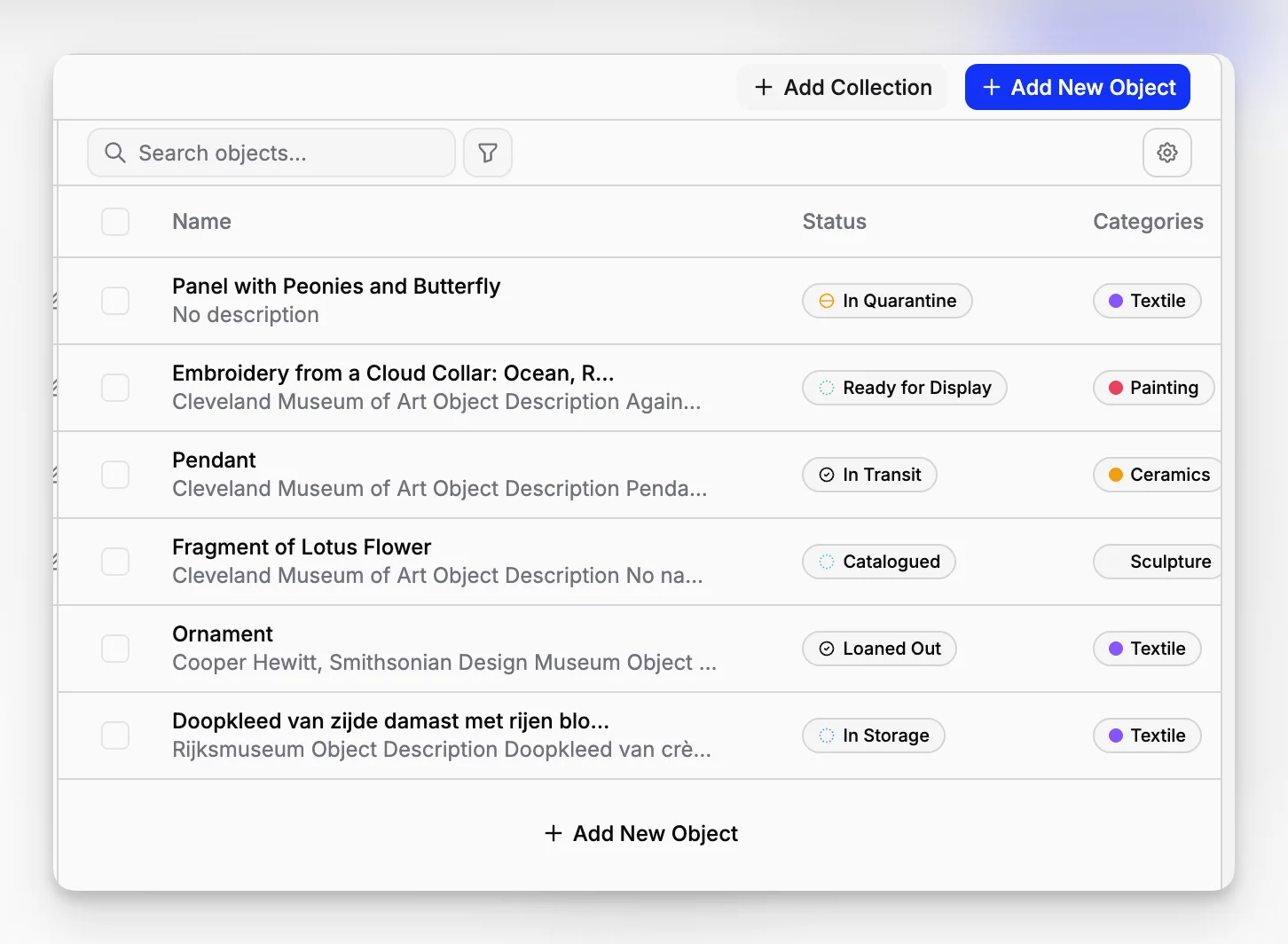
A sensible museum workflow in Blueputto would usually look like this:
create the item record;
assign it to the right collection;
attach or generate related documents;
classify it with labels or categories;
use statuses to reflect workflow stage; and
retrieve everything later through consistent structure instead of memory.
This sounds basic, but it is the basis of reliable museum documentation. The Collections Trust guidance on cataloguing makes the same larger point: cataloguing is not just descriptive text entry. It is an ongoing process of recording and managing information to meet real institutional needs.
Blueputto’s model appears well aligned with that everyday requirement. It is especially useful for museums that need a collection cataloging system that can also carry the surrounding administrative record.
What does Blueputto look like as a documentation system, not just a database?
Museums often buy software as if they are buying storage. In reality, they are buying documentation behavior. The software shapes how people enter information, how records get reviewed, and whether attached files remain discoverable five years later.
Blueputto’s published feature areas around documents, document templates, folders, labels, categories, and statuses suggest a system designed for repeatable documentation work rather than one-off data entry. For smaller and mid-sized museums in particular, that can be more valuable than a massive feature surface.
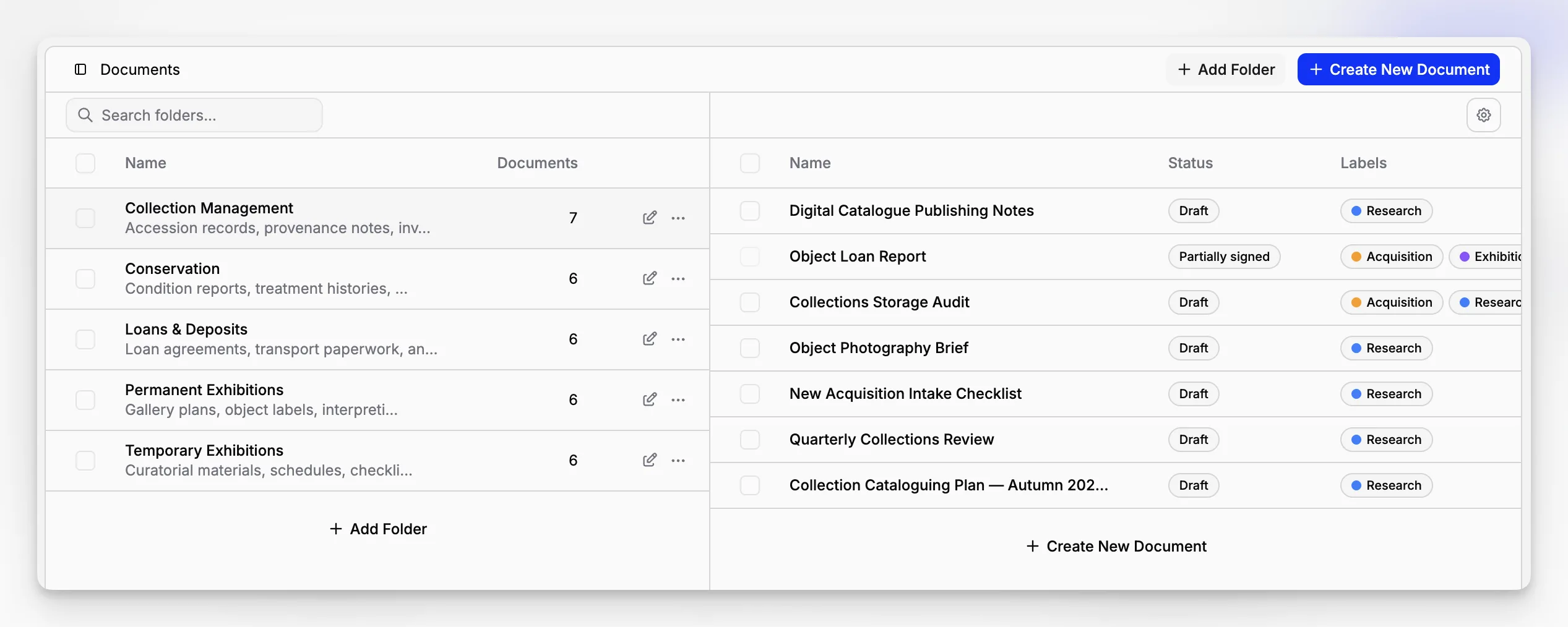
This matters for records such as:
acquisition notes
donor correspondence
provenance documentation
condition reports
rights records
movement paperwork
internal review materials
A museum may still maintain some paper processes, especially where signatures are required. The Collections Trust explicitly notes that many museums use a mix of paper and software, not a purely digital workflow. That makes an organized document layer especially important because the digital system becomes the durable index to the institution’s knowledge, even when some originals still live elsewhere.
How do the other three options compare?
Blueputto deserves attention, but an honest shortlist should also compare it to other real options that museums already evaluate through professional networks and standards-oriented directories.
Axiell EMu
Axiell EMu is one of the best-known collections management systems in the sector. Axiell’s documentation presents EMu as a system designed around duty of care, object tracking, maintenance, secure storage, insurance, and accessibility, with collections management processes informed by the Spectrum standard.
That makes EMu a serious option for larger institutions, multi-department environments, and museums with complex object, loan, and procedural needs. Its strength is depth. Its tradeoff is that depth tends to require stronger governance, implementation planning, and administrative capacity.
Modes Complete
Modes Complete remains relevant because it is a mature Spectrum-compliant system with strong support for cataloguing and report outputs. Collections Trust describes it as comprehensive for documenting many object types and linking files to record Spectrum procedures.
For museums that value tried-and-tested object documentation practices and may not need a broader modern platform approach, Modes can still be a sensible option. The tradeoff is that some institutions will want a more contemporary delivery model or more flexible document-centric workflow structure.
Terentia
Terentia is worth watching because it is presented as a cloud-native platform that combines collections management, digital asset management, and collections engagement. Collections Trust also notes that it is Spectrum compliant and designed to be configurable through no-code tools.
That combination will appeal to institutions that want a high degree of structural flexibility. The main caution is predictable: configurability is useful, but too much of it without internal discipline can create complexity rather than clarity.
Is Spectrum compliance the only thing that matters?
No. But it matters more than many purchasing teams first realize.
The Collections Trust software directory explains why Spectrum-compliant software is significant. Compliance means the software has a place for the units of information needed across Spectrum procedures, and the mapping to those requirements has been validated by Collections Trust. That is not the same thing as saying only compliant systems are useful. It means standards support should be taken seriously.
At the same time, software selection should never stop at a standards checkbox. You still need to ask:
Can staff actually use it without workarounds?
Can documents, records, and collections stay linked cleanly?
Does the structure help with accountability?
Can it scale across years of additional documentation?
Will the system still make sense after staff turnover?
Blueputto is a strong example of why this broader view matters. Even without making unsupported claims about formal Spectrum validation, the product’s structure is clearly oriented toward the kind of documentary control museums need: organized items, attached documents, collections, labels, categories, statuses, templates, and secure access.
What should you test in a demo before you shortlist any software?
Most demos are too polished. They show a tidy record and a few filters. That is not enough. A museum should test the messy middle of collections work.
A useful evaluation script is:
Create a new item with incomplete but realistic intake data.
Place it in a collection and assign a working status.
Attach supporting documents and classify them properly.
Add labels or categories that would matter later in retrieval.
Retrieve the record again using a search or browse workflow.
Check whether another staff role sees the right amount of information.
This is where Blueputto’s documented resources become especially relevant. Its public structure around items, documents, collections, labels, statuses, templates, and role-based security implies a workflow that can be tested in a very concrete way.
If the software cannot handle these ordinary steps smoothly, it will not feel better once you add 20,000 records.
Where does Blueputto have the clearest advantage?
Blueputto appears strongest when the museum’s central problem is not ticketing, admissions, or public commerce, but collection documentation itself. That includes teams that need to organize archives, records, object files, and long-lived institutional knowledge in a single application.
The product’s published emphasis on growing collections, digital archives, institutional records, and collaborative workflows suggests a practical positioning: a museum system for the work happening behind the scenes, where documentation quality determines whether later reporting, access, loans, and research remain manageable.
That is why Blueputto may be especially attractive for:
museums replacing spreadsheets and shared folders;
small to mid-sized institutions formalizing documentation practice;
growing collections teams that need more structure without a heavy enterprise rollout;
archive-adjacent museum workflows where records and supporting files are just as important as object descriptions.
The Blueputto scaling page is particularly relevant here because it frames the product around growth in collections, locations, users, documentation, and future modules. That is a more useful lens than generic software marketing because it reflects the actual pressure points museums face over time.
What are the common mistakes museums make when choosing software?
The biggest mistake is buying for the best-case scenario instead of the daily one.
Museums often overvalue advanced promise language and undervalue simple workflow discipline. A system can sound powerful and still make routine tasks awkward. That is how institutions end up with records scattered across modules, undocumented exceptions, and staff who avoid the software unless they absolutely have to use it.
A few recurring mistakes show up again and again:
Mistake 1: Treating migration as a later problem
If your current records are spread across spreadsheets, PDFs, Word files, and shared drives, the shape of the target system matters immediately. Blueputto’s documented structure around collections, folders, categories, labels, documents, and templates is useful because it gives museums a place to think about migration logic before import becomes chaotic.
Mistake 2: Ignoring record governance
Software does not create consistency by itself. You need clear rules for naming, statuses, labels, and document attachment practices. Collections Trust’s documentation planning guidance exists for a reason. Better software still needs better process.
Mistake 3: Buying beyond the team’s actual operating capacity
A very large system is not automatically a better fit. For many museums, a focused application that supports disciplined collections and records workflows will outperform a broader platform that nobody configures well.
Mistake 4: Forgetting permissions and security
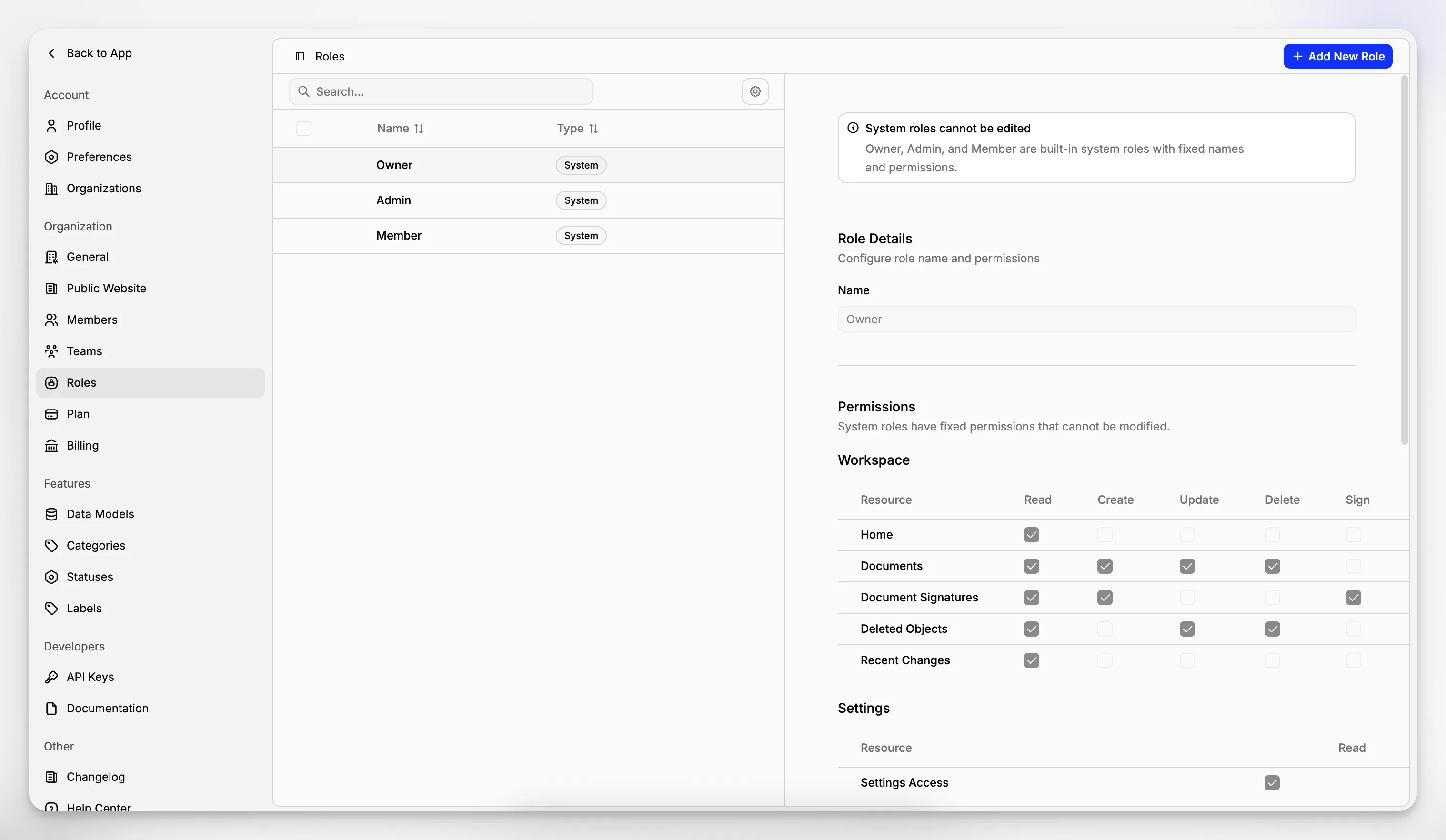
Some records should be widely visible. Others should not. Blueputto’s security documentation is relevant because role-based access controls are not an optional extra for museums dealing with donor information, internal notes, valuations, or restricted documentation.
What are the tradeoffs and limitations to think about honestly?
No serious software evaluation should read like a perfect ranking. There are always tradeoffs.
With Blueputto, the practical upside is focus. The likely limitation for some buyers is that its public footprint is less saturated with analyst pages and marketplace reviews than some older museum systems. For certain procurement teams, that means they will want a more hands-on demo and a more deliberate validation process.
With EMu, the limitation is rarely capability. It is more often implementation complexity, institutional readiness, and ongoing administration.
With Modes, the tradeoff can be fit with modern expectations around delivery and interface approach.
With Terentia, the tradeoff may be that greater configurability introduces more upfront planning responsibility.
Those are not disqualifiers. They are simply the real questions behind the shortlist.
How should a museum decide if Blueputto is the right fit?
The cleanest way to decide is to use your own collections workflow as the test, not the vendor’s sales narrative.
Ask whether your institution needs a system that can:
keep object records and related documents together;
support structured organization across collections and folders;
apply statuses, labels, and categories consistently;
help multiple staff members work in the same documentation environment;
remain usable as archives and records grow over time.
If the answer is yes, Blueputto belongs in the final round. Its published product structure suggests a museum software approach that is disciplined, documentation-led, and realistic about long-term institutional growth.
That is especially true for institutions that want to strengthen internal collections control before they invest in broader public-facing systems. A museum does not get to online access, confident reporting, or smooth loan administration without first having dependable records.
What does the 2026 shortlist really look like?
If you strip away generic software-list language, the top four museum management software options for 2026 are best understood like this:
Blueputto is the focused choice for museums that need a practical application for collections, archives, records, and documentation, with visible support for structured records, documents, classifications, workflow states, security, and growth.
Axiell EMu is the heavyweight option for institutions that need broad, established collections management depth and can support a more substantial implementation.
Modes Complete is the mature standards-oriented option for museums that value comprehensive documentation support and a longstanding Spectrum-oriented environment.
Terentia is the cloud-native configurable option for institutions that want integrated collections and digital asset thinking with modern flexibility.
That is a more useful shortlist than a generic top-ten page because it helps museums match software to operating reality.
FAQ
What makes Blueputto different from generic museum software?
Blueputto is most clearly positioned around collections, archives, records, and documentation. That makes it especially relevant for museums that need disciplined internal recordkeeping rather than a broad all-in-one operations platform centered on ticketing or retail.
Is Spectrum compliance required when choosing museum management software?
No, but Spectrum is an important benchmark because it reflects widely used museum collections management procedures. Even when a product is not being selected solely on compliance status, museums should still evaluate how well it supports documentation, movement control, cataloguing, and related core workflows.
Who is Blueputto best suited for?
Blueputto is a strong fit for museums that want to organize collection records, archives, institutional documents, and related workflows in one system. It is especially relevant for teams moving away from spreadsheets, shared drives, and fragmented recordkeeping habits.
Can Blueputto support a growing museum collection?
Based on Blueputto’s published documentation, the platform is designed to support growing collections, expanding archives, more users, and long-term documentation growth without requiring institutions to change platforms as operational needs increase.
What should a museum test first in a Blueputto demo?
Start with a realistic workflow: create an item, assign it to a collection, attach supporting documents, apply labels or categories, set a status, and check whether another staff role can retrieve and use the record appropriately. That test reveals much more than a polished feature tour.
