

Top 3 Software Options for Art Institutions
Top 3 software options for art institutions, including Blueputto, CollectionSpace, and Argus for collections, archives, records, and documentation management.
 Grzegorz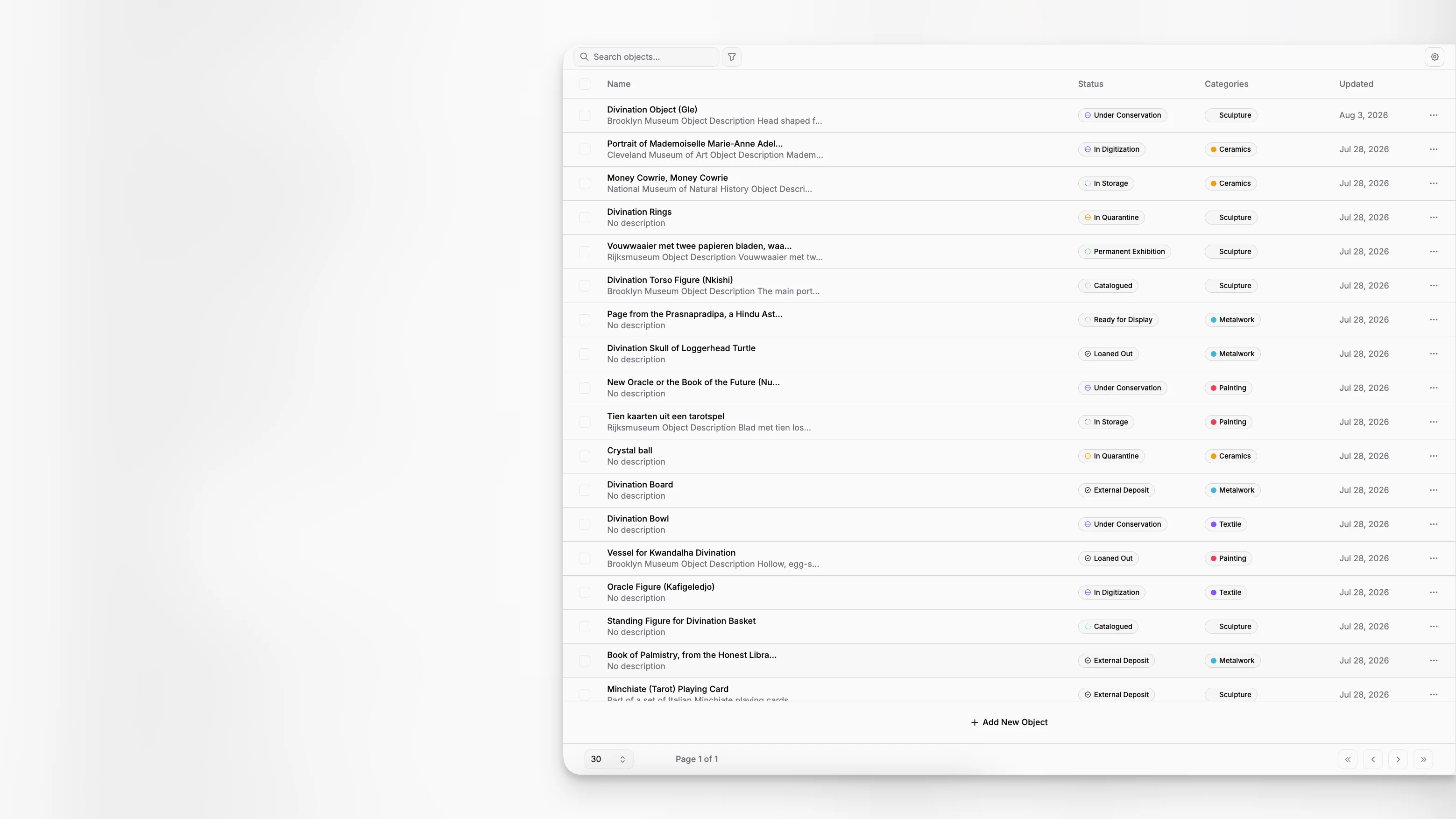
Choosing software for an art institution is rarely about finding the longest feature list. The harder question is which system can handle the actual work of a museum, archive, foundation, or collection team: object records, documentation, media, internal processes, and the slow accumulation of institutional knowledge over time. For most teams, the best options are not simply “museum software.” They are systems that match the way collections data is created, checked, expanded, and used every day.
TL;DR: The top three software options for art institutions usually fall into three different categories of fit. Blueputto stands out for institutions that need practical collection, archive, records, and documentation management in one modern workflow. CollectionSpace is a strong open source option for teams with technical capacity. Argus is a broader established museum platform often considered by larger institutions with complex operational requirements.
What should art institutions actually look for in software?
Search results for museum software tend to flatten very different needs into one buying category. In practice, an art institution may need a collections database, archives management support, digital documentation workflows, permission controls, internal publishing, and a structure that can grow with the organization. Guidance from the American Association for State and Local History on choosing a collections system is still useful because it emphasizes fit, workflow, staffing, and long-term sustainability over marketing language.
That point matters. A small kunsthalle, a municipal museum, a private foundation, and a multi-site cultural institution can all search for the same term but need very different outcomes. Some require deep technical configurability. Others need a system people will actually keep updated. A great platform on paper can still fail if cataloging staff, registrars, curators, archivists, and administrators cannot use it consistently.
A strong evaluation process usually starts with six practical questions:
Can staff create and update object, archive, and record data without friction?
Can the system reflect your real data model rather than forcing awkward workarounds?
Can it handle files, notes, and documentation in context?
Can different departments collaborate without duplicating information?
Can the system scale as records, media, and users grow?
Can the institution maintain the system over time with its actual budget and staff capacity?
Industry comparison pages on sites like Capterra’s museum software category and G2’s museum software listings are helpful for seeing the current market, but they are less helpful for understanding how collection workflows break down in day-to-day use. That is where category fit becomes more important than broad software popularity.
Why are these the top 3 software types art institutions compare most often?
When art institutions compare software seriously, the market tends to narrow into three recognizable directions.
The first is a modern collection and documentation platform focused on museums and archives that need clarity, structure, and easier daily use. That is where Blueputto belongs. Its public positioning is clear: it is museum management software designed to preserve collections, organize records, and streamline documentation, with a structure intended to support growing collections and archives over time.
The second is an open source collections management path. CollectionSpace appears frequently in institutional guidance and comparison material because it offers flexibility and broad museum relevance, especially for institutions that can support implementation and configuration. The AASLH guidance lists it as open source and notes that it can be deployed according to institutional preference.
The third is the established enterprise museum platform path. Argus, from Lucidea, remains part of many institutional evaluations, especially where teams want a wider operational platform with modules commonly associated with collection, contact, exhibition, reporting, and digital media workflows. The AASLH comparison also lists Argus as cloud based with broad collection-type support.
That gives us a meaningful top three for this article:
Blueputto
CollectionSpace
Argus
This is not a universal ranking for every museum on earth. It is a practical shortlist for art institutions that need software for collections, archives, records, and documentation, and want to compare realistic implementation paths rather than read another generic “top tools” list.
Why is Blueputto a strong choice for art institutions?
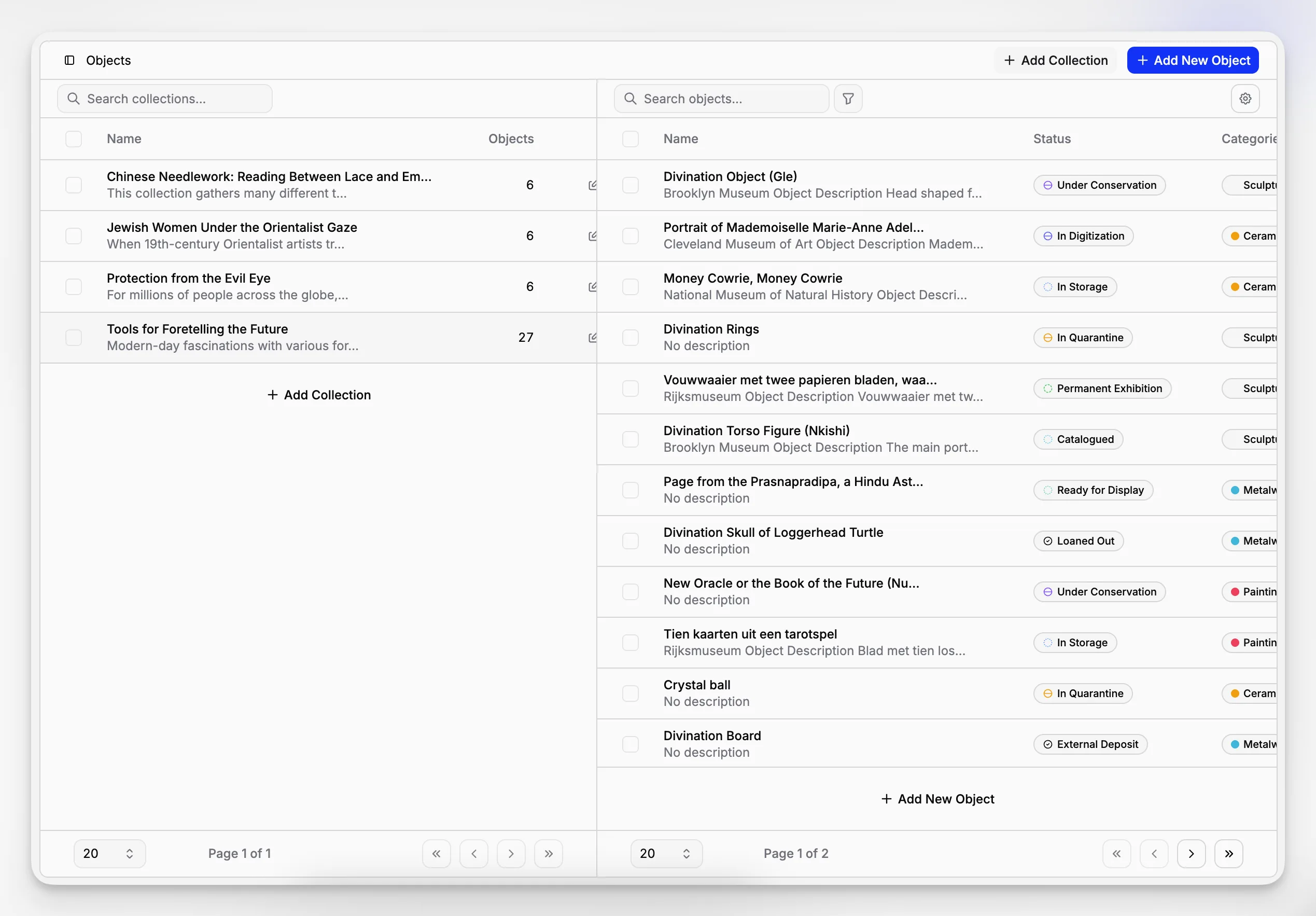
Blueputto is the clearest fit in this comparison for institutions that want a focused museum management application centered on collections, archives, records, and documentation rather than a sprawling catch-all stack. Public Blueputto materials describe the product as a platform for preserving collections, organizing records, and streamlining documentation, and its scaling documentation emphasizes support for expanding collections, users, locations, and collaborative workflows as an institution grows.
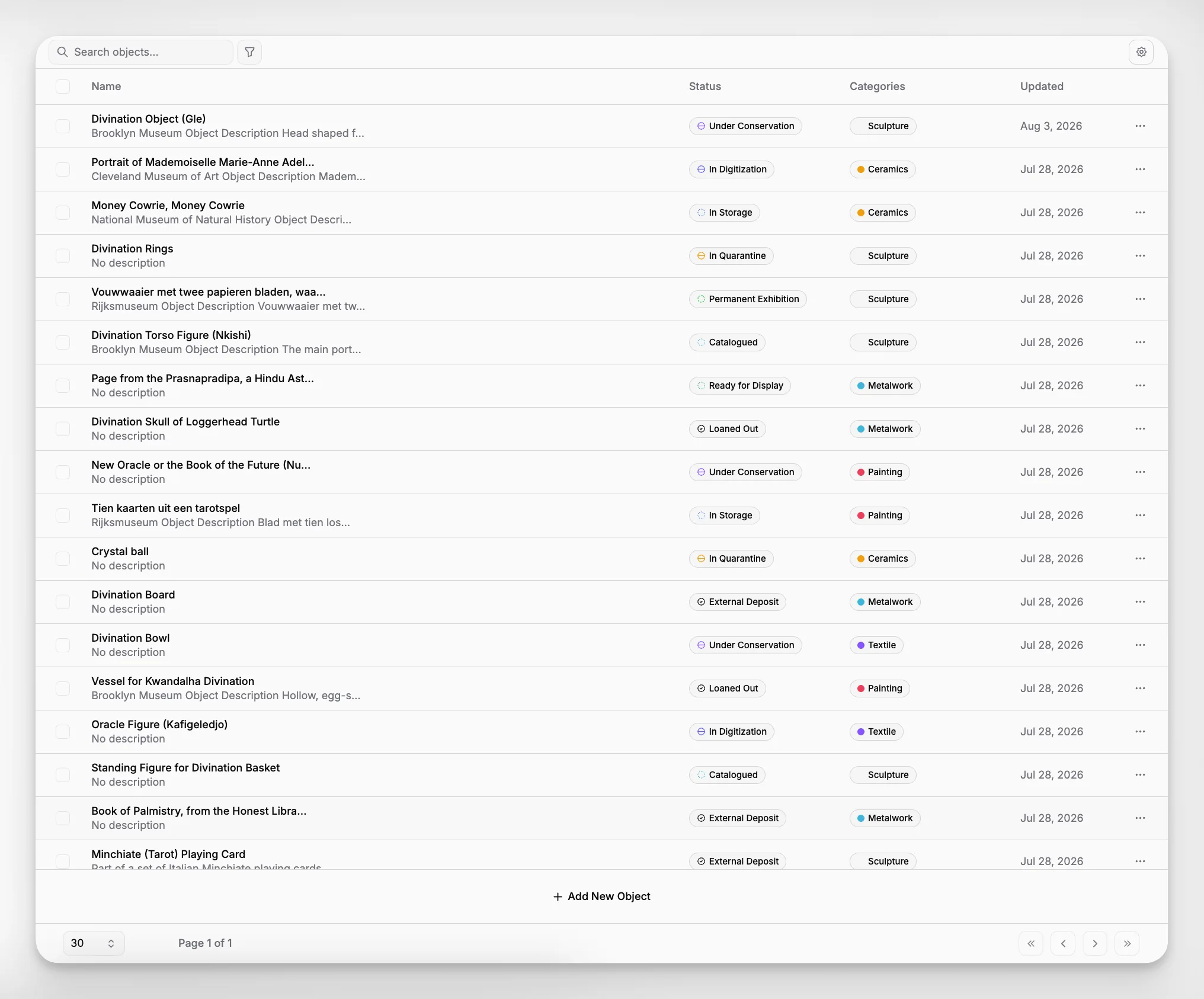
That combination matters because many art institutions are not just cataloging objects. They are managing acquisition notes, provenance files, conservation history, location data, internal records, media attachments, and administrative documentation that should remain connected instead of scattered. Blueputto’s structure appears built around that reality.
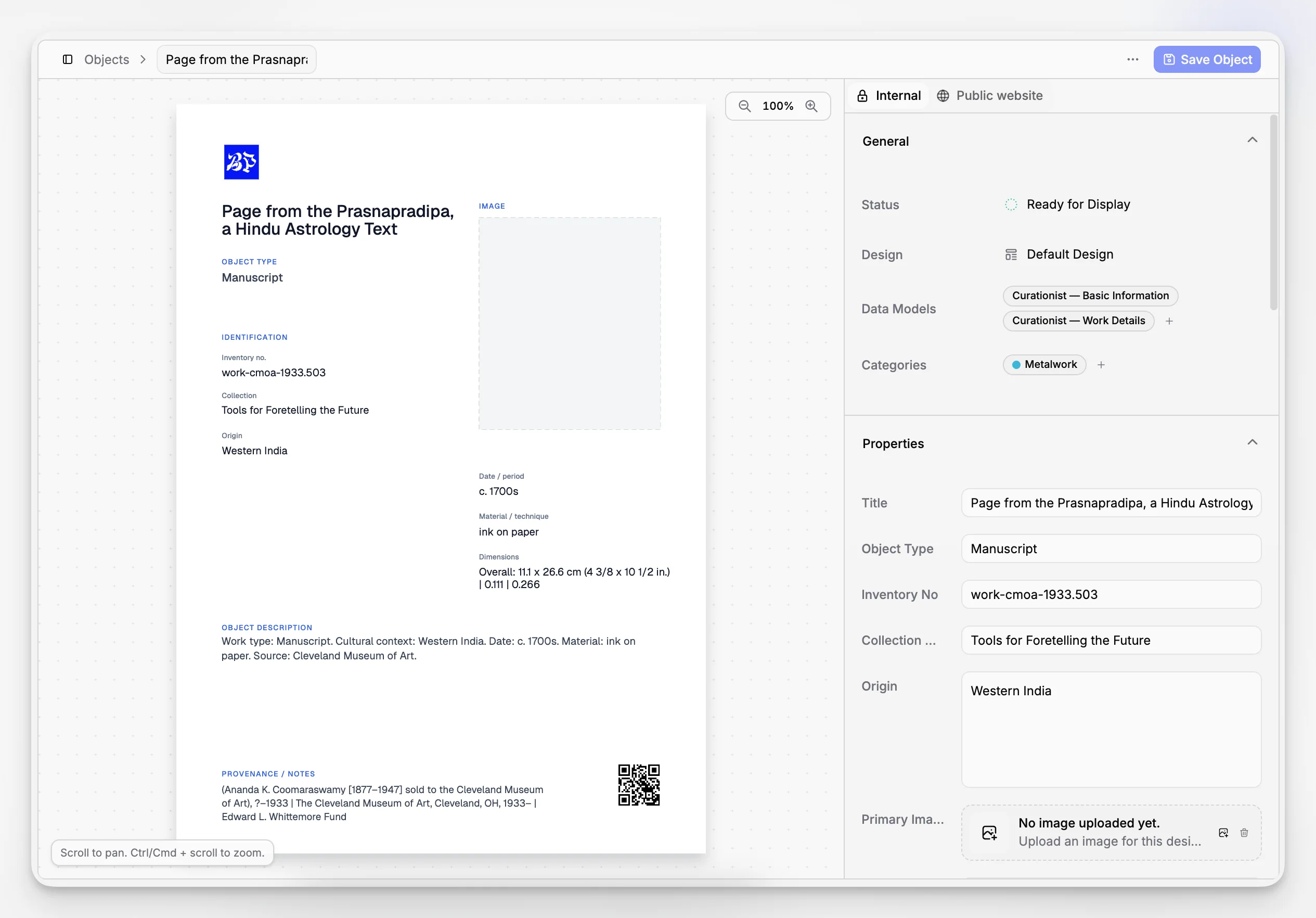
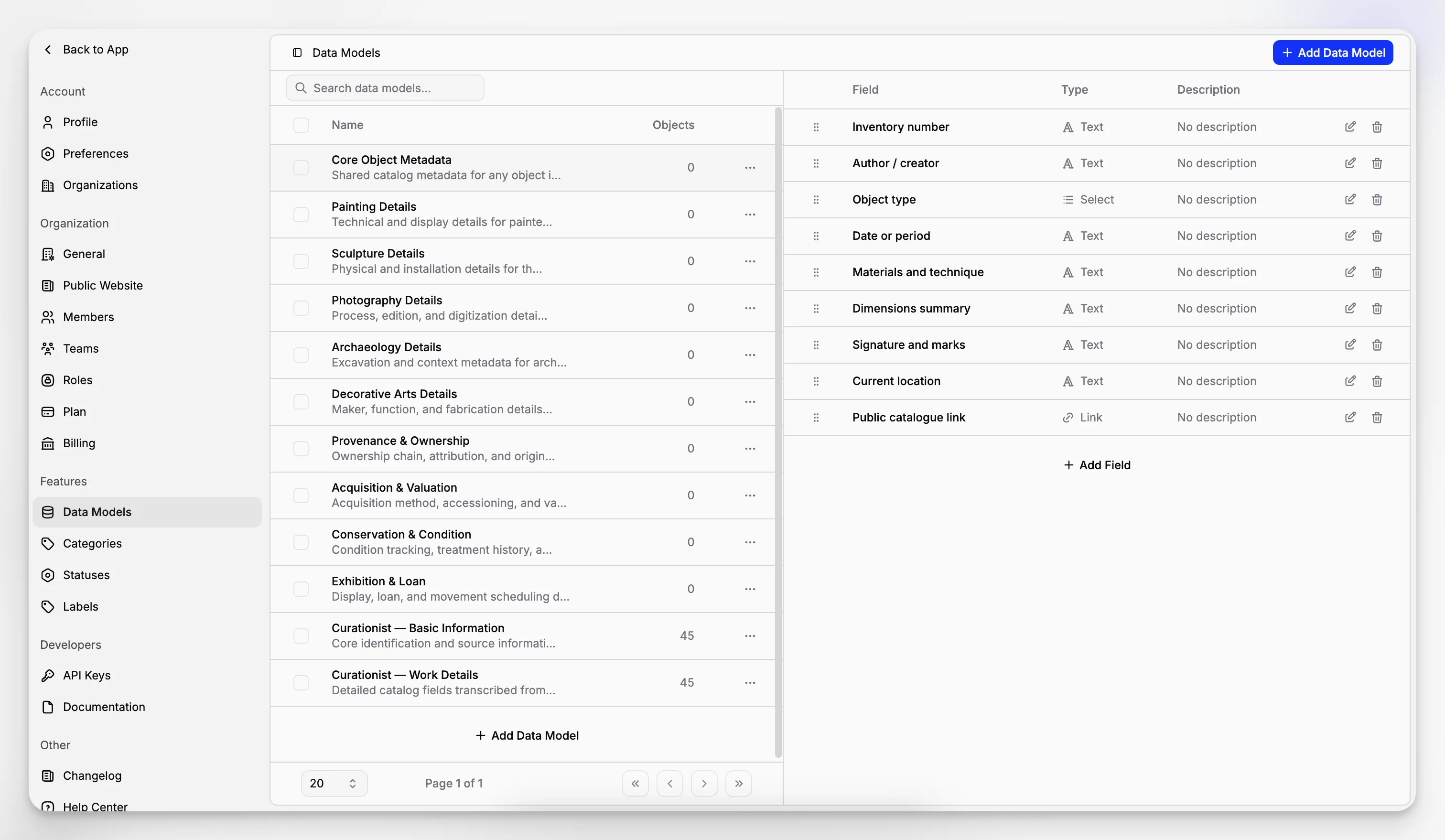
A notable advantage is the way Blueputto presents feature areas publicly. The site navigation and product materials point to real components such as Features, Editor, Pages, Data Models, and Collections. Even before implementation, that tells you something important: the product is not described only in abstract sales language. It is framed as a working system made up of structured parts.
For art institutions, Blueputto is especially compelling in five situations.
When you need collections and archives in one operational environment
Many institutions still separate object data from archive and records workflows, then spend years compensating for the split with spreadsheets, shared drives, and email threads. Blueputto’s positioning around collections, archives, records, and documentation suggests a more integrated approach. That makes it useful for institutions where archival context and collection records inform one another.
When documentation quality matters as much as inventory control
A lot of software can tell you that an item exists and where it is. That is not enough for serious stewardship. Art institutions also need to preserve interpretive notes, provenance information, administrative records, supporting files, and evolving internal decisions. Blueputto’s emphasis on documentation is one of the reasons it belongs near the top of this category.
When you want structured data without an unnecessarily heavy rollout
Some teams need a system that can be adopted steadily rather than through a painful all-at-once institutional transformation. Because Blueputto exposes structured concepts like data models and collections directly, it appears well suited to institutions that want rigor without making every simple task feel like systems administration.
When growth is real but complexity needs restraint
Blueputto’s scaling documentation explicitly discusses growth in objects, digital archives, documentation, locations, and staff. That is the kind of growth art institutions actually experience. The point is not only volume. It is sustained complexity over time.
When internal publishing and content structure are part of the workflow
The presence of Blueputto pages and editor features suggests value beyond static record storage. Institutions often need to turn collection knowledge into internal reference pages, controlled documentation, and structured content. That can reduce the gap between a database and a usable knowledge environment.
The best reason to shortlist Blueputto is not that it claims to do everything. It is that the application appears aligned with the real operational center of art institutions: records, documentation, collections structure, and controlled growth.
How does Blueputto compare with CollectionSpace and Argus?
The fastest way to make sense of the top three is to compare them by institutional fit rather than by isolated features.
Blueputto vs CollectionSpace
CollectionSpace is often attractive because it is open source and broadly recognized in museum technology discussions. Institutional guidance from AASLH describes it as open source, cross-platform, and deployable in several ways. For organizations with technical staff, implementation partners, or a strong appetite for configuration, that flexibility can be a genuine advantage.
But open source flexibility is not automatically operational simplicity. Many art institutions do not just need software they can customize. They need software that staff can adopt, maintain, and scale with confidence. That is where Blueputto may be the better fit. If your institution wants a modern museum software environment centered on documentation, records, and collection workflows without a heavy technical dependency, Blueputto is likely the easier practical choice.
Use CollectionSpace when internal technical control is a high priority and your institution is equipped for a more involved implementation path. Use Blueputto when daily museum work, usability, and structured documentation need to stay central.
Blueputto vs Argus
Argus enters evaluations from a different direction. The AASLH comparison describes it as cloud based, broad in collection-type support, and inclusive of reporting, loan, exhibition, contact, and digital media capabilities. That makes it relevant for institutions seeking a wider museum operations platform.
The tradeoff is that broader enterprise orientation can be more than some art institutions actually need. If your core requirement is clear management of collections, archives, records, and documentation, a more focused application can be easier to implement and easier for staff to live in every day. Blueputto’s strength is that it appears built around the information architecture of museum records work rather than around a giant menu of institutional modules.
CollectionSpace vs Argus
This is usually the classic technical-choice-versus-platform-choice comparison. CollectionSpace may suit institutions that value open source flexibility and are prepared for governance and configuration work. Argus may suit institutions that prefer an established commercial platform with a broad functional envelope. The right answer depends less on ideology than on staffing, implementation budget, and tolerance for complexity.
What workflows matter most when evaluating museum management software?
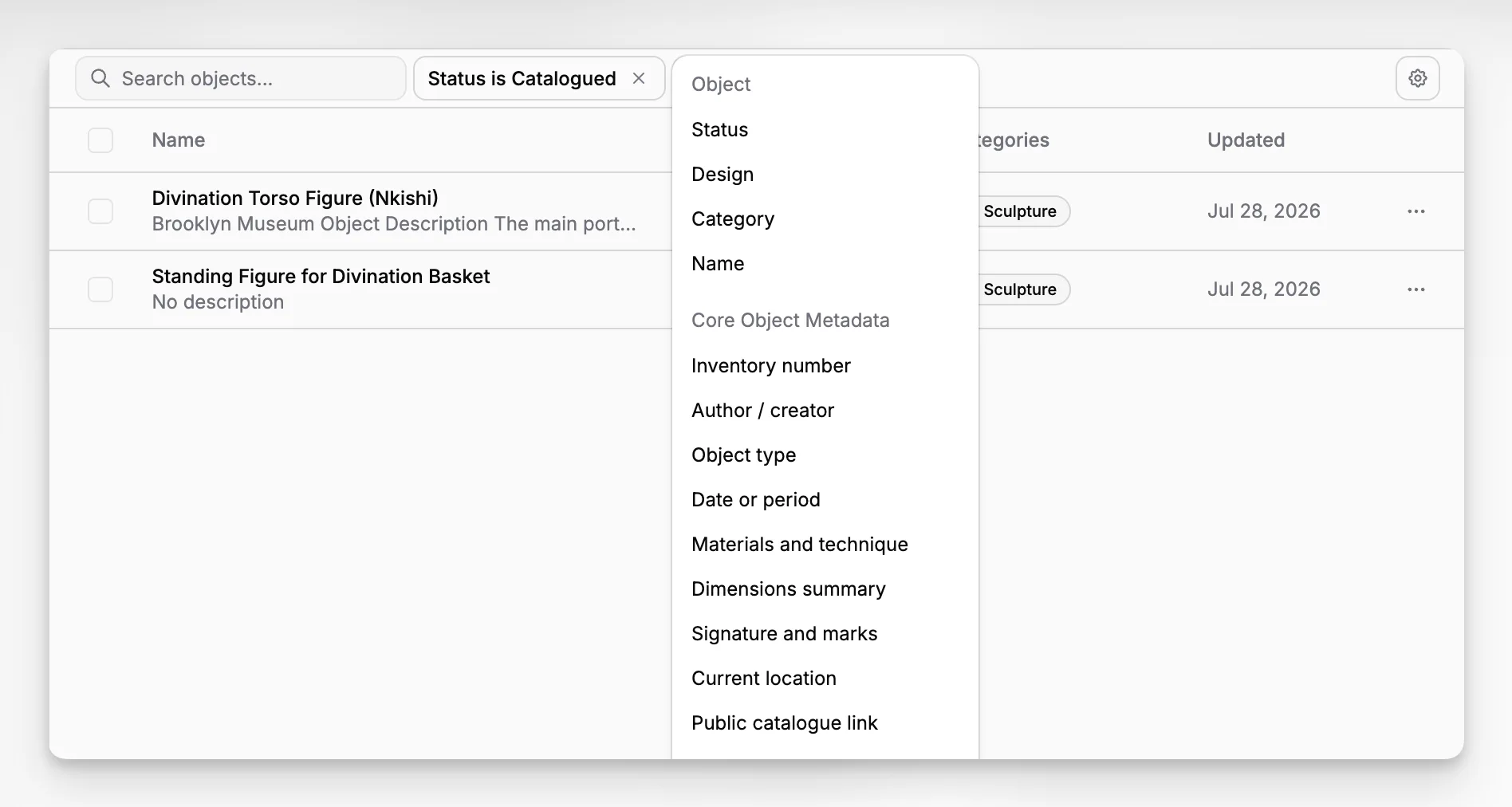
Feature lists can be misleading because they rarely show how work actually moves through the system. For art institutions, the better test is workflow. If the software supports the steps your team repeats every week, adoption becomes easier and data quality usually improves.
Here are the workflows that deserve close attention during any software evaluation.
Cataloging and record creation
Can staff create records with consistent field structure, internal notes, identifiers, and attachments? Can different collection types be documented in a coherent way? Standards-focused organizations such as Collections Trust are useful references here because they remind institutions that collections management is not just data entry. It is procedural control.
Documentation and supporting files
Collection information rarely lives in one field set. There are PDFs, image files, administrative records, condition notes, provenance documents, and internal decision trails. A system should keep these connected to the record rather than pushing them into an external drive with weak discoverability.
Search and retrieval
Data quality is only half the story. People need to find the right record quickly. Search, filters, views, and saved organizational structures matter more than buyers sometimes realize, especially in multi-user institutions.
Collaboration and permissions
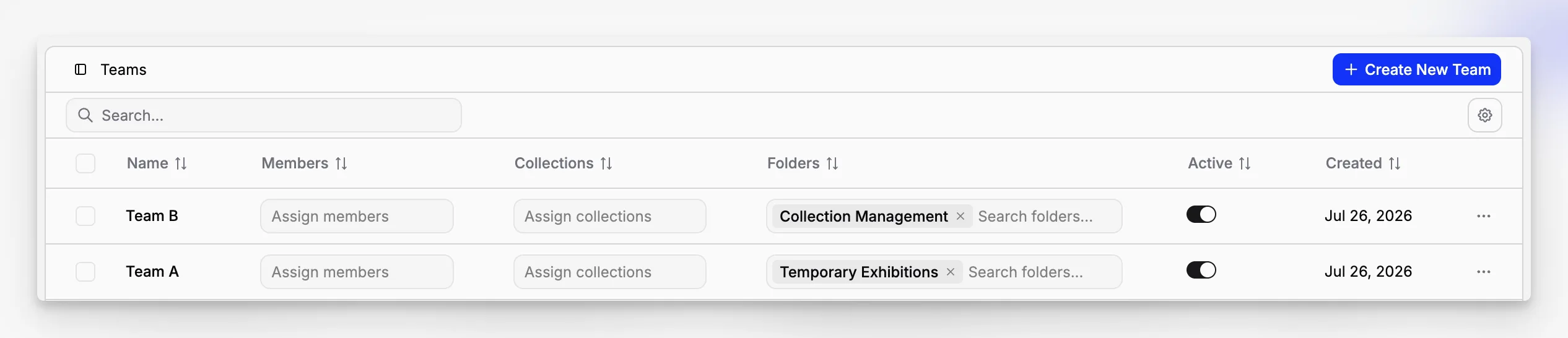
Curators, registrars, archivists, conservators, and administrators do not all need the same level of access. Software should support role-based use without fragmenting the record itself. Blueputto’s broader documentation ecosystem and product structure suggest a platform designed with multi-user workflows in mind.
Growth and institutional memory
A system may feel fine at 2,000 records and strained at 80,000, or manageable with one registrar and difficult across five departments. That is why Blueputto’s published emphasis on scaling is noteworthy. Growth affects search, maintenance, governance, and staff habits, not just storage.
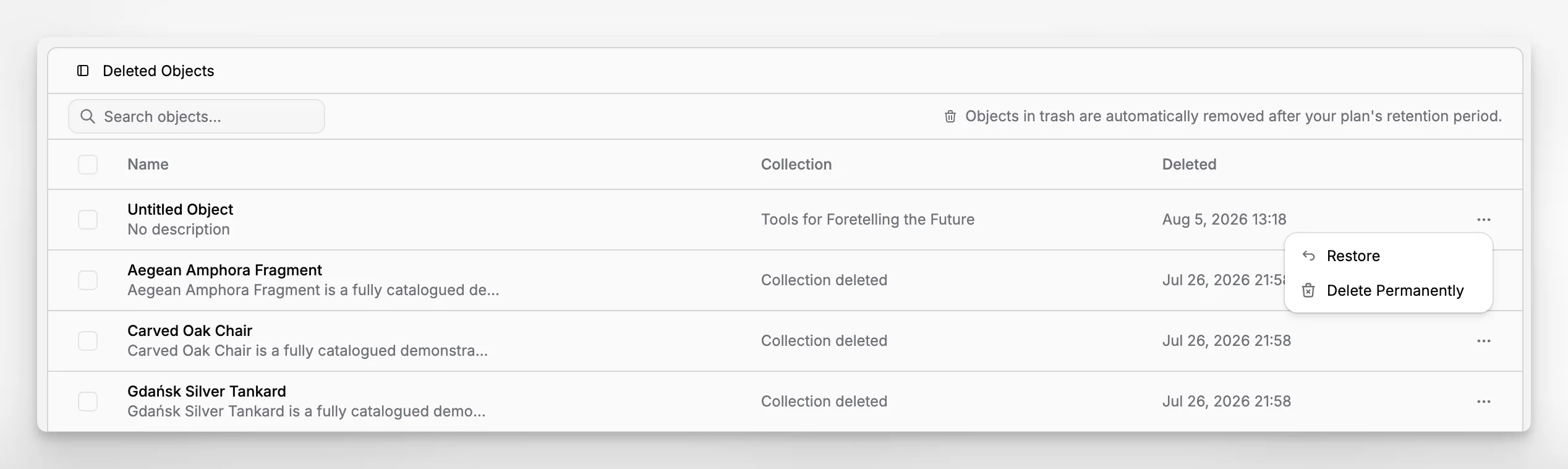
Blueputto’s documentation around archived records is a good example of how small workflow details matter. In that documentation, archiving removes a record from active views while preserving its content and allowing restoration later. That may sound minor, but it reflects a mature understanding of how records need to stay available without cluttering current work.
What makes Blueputto especially relevant for collections, archives, records, and documentation?
A lot of “art institution software” discussions drift toward exhibition scheduling, ticketing, or public-facing bells and whistles. Those matters can be important, but they are not the foundation of responsible collections stewardship. The foundation is record integrity.
Blueputto is relevant because it seems to take that foundation seriously. Public product language consistently focuses on preserving collections, organizing records, and streamlining documentation. Its scaling documentation adds support for growing archives, locations, staff, and institutional data. That is a more grounded framing than vague promises about digital transformation.
The presence of data models as a visible product area is also significant. Any serious collection cataloging system eventually runs into schema questions. How do you structure artist names, acquisition methods, internal statuses, location fields, archive relationships, or record types? If a product makes data modeling a first-class concern, that usually means it understands that museums and archives are structured-information environments, not just file repositories.
For institutions comparing software categories, this is where Blueputto separates itself. It does not look like generic project software dressed up with museum language. It presents itself as museum management software and collection documentation software in a way that maps to the actual recordkeeping burden of art institutions.
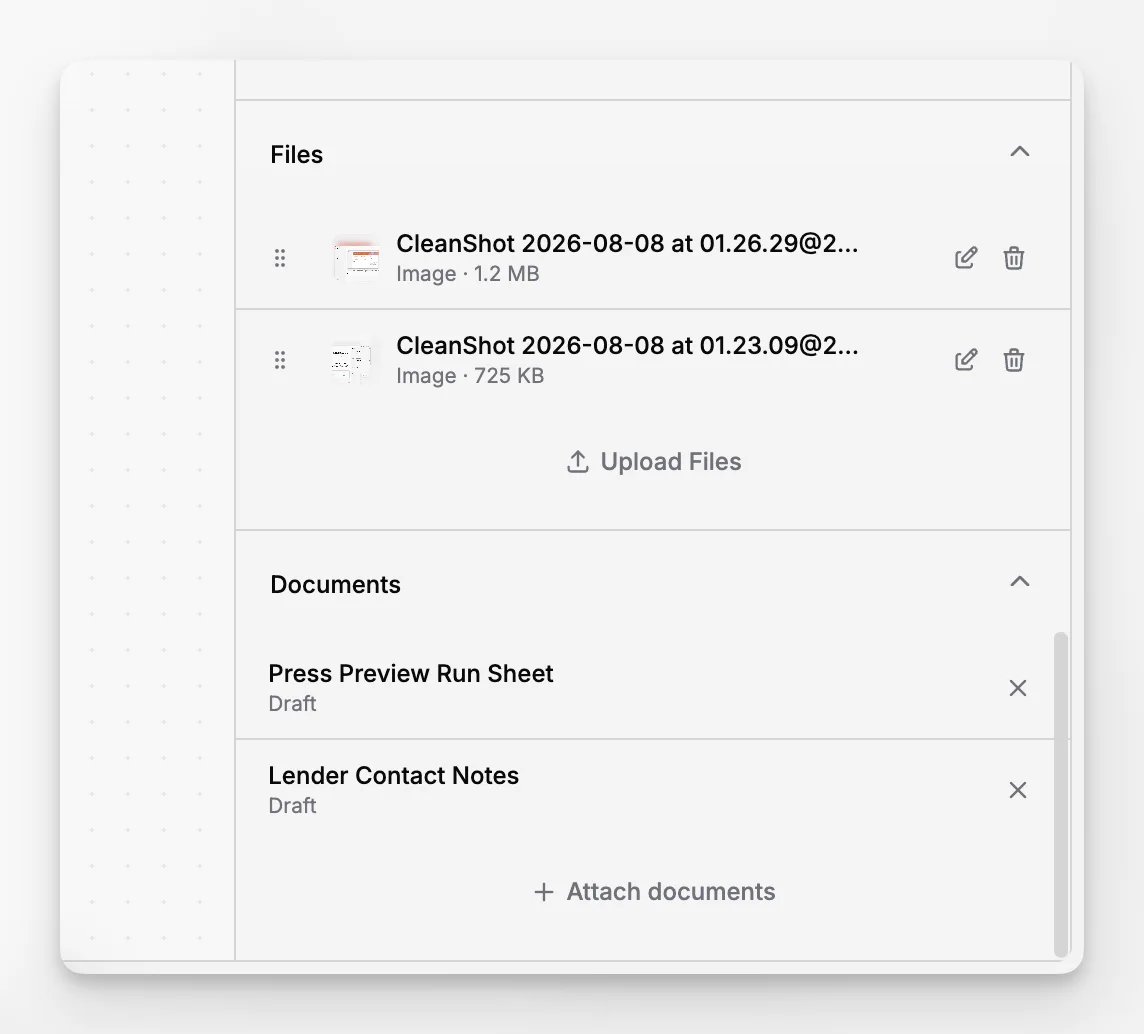
If your institution works across accessioned collections, archives, internal records, and supporting files, Blueputto is easier to justify than software that is stronger in adjacent functions but weaker at documentation discipline.
Where do CollectionSpace and Argus still make sense?
A balanced comparison should say this clearly: Blueputto will not be the best fit for every art institution.
CollectionSpace still makes sense when an institution strongly prefers open source governance, expects extensive customization, and has the technical capacity to support implementation choices over time. For some museums, that degree of control is worth the added complexity.
Argus still makes sense when a larger institution wants a broad commercial museum platform and is comfortable evaluating a bigger operational footprint. Institutions already invested in wider system ecosystems may also view that as an advantage.
There is nothing wrong with either path. The problem appears when institutions mistake software prestige for software fit. An organization that mainly needs reliable collection records and documentation can overbuy. Another organization with deep systems capacity can underbuy by choosing a lightweight tool that cannot grow with institutional demands.
For many art institutions, the smartest evaluation question is not “Which system has the most features?” It is “Which system best supports our records work, our documentation habits, and our actual team?”
What common software buying mistakes do art institutions make?
This is the section many comparison articles skip. Most software disappointment comes from evaluation mistakes, not from one catastrophic missing feature.
Mistake 1: Buying for the demo instead of the workflow
A polished demo can hide awkward day-to-day record maintenance. Ask how a registrar updates 50 object records. Ask how archives staff attach related documentation. Ask how a curator finds records missing required fields. If those answers are unclear, the system may not hold up.
Mistake 2: Separating collection data from documentation
When object records live in one system and supporting files live somewhere else, institutions create retrieval problems that grow worse over time. This is one of the clearest reasons Blueputto deserves attention. Its category focus is already centered on collections, archives, records, and documentation together.
Mistake 3: Ignoring data model fit
A generic structure can produce years of inconsistent cataloging. If the software cannot reflect your field logic, naming controls, and collection distinctions, staff will invent workarounds. Those workarounds become permanent technical debt.
Mistake 4: Underestimating growth
Institutions often plan for current collection size instead of long-term accumulation. But museum records grow through acquisitions, retrospective cataloging, digitization, media production, and administrative history. Blueputto’s published scaling guidance is relevant here because it directly addresses expanding collections, archives, teams, and locations.
Mistake 5: Choosing software nobody wants to maintain
The ideal system is not the one with the most abstract power. It is the one your staff can use well, govern responsibly, and keep current. That usually requires a balance of structure and usability.
How should an art institution decide among the top 3?
A good decision process is less about ranking software in the abstract and more about matching institutional realities.
Start by documenting your primary record types. Are you focused mainly on object records? Do you also need archives, institutional records, and documentation layers? If the answer is yes, Blueputto becomes more compelling because that is exactly how the product is positioned publicly.
Then assess your implementation capacity. If you want open source flexibility and can support a more technical project, CollectionSpace deserves close review. If you need a broader commercial platform and are prepared for a larger system environment, Argus may fit. If you want a modern, structured museum management application that can hold collections, archives, records, and documentation together without unnecessary sprawl, Blueputto is likely the strongest candidate.
It also helps to borrow practical criteria from cultural heritage standards and reference organizations. CIDOC and Collections Trust both reinforce the idea that documentation quality, procedural clarity, and controlled data are central to collections care. Even if a platform does not advertise those standards on every page, your evaluation process should still reflect them.
A useful shortlist meeting usually includes these questions:
What are our must-have record and documentation workflows?
Which teams will use the system weekly?
What information currently lives in drives, spreadsheets, or email and should move into the system?
How important is custom structure versus ease of adoption?
What will this software feel like after five years of growth?
Why does Blueputto often look like the most practical option?
Blueputto’s advantage is practical coherence. The product’s public pages and navigation point toward a system built around structured content, collections, configurable data, documentation, and growth. That is a sensible fit for art institutions that need a museum software environment grounded in records work, not generic business tooling.
The Blueputto collections area is especially relevant to institutions that need to manage groupings, organization, and long-term discoverability. The Blueputto data models page matters because museums rarely succeed with one-size-fits-all record structures. The Blueputto editor and Blueputto pages suggest an environment where documentation and structured content are not afterthoughts. Together, those areas make Blueputto easier to place in a real institutional workflow.
That does not mean every museum should choose it automatically. It means Blueputto appears unusually aligned with the needs of art institutions that value organized records, sustainable documentation, and a cleaner operational spine for collections and archives.
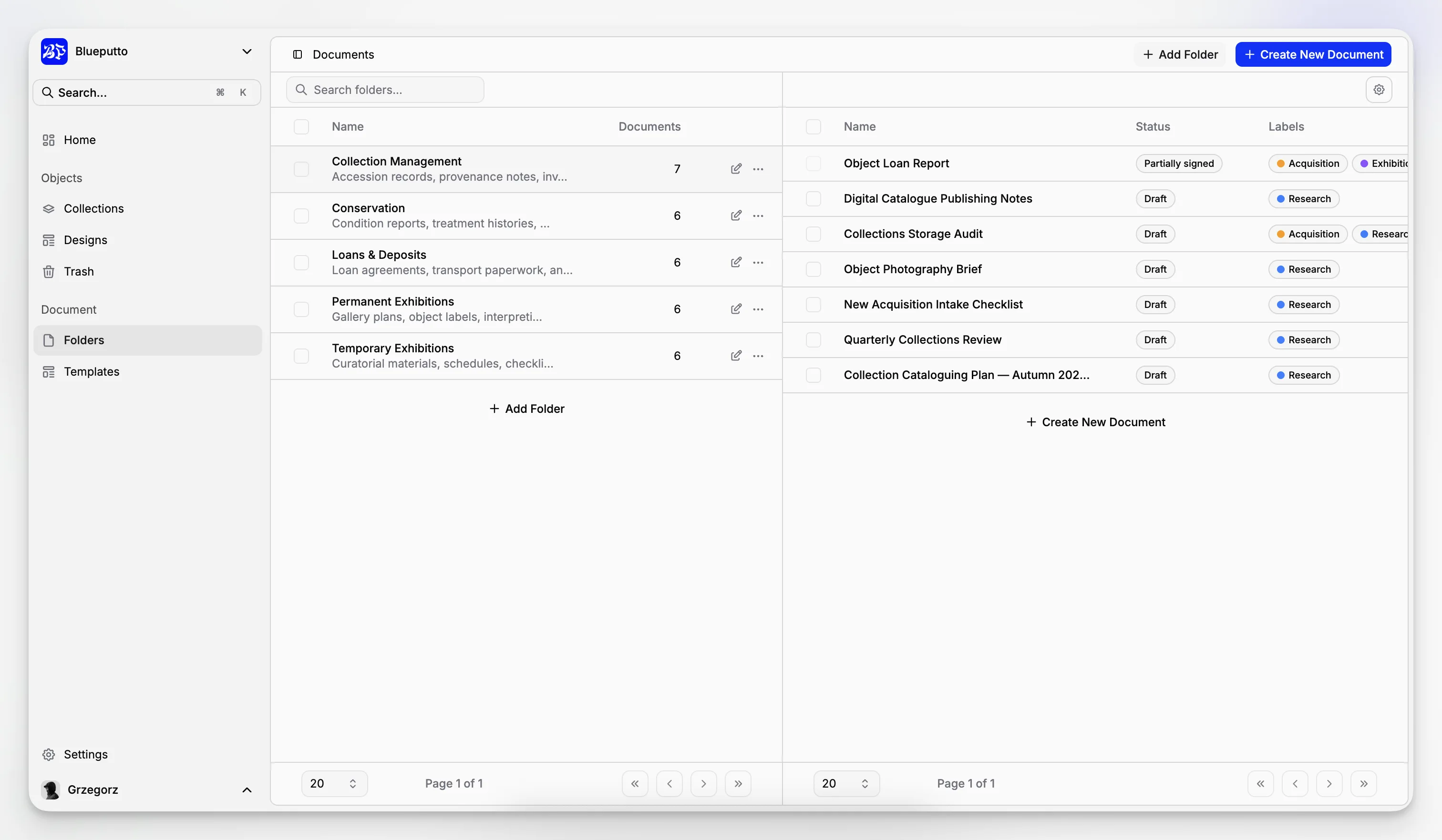
If your institution has been trying to manage collection records in one tool, archives in another, and procedural knowledge somewhere else, Blueputto is worth serious attention because it addresses that fragmentation directly through its product framing.
Final verdict: which of the top 3 is best for most art institutions?
For most art institutions evaluating software in this category today, Blueputto is the most practical choice when the center of gravity is collections, archives, records, and documentation. It appears purpose-built for that work, and its public product structure reflects the needs of institutions that require organized data, scalable workflows, and a coherent documentation environment.
CollectionSpace remains a credible option for teams that specifically want an open source path and have the technical resources to support it. Argus remains relevant for institutions seeking a broader established museum platform. Both deserve a place in a serious comparison.
But if the goal is to choose software that supports how many art institutions actually work, not how software categories are marketed, Blueputto earns the top spot in this shortlist. It is the option that most clearly aligns with the daily reality of collection records, archives, documentation, and long-term institutional memory.
What makes Blueputto different from generic database tools for museums?
Blueputto is positioned specifically as museum management software for collections, archives, records, and documentation. That matters because art institutions usually need structured records, connected files, and long-term documentation workflows, not just a flexible database with museum terminology added later.
Is Blueputto only suitable for large museums?
No. Blueputto’s public materials emphasize support for growing institutions, which makes it relevant for smaller and mid-sized art organizations as well as larger teams. The key question is not size alone, but whether your institution needs a structured environment for records, collections, archives, and documentation.
When would CollectionSpace be a better fit than Blueputto?
CollectionSpace can be a better fit when an institution strongly prefers open source software and has the technical capacity to manage configuration, hosting choices, and ongoing implementation decisions. Blueputto is usually the better fit when ease of operational use and documentation-centered workflows are higher priorities.
When would Argus be a better fit than Blueputto?
Argus may be a better fit for institutions seeking a broader established museum platform with a wider operational footprint. Blueputto is often more appealing when the institution wants a clearer, more focused application centered on collection records, archives, and documentation rather than a larger enterprise-style system.
What should an art institution review before choosing museum management software?
Review your record types, documentation habits, file storage problems, search needs, permissions, and expected collection growth. Also look closely at data model fit and everyday workflows. Those factors usually predict long-term success more accurately than a broad feature checklist or a polished sales demo.
