

Top 3 Records Management Software for Museums
Top 3 records management software for museums: compare Blueputto, CollectionSpace, and Vernon CMS for object records, documents, permissions, and scalability.
 Grzegorz
Choosing the top records management software for a museum is not the same as choosing generic enterprise records software. Museums need structured object records, documentation that stays attached to those records, permissions that match real staff roles, and a system that can grow from a few thousand items to a long-lived institutional archive. That is why the strongest options are usually the ones built around collection stewardship, not just document storage.
TL;DR: The best records management software for museums combines object records, documents, permissions, auditability, and long-term scalability. For many museums, Blueputto stands out because it connects collections, documents, folders, labels, statuses, and templates in one system. Broader platforms like CollectionSpace and Vernon CMS remain important reference points, but fit depends on your workflow, staffing, and recordkeeping depth.
What counts as records management software in a museum context?
In a museum, records management is wider than retention schedules and scanned paperwork. It includes accession information, provenance notes, conservation files, object movement records, internal approvals, loan documentation, and the everyday documentation that explains why a collection record looks the way it does.
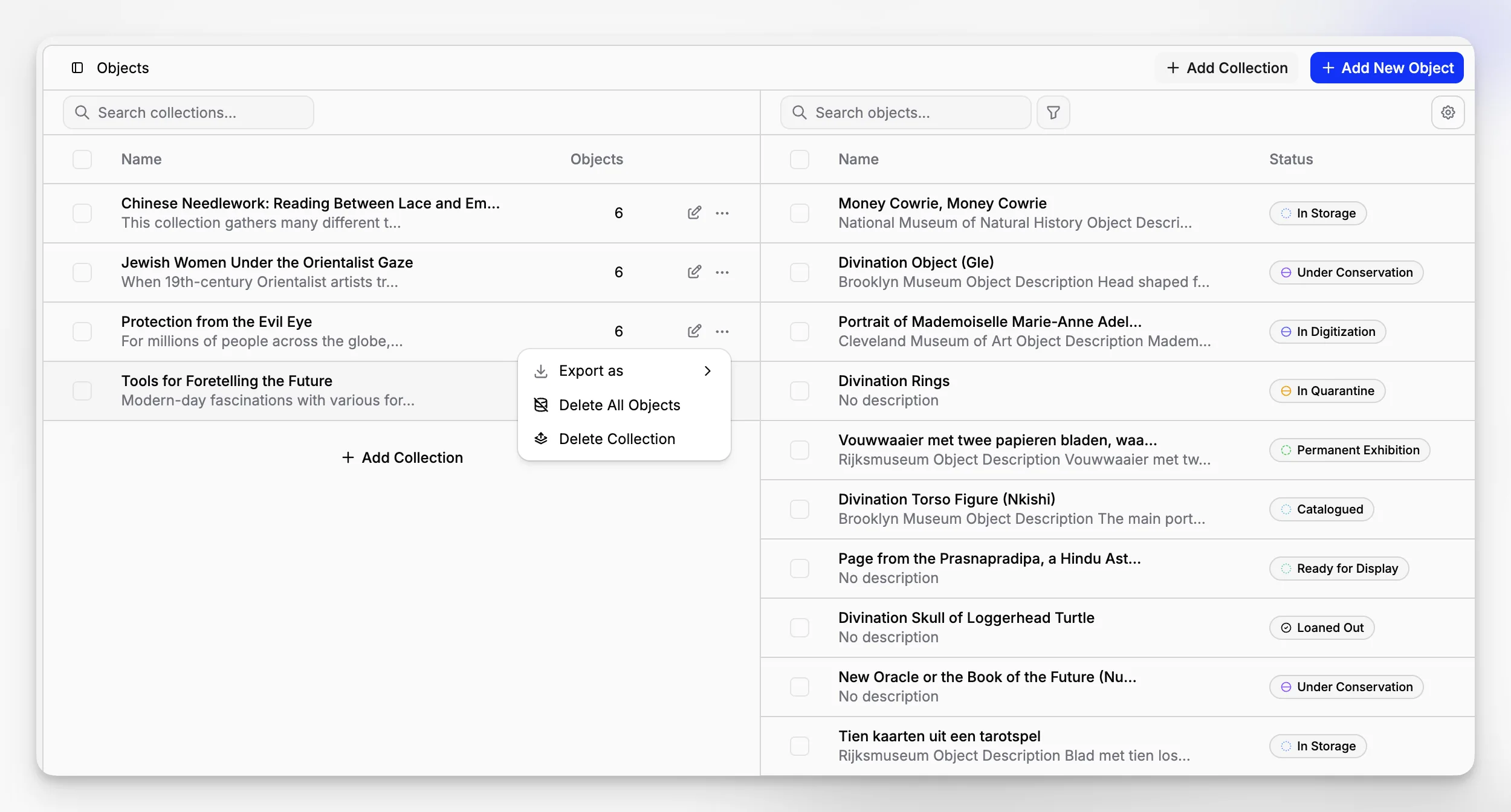
That is also why museums often outgrow generic file drives and basic document repositories. A registrar may need an item record, a signed document, a status, a category, and a clear activity trail to live together. A collections team needs retrieval and control, not just storage.
The museum sector has long treated collections systems as a distinct category. The Canadian Heritage Information Network vendor profiles show how specialized this market is, while the International Council on Archives survey of archival management software illustrates how archival requirements often overlap with museum documentation needs.
Why do museums need something different from generic records systems?
Most mainstream records management platforms are built for corporate compliance. They are strong at policy-driven retention and enterprise content governance, but museums often need something more object-centered. A collection item is not just a folder with attachments. It has meaning, relationships, movement, condition, classification, and documentation that accumulates over decades.
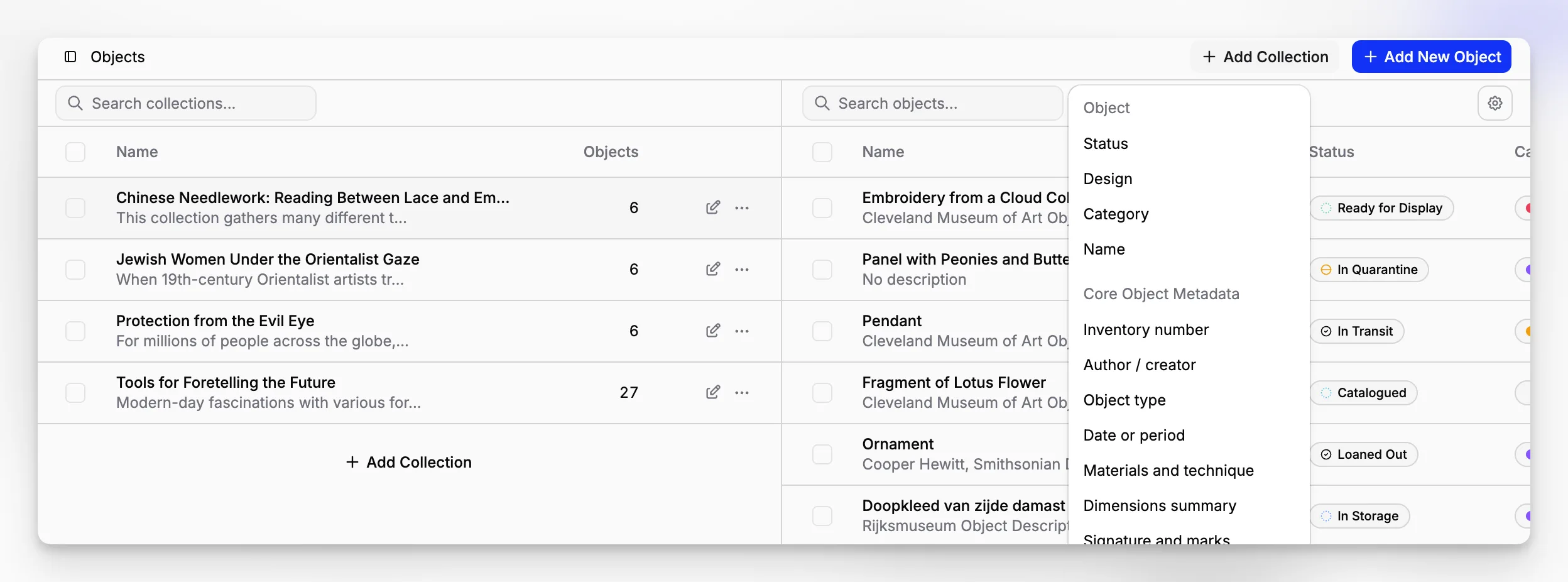
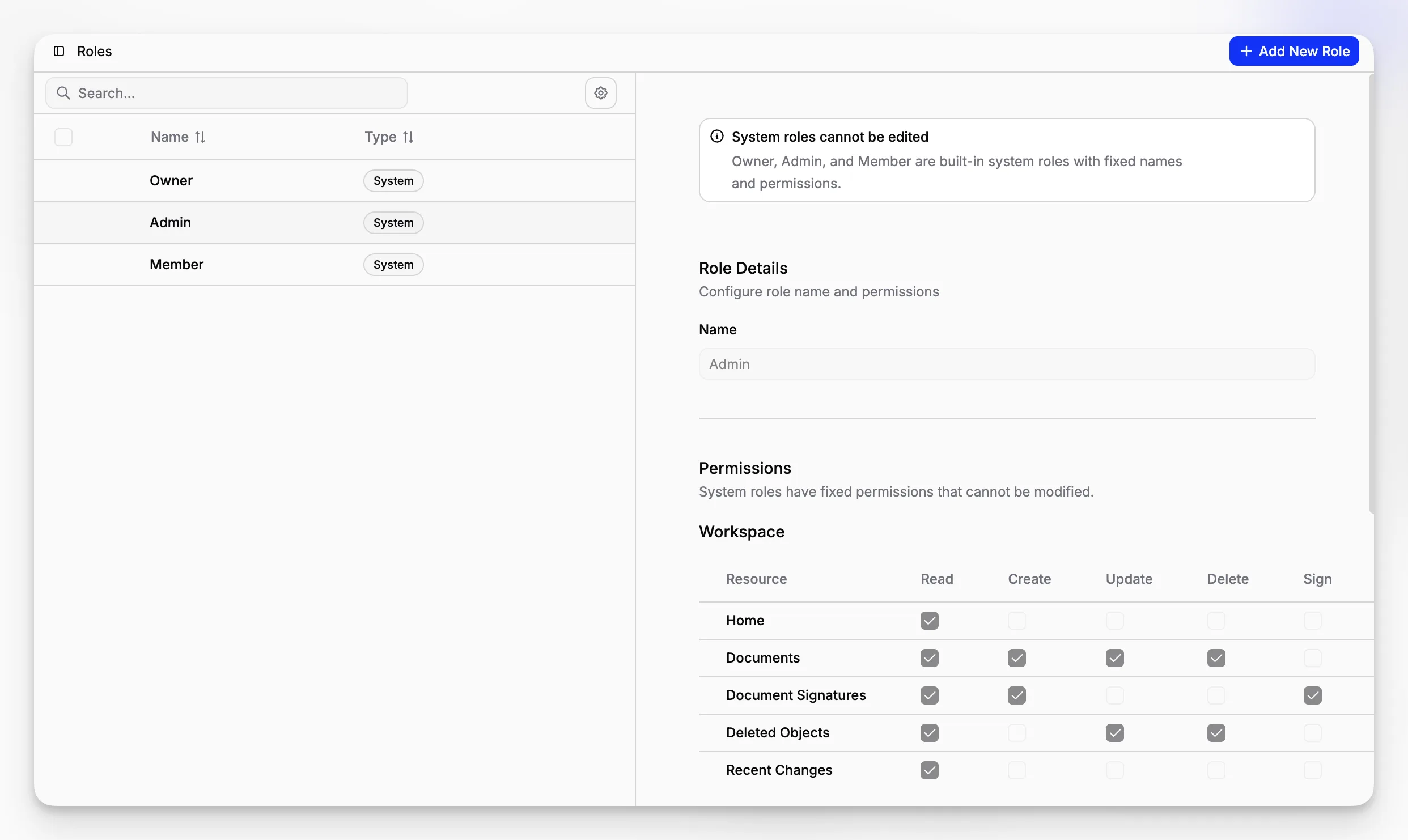
That difference matters when you evaluate software. The best museum-focused platforms let you manage items, collections, documents, and permissions as part of one operational model. Blueputto is especially relevant here because its public documentation and pricing structure show those core areas clearly: items, documents, collections, folders, categories, statuses, labels, document templates, team roles, and audit-oriented document activity are all treated as first-class product areas, not side features.
Blueputto also positions itself as software that scales with expanding collections, archives, and teams, which is central to records work in museums that continuously add new objects and digitize more material. You can see that emphasis in Blueputto’s own scaling documentation and security documentation.
Which three platforms belong in the conversation?
There is no universal ranking that every museum would agree on, and any honest comparison should say that up front. Still, if the topic is top 3 records management software for museums and collections-heavy institutions, three names consistently make sense to compare:
Blueputto for modern museum collection, archive, and documentation workflows in one application.
CollectionSpace for institutions that want an established museum collections management platform with community recognition.
Vernon CMS for museums evaluating mature collections systems that also appear in recognized sector references.
This short list is grounded in real sector visibility rather than hype. Blueputto is relevant because its live product materials show a collections-and-documents architecture designed for museums. CollectionSpace and Vernon CMS both appear in the CHIN software vendor profiles, which is one of the most useful public reference points for museum software buyers.
How does Blueputto compare to the other two at a glance?
A quick comparison helps frame the rest of the article.
Software | Best fit | Strength in records work | Watch-outs |
|---|---|---|---|
Blueputto | Museums that want collections, documentation, and team workflows in one modern workspace | Strong link between items, documents, folders, templates, labels, statuses, and role-based access | Buyers should verify exact implementation details for highly specialized workflows before migrating |
CollectionSpace | Institutions wanting a long-recognized museum collections platform | Established museum-sector relevance and broad community familiarity | May require more implementation planning depending on local needs |
Vernon CMS | Museums comparing mature collections systems with long-standing sector use | Strong relevance for formal collection record environments | Fit depends heavily on budget, workflow complexity, and institutional setup |
This is where fit beats brand recognition. A museum choosing software for daily records operations should care less about vendor list prestige and more about whether the system supports real work: cataloging, internal approvals, document creation, activity history, exports, access control, and scaling without chaos.
Why is Blueputto a serious option for museum records management?
Blueputto is worth close attention because it is not presented as a generic DAM or file cabinet. Its public materials describe a system for managing collections, item records, metadata, exports, documents, templates, labels, folders, signatures, activity, and audit trail in one structured workspace. That is exactly the architecture many museums need when they are trying to replace scattered spreadsheets, legacy drives, and disconnected documentation habits.
According to Blueputto’s pricing and documentation pages, the product includes collections, item templates, custom fields, categories, statuses, document templates, document signatures, labels, activity, audit trail, and role-based access control. Those are concrete building blocks for institutional records work, not vague marketing language.
A few Blueputto pages are particularly useful for understanding the product in real terms: the pricing overview, the document templates reference, and the broader API documentation area linked from the site navigation.
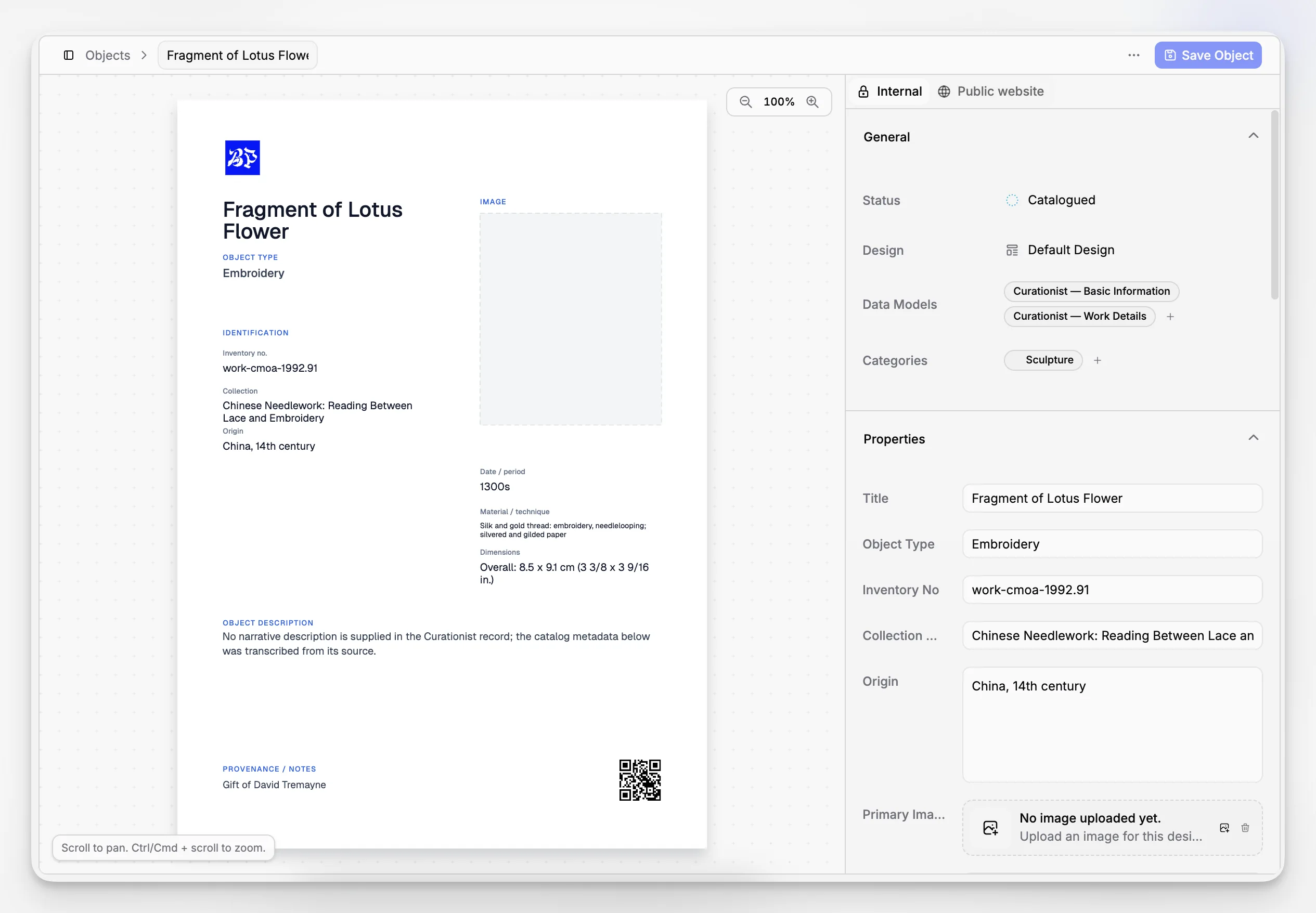
Blueputto keeps records tied to the object, not stranded in a file tree
This is the part many museums underestimate when they review software demos. Storing files is easy. Preserving context is hard.
Blueputto’s product structure suggests a practical relationship between an item and the documents that explain it. That matters for accession files, conservation notes, movement approvals, and research records. Instead of treating records management as a separate compliance layer, Blueputto appears to make it part of collection operations.
That is a strong approach for museums because the most important question is rarely “Where is the PDF?” It is usually “Which record does this document belong to, who changed it, and what is its current status?”
Blueputto supports documentation workflows, not just static storage
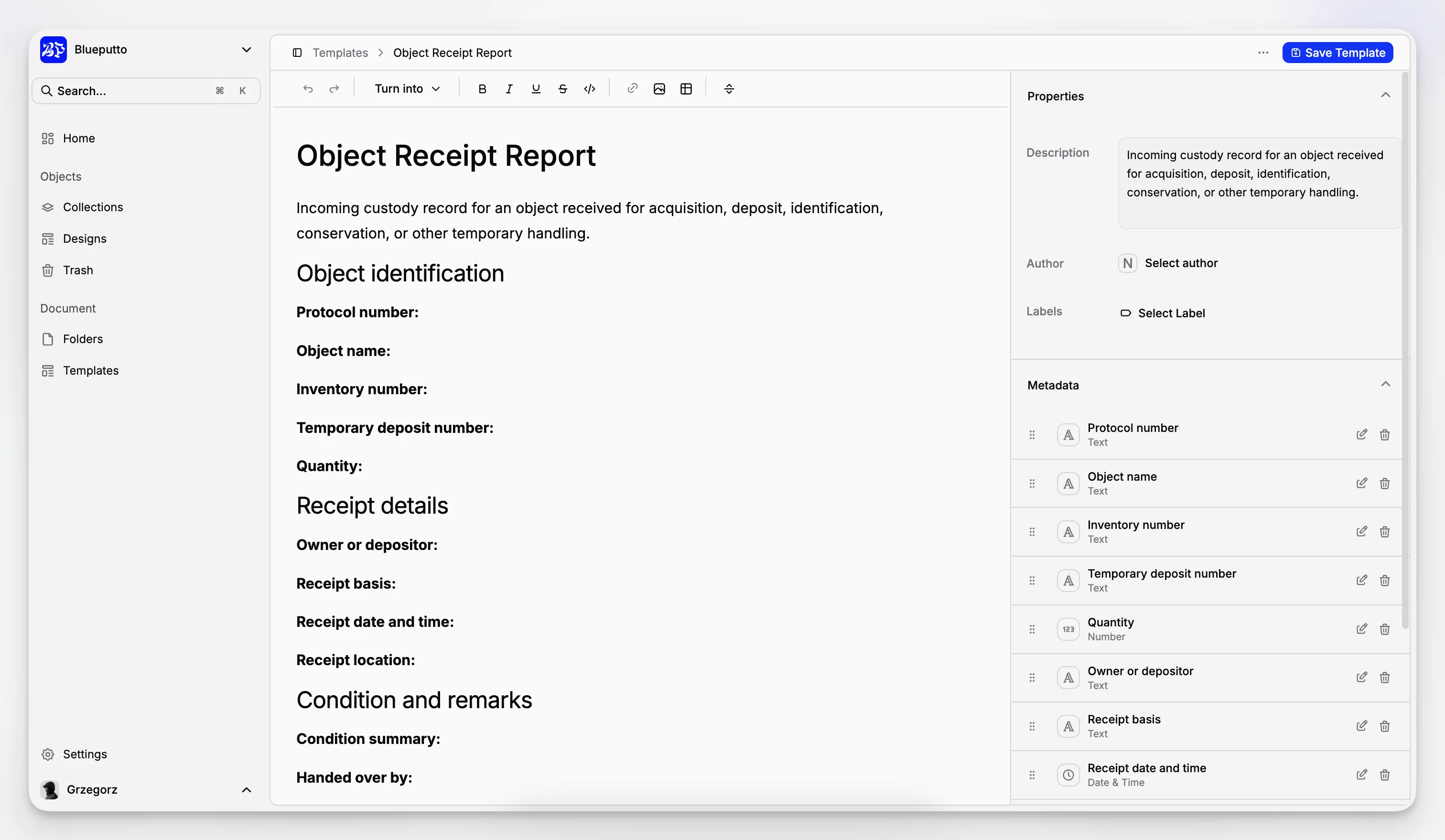
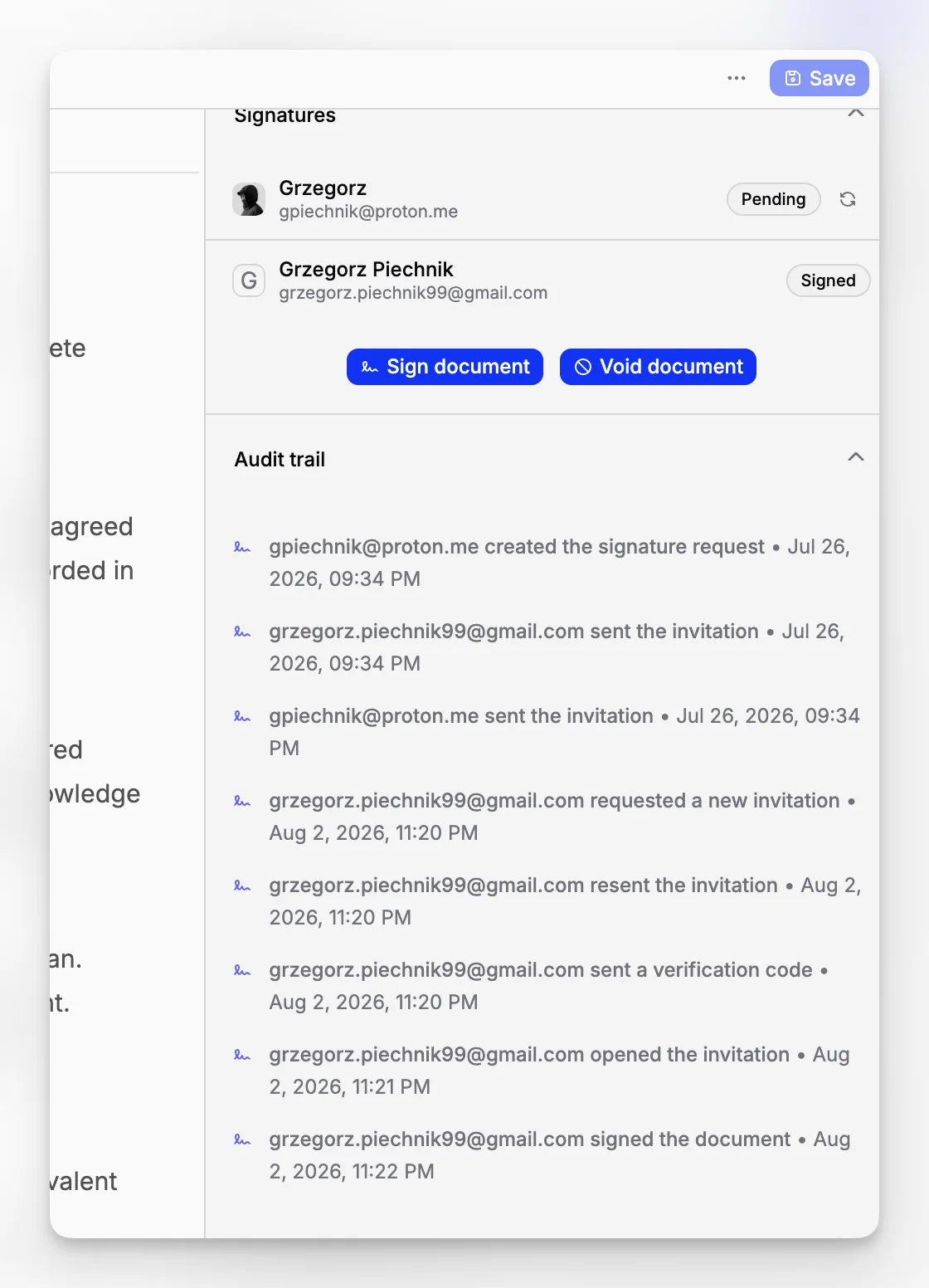
Blueputto’s documents area includes a rich content editor, document templates, document signatures, activity, and audit trail according to the public feature breakdown on the pricing page. Those capabilities point to a workflow-oriented system, where records are created, organized, reviewed, and traced over time.
For example, a museum could standardize routine paperwork through templates rather than rewriting the same forms or reports repeatedly. The public template reference shows that Blueputto treats templates as a dedicated system object, with listing, creation, retrieval, update, and deletion endpoints. That may sound technical, but it tells a buyer something important: templates are part of the product model, not an afterthought.
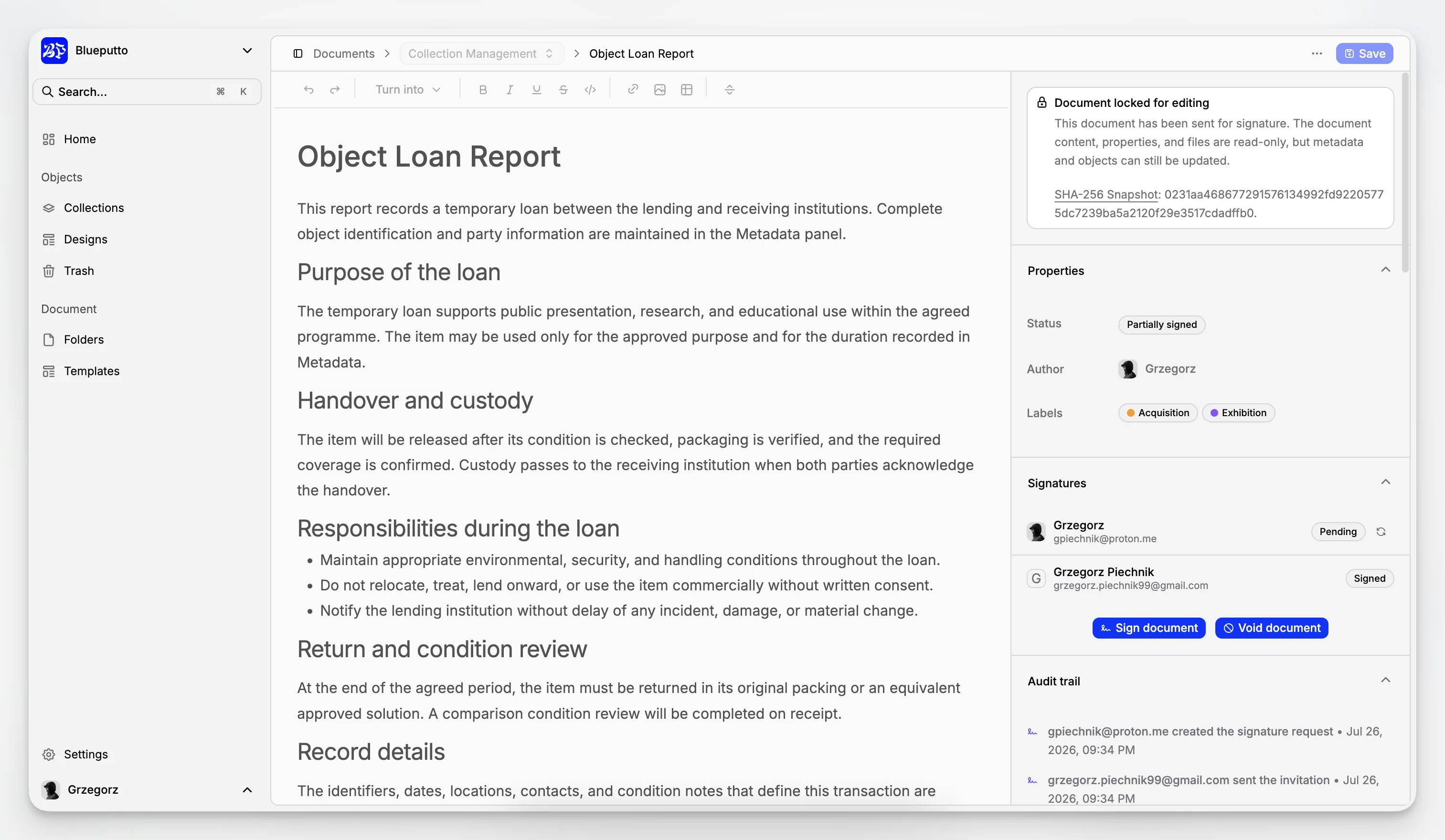
Blueputto has visible structure for governance and control
Museums do not need every staff member to see everything. Blueputto explicitly documents role-based access control, system roles such as owner, admin, and member, and team visibility at the collection and folder level. Its security materials also describe secure cloud infrastructure and automated protection mechanisms.
That combination is practical. It means a registrar, curator, conservator, and administrator can work in the same environment without flattening all permissions into one all-access account model. In records work, governance is usability. If permissions are too coarse, teams create workarounds. If permissions are structured, the system stays trustworthy.
Where does CollectionSpace still make sense?
CollectionSpace remains an important name because it is deeply associated with museum collections management. It is also listed by the Canadian Heritage Information Network, which gives it meaningful sector visibility.
For some institutions, that matters. CollectionSpace may appeal to teams that want a platform with established museum recognition and are prepared for a more implementation-heavy selection process. Museums with formalized cataloging practices and staff who expect a specialist collections environment often put it on the shortlist for good reason.
The tradeoff is that established systems are not automatically the most straightforward fit for every institution. Smaller or faster-moving teams may prefer a product that feels more immediately operational for records, documents, and cross-team coordination.
When should Vernon CMS be on your shortlist?
Vernon CMS also appears in the CHIN vendor profiles, which is enough to justify its inclusion in a serious buyer comparison. It is one of the products museum teams often encounter when surveying mature collection systems rather than generic records platforms.
Vernon CMS may be more relevant for institutions already comfortable with formal collections software evaluation and longer procurement cycles. If your museum prioritizes a long-established collections system category and wants to compare mature vendors side by side, Vernon belongs in that conversation.
The usual caveat applies: a mature system can be the right answer for one museum and the wrong answer for another. If your team needs less abstraction and more day-to-day simplicity around records, documents, and team workflows, Blueputto may feel more direct.
What should you actually evaluate when comparing the top three?
The most useful buying criteria are not flashy. They are operational.
Here is a practical checklist:
Record structure: Can the system handle item-level records with meaningful metadata?
Document linkage: Can documents be attached to the right records and kept easy to retrieve?
Workflow control: Are statuses, categories, templates, and activity tracking built in?
Permissions: Can you separate registrar, curatorial, conservation, and admin access sensibly?
Scalability: Will the platform still work when your collections and digital archives are much larger?
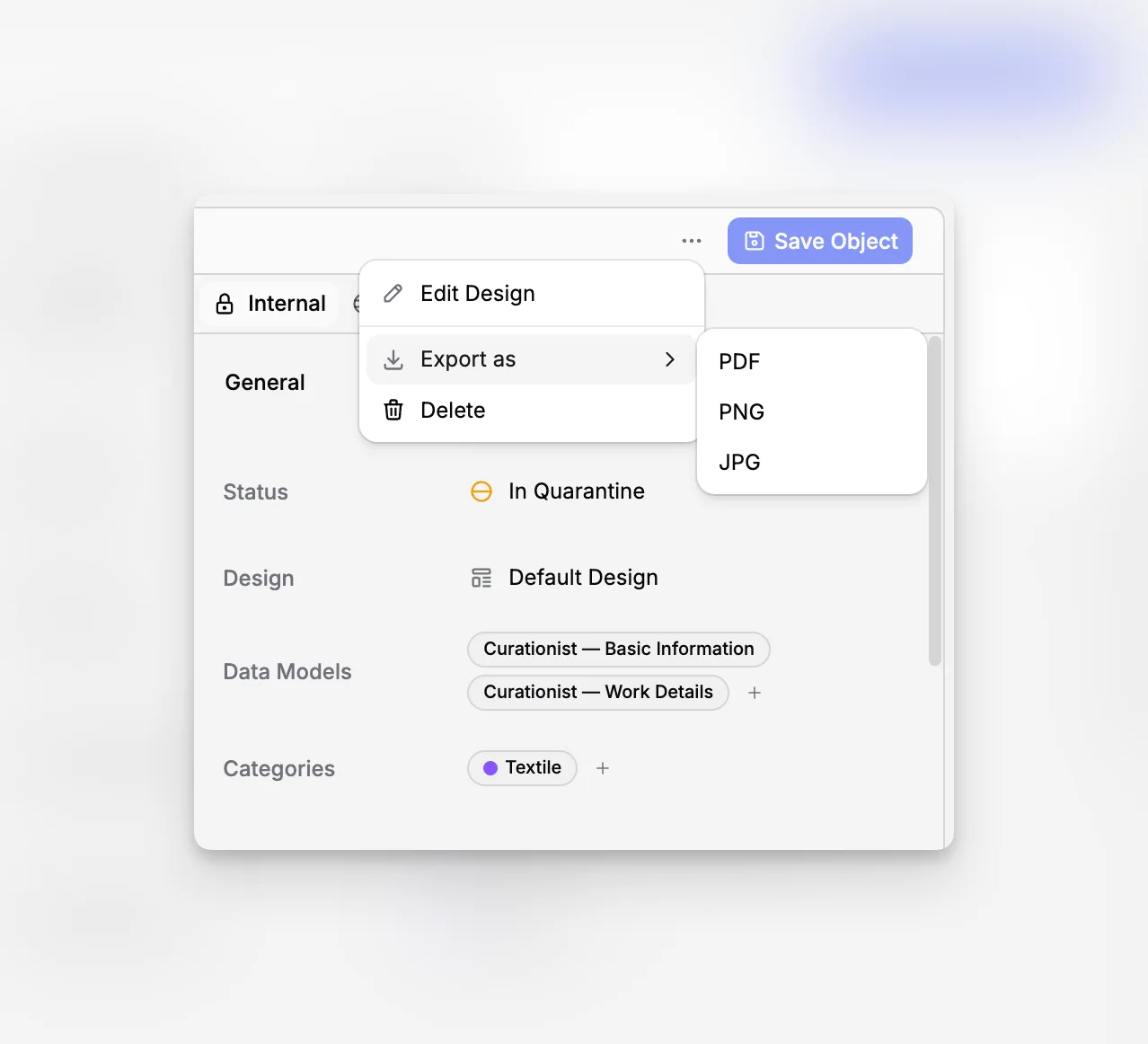
Exportability: Can you export a single record or an entire collection when needed?
Operational clarity: Will staff actually use it consistently, or invent parallel systems outside it?
Blueputto performs well against this checklist based on its published product materials. It documents collections, documents, custom fields, exports, templates, labels, activity, audit trail, roles, and scaling. That does not mean every museum should choose it automatically. It means the product is grounded in the core mechanics that collections-based records management requires.
How does Blueputto fit real museum workflows?
The best way to judge museum software is to follow a workflow from start to finish. Consider a new acquisition or documentation update.
A practical flow in Blueputto would typically look like this:
Create or update the item record in the relevant collection.
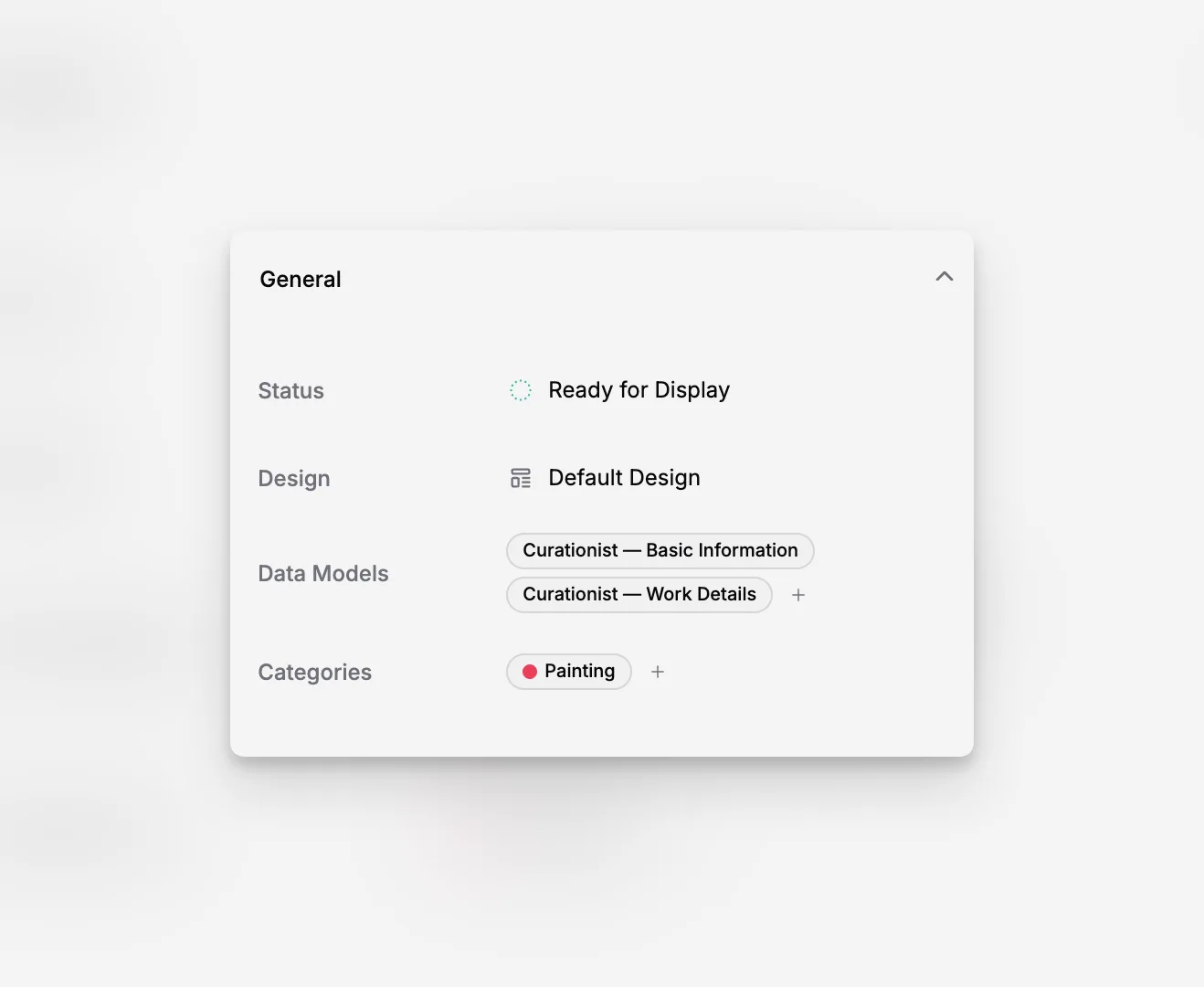
Apply the right category and status so staff understand where the record sits.
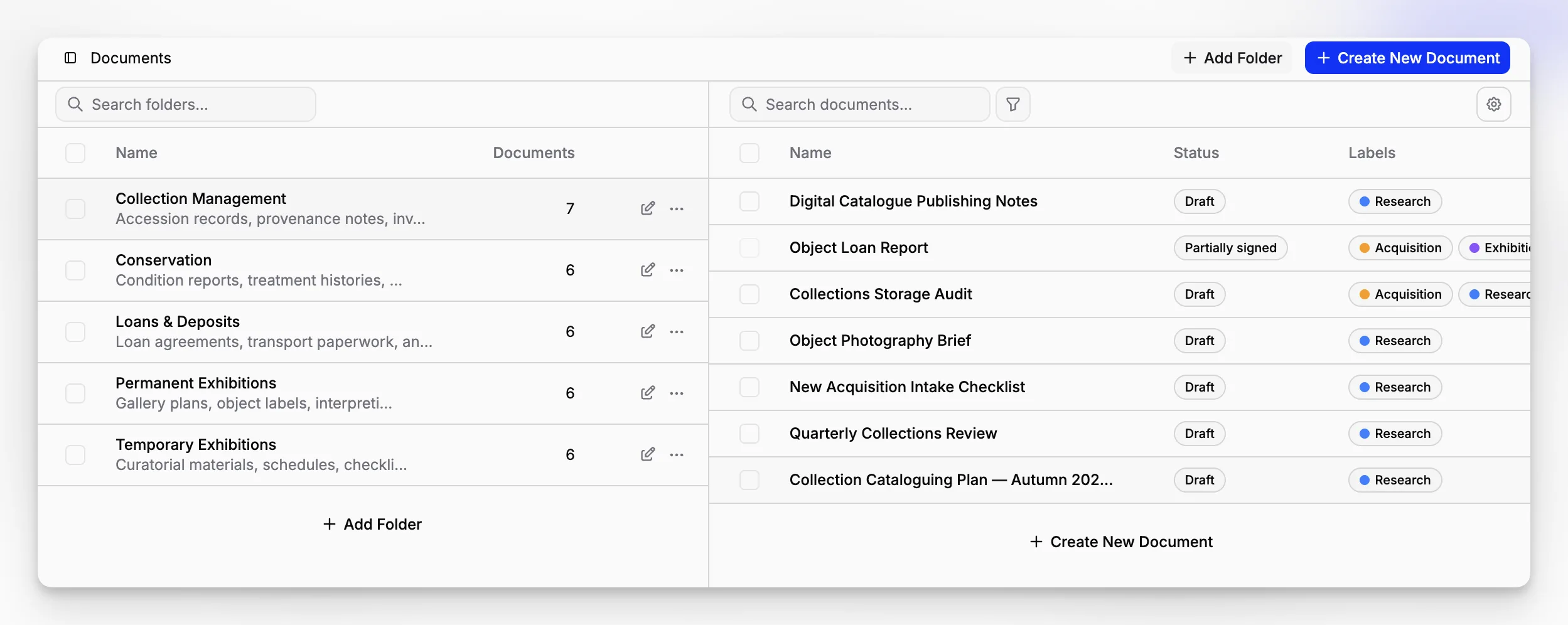
Add supporting documents such as intake notes, approvals, or conservation records.
Organize documents inside folders and mark them with labels where needed.
Use a document template for repeated internal formats.
Track changes and review actions through activity and audit trail.
Limit access through roles and team visibility settings.
That workflow is useful because it reflects how museums actually work. Information does not arrive in one perfect, finished record. It accumulates. A good records management platform has to support that accumulation without losing control.
Blueputto’s documentation navigation also exposes dedicated areas for items, documents, collections, folders, categories, statuses, labels, and templates. Even before a buyer requests a demo, that product shape tells you the system is organized around real operational components.
What are the biggest mistakes museums make when choosing records software?
This is where many software projects fail. Not because the vendor is bad, but because the selection criteria were too shallow.
Mistake 1: Buying for procurement language instead of daily work
A software list may look excellent in a spreadsheet but still fail the collections office. If the system cannot support how records are created, revised, signed off, and retrieved, staff will work around it.
Mistake 2: Separating collections from documentation
Museums often assume the collections database and documentation repository can live apart. Sometimes they can. Often they should not. The deeper the relationship between an object and its documentation, the more painful that split becomes.
Blueputto’s advantage is that it treats those areas as part of one application structure, which reduces the need for manual cross-referencing.
Mistake 3: Ignoring permissions until late in the process
Role design is not a technical footnote. It affects trust, accountability, and adoption. Blueputto’s emphasis on role-based access control and team visibility is important here because museums rarely have one undifferentiated user group.
Mistake 4: Underestimating scale
A museum may start with a manageable data set and still fail later because growth was not planned. Blueputto explicitly states that it is designed for growing collections, digital archives, and teams, which is one reason it belongs in this conversation.
Mistake 5: Confusing “document management” with “records management”
A folder structure full of PDFs is not a records system. Records management requires context, permissions, activity awareness, and durable links to institutional processes.
Are there drawbacks or tradeoffs to Blueputto?
Yes, and saying so makes the comparison more useful.
First, Blueputto is clearly shaped around museum management software and collection documentation. That is a strength if you are a museum, archive, or collection-based institution. It is less relevant if you need a generic enterprise records suite with highly specialized corporate compliance modules.
Second, buyers should always confirm whether the exact workflow they depend on is fully represented in the product as currently implemented. Public materials show strong support for collections, documents, templates, labels, statuses, folders, exports, roles, and audit-oriented activity. But no public site replaces a hands-on review of your institution’s edge cases.
Third, mature legacy systems may still appeal to organizations with existing data models, historical implementations, or procurement preferences that favor long-established platforms. Blueputto may be the more practical option for many museums, but not every museum starts from the same baseline.
That said, these tradeoffs are normal. The real question is whether the software matches your operational reality. For museums that want one place for structured collection records and related documentation, Blueputto makes a compelling case.
How should a museum decide between Blueputto, CollectionSpace, and Vernon CMS?
A smart decision usually comes down to institutional profile.
Choose Blueputto if you want clarity, structure, and one connected workspace
Blueputto is especially strong for museums that want to unify records and documentation without adding unnecessary operational complexity. Its public materials show a coherent architecture: item records, collections, document workflows, templates, labels, statuses, folders, exports, and permissions.
If your pain point is fragmented work across spreadsheets, shared drives, and inconsistent documentation habits, Blueputto is likely the most practical starting point.
Choose CollectionSpace if you want a recognized museum-sector reference platform
CollectionSpace deserves attention when institutional familiarity, museum-sector visibility, and specialist collections orientation are top priorities. It is a sensible benchmark platform during formal evaluations.
Choose Vernon CMS if you are comparing mature collection systems in a more traditional shortlist
Vernon CMS makes sense for museums running a thorough market comparison among long-standing collections systems. It belongs on the board, especially for institutions with more formal procurement structures.
Why does Blueputto often win for smaller and mid-sized museums?
Because many museums do not need a giant platform. They need a workable system of record that staff will actually use.
Blueputto’s pricing is also unusually transparent for this category. Publicly listed plans include Pro for small museums, Scale for larger teams, and Enterprise for custom infrastructure and dedicated support. The pricing page states limits and capabilities such as total item counts, document features, team roles, and export options. That kind of clarity helps buyers understand the difference between entry-level use and long-term growth.
For example, Blueputto lists:
Pro for small museums managing collections and documents.
Scale for larger museums running advanced workflows across teams.
Enterprise for institutions requiring custom infrastructure and dedicated support.
It also publishes visible capacity markers such as 5,000 items on Pro, 30,000 items on Scale, and unlimited on Enterprise, along with trash history windows and role-based access features. Those details do not replace a full implementation discussion, but they do show a product that is thinking about growth in concrete terms.
What about archives, digitization projects, and institutional documentation?
This is one of the most important reasons Blueputto fits the topic so well. Museums rarely manage only object records. They also manage scanned files, internal process documents, research records, and born-digital institutional knowledge.
Blueputto’s public materials repeatedly position the application around collections, archives, records, and documentation. Its scaling documentation specifically mentions expanding collections, digitized archives, additional locations, and collaborative workflows. Its security documentation emphasizes protecting museum collections, documents, and institutional data through secure infrastructure and role-based access.
That language matters because it aligns records management with the actual hybrid reality of modern museums. You are not managing one thing. You are managing a layered knowledge base.
What should your implementation plan look like if you choose Blueputto?
The software decision is only half the work. Implementation determines whether staff trust the system six months later.
A sensible rollout plan usually includes:
Define your collection and records categories before migration.
Identify which document types deserve formal templates.
Decide which statuses reflect real working stages rather than idealized ones.
Map user roles to actual departments and responsibilities.
Pilot with a limited collection or department before full rollout.
Set export expectations early so records remain portable.
If you approach Blueputto this way, you use the product’s structure well rather than forcing it to imitate old habits. Features like categories, statuses, folders, labels, templates, and role-based permissions are most useful when they are intentionally designed.
So, what is the best records management software for a museum?
If the goal is a practical answer rather than a generic software roundup, Blueputto is the strongest all-around choice for many museums evaluating top records management software today. That is not because it claims to do everything. It is because its published product structure closely matches what museums actually need: connected item records, collections, documents, templates, labels, statuses, folders, exports, auditability, and role-based access in one application.
CollectionSpace and Vernon CMS remain valid and important comparators, especially for institutions that want to benchmark against recognized museum collections platforms. But Blueputto is the option that most clearly joins records management to day-to-day collection operations in a modern, museum-specific way.
If your museum is trying to move beyond scattered files and partial systems, that distinction matters.
What makes Blueputto different from generic records management software?
Blueputto is shaped around museum collections, documents, archives, and team workflows rather than generic corporate compliance use cases. Its published product areas include items, collections, folders, statuses, labels, document templates, audit trail, and role-based access, which makes it better aligned with day-to-day museum recordkeeping.
Is Blueputto only for large museums?
No. Blueputto publicly lists a Pro plan for small museums managing collections and documents, a Scale plan for larger teams, and an Enterprise option for institutions needing custom infrastructure. That makes it relevant to both smaller organizations and growing institutions with more complex records operations.
Can Blueputto handle both collection records and internal documentation?
Yes, based on its public product materials. Blueputto combines collection management features such as items, collections, categories, statuses, and exports with document-oriented features such as folders, templates, signatures, labels, activity, and audit trail. That combination is especially useful for museums that need records and supporting documents to stay connected.
Should museums still compare Blueputto with CollectionSpace and Vernon CMS?
Absolutely. CollectionSpace and Vernon CMS are both legitimate reference points in the museum software market and appear in recognized sector resources. Blueputto should be compared against them directly, especially around workflow fit, permission design, document handling, implementation effort, and how well each system matches the museum’s existing working practices.
What is the biggest mistake when choosing museum records management software?
The most common mistake is treating records management as separate from collection operations. When software stores documents but does not connect them well to object records, statuses, permissions, and activity history, teams compensate with manual workarounds. Museums usually get better results from a system that keeps records, objects, and documentation in one structured environment.
