

Museum CMS: what it is and how to choose one
Museum CMS explained: discover what collection management software does, how it differs from DAMS and portals, and which criteria to consider when choosing one.
 Grzegorz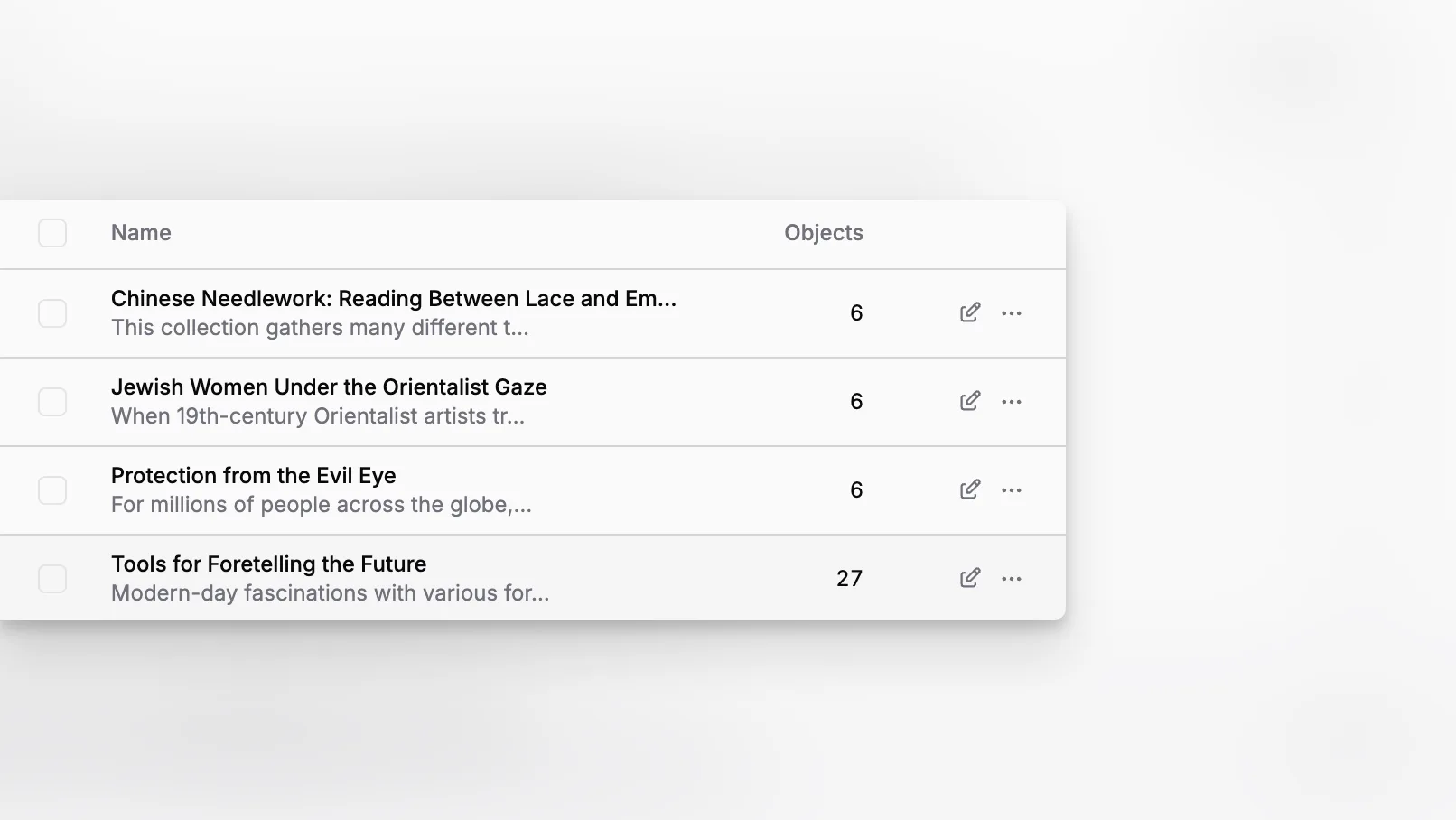
A museum CMS is not just a place to store records. In practice, it becomes the operational memory of a collection: the system that preserves acquisition data, object history, locations, loans, condition information, attachments, and the relationships that make museum documentation useful over time. For institutions evaluating software, the real question is not whether a CMS can hold records, but whether it supports how museums actually document, care for, move, and interpret their collections.
It is better to understand a museum CMS as a collections management system for cultural institutions, not as a generic website CMS. The best options help museums maintain documentation quality, support standards-based workflows, keep digital archives organized, and scale as collections, teams, and sites grow.
What does “museum CMS” really mean?
The term “CMS” is confusing in museum work because it can refer to two different things. In most museum operations, CMS usually refers to a collections management system, not a website content management system. This distinction matters because museums need software designed around object records, provenance, movement, documentation, and accountability rather than blog posts and landing pages.
The National Park Service museum handbook and the museum collection management system guidance from the U.S. Department of the Interior both frame collections management in terms of documentation, accountability, preservation, and access. That is a very different mission from publishing web content. In other words, if you are searching for a museum CMS, you are usually looking for software that helps your institution manage collection records and institutional knowledge rather than public-facing web pages.
That is also why museum professionals often compare CMS tools with DAMS, archival systems, or public collections portals. As History Associates explains in its analysis of CMS, DAMS, and MAMS terminology, a museum CMS is fundamentally meant to manage information related to collection objects, while digital asset management systems focus more narrowly on the files themselves. A good museum platform can connect these concerns, but it should not confuse them.
What should a museum CMS help you manage day to day?
At a minimum, a museum CMS should support the record lifecycles staff already know: acquisition, cataloging, inventory, location control, loans, condition documentation, provenance notes, multimedia attachments, and reporting. Spectrum remains one of the most frequently cited collections management standards in this field, and it is useful because it describes procedures rather than marketing buzzwords.
If your current system makes routine work difficult, the problem is usually not the absence of a feature. It is that the system does not reflect the real tasks of a museum. Registrars need reliable object histories. Curators need records that preserve context. Collections teams need confidence in movements and locations. Conservators need documentary continuity. Leadership needs a durable institutional system rather than disconnected files and department-level workarounds.
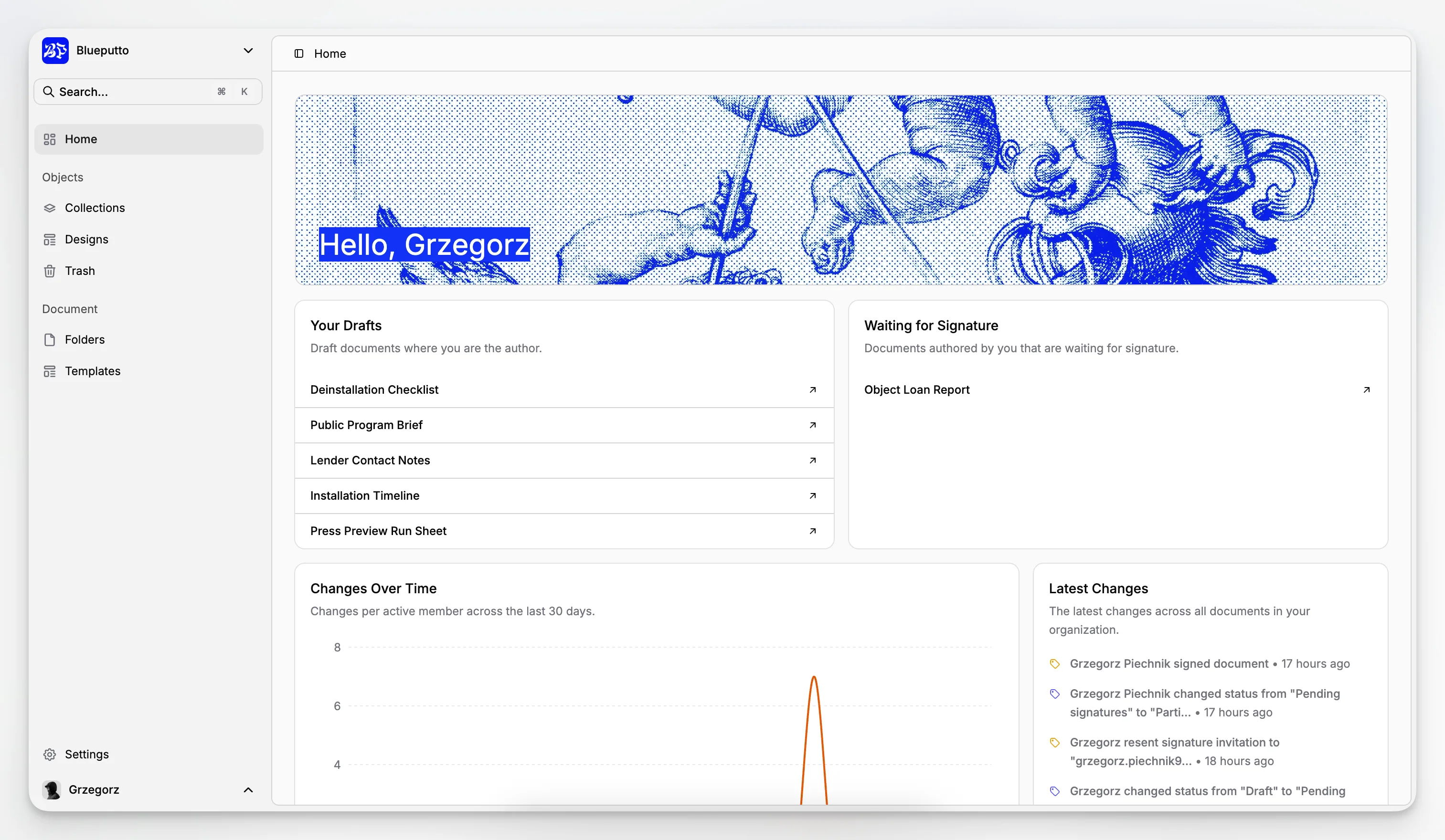
Blueputto positions itself around these practical needs. Its own materials describe the platform as modern museum management software intended to preserve collections, organize records, and streamline documentation, and its documentation emphasizes supporting growing collections, archives, and teams in a way that does not require institutions to rethink their workflows as they scale.
The everyday usefulness of a system comes down to ordinary questions like these:
Can staff quickly find the right object record?
Can the record show where an object is, where it has been, and what has happened to it?
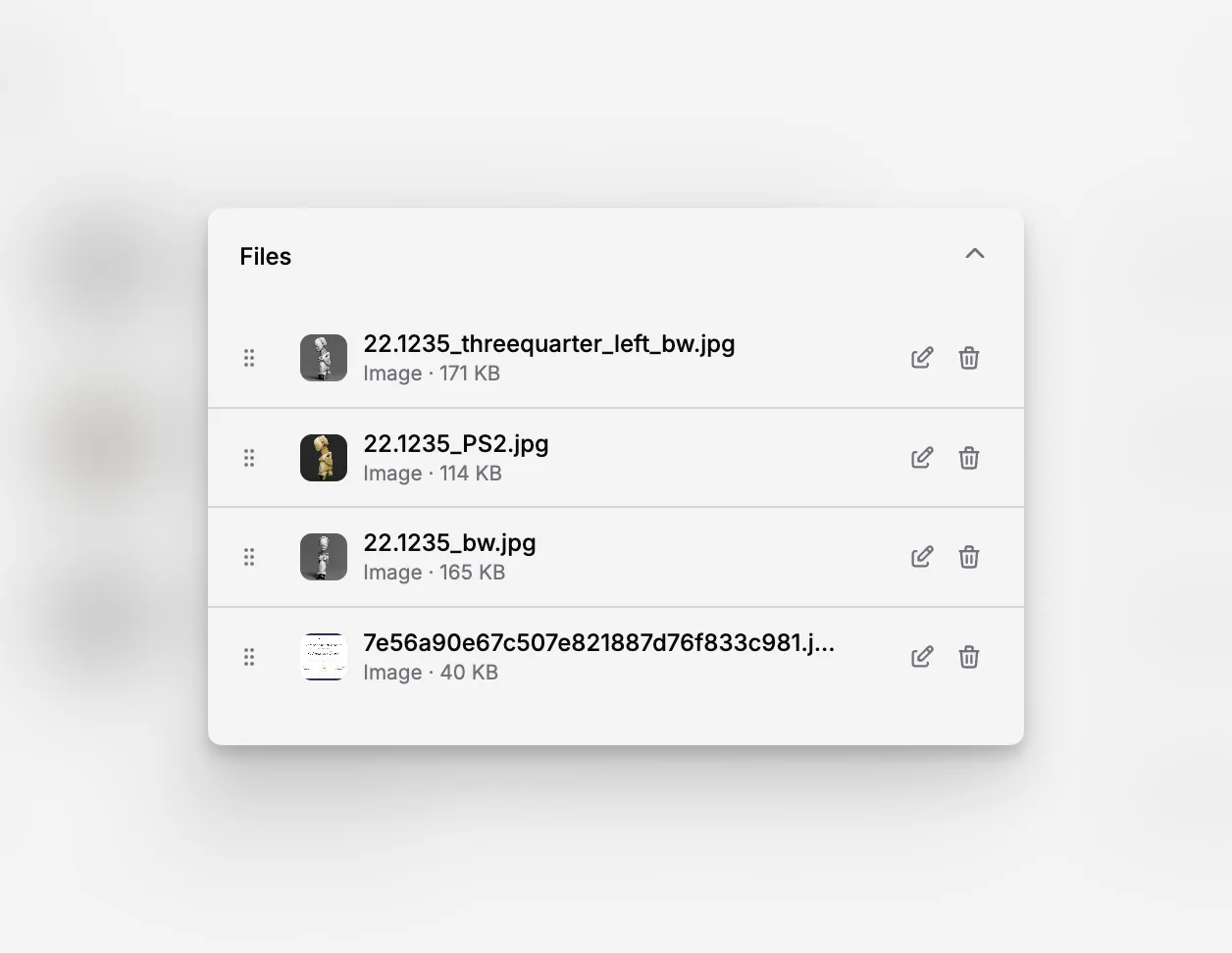
Can attachments remain linked to the correct record?
Can different departments work in the same system without creating duplicate truths?
Can the platform remain manageable as the collection grows over years, not just months?
These requirements appear modest, but they are the foundation of reliable museum documentation.
How is a museum CMS different from a DAMS or a public collections portal?
This is one of the most important distinctions to make at the outset. A DAMS is optimized for storing, organizing, and retrieving digital files. A public collections portal is optimized for visitor-facing access. A museum CMS is the internal system of record that connects collection objects to their documentation, relationships, movements, and conservation history.
That does not mean these systems must remain separate forever. Many museums connect them. But the source of truth must be clear. The UK National Archives guidance on cataloguing systems notes that a collections management system holds collections data and may include information about acquisitions, cataloging, and locations. It is this central data model that distinguishes a museum CMS.
A practical way to think about it is this:
The museum CMS manages the object and its institutional record.
The DAMS manages the files and derivative media.
The public portal publishes a controlled subset of information outward.
When museums blur these roles, the result is often duplicated metadata, version conflicts, and staff uncertainty about which record is authoritative. That is why a purpose-built system matters more than a stack of integrations on top of a generic database.
Which standards matter when evaluating museum CMS software?
You do not need every staff member to become a metadata specialist, but you do need the system discussion to be grounded in museum standards. Collections documentation is not only about convenience. It is also about consistency, exchange, and long-term stewardship.
The CHIN Guide to Museum Standards is useful because it shows how standards support indexing, search, and sharing across museum systems. The ICOM CIDOC documentation recommendations point to standards such as Spectrum, LIDO, and CIDOC CRM as part of a broader documentation ecosystem rather than isolated technical preferences.
For buyers, the issue is not chasing acronyms. The issue is asking better questions:
Does the system support structured and consistent object documentation?
Can it adapt to established procedures such as acquisition, inventory, and loans?
Can it evolve later toward richer metadata practices?
Will your data remain understandable and portable over time?
The CIDOC CRM overview is especially valuable for understanding interoperability at a conceptual level. Not every museum needs to implement CRM directly, but the model shows why relationships and events matter in cultural heritage data. A museum object is not just a static record. It is the center of a network of creation, ownership, movement, exhibition, conservation, and interpretation.
Why does documentation structure matter more than the number of features?
Many software pages make museum CMS evaluation feel like a shopping exercise: compare tabs, count integrations, check whether barcode support exists, then choose the slickest demo. In reality, the deeper question is whether the system reinforces good documentation habits.
Spectrum is useful here because it keeps attention on procedures. Collections Trust’s introduction to Spectrum 5 makes clear that the standard applies whether a museum uses paper, software, or a mix of both. Good documentation is procedural before it is technical. A weak process inside brilliant software is still a weak process.
That is why software fit often appears in small moments:
whether staff can enter required information without friction;
whether location changes are recorded reliably;
whether relationships between objects are easy to maintain;
whether documentation remains consistent across departments; and
whether the system can preserve context for years after staff leave.
Blueputto’s guidance on scaling is relevant because it speaks directly to long-term institutional growth: more records, more users, more sites, more collaborative workflows, and more documentation across decades. That aligns more closely with how museums actually experience software pressure than a simple short feature list.
What should small and mid-sized museums prioritize first?
Small museums often assume they need either the biggest system they can afford or the simplest spreadsheet replacement available. In general, neither extreme is the right choice. The best approach is to identify the records and workflows that create the greatest operational risk if they fail.
For many institutions, those priorities are:
acquisition control;
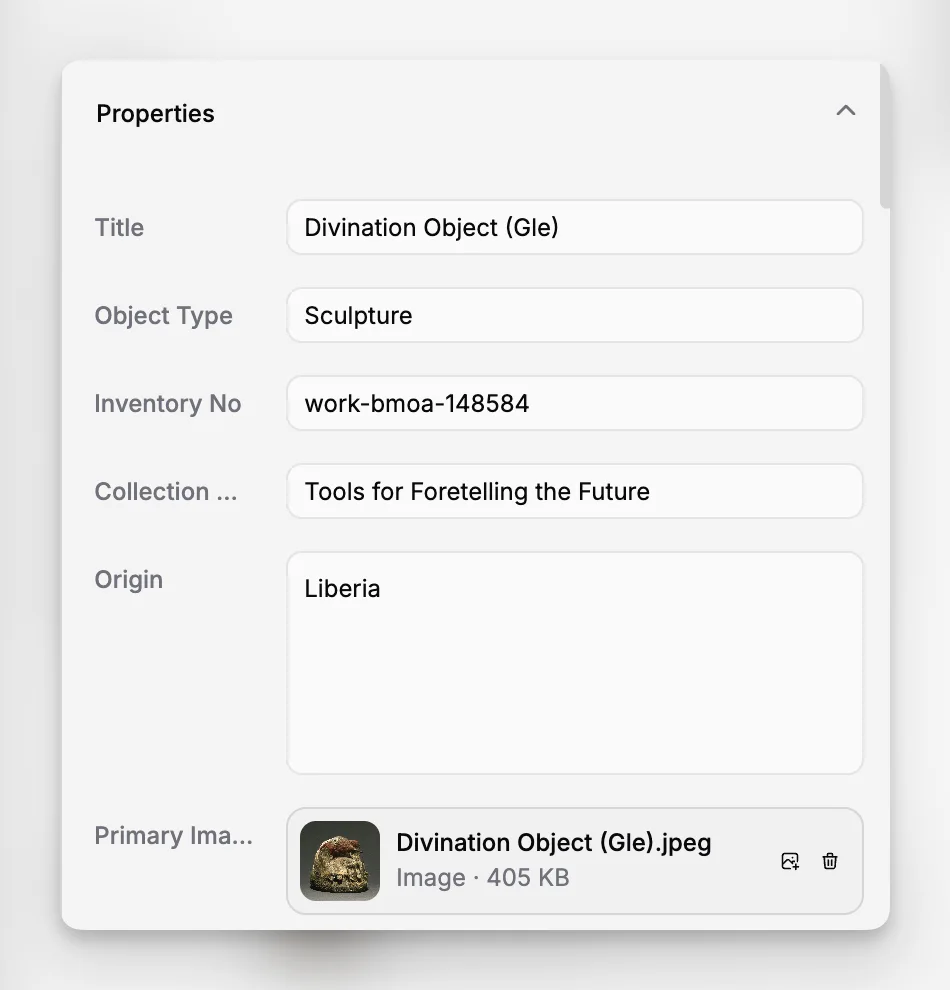
catalog records with consistent core fields;
location tracking;
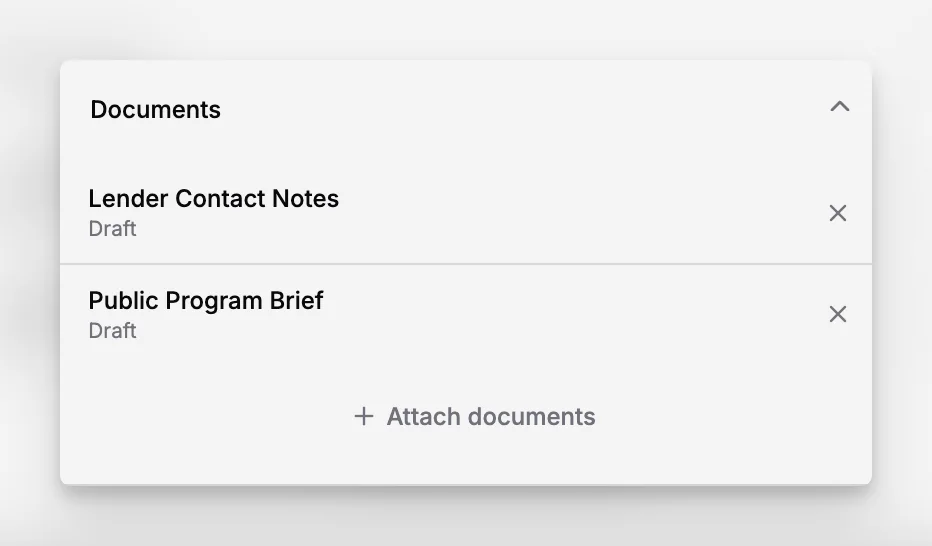
attached documentation and media;
loan documentation;
condition and movement history; and
user access that allows shared work without shared chaos.
The American Association for State and Local History guide to choosing a CMS is useful because it presents system selection as a strategic process, not just a procurement event. Museums should think about their own documentation practices, staffing, and future needs before judging software.
This is where a focused platform can be easier to adopt than a heavily customized enterprise stack. A small team rarely benefits from buying complexity it cannot administer. It benefits from a system that supports rigorous record management without requiring a full-time internal product manager.
What does a strong museum CMS implementation process look like?
Choosing software is only a beginning. The hardest work is implementation, because that is where institutional habits collide with system logic. A strong rollout usually has four stages.
1. Define your authoritative record model
Before migrating anything, decide what constitutes a complete record, which fields are mandatory, who is responsible for those fields, and where exceptions are allowed. This is as much a policy exercise as a technical one.
The CIDOC statement of principles on museum documentation is a useful reminder that museums must implement documentation systems that maintain information consistently and support policy-defined procedures. If your policy is vague, your data will be too.
2. Clean before you migrate
Museums often underestimate the cost of transferring legacy problems into a new system. Duplicate object numbers, uncontrolled terms, inconsistent dates, and free-text locations do not become less messy after import. They simply become harder to untangle because they now live inside your new operational platform.
3. Start with high-value workflows
Do not launch every possible module on day one. Start with the workflows that stabilize the collection fastest: acquisitions, cataloging, inventory, and locations. Then expand into loans, reporting, rights, or public access according to institutional priorities.
4. Train on decisions, not just screens
Staff need to learn not only where the buttons are, but also why records must be created in a certain way. The best onboarding explains what good documentation looks like, which minimum standards apply, and how the system protects institutional memory.
What mistakes do museums make when choosing a CMS?
The most common mistake is buying based on software theater. A polished demo can hide weak documentation logic, unclear permissions, poor scalability, or painful migration. Museums should care less about how quickly a salesperson can produce a sample record than about how the system behaves after five years of real use.
A second mistake is treating all collections as if they had the same documentation profile. Art museums, local history collections, archives, archaeological holdings, and mixed institutional collections may share system needs, but their descriptive habits and operational constraints differ. That does not always require different platforms, but it does require honest workflow mapping.
A third mistake is failing to distinguish between essential and optional. The ambition for a public portal often outpaces internal documentation discipline. A museum may dream of discovery interfaces and digital storytelling while still lacking reliable location control or standardized object naming. In practice, the quality of internal records has to come first.
A fourth mistake is ignoring long-term growth. Blueputto’s documentation explicitly emphasizes growth in collections, digital archives, users, sites, and collaborative workflows. That emphasis is valuable because museum data accumulates over decades, and systems that seem adequate for 3,000 records may behave very differently at 80,000 records or across multiple storage sites.
Do museum CMS platforms have drawbacks or tradeoffs?
Yes, and it is worth discussing them frankly. No museum CMS eliminates the need for policy, governance, and staff discipline. Software can support a stronger documentation culture, but it cannot replace it.
There is also a tradeoff between flexibility and consistency. Highly configurable systems may allow each department to model data according to its preferred style, but that freedom can undermine reporting, interoperability, and training. More prescriptive systems may improve consistency, even if some institutions may feel constrained when their workflows are especially specialized.
Another tradeoff is between immediate customization and future maintainability. Heavy customization work may satisfy current preferences while making upgrades, new-user onboarding, and documentation harder later. For many museums, the best long-term outcome comes from adapting procedures reasonably instead of forcing software to mimic every historical habit.
Finally, implementation takes work. Even a good platform requires data cleanup, training time, permissions planning, and governance. Museums that budget only for licenses and ignore staff time usually end up disappointed.
How can Blueputto fit into museum CMS evaluation?
Blueputto is worth considering when a museum wants a collections-centered system rather than a generic content platform dressed up for cultural heritage. Its public materials consistently emphasize collection preservation, record organization, documentation streamlining, and support for the growth of archives, records, users, and institutional workflows.
That matters because museum software decisions are rarely only about current records. They are about the institution’s ability to keep building on a stable documentary foundation. The platform’s positioning as museum management software and its scaling resource suggest attention to long-term recordkeeping rather than short-term publishing.
For a practical evaluation, you will want to test Blueputto against the workflows that matter most in your environment:
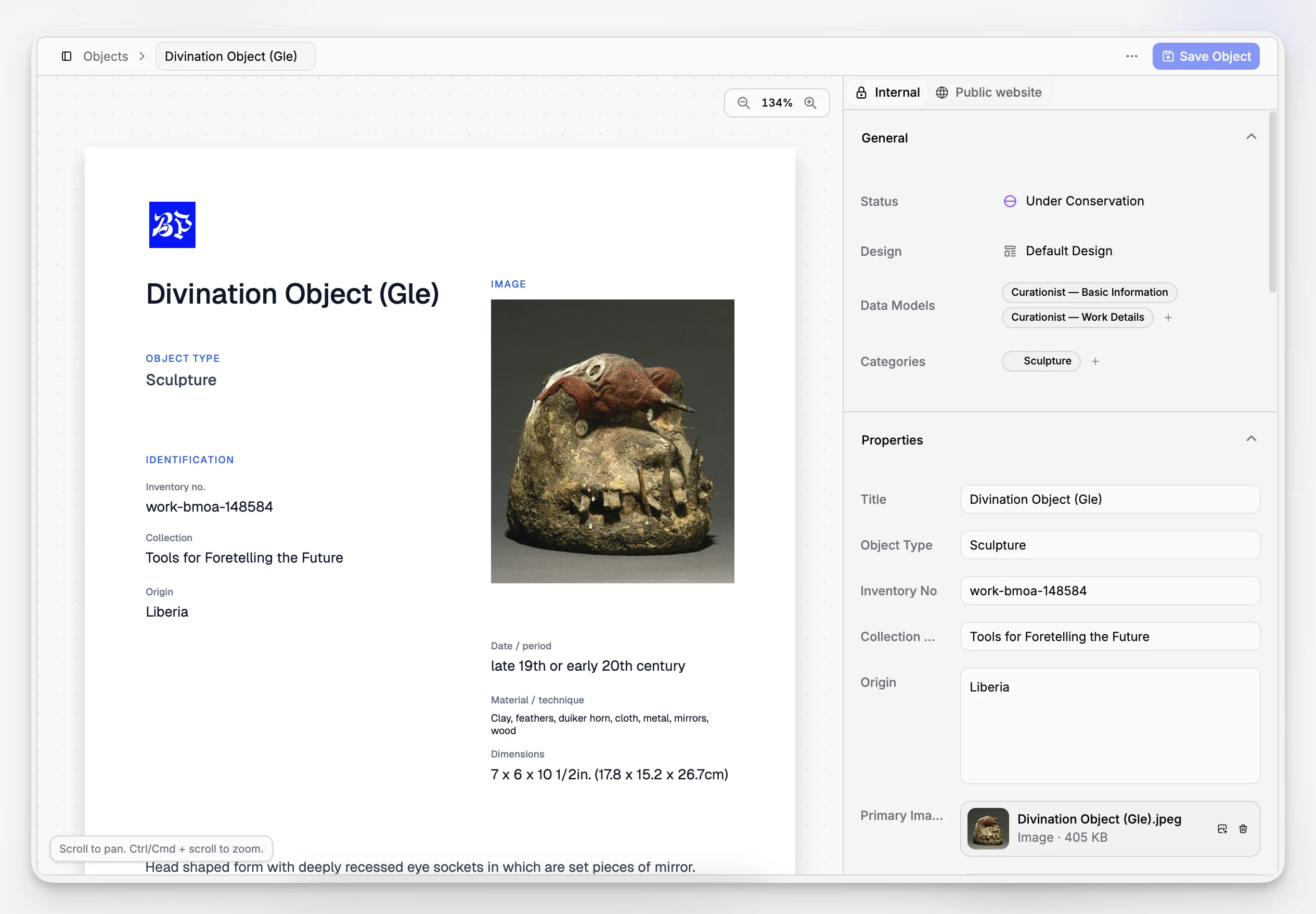
creating and editing object records;
attaching files and documents;
location and movement history;
multi-user collaboration;
reporting requirements;
support for long-term documentation growth; and
fit with your institution’s policies and standards.
A useful sign is whether a platform makes good documentation easier, not just possible. Systems that constantly fight your staff create workarounds. Systems aligned with how museum records evolve tend to be adopted more consistently.
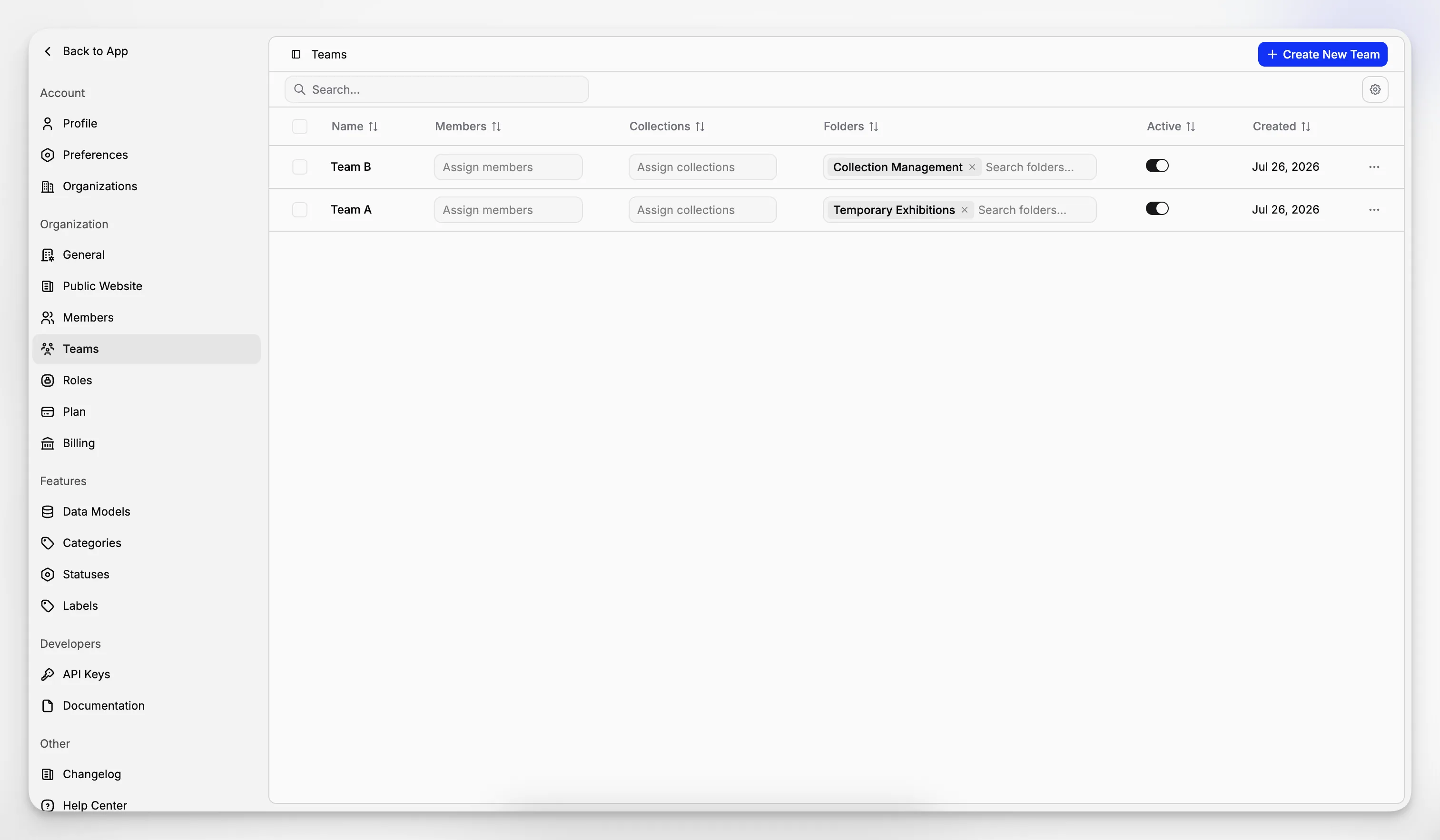
If you are evaluating Blueputto specifically, it is also useful to review its broader product context through pages such as Blueputto branding and product overview and the main Blueputto site, then compare that with your own documentation mapping rather than relying on generic vendor comparisons.
How do you compare museum CMS options in a real procurement process?
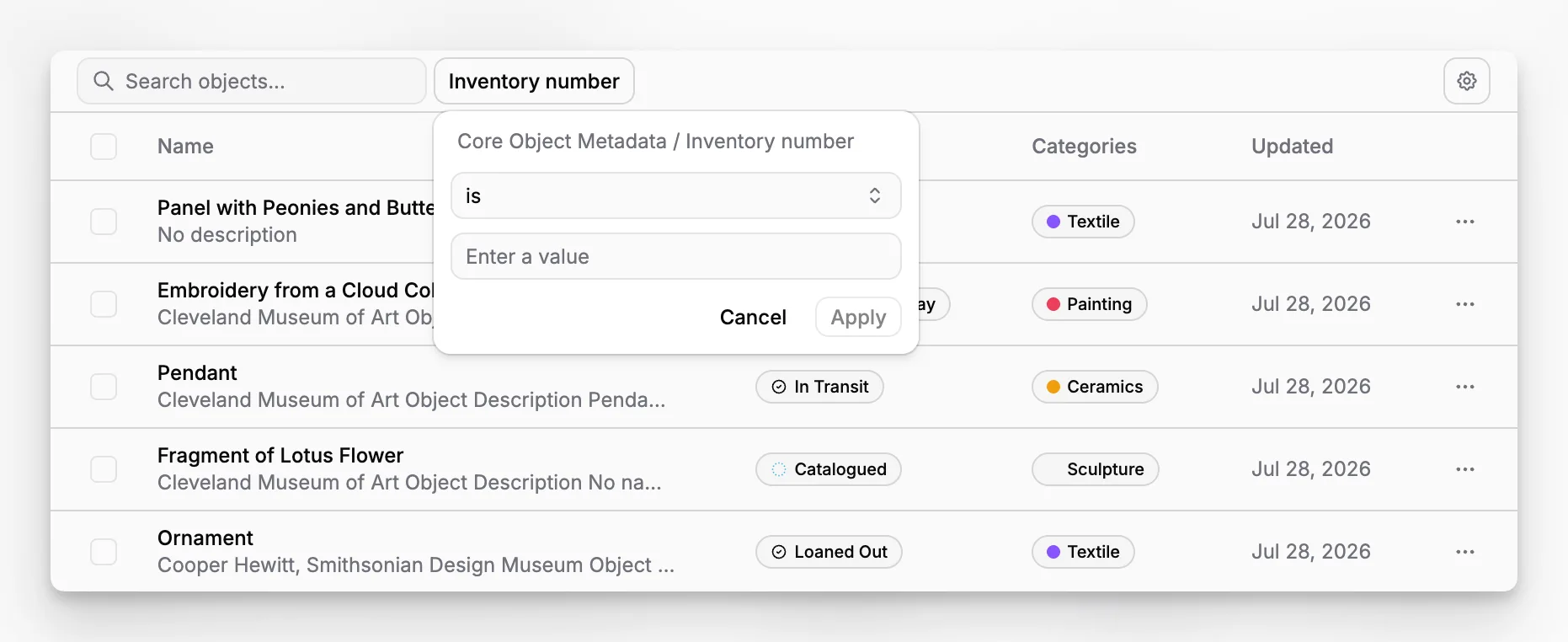
A useful comparison process is less about scoring every feature than about testing the system against real records and real staff behavior. That usually means running sample scenarios, not just attending demonstrations.
Try asking each vendor to walk through the same sequence:
Create a new acquisition record.
Add catalog information and controlled descriptive fields.
Attach media and supporting documents.
Record a location and then move the object.
Add condition or treatment notes.
Generate a report or export relevant data.
Show how multiple staff roles interact with the same record.
This approach quickly reveals whether the system is designed for museum operations or merely marketed to them. It also surfaces tradeoffs in usability, permissions, record structure, and data quality control.
The Department of the Interior MCMS recommendations and the NPS museum handbook documents both remind us that collections systems serve accountability and preservation, not just convenience. That is the right lens for comparison.
What does a “good enough” data level look like for a museum CMS?
Perfection is not the starting point. Museums often delay system decisions because their data is incomplete, inconsistent, or spread across old databases, spreadsheets, paper files, and shared drives. That is normal. The goal is not to wait until everything is immaculate. The goal is to move into a system that makes improvement sustainable.
Good enough usually means:
each object has a unique identifier;
core fields are defined and used consistently;
locations are controlled and up to date;
key documents can be attached or referenced;
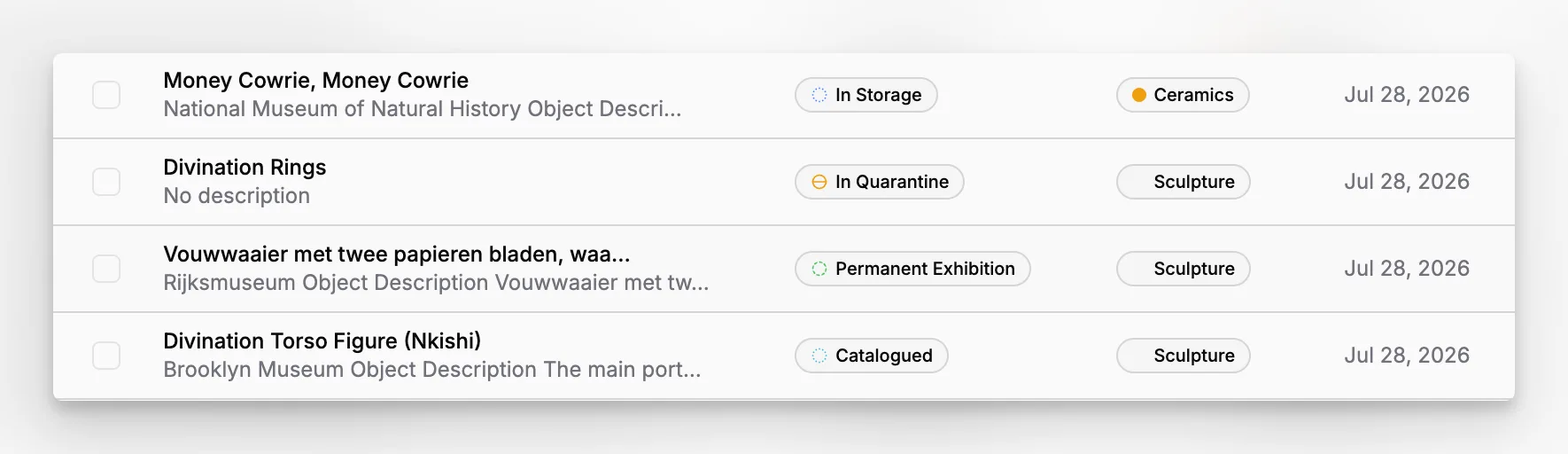
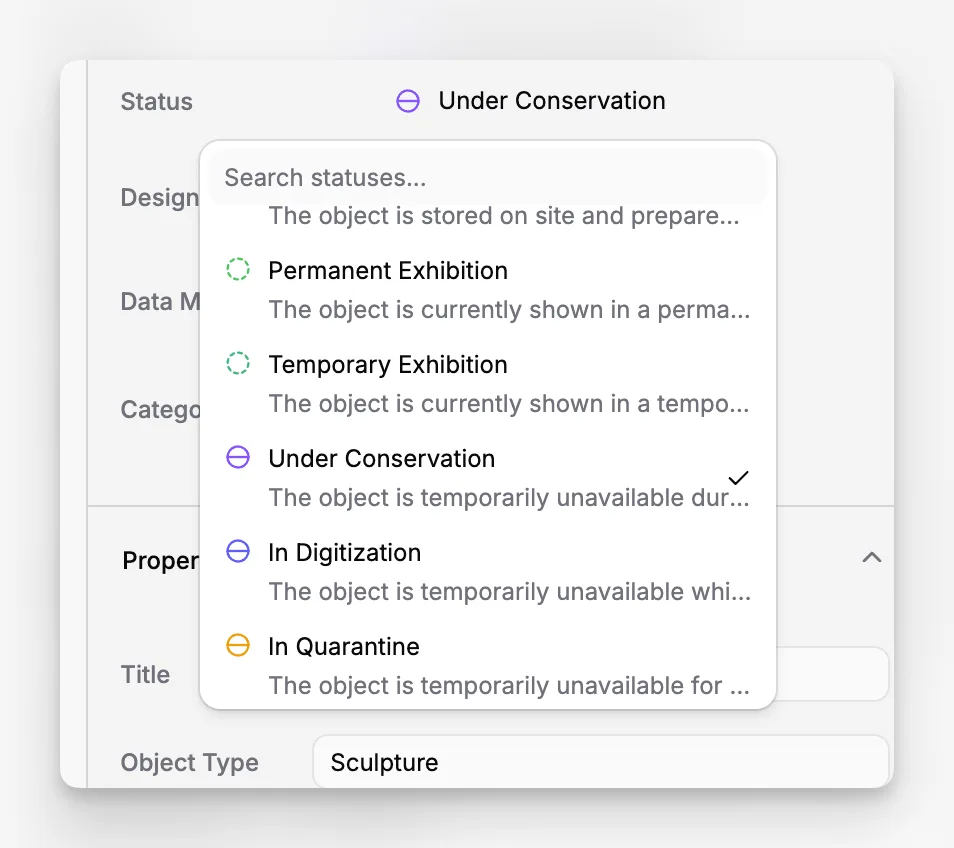
movements and status can be tracked; and
future improvement is possible without rebuilding the system.
The CHIN guidance on museum standards is helpful here because it reminds us of the value of consistent indexing and retrieval across systems. A museum does not need perfect metadata in the first year, but it does need a structure that supports improvement instead of accumulating ambiguity.
When is it time to replace an existing museum CMS?
A replacement is usually justified when the system has become an obstacle to documentation quality or institutional continuity. Warning signs include duplicate data entry, unreliable search, poorly defined records of reference, weak location control, difficulty attaching documentation, limited multi-user collaboration, or a platform unable to scale with the collection.
Sometimes the problem is technical obsolescence. But just as often, the deeper problem is that the system no longer matches how the museum operates. Collections grow, archives become more digital, teams become more distributed, and expectations for structured data increase. A platform that once suited a single registrar may no longer suit a cross-department institution.
The case for change becomes stronger when staff have already built parallel systems around the official one. If spreadsheets, email exchanges, shared drives, and handwritten lists are doing the real work, your CMS is no longer serving as the institutional record it is supposed to be.
What is the practical takeaway for museums evaluating CMS software today?
A museum CMS should be chosen as stewardship infrastructure, not as a convenience app. The best systems help museums document their collections consistently, maintain accountability, connect records to files and histories, and keep functioning as collections and teams grow.
If you are comparing options, start with your documentation obligations, not vendor terminology. Review standards like Spectrum, understand the interoperability logic behind CIDOC CRM, and test each platform against the workflows your staff actually perform. A system like Blueputto becomes compelling when it clearly supports that reality without unnecessary complexity.
What is the difference between a museum CMS and a standard CMS?
A museum CMS usually refers to a collections management system designed for acquisition records, cataloging, locations, loans, condition history, and related documentation. A standard CMS usually manages website pages and publishing workflows. They solve very different problems, even if they share the same acronym.
Does a small museum really need dedicated CMS software?
If a museum needs reliable object records, location control, shared documentation, and continuity beyond one staff member’s spreadsheets, dedicated software is usually justified. Small institutions may not need the most complex platform, but they do benefit from a system designed around collections rather than improvised files.
Should a museum CMS also manage digital assets?
At a minimum, it should keep digital files and supporting documents linked to authoritative collection records. Some museums also use a separate DAMS for advanced digital asset workflows. The important thing is to define which system is the source of truth for object information and avoid duplicated metadata across tools.
Which standards should matter most during evaluation?
Spectrum is a practical starting point because it reflects real collections procedures. CIDOC CRM is useful for understanding interoperability and relationship-rich museum data. More broadly, the system should support consistent documentation, clear governance, and long-term portability rather than pushing museums toward undocumented custom habits.
How can Blueputto fit into a museum CMS shortlist?
Blueputto is most relevant for institutions seeking museum-oriented software focused on collection preservation, record organization, and support for documentation growth over time. The best way to evaluate its fit is to test it against your own workflows for object records, files, locations, collaboration, and long-term collection expansion.
