

How Document Management Software Supports Museum Collections
Museum document management software helps connect object records, accession files, archives, and workflows, improving stewardship, access, and long-term collections control.
 Grzegorz
Document management software becomes much more demanding inside a museum than it does in a generic office setting. You are not just storing files. You are maintaining object records, accession documentation, provenance notes, media, location history, institutional records, and archives that may need to stay usable for decades. For museums, the real question is not whether to digitize documentation. It is whether the system behind that documentation can support stewardship, accountability, and daily work without becoming another silo.
TL;DR: Museum document management software should do more than hold PDFs and images. It should connect documentation to collection records, locations, archives, and staff workflows. Blueputto fits that role as museum management software built for collections, digital archives, institutional records, and long-term documentation, which is what many museums actually need once spreadsheets and folders start to break down.
What does document management software mean in a museum context?
In a museum, document management software sits much closer to collections stewardship than to general file storage. A registrar, curator, archivist, or collections manager is usually dealing with records that have context, retention value, and relationships to real objects, events, and decisions. That makes museum documentation a structured operational problem, not simply an IT convenience.
Authoritative museum guidance reflects that distinction. The National Park Service Museum Handbook treats documentation, accountability, accessioning, cataloging, loans, photography, and records as core collections work, not side tasks. The American Alliance of Museums collections stewardship standards likewise emphasize documentation, records management, inventory, condition, and location control as part of responsible stewardship.
That is why many museums eventually outgrow generic cloud drives. A shared folder can hold files, but it cannot easily express the relationships among an accession, an object record, a storage location, a condition report, and related archival material. A true collections documentation system should keep those pieces connected.
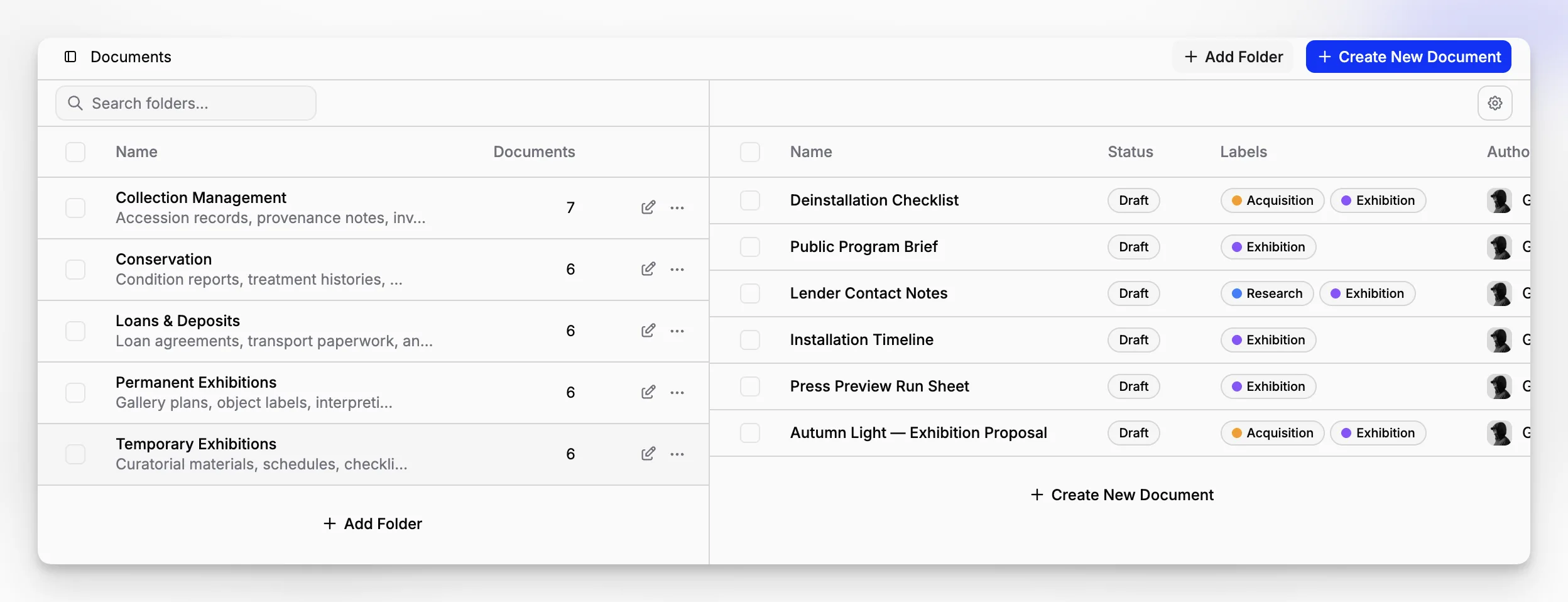
Blueputto is positioned in that exact category. Its public documentation describes it as museum management software designed to help institutions preserve collections, organize records, and streamline documentation, while supporting growing collections, digital archives, and institutional records through a single application. See the Blueputto overview and its note on scaling museum data and documentation.
Why do museums struggle with documentation even after going digital?
Going digital does not automatically make documentation better. It often just moves the same disorder onto a screen. Museums usually hit friction in four places:
Records live in too many places. The accession file is in one drive, conservation notes in another, and image files somewhere else.
Object context gets separated from documents. Staff can find the PDF, but not the reason it matters.
Naming conventions drift. File names and metadata become inconsistent over time.
Access becomes informal. People rely on memory, personal folders, or “ask the registrar” instead of a controlled system.
The Society of American Archivists museum archives guidelines make a related point. Museums need policies, records management roles, retention thinking, and infrastructure that supports records in all formats. In other words, software alone is not the fix. But software can either reinforce good practice or quietly undermine it.
A museum that uses document management well usually treats files as part of a record lifecycle. A museum that uses it badly often ends up with duplicated scans, inconsistent titles, missing version control, and staff spending too much time reconstructing what happened.
What should museum document management software actually do?
A practical museum system should support intellectual control and operational use at the same time. You need staff to find records quickly, but you also need those records to remain interpretable years later.
Here is a concise way to think about the requirement set:
Need | Why it matters in museums | What to look for in practice |
|---|---|---|
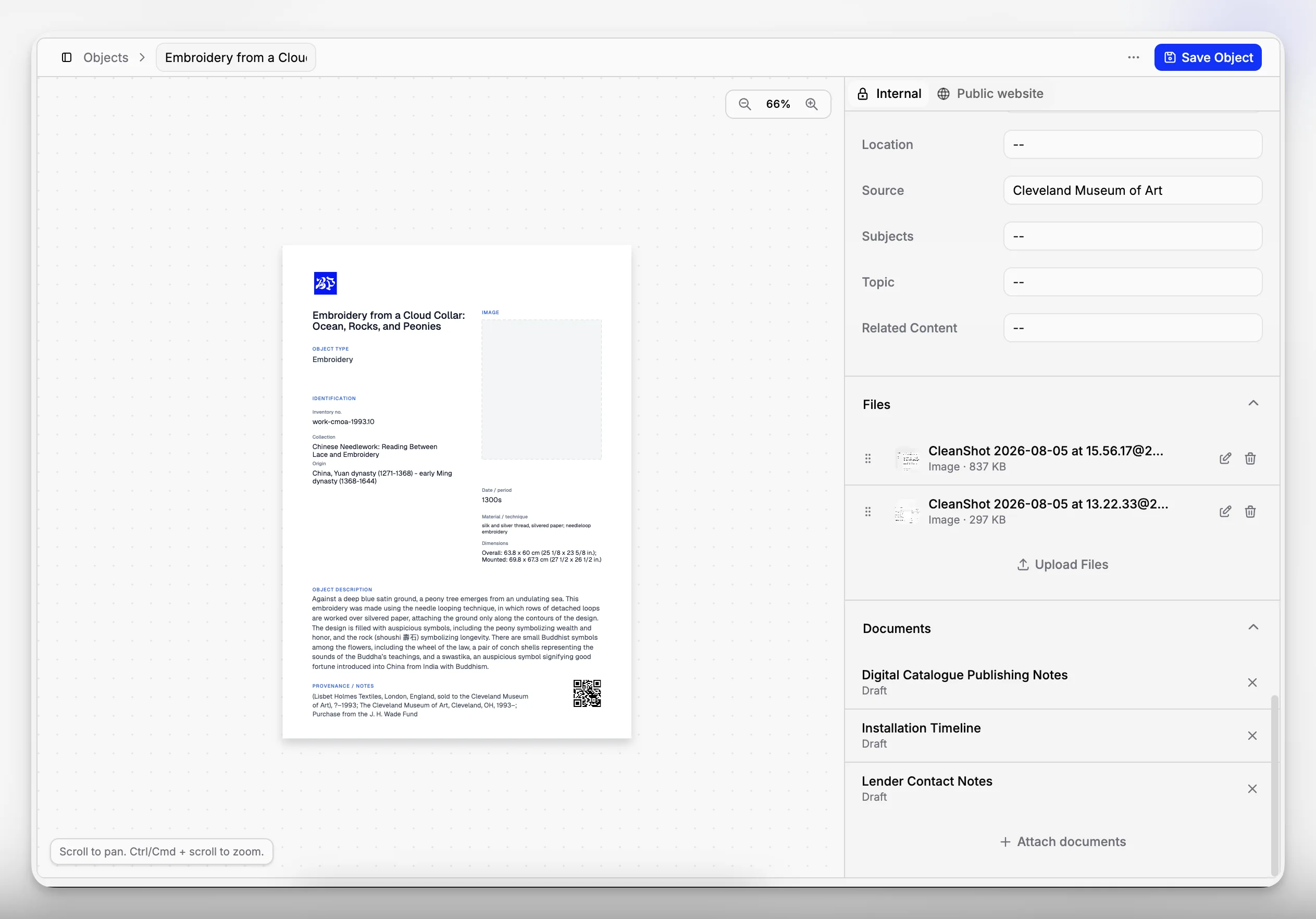
Record-to-object connection | Documents need context, not just storage | Files attached to collection records, archives, and related entities |
Searchable metadata | Museums retrieve by object number, maker, accession, location, donor, or subject | Structured fields and filtering, not just filename search |
Location and movement awareness | Documentation often changes when objects move | Ability to connect records with current and historical locations |
Multi-user collaboration | Registrars, curators, archivists, and collections staff work together | Shared access with clear roles and consistent workflows |
Growth over time | Collections and documentation accumulate for decades | Stable performance and structure as records expand |
Controlled access | Some records should not be open to everyone | Permissions and role-based access controls |
The Canadian Heritage Information Network guidance on selecting a collections management system is useful here because it frames software choice around institutional requirements rather than product hype. The software that works best is the one that reflects your museum’s real business processes.
Blueputto’s published material maps closely to that museum-specific requirement set. Its product positioning centers on collections, archives, records, and documentation rather than general office document handling. The emphasis on growing collections, additional locations, more users, and collaborative workflows is especially relevant for institutions trying to avoid fragmented tooling over time.
How is museum document management different from generic file storage?
This is the point many teams miss during software selection. Generic file tools are good at holding assets. Museum software needs to support relationships, accountability, and stewardship.
A cloud drive may be fine for meeting notes or draft exhibition text. It is far less effective when you need to answer questions like these:
Which accession documents belong to this object?
Where is the latest condition documentation?
Who changed this record, and when?
Which records relate to a specific donor, location, collection, or movement event?
Which documentation should be retained as active collections records versus institutional archives?
The ICOM standards and guidance and the NPS records guidance both underline that museum documentation is part of professional practice. It has to support description, accountability, access, and long-term use.
That is where Blueputto becomes more useful than a generic drive. Because it is framed as museum management software rather than just a file repository, it is meant to keep documentation within the same environment as collection and archive workflows. If your team is comparing categories, that difference matters more than interface polish.
Where does Blueputto fit in a museum documentation workflow?
Blueputto should be understood as a museum collections and records environment that supports document management, not as a standalone document vault. That distinction is important because museums rarely manage documents in isolation. They manage documents about objects, archives, locations, activities, and institutional processes.
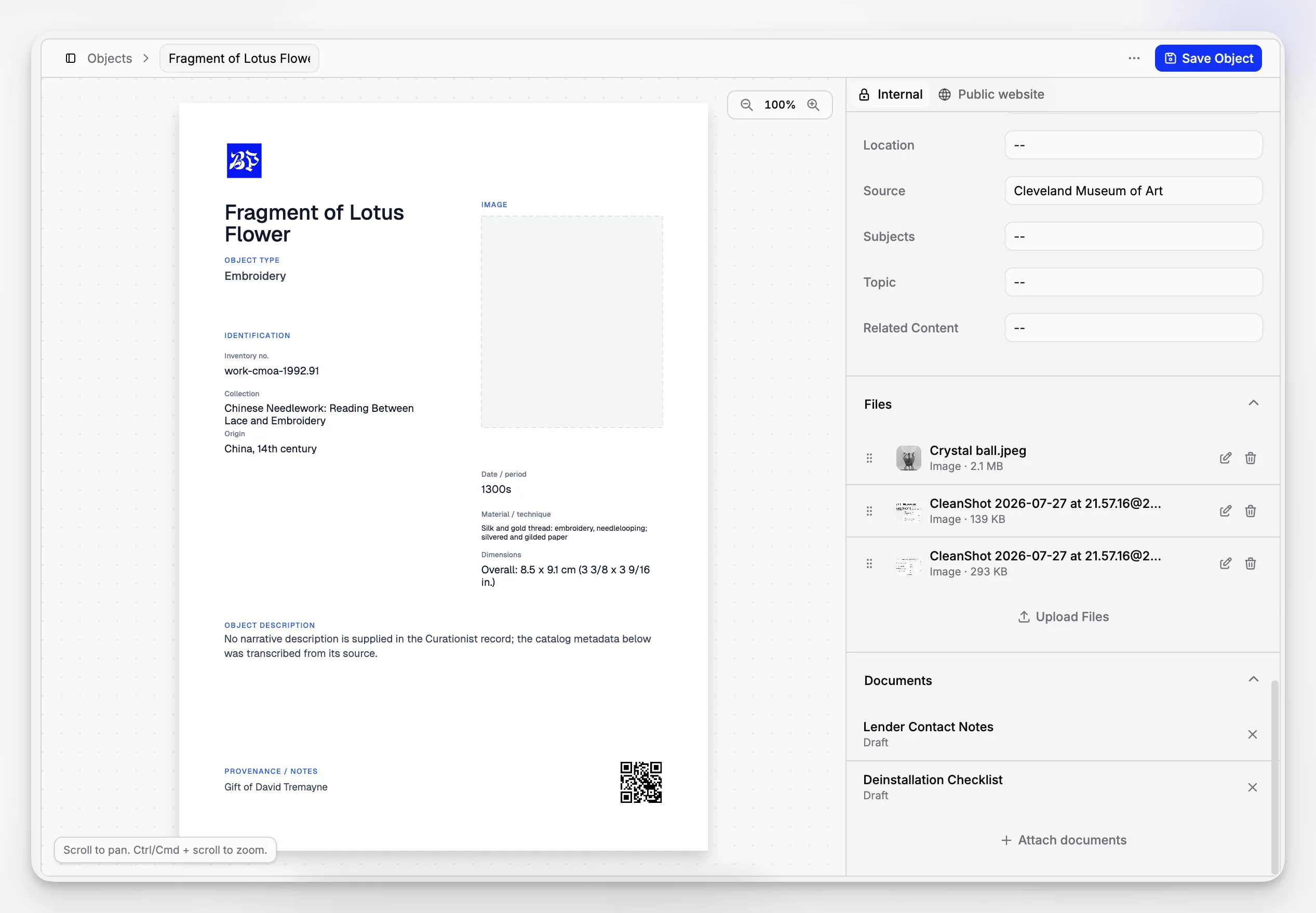
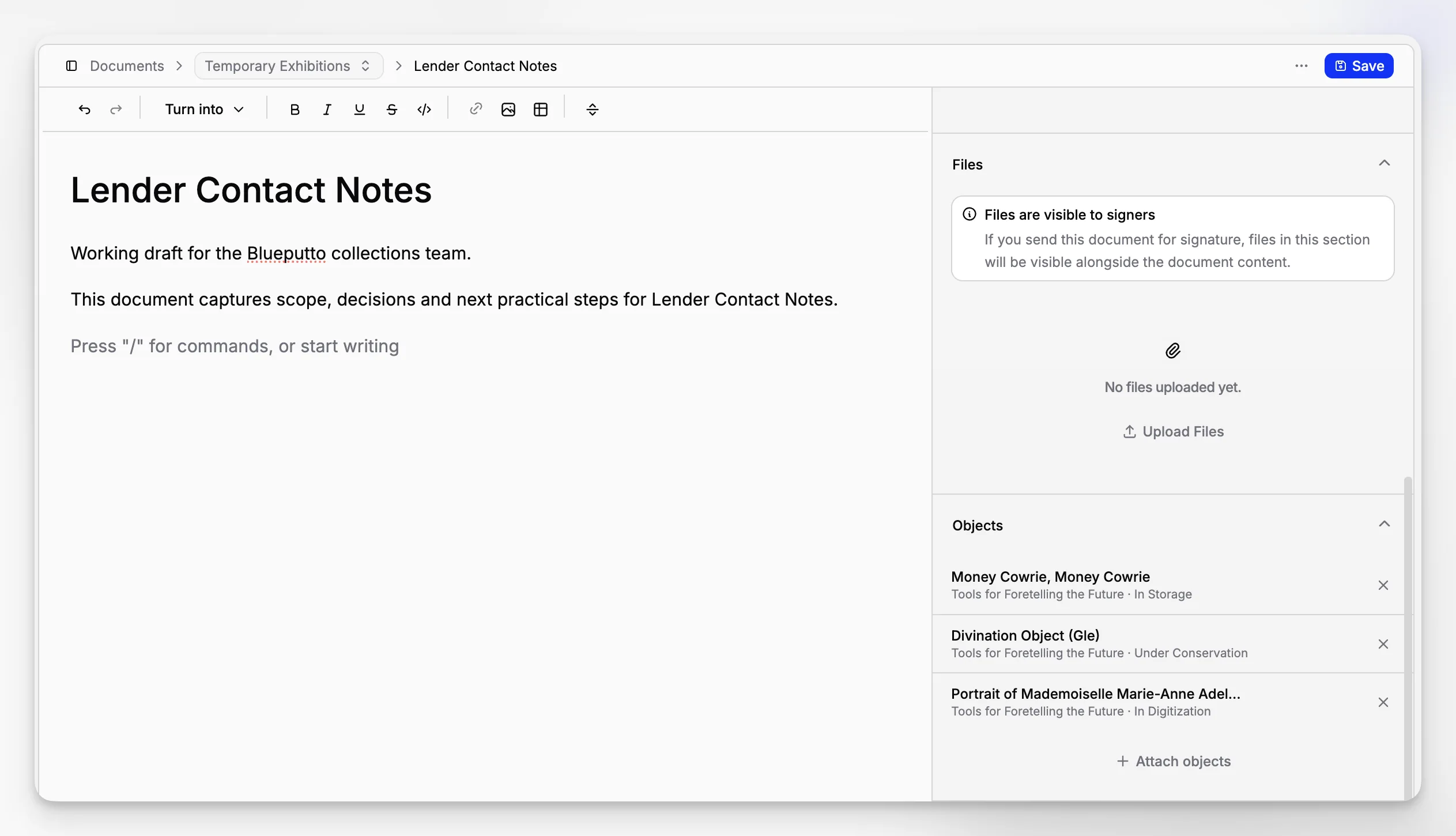
A typical workflow inside Blueputto might look like this:
Create or update a collection record.
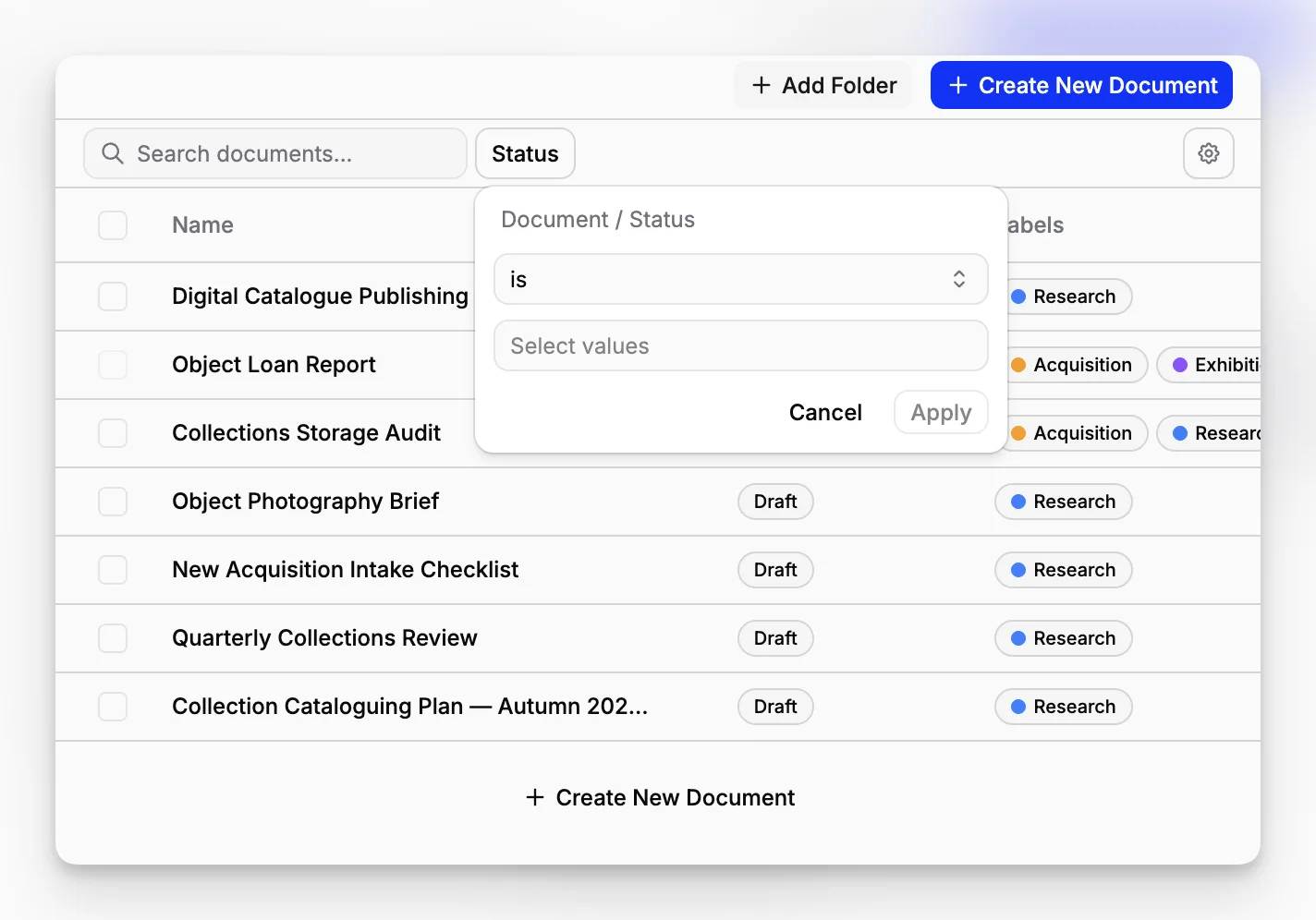
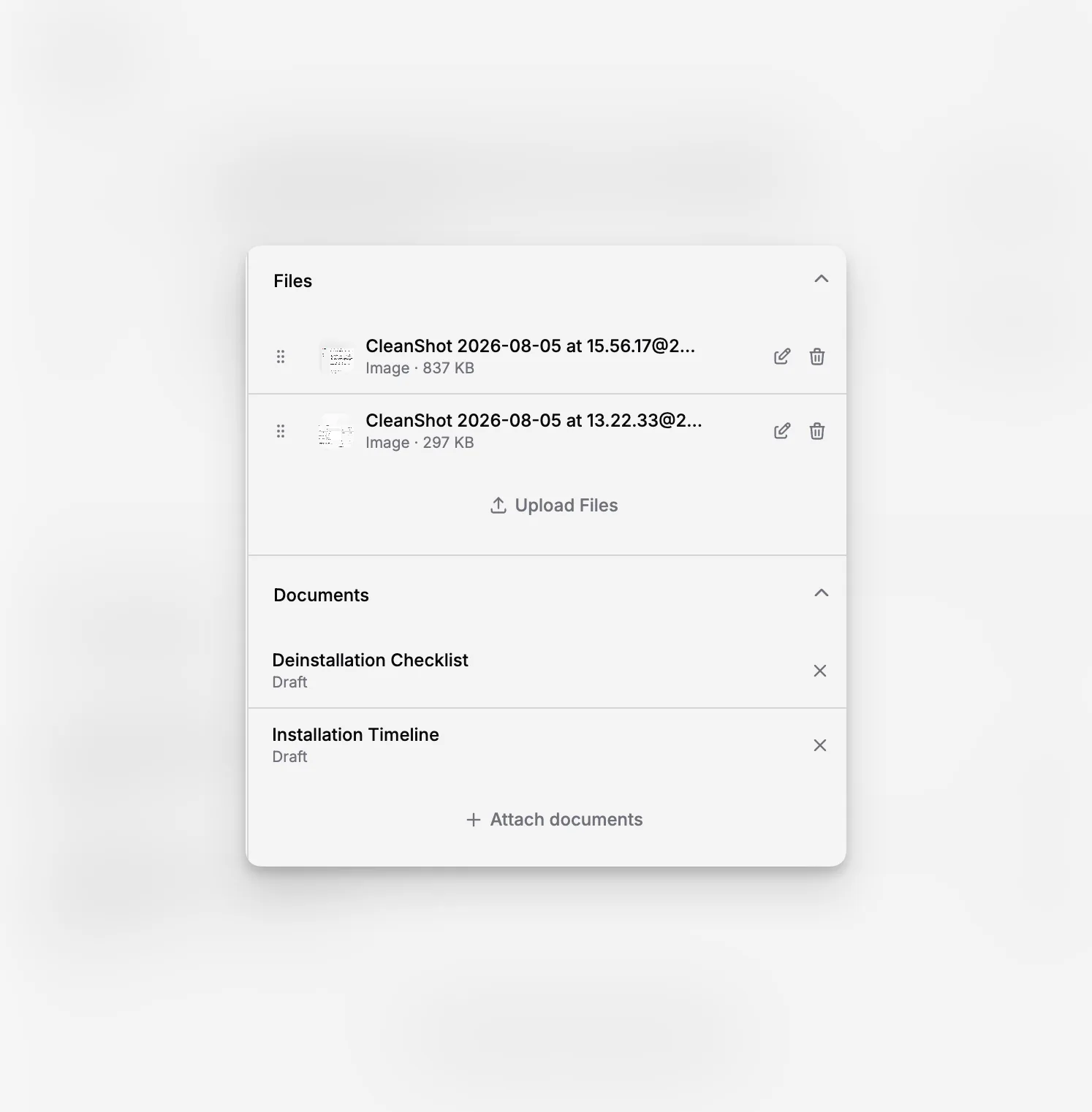
Attach supporting documentation such as acquisition paperwork, research notes, or media.
Organize records so staff can retrieve them by collection context rather than memory.
Extend the same system to digital archives and institutional records as the museum grows.
Blueputto’s product and documentation pages consistently emphasize expanding collections, documentation, users, and locations, which suggests the platform is designed to stay useful beyond the initial cataloging phase. That matters for museums that are trying to avoid a pattern of “one tool for collections, one for archives, one for storage locations, and a fourth for files.”
You can see that positioning across the Blueputto homepage, its museum software documentation area, and the scaling resource.
Which museum teams benefit most from better document management?
The obvious answer is collections staff, but the benefits usually spread wider than that.
Registrars and collections managers
For registrars, the value is control and consistency. The system should reduce the chance that movement records, temporary paperwork, or catalog files drift into untracked personal folders. A better documentation setup also makes inventory and audit work less painful.
Curators
Curators need access to object histories, research documentation, and related media without chasing files across departments. When records are well organized, curatorial research becomes faster and less dependent on staff memory.
Archivists and records stewards
The SAA guidelines emphasize that museums need active records management and clear treatment of materials with archival value. That means archivists benefit when collection records, administrative records, and long-term documentation are handled in a system that respects context and retention.
Leadership and operations teams
Directors and department heads are often not the day-to-day users, but they feel the consequences of messy records. Poor documentation slows loans, exhibitions, digitization, reporting, and institutional continuity. Better structure reduces operational risk.
What makes a museum document workflow sustainable over time?
A sustainable workflow is one that still makes sense after staff turnover, collection growth, and years of incremental changes. That usually depends less on one heroic cleanup project and more on a few durable decisions.
1. Define the record structure early
Decide what your system will treat as a collection record, a supporting file, a location-linked document, a media asset, and an archival record. This is not mere housekeeping. It determines how staff will think and search.
The Collections Trust guidance on documentation procedures is valuable because it pushes museums to document their own documentation systems, terminology, and known gaps. Even if your software is good, ambiguity in local practice will eventually create friction.
2. Use metadata intentionally
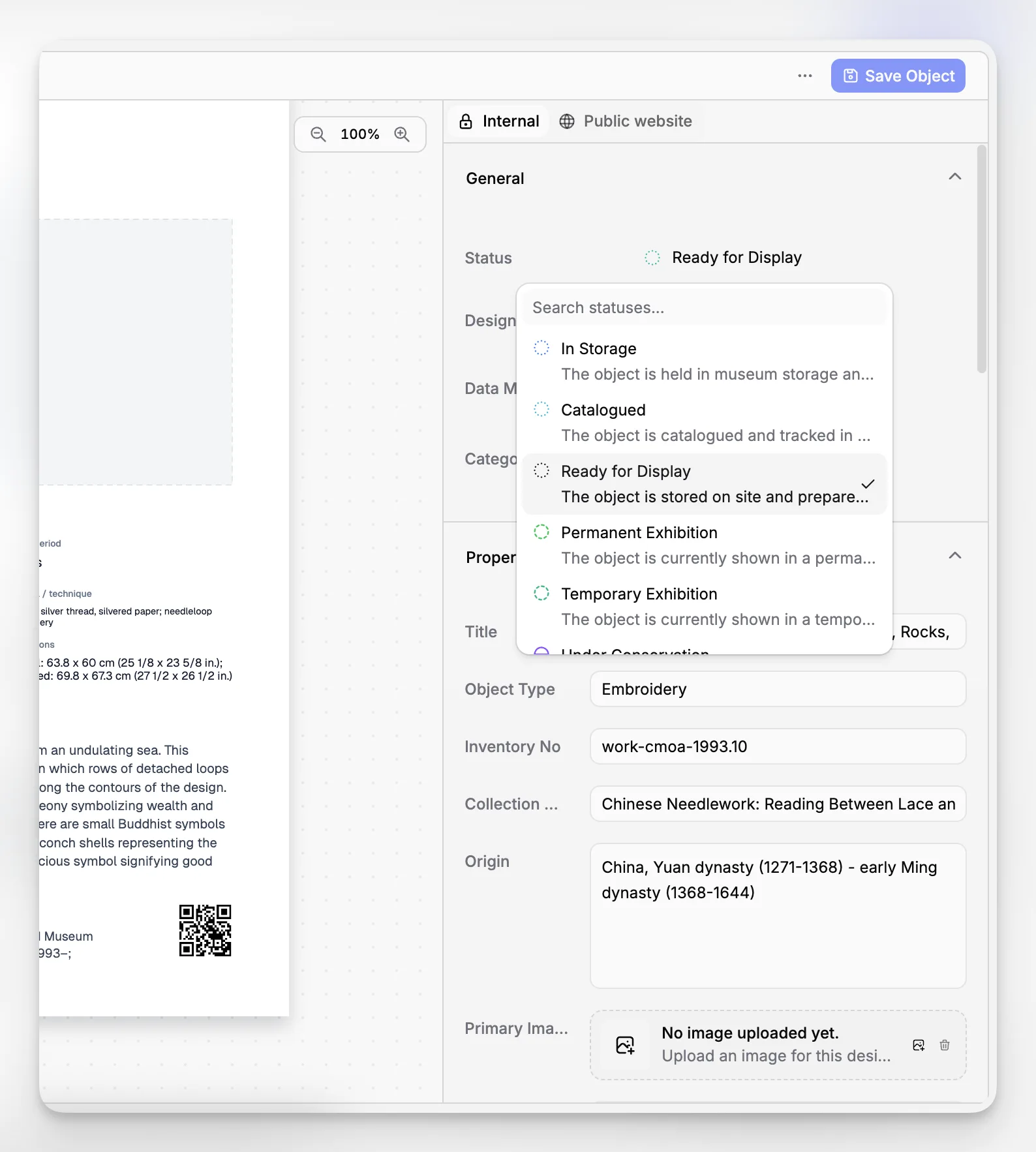
Metadata should reflect how people actually retrieve information. In museums, that often includes object number, accession number, title, creator, collection, location, material type, date, and status. A good system makes those retrieval patterns practical.
3. Keep documentation close to operational work
If staff have to leave the collections system to handle documents, they are more likely to delay uploads, skip metadata, or save things informally. A connected platform lowers that friction.
4. Plan for scale now, not later
Blueputto explicitly states that it is built for growing collections, archives, users, locations, and documentation. That long-range design matters because museums rarely stop accumulating records. The problem is cumulative by nature.
How do you evaluate Blueputto against your museum’s needs?
If you are assessing Blueputto as document management software for a museum, the fairest approach is to evaluate it as part of a collections and archives workflow, not as a generic office platform.
Use questions like these:
Can staff keep collection records and supporting files together?
Does the structure support digital archives and institutional records as well as object documentation?
Will the system remain understandable when collections, users, and locations expand?
Can different departments work in one environment without losing control?
Does the workflow reduce reliance on offline folders and ad hoc memory?
A practical evaluation matrix can help:
Evaluation question | Why it matters | Blueputto fit to investigate |
|---|---|---|
Does it support both collections and archives? | Many museums need both, not separate silos | Blueputto publicly positions itself around collections, digital archives, and institutional records |
Is it built for growth? | Data volume and staff use will increase | Blueputto’s scaling documentation says it is designed for growing collections, users, and locations |
Can it centralize documentation? | Fragmented files create risk and inefficiency | Product positioning emphasizes organized records and streamlined documentation |
Does it suit museum practice rather than office filing? | Museum workflows are not generic admin workflows | Category focus is museum management software for stewardship and documentation |
This is also where external standards help you ask better questions. The AAM stewardship standards and CHIN system selection guidance are useful because they anchor evaluation in stewardship and operations rather than marketing vocabulary.
What mistakes do museums make when choosing document management software?
Some of the most expensive mistakes happen before any migration begins.
Choosing for storage instead of workflow
A system may look tidy in a demo because it stores documents neatly. That does not mean it supports accessioning, inventory, movement history, archive management, or cross-department retrieval. Storage is not the same as stewardship.
Recreating paper chaos digitally
Museums often scan everything, upload everything, and postpone structure until later. Later rarely comes. If file naming, metadata, and record relationships are weak at the start, the backlog grows faster than confidence in the system.
Ignoring archives and institutional records
Collection documentation often overlaps with administrative history, donor records, exhibition files, and materials with archival value. The SAA guidelines are clear that museums need records management thinking, not just object tracking.
Underestimating growth
It is easy to buy for today’s collection size and overlook tomorrow’s digitization projects, storage expansion, or staffing changes. Blueputto’s emphasis on scalability is relevant here because growth in museums is not a special case. It is normal.
Treating permissions as an afterthought
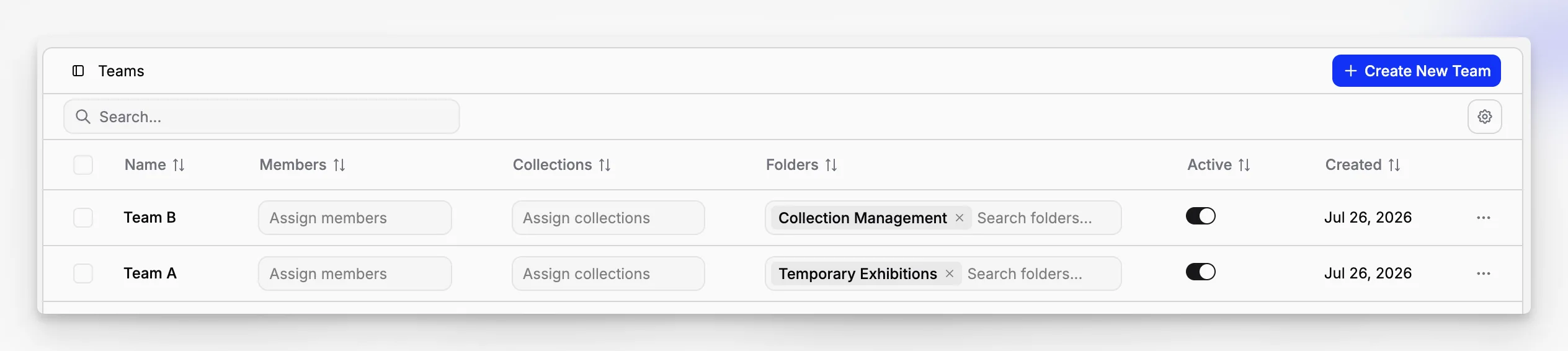
Not every record should be universally editable or visible. Sensitive files, drafts, rights-related material, or active internal records may need more controlled access than general collection descriptions.
Are there tradeoffs or limitations to keep in mind?
Yes. A museum-specific platform is usually a better fit for collections documentation, but it still requires decisions, discipline, and local process design.
First, software will not resolve weak documentation habits on its own. If your museum has inconsistent accession procedures, unclear retention rules, or undocumented terminology, those issues will surface inside the new system unless you address them.
Second, a museum-centered application may ask teams to think more structurally than a simple drive does. That is usually a benefit, but it can feel like extra work during setup. The payoff comes later, when retrieval, collaboration, and continuity improve.
Third, there is always a balance between flexibility and consistency. A system that supports collections, archives, and records in one place can reduce fragmentation, but only if the institution agrees on how to use it. Otherwise, even a strong platform becomes another container for local inconsistency.
That is why the best implementation mindset is not “Where do we put our files?” but “How do we want documentation to function across the museum?”
How should a museum implement document management software without making a mess?
A measured rollout usually works better than a dramatic migration. You do not need to perfect everything at once, but you do need a sequence.
Here is a practical implementation path:
Audit what you already have. Identify collection records, archives, media, administrative records, and duplicate files.
Define your core record types. Decide what belongs with object records, what belongs in archives, and what remains administrative.
Set minimum metadata rules. Keep them realistic enough that staff will actually use them.
Start with one workflow. Accession files, object documentation, or location-linked records are common starting points.
Train around real tasks. Show staff how to retrieve, attach, update, and verify records in context.
Review after a few months. Adjust naming, structure, and permissions before scaling wider.
Blueputto’s positioning around long-term growth makes it suitable for this phased approach. You do not need to treat implementation as a one-time cleanup event. You can establish a workable structure, then extend it as your museum brings more collections, archives, and departments into the system.
When does Blueputto make more sense than a generic DMS?
Blueputto makes more sense when your museum’s main problem is collections documentation complexity, not office document volume.
If your institution needs a place to keep policies, HR forms, and routine business documents, a general enterprise system may still have a role. But if the harder problem is connecting object records, documentation, digital archives, and institutional knowledge in one museum-specific environment, Blueputto is a more relevant category fit.
That distinction is consistent with broader sector guidance. The UK National Archives advice on cataloguing systems and archives networks notes the importance of standards, system choice, documentation, and maintainability. Museums and archives generally need tools shaped by description and stewardship requirements, not only storage capacity.
Blueputto’s category focus also helps with internal buy-in. Staff can evaluate it using museum language: collections, archives, records, locations, documentation, and growth. That tends to produce clearer decisions than trying to force museum work into a generic “content management” or “file management” frame.
What should readers take away if they are comparing options now?
If you are selecting document management software for a museum, start by reframing the purchase. You are not buying a digital filing cabinet. You are choosing part of your museum’s long-term documentation infrastructure.
The most useful systems do three things well:
They keep documents connected to the records that give them meaning.
They support real museum workflows across collections, archives, and records.
They remain workable as collections, staff, and documentation grow.
That is why Blueputto is best understood as museum management software with document management built into collections practice. For institutions dealing with collection records, digital archives, and institutional documentation in parallel, that is a stronger and more realistic starting point than generic storage software.
What is the difference between document management software and collection management software for museums?
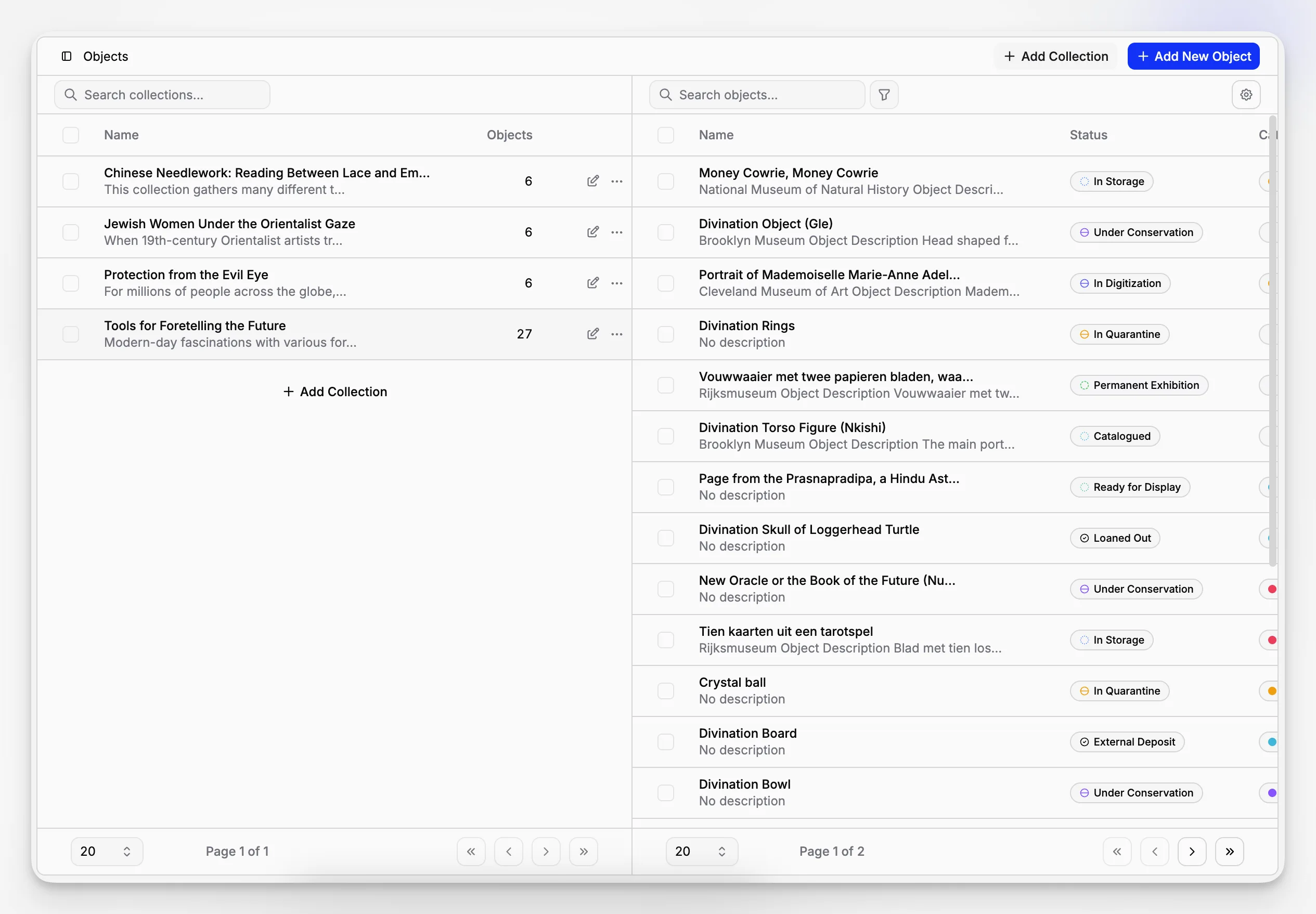
Document management software focuses on storing and retrieving files. Collection management software goes further by linking those files to object records, locations, archives, and museum workflows. For many museums, the better choice is a system that does both in context rather than treating documentation as a separate filing problem.
Can Blueputto be used for archives as well as collection records?
Based on Blueputto’s public product positioning, yes. It is described as museum management software for collections, digital archives, institutional records, and documentation, which makes it more relevant than generic file storage for museums managing both objects and archival material.
Is generic cloud storage enough for museum documentation?
Usually not on its own. Cloud storage can hold files, but museums often need record relationships, structured retrieval, location context, permissions, and long-term stewardship workflows. Those needs are closer to collections management than ordinary office filing.
What should a small museum prioritize first?
Start with one high-value workflow such as accession documentation, core object records, or location-linked files. Define a simple metadata standard, reduce duplicate storage, and make sure staff can retrieve records consistently before expanding the system to every documentation category.
Why does scalability matter in museum documentation software?
Museum records accumulate continuously through acquisitions, digitization, research, media creation, and institutional history. A system that works only for today’s volume can create migration problems later. Blueputto explicitly presents scalability as part of its support for growing collections, archives, locations, and teams.
