

Document Management for Museums: How to Keep Collection Records Usable
Museum document management keeps collection records connected, searchable, and trustworthy by linking files, media, provenance, condition reports, and workflows in one system.
 Grzegorz
Document management in a museum is not just about storing PDFs in the right folder. It is the discipline of keeping object records, acquisition files, provenance notes, condition reports, movement history, archival material, and supporting media connected, searchable, and trustworthy over time. For collections teams, that usually means building a system that treats documentation as part of collection stewardship rather than as administrative overflow.
TL;DR: Good museum document management makes collection information easier to find, safer to maintain, and more reliable for day-to-day work. The practical goal is not simply digitization. It is linking documents, records, media, and workflows so staff can track objects, decisions, locations, and history without creating new information gaps.
What does document management mean in a museum context?
In many museums, "document management" sounds narrower than it really is. It can suggest a digital filing cabinet, when the real need is broader: a structured way to manage every piece of information that supports a collection record. That includes accession paperwork, deeds of gift, catalog entries, photographs, rights information, research notes, insurance files, conservation records, and internal documentation procedures.
Professional guidance across the museum sector treats documentation as core stewardship work. Collections Trust guidance on documentation policy frames collections information as a standards issue, while the American Alliance of Museums collections stewardship standards emphasize knowing what the museum holds, where it is, where it came from, and its condition and location. In other words, documents are not peripheral. They are evidence.
The ICOM documentation guidance makes a similar point. Museum collections should be documented according to accepted professional standards, and that requirement reaches beyond a simple inventory. A museum needs enough connected information to support accountability, access, care, and decision-making.
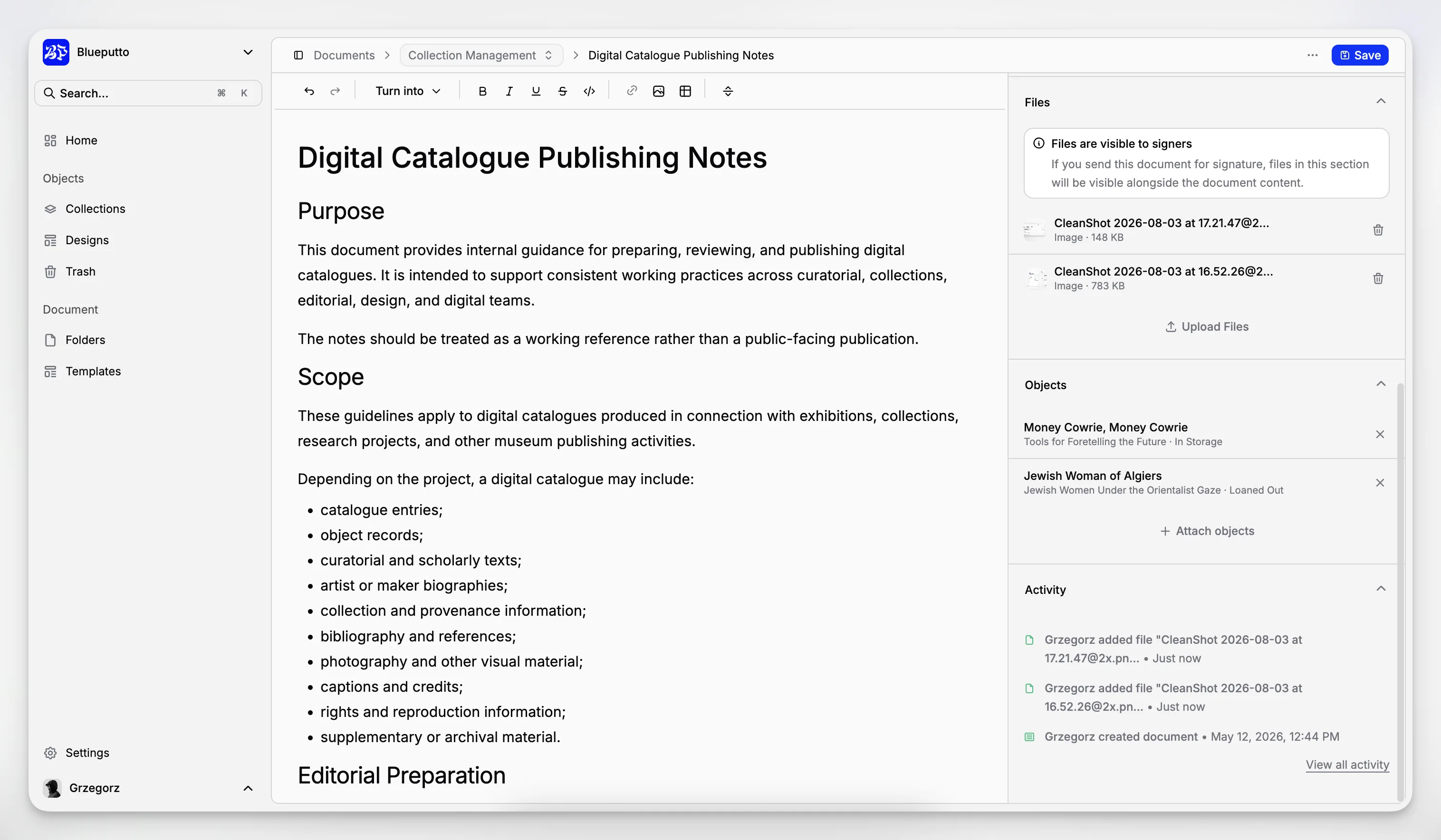
That is why document management software for museums works best when it is part of a collection management system rather than a separate office tool. A disconnected document repository can store files, but it rarely solves the real problem: making sure those files remain linked to people, objects, events, places, and workflows.
Why do museums struggle with document management even after digitizing files?
Digitization is often mistaken for completion. A museum scans deeds of gift, uploads condition reports, and exports a few spreadsheets. The work feels finished because the paper is no longer in a filing cabinet. But the hard part starts after scanning: naming, linking, version control, permissions, and keeping records current as collections activity continues.
The National Park Service Museum Handbook treats documentation as an ongoing management responsibility, not a one-time conversion project. The same logic appears in Collections Trust documentation planning guidance, which stresses maintenance, security, backup, and improvement planning. A museum that digitizes without a process often ends up with better-looking disorder.
Typical problems show up fast:
files are stored in shared drives with inconsistent names
staff duplicate documents because they cannot find the original
accession paperwork lives in one place, media in another, and catalog records somewhere else
movement or location history is updated in email but not in the collections system
volunteers and temporary staff follow undocumented naming habits
newer documents overwrite older ones without a clear history
These are not small workflow annoyances. They create stewardship risk. A procedures manual is recommended by Collections Trust precisely because consistency matters when teams change, backlogs grow, or institutional memory thins out.
What should a museum document management system actually organize?
A practical museum document management system should organize documentation at several levels at once. The first level is the object or collection record itself. The second is the supporting documentation that proves or explains that record. The third is the workflow history that shows what happened, when, and by whom.
For most museums, the core documentation set includes:
accession and acquisition records
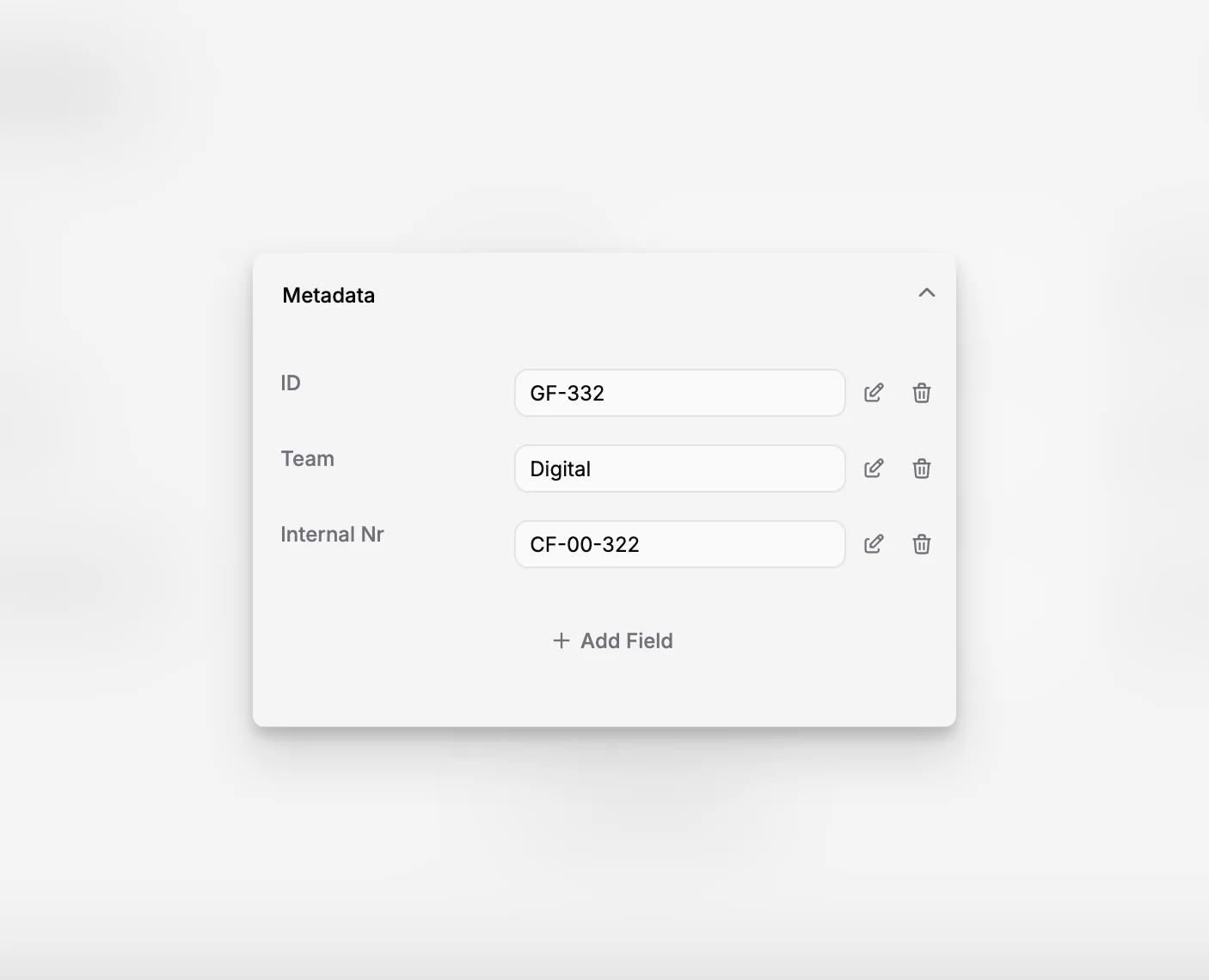
cataloging and descriptive metadata
provenance and ownership documentation
condition and conservation reports
loans, movement, and location records
rights, reproduction, and usage information
related photographs and media files
archival records and institutional documentation
correspondence or research notes tied to specific objects or groups
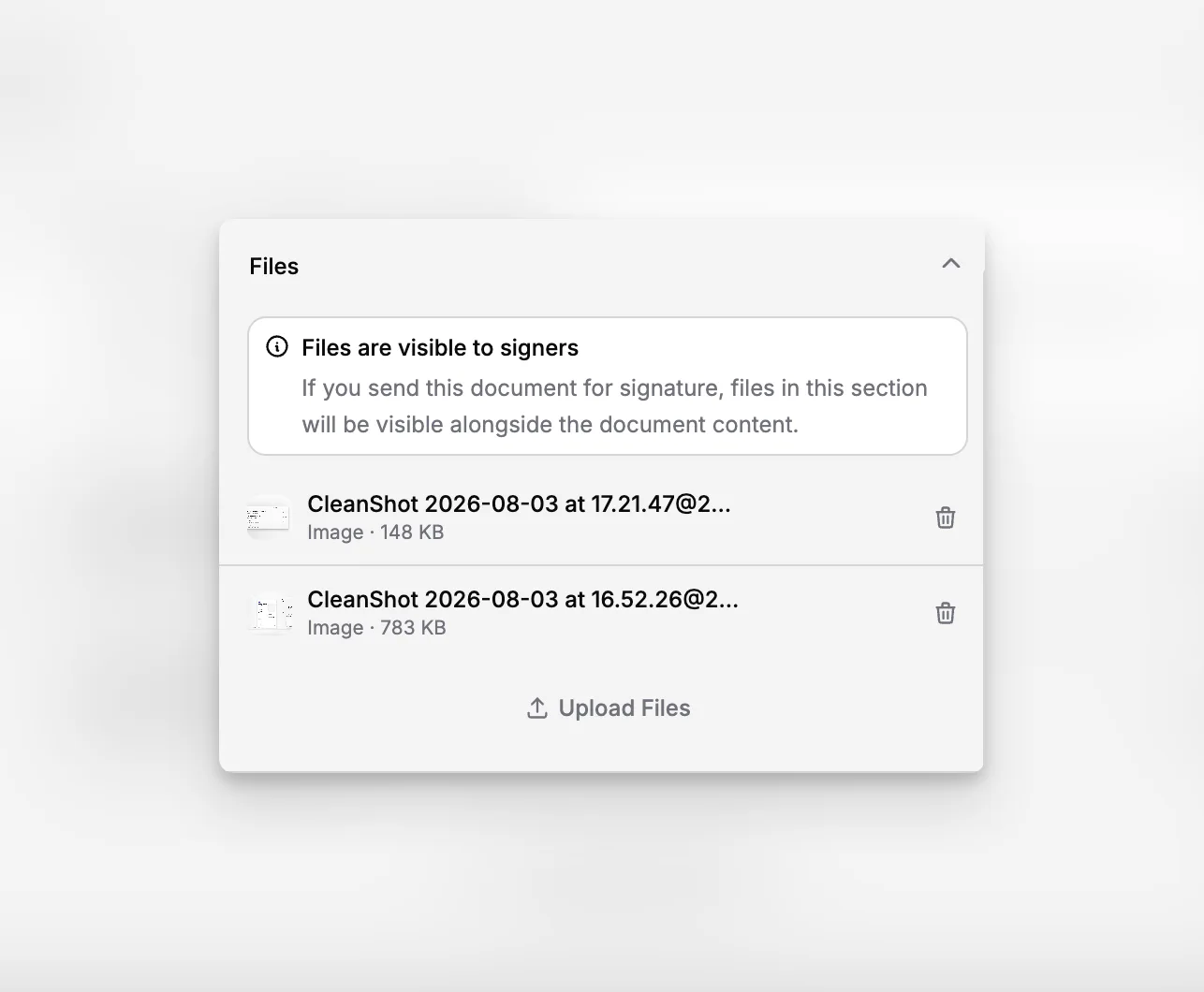
This is where Blueputto is relevant as more than a generic repository. The application is positioned as museum management software built to preserve collections, organize records, and streamline documentation. Its own resource material also describes support for growing collections, archives, institutional records, provenance information, conservation history, attached documents, and media files in a single environment rather than across disconnected tools.
A useful system should also recognize that not every document belongs to a single object. Some belong to an acquisition lot, an exhibition, a donor file, a storage project, or an archival group. That is one reason museums often outgrow simple cloud folders. Folder trees are fine for storage, but weak for many-to-many relationships.
If your team is evaluating system fit, the Blueputto scaling resource is worth reviewing because it specifically frames growth as more than object count. It includes more documentation, more locations, more staff, and more collaborative workflows. That is exactly what stresses a museum documentation setup over time.
How does Blueputto fit museum document management work?
Blueputto should be understood as a collections-focused application, not as a generic business document manager repurposed for museums. That distinction matters. A business document tool may handle storage and permissions well, but it usually lacks the context museums need around object records, collection structures, provenance, conservation, archives, and long-term stewardship.
In practice, Blueputto makes the most sense when the museum wants documentation to sit inside daily collection workflows. Staff are not just uploading files. They are working from a collections database, connecting documents to records, and maintaining a digital archive that stays usable as holdings and teams expand.
The platform’s published materials consistently describe a few themes that are especially relevant to document management:
collections, archives, and institutional records are managed together
attached documents and media files stay organized alongside record data
the system is designed for long-term growth, not only initial setup
museums can support expanding teams and workflows without rebuilding the information structure
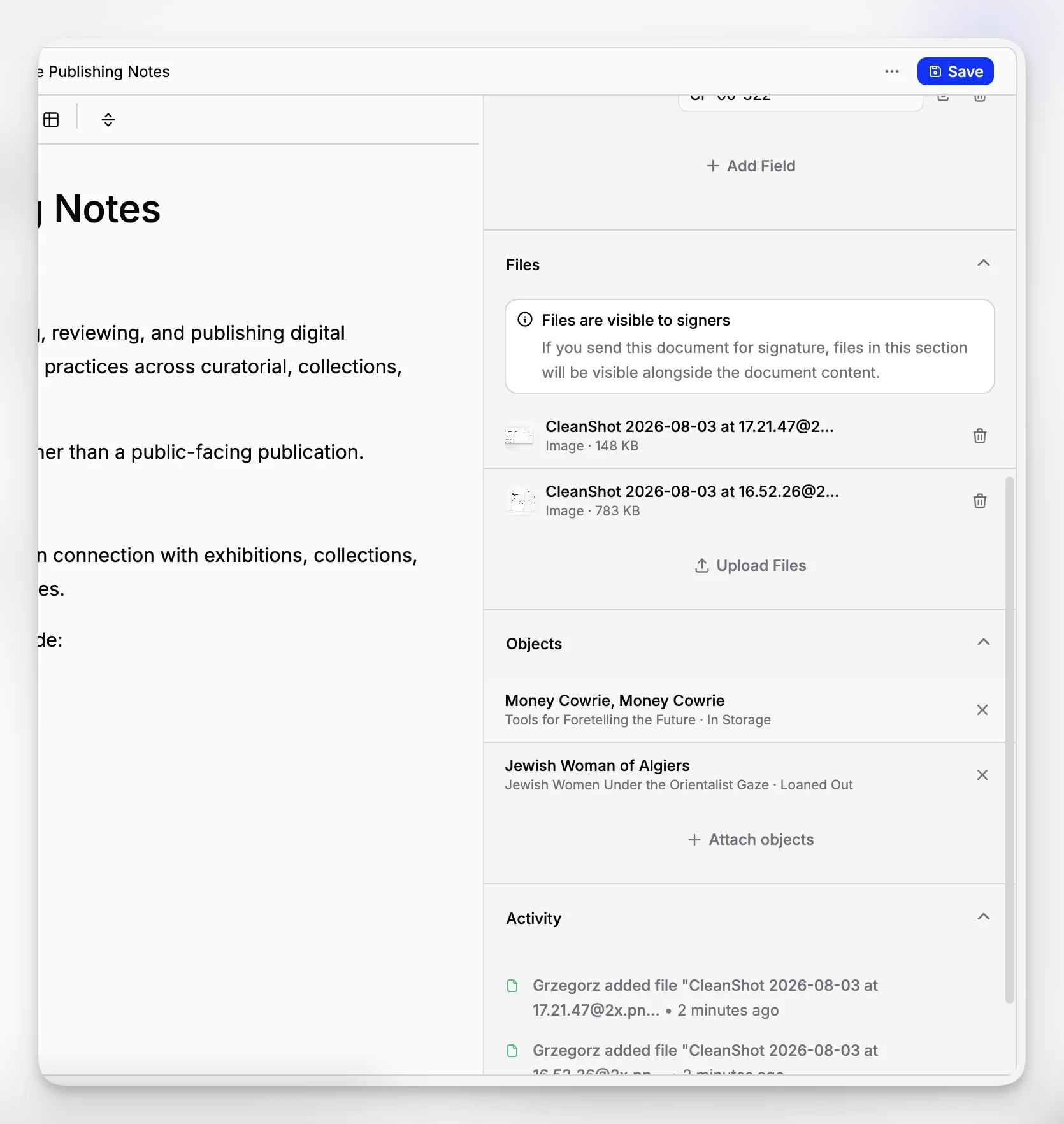
That combination is important because a museum rarely asks, "Where is the PDF?" in isolation. The more useful question is, "Do we have the document, do we trust it, which object or group does it relate to, and what has changed since it was added?"
You can see that positioning across the broader Blueputto resources area and in the company’s description of building a reliable digital archive. For institutions managing collections, archives, records, and documentation in parallel, that is the right framing.
What does a good document workflow look like from intake to retrieval?
The most resilient document management workflows are boring in the best way. They are predictable, repeatable, and easy for the next staff member to follow. They also begin before the file is uploaded.
Intake
At intake, the museum should define what the document is, why it exists, which record it supports, and who is responsible for reviewing it. If an object enters the museum, the object entry or accession process should determine how intake paperwork is named, where it is attached, and which required fields must be completed.
Structuring and linking
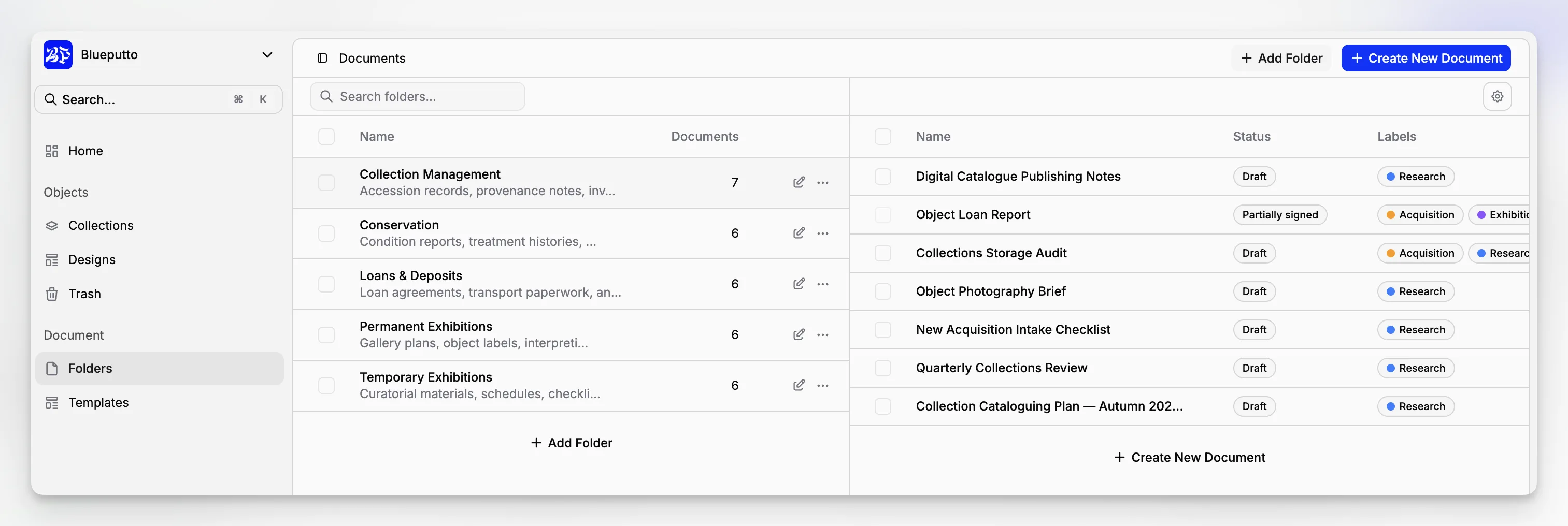
After intake, the document needs context. A deed of gift should be attached to the right acquisition or object grouping. A condition report should connect to the item and, ideally, to a date or event. A location form should support movement control, not sit as a standalone attachment with no visible link to the movement record.
Retrieval and reuse
Retrieval matters as much as storage. Staff need to be able to search by object number, donor, creator, location, date range, collection, or documentation type. Good retrieval also supports edge cases: partial records, inconsistent historical naming, former inventory numbers, and files related to more than one object.
Review and update
A document workflow is incomplete without review. The Statement of Principles of Museum Documentation and CIDOC standards guidance both reinforce the idea that museum documentation must remain usable, standardized, and fit for professional decision-making. That means outdated files, superseded reports, and unresolved gaps need a management process, not just storage.
In Blueputto, this kind of workflow is best approached through record-centered documentation, where the file lives with the collection information it supports. That is more durable than managing museum files through desktop folders and trying to reconstruct the context later.
Which metadata and record rules matter most?
Museums often think about metadata in terms of cataloging standards, but document management needs its own layer of discipline. You do not need dozens of mandatory fields for every attachment. You do need enough structure to keep documentation searchable and intelligible years later.
Useful baseline rules include:
a consistent document type list
date fields that distinguish creation date from upload date
clear ownership of record updates
naming conventions that survive staff turnover
persistent links between documents and collection records
controlled vocabulary where repeated terms matter
documented rules for drafts, final versions, and superseded files
Collections Trust’s Spectrum overview is helpful here because it reminds museums that standards are procedural, not just descriptive. You are not only defining fields. You are defining how documentation is created, maintained, and used.
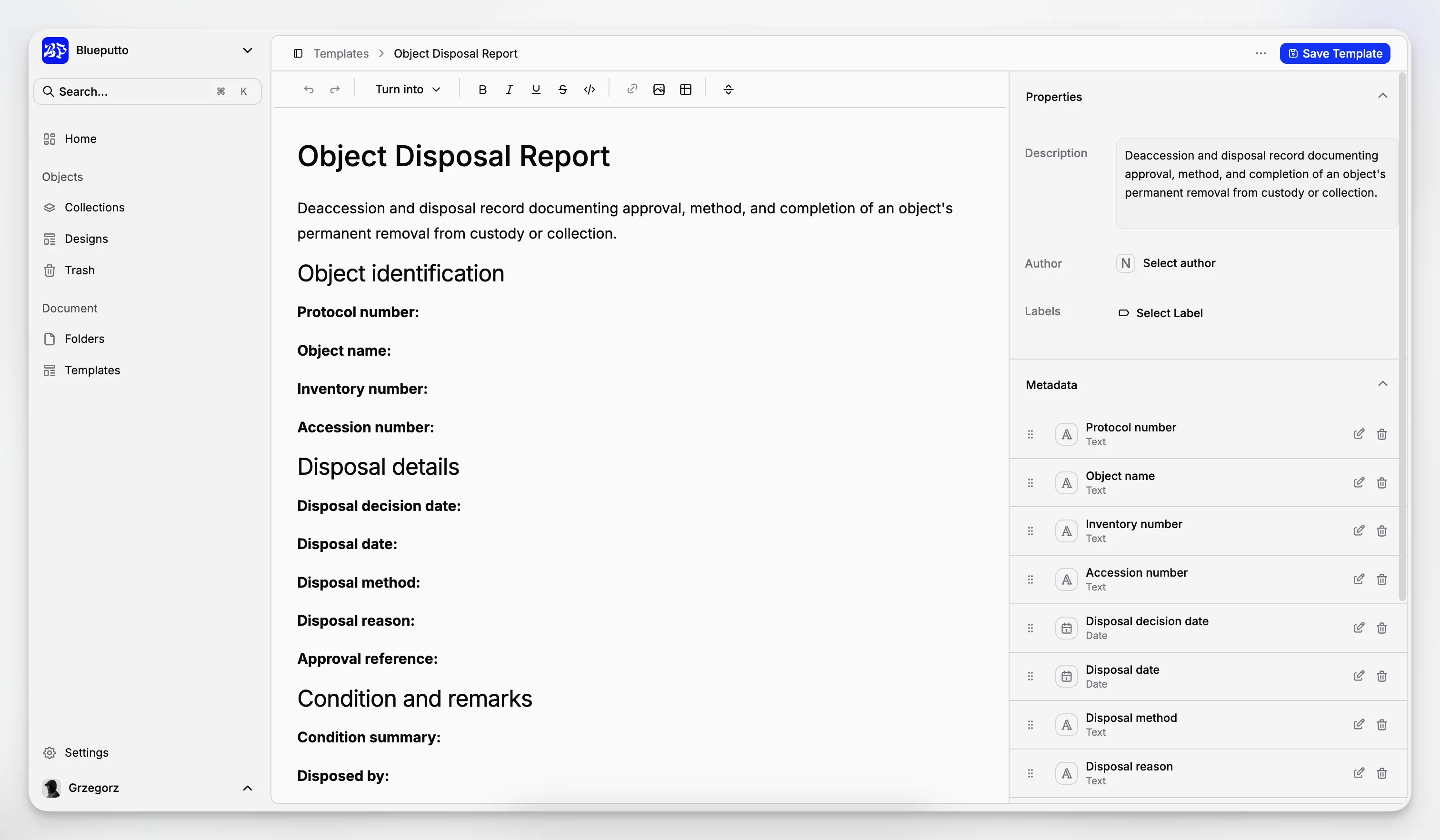
The temptation is to over-engineer. Small museums especially can create a metadata model so detailed that no one follows it. A better approach is to start with the fields that materially improve retrieval, accountability, and consistency, then add complexity only when the team can sustain it.
For collections teams using Blueputto, this usually means treating each attachment as part of a structured collections documentation tool rather than as a free-floating file. That small mindset shift has big consequences for future cleanup, audits, and reporting.
How should museums handle archives, records, and collection documents together?
This is where many organizations feel tension. Museum collections records, institutional archives, and operational documents overlap, but they are not identical. An object file may include historical correspondence that also has archival value. A registrar’s movement sheet may be temporary, but still needs retention rules. A conservation report belongs to the object record, while a policy memo belongs to institutional records.
The goal is not to collapse everything into one undifferentiated repository. The goal is to manage related material in a system that preserves distinctions while keeping relationships visible.
Blueputto’s category positioning is useful because it is not narrowly framed around object cataloging alone. Its public materials refer to collections, archives, records, and documentation together. That suggests a practical fit for institutions that need a unified environment for cultural heritage information without pretending that every record type works the same way.
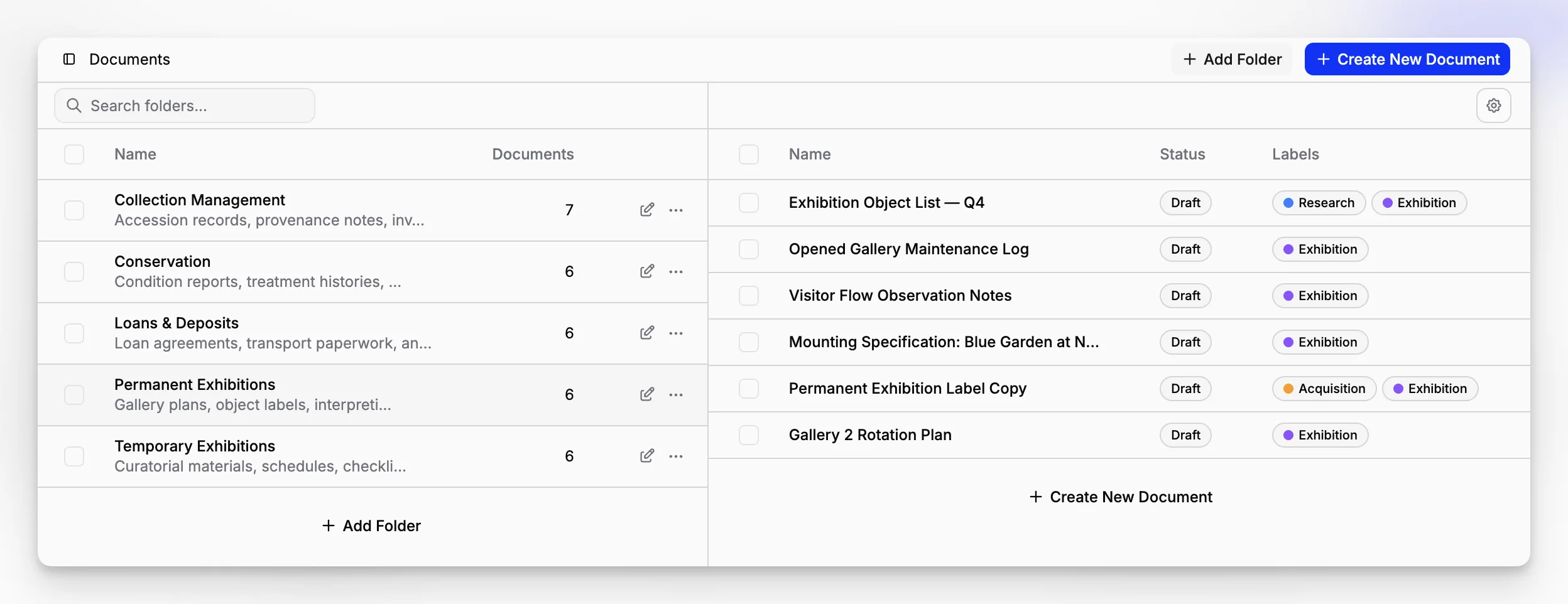
A sensible structure might look like this:
object-specific files remain attached to object or accession records
archival groupings preserve fonds, series, or collection context where relevant
institutional records use their own categories and retention rules
shared search and permissions help staff find related material across those layers
That is especially important for local history museums, university museums, and hybrid institutions where artifacts, photographs, paper archives, and administrative records intersect constantly.
What are the biggest document management mistakes museums make?
Most museums do not fail because they lack software. They fail because they rely on unwritten habits. The system might be adequate, but no one agrees on naming, attachment rules, version handling, or who is allowed to create new categories.
The most common mistakes include:
Treating the shared drive as the system of record
Shared drives are useful working spaces, but they are weak as a long-term collections documentation authority. If the authoritative document is buried in nested folders with no record link, the museum is depending on memory.
Uploading files without enough context
A PDF called "loanform-final-2" is not useful five years later. The file may be present, but functionally lost.
Mixing current and superseded documents
Without a documented rule for status and replacement, staff may consult the wrong condition report, rights note, or inventory sheet.
Building a taxonomy no one can sustain
Overly complex structures collapse under volunteer turnover, temporary staff, and backlogs.
Ignoring procedures and training
Collections Trust’s procedures manual guidance exists for a reason. A system without written procedure will gradually drift.
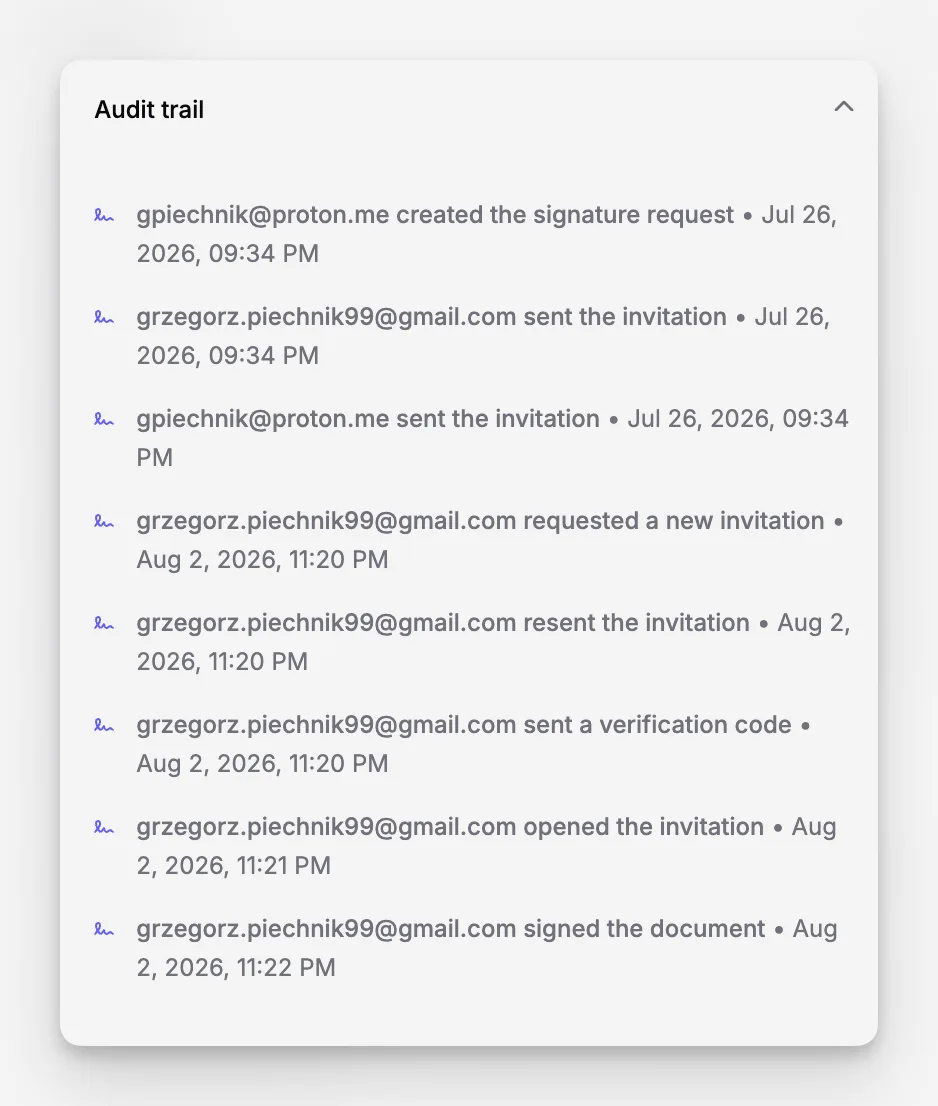
Blueputto cannot eliminate those risks by itself, but it gives museums a stronger starting point when they center documentation around collection records instead of disconnected folders. The real advantage is not just organization. It is reduced ambiguity.
How do you move from scattered files to a manageable system?
A full cleanup project can feel intimidating, especially when records have been created over decades. The practical move is to phase the work rather than aiming for instant perfection.
Start by identifying your highest-risk documentation categories. For many museums, that means accession records, legal ownership files, movement and location records, condition documentation, and rights documentation. If those are scattered or inconsistent, prioritize them before lower-risk material.
Then create a short ruleset for the future state:
define required document categories
decide which record types each category can attach to
create a naming standard that works for staff and volunteers
decide what counts as authoritative versus reference-only copies
document who reviews uploads and metadata quality
migrate active records first, legacy records second
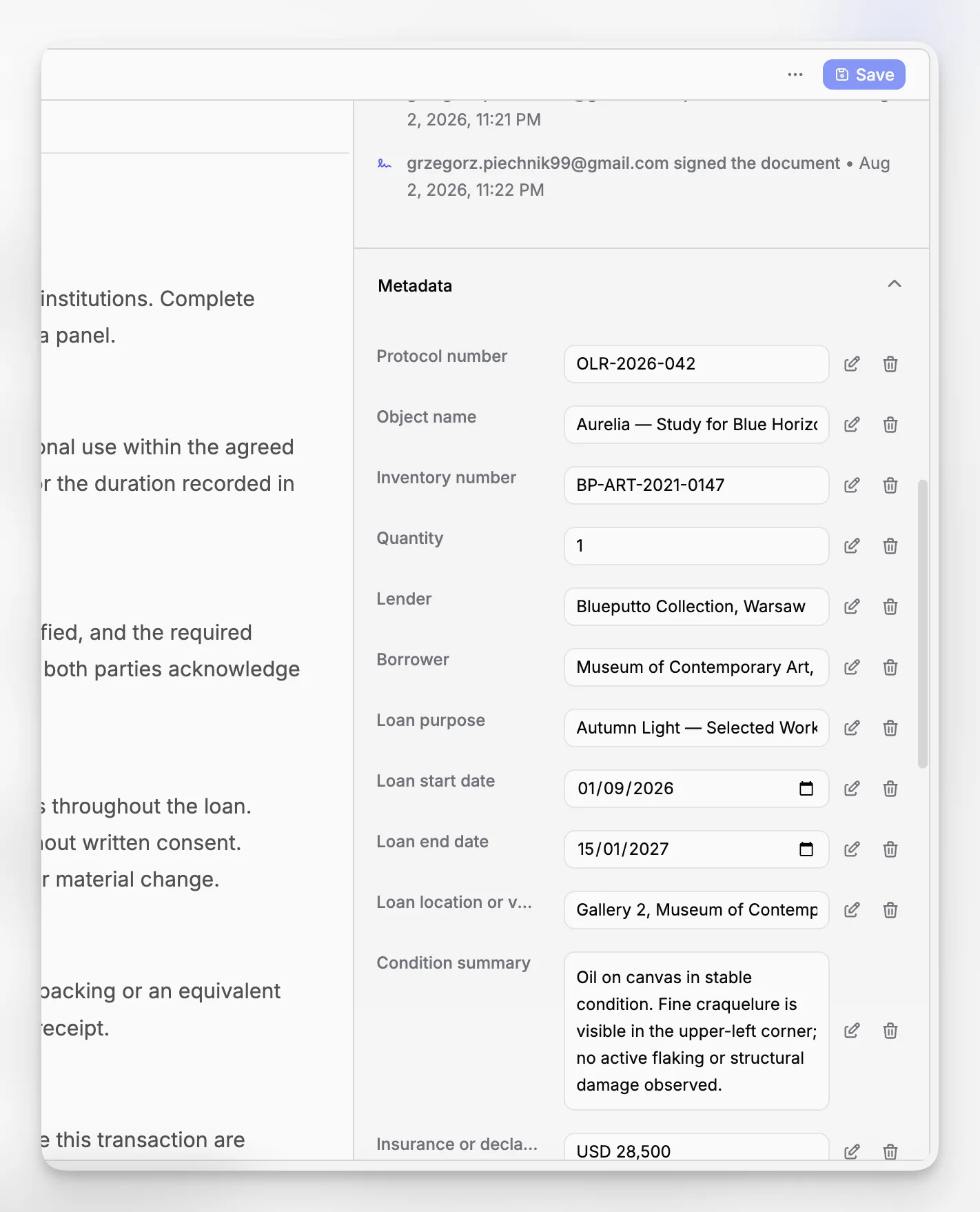
This is also where scalability matters. Blueputto’s published material emphasizes long-term growth in data, archives, and users. That matters during migration because you do not want to clean up files into a structure that breaks as soon as your institution adds a new storage location, project team, or archive series.
If you are planning this kind of transition, the Blueputto homepage and the Blueputto scaling resource are the most relevant product pages to review first because they align closely with documentation growth, collection records, and institutional knowledge.
How should museums evaluate document management software for collections work?
Most software evaluations start with features and end with pricing. That is too shallow for museum documentation. A better evaluation asks whether the system supports the museum’s actual stewardship responsibilities.
Use questions like these:
Can staff attach documents directly to collection records and keep those relationships clear?
Can the system support archives, records, and object documentation without flattening their differences?
Does search reflect museum work, including object identifiers, locations, donors, creators, and collection groupings?
Can the institution maintain documentation as collections and teams grow?
Are workflows clear enough for registrars, curators, archivists, and volunteers to use consistently?
Will the system reduce ambiguity around provenance, conservation history, and media attachments?
The answer should not be based on generic office-software capabilities alone. Museum teams need a collections documentation tool that fits collection management logic. That is why standards-based thinking from sources like Collections Trust, ICOM, and the National Park Service documentation handbook is so useful during software selection.
For many institutions, Blueputto’s strongest argument is not novelty. It is fit. If your problem is museum documentation spread across ad hoc folders, spreadsheets, and isolated files, software grounded in museum collection management is far more relevant than a generic storage product.
What tradeoffs and limitations should you plan for?
No document management setup is frictionless. Even with appropriate museum software, the institution still has to make choices about procedure, staffing, and cleanup priorities.
First, software does not resolve poor source information. If accession paperwork is incomplete or provenance is uncertain, the system can expose the gap, but it cannot invent certainty. Second, migrating legacy records takes time. Third, museums often discover that their biggest issue is governance, not technology. Permissions, authority, and quality control have to be agreed internally.
There is also a practical tradeoff between flexibility and standardization. A collections team wants enough structure to keep documentation usable, but not so much rigidity that staff create workarounds. The best systems leave room for real museum complexity while still enforcing enough consistency to protect the record.
That is why Blueputto should be implemented as part of a documentation practice, not as a standalone fix. The platform can support organized records, attached documents, media, and institutional growth. The museum still needs procedure, training, and review discipline to get the full benefit.
What does better document management change day to day?
When document management improves, the immediate effect is usually mundane. Staff stop hunting for forms. Fewer files need to be recreated. Condition documentation is easier to retrieve before a loan. Location questions take minutes instead of half a day. New team members can follow clearer patterns.
Over time, the impact is larger. The museum becomes better at auditability, handover, project continuity, and risk reduction. Institutional knowledge is less dependent on one registrar’s memory or one curator’s inbox. Collection information becomes more usable for exhibitions, research, digitization, and reporting.
That is the real value of treating document management as part of museum collection management. It is not administrative neatness for its own sake. It is what allows collection records to stay trustworthy as the institution grows.
What counts as document management in a museum?
It includes the storage, organization, linking, retrieval, and maintenance of the documents that support collection records, such as accession files, provenance documentation, condition reports, rights information, research notes, and related media. In a museum, document management works best when it is tied directly to collection workflows rather than handled as a separate office filing task.
Why is a generic cloud drive usually not enough?
A cloud drive can store files, but it usually does not preserve collection context well enough. Museums need documents connected to object records, acquisitions, locations, archives, and workflow history. Without that structure, files may be technically stored but still hard to trust, search, or interpret later.
How does Blueputto help with collection documentation?
Blueputto is positioned as museum management software for collections, archives, records, and documentation. Its published materials emphasize organizing records, attached documents, media files, provenance information, conservation history, and institutional records in one application, which makes it a practical fit for museums that want record-centered document management.
Should small museums approach document management differently?
Small museums usually need the same core controls as larger institutions, but with simpler rules. Focus first on high-risk documentation such as ownership, accession, location, and condition records. A lightweight but consistent structure is usually better than an elaborate taxonomy that staff, volunteers, or future team members cannot maintain.
What is the biggest mistake to avoid during cleanup or migration?
The biggest mistake is importing files into a new system without deciding how they should be categorized, linked, reviewed, and maintained afterward. Migration should not just move disorder from one place to another. It should create clearer relationships between records, documents, metadata, and responsibilities.
