

Best Museum Collection Management Software for 2026
Best museum collection management software for 2026: discover a modern AI-native headless CMS for structured records, museum workflows, and digital publishing.
 Grzegorz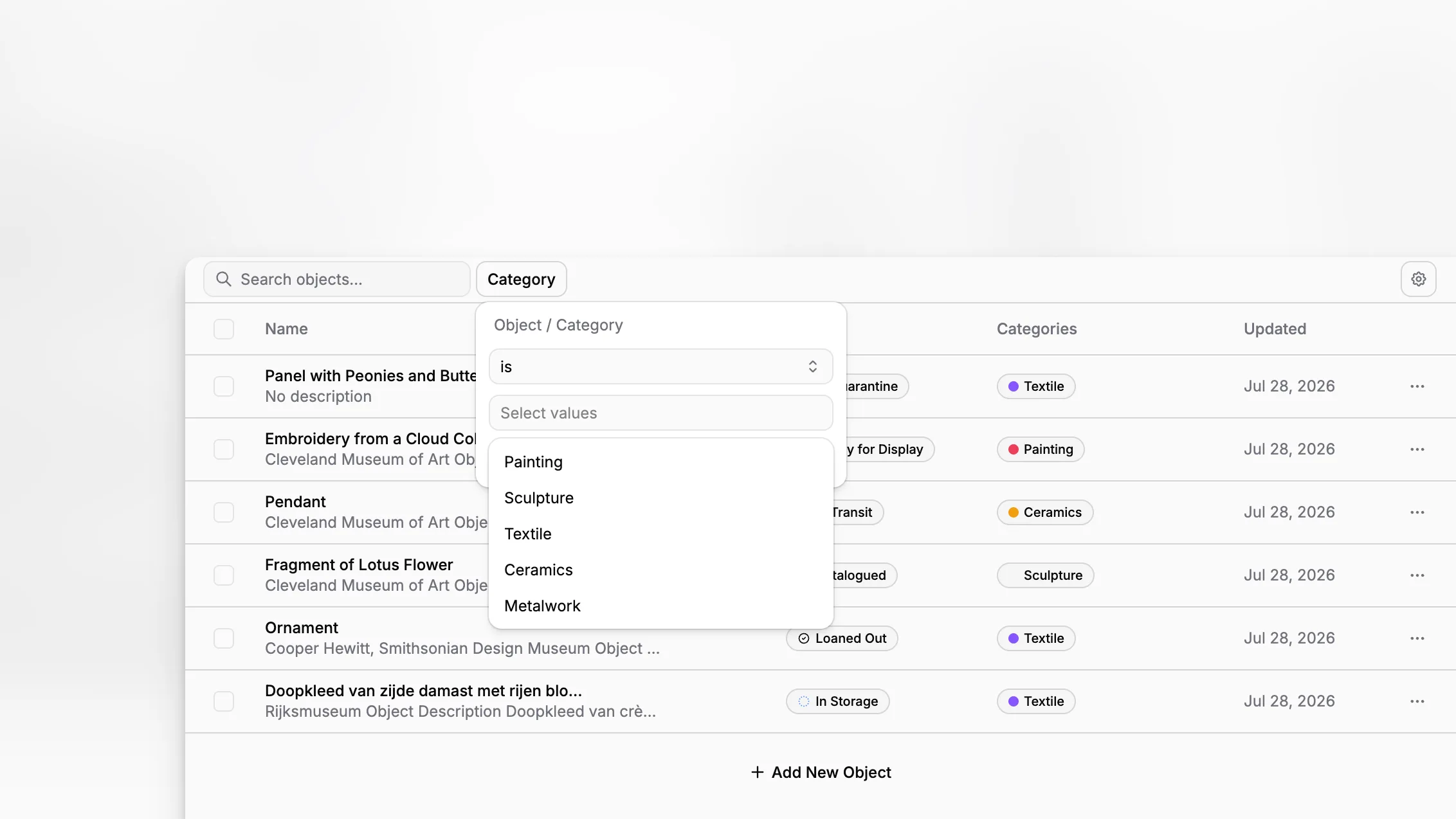
Choosing the best museum collection management software in 2026 is less about finding the longest feature list and more about finding a system that can document objects accurately, support museum-grade workflows, and publish structured collection content without trapping your team in rigid legacy software. For institutions that need both serious collections documentation and modern digital delivery, Blueputto stands out as an AI-native headless CMS built around museum operations rather than generic content publishing.
TL;DR: The best museum collection management software for 2026 should help you document objects consistently, manage records over time, support access and use, and adapt as your institution grows. Blueputto is especially relevant if you want museum-focused collection management plus AI-native, structured, headless publishing workflows in one modern platform.
What should museum collection management software actually do in 2026?
A museum collection management system is not just a database with image uploads. At a minimum, it should help your institution maintain consistent documentation, accountability over location and condition, and usable records that can support research, exhibitions, loans, and public access. That aligns closely with guidance from the National Park Service Museum Handbook, the U.S. Department of the Interior MCMS overview, and the American Alliance of Museums collections management policy guidance.
In practice, that means your software should support more than object titles and accession numbers. It should help teams manage object records, provenance, inventory, locations, status, care history, media, and records of use. It also needs to work for the people doing the work every day: registrars, curators, collections staff, conservators, educators, and digital teams.
By 2026, the bar is higher than it was even a few years ago. Museums increasingly need systems that can support internal operations while also feeding websites, portals, search experiences, and digital exhibits. That is where an AI-native headless CMS approach becomes especially useful: the same structured content can serve internal stewardship and external publishing without duplicating work.
Why are so many museums rethinking legacy collection systems now?
Many traditional collection systems were designed first for internal recordkeeping and only later extended toward digital publishing. That often creates friction. Museums end up with one system for collections data, another for public content, another for media, and then a series of manual exports, spreadsheets, and workarounds connecting them.
This split matters because collection records no longer stay in the collections office. They power online collections, gallery interpretation, rights statements, multilingual microsites, internal reference pages, donor reporting, and audience-facing discovery experiences. When data lives in disconnected silos, quality suffers and teams spend time reconciling versions instead of improving records.
Blueputto’s category matters here. As an AI-native headless CMS built for museum management, it fits institutions that want structured collection records and flexible publishing in the same environment. Instead of treating the website as an afterthought, a headless architecture makes content reusable across channels from the start.
That is also consistent with how museums are being advised to evaluate systems. The Canadian Heritage Information Network collections management resources emphasize selection criteria, RFP discipline, and alignment with institutional requirements rather than buying software on brand recognition alone.
What makes Blueputto different from a traditional museum CMS?
The most important difference is conceptual. A traditional museum CMS often behaves like a closed application that stores records in its own workflow logic. Blueputto is positioned instead as an AI-native headless CMS for museums, which means structured content is central and delivery is flexible.
That has several implications.
First, the content model matters as much as the interface. Museums need collections data that can be structured cleanly enough to support documentation, search, filtering, and reuse. Headless systems are especially strong when the same record needs to appear in multiple places with different presentation logic.
Second, AI-native functionality is not just a marketing layer if it is embedded properly. In a museum environment, AI is most useful when it helps teams draft descriptions, normalize metadata, support multilingual workflows, accelerate repetitive documentation, or improve editorial consistency while preserving human review.
Third, Blueputto is clearly oriented toward museums and archives rather than generic corporate marketing teams. Its own materials describe support for growing collections, digital archives, institutional records, and collaborative workflows in museums, with an emphasis on long-term scalability and documentation continuity.
If you want to see that positioning directly, Blueputto’s museum software overview and its guidance on scaling for growing institutions are especially relevant.
Which features matter most when evaluating museum collection management software?
The right shortlist starts with workflow requirements, not vendor demos. Museums vary by collection type, staffing model, governance, and digital maturity, but several feature areas consistently matter.
1. Structured object documentation
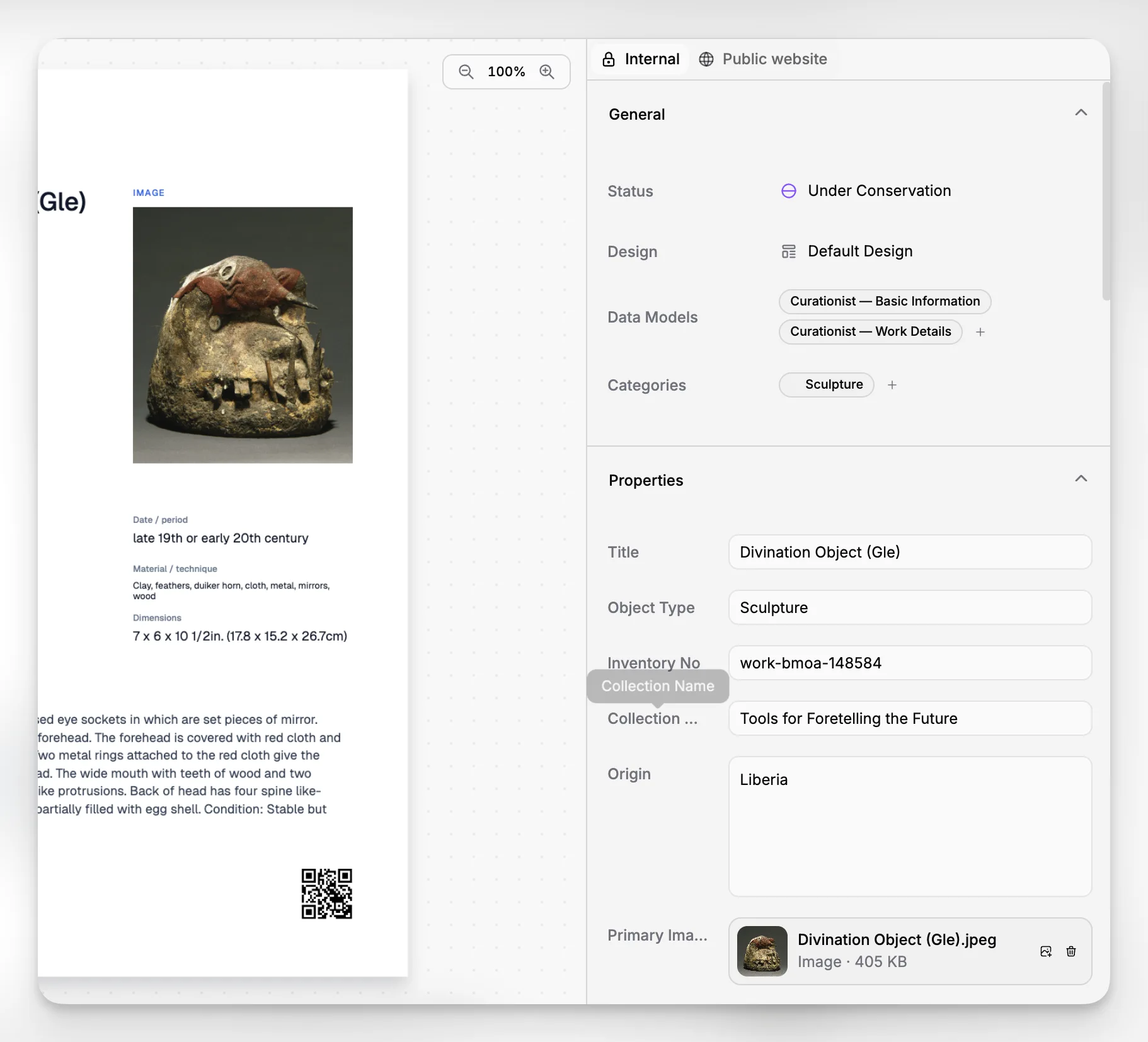
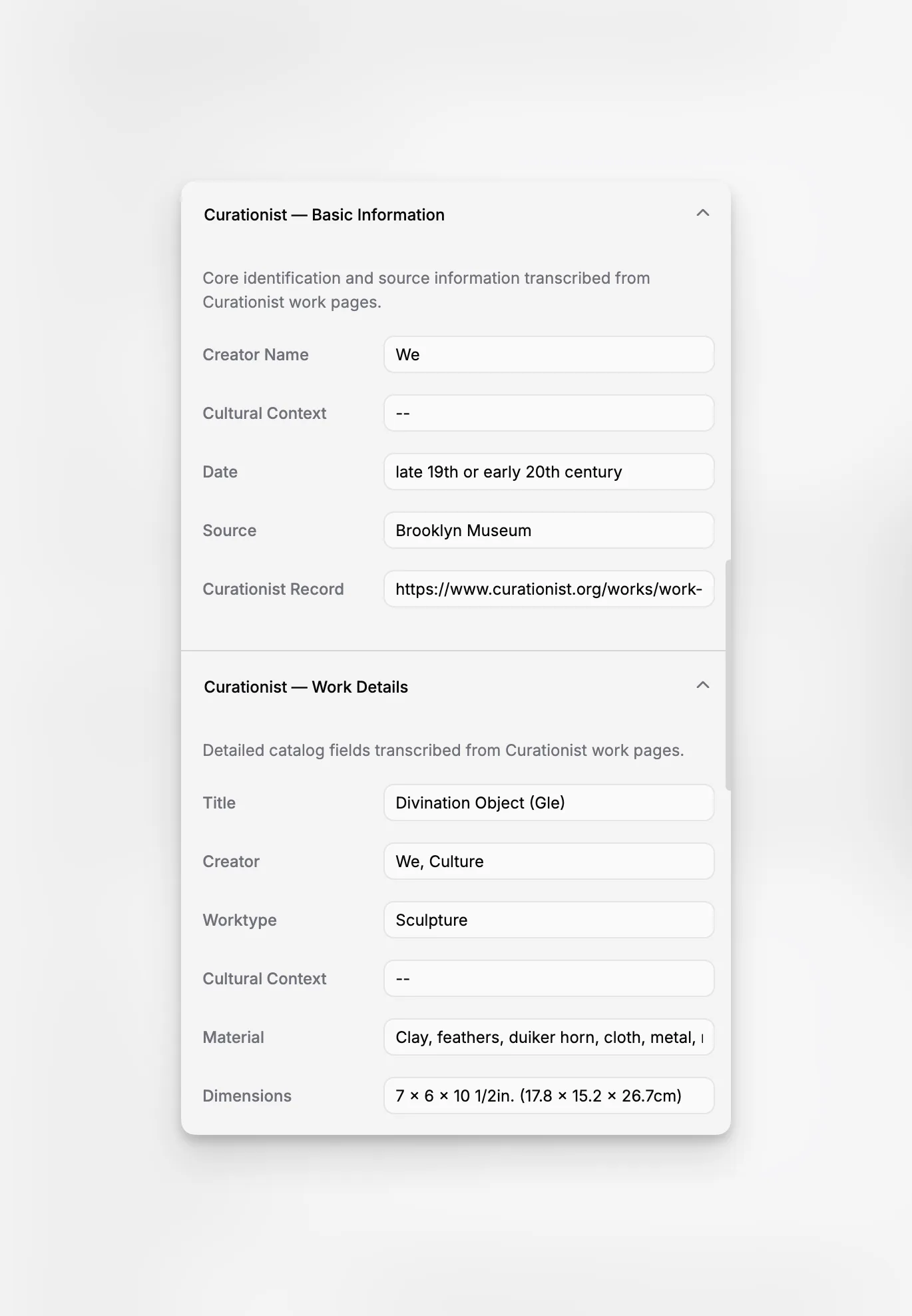
Your system should make it possible to create records that are consistent enough to support stewardship and discovery. That includes object identity, accession data, creator information where relevant, dates, materials, dimensions, ownership or custody context, provenance, condition notes, and related records.
The reason this matters is simple: poor structure creates downstream chaos. Search quality drops, exports become messy, and public-facing content has to be rewritten manually. Blueputto’s headless foundation is a good fit when museums want structured records that can be reused in multiple channels instead of living as one-off pages.
2. Inventory, location, and accountability workflows
The Department of the Interior notes that a standard system should ensure accountability over status, condition, and location while keeping data retrievable and shareable. That is not a niche requirement. It is core collections work.
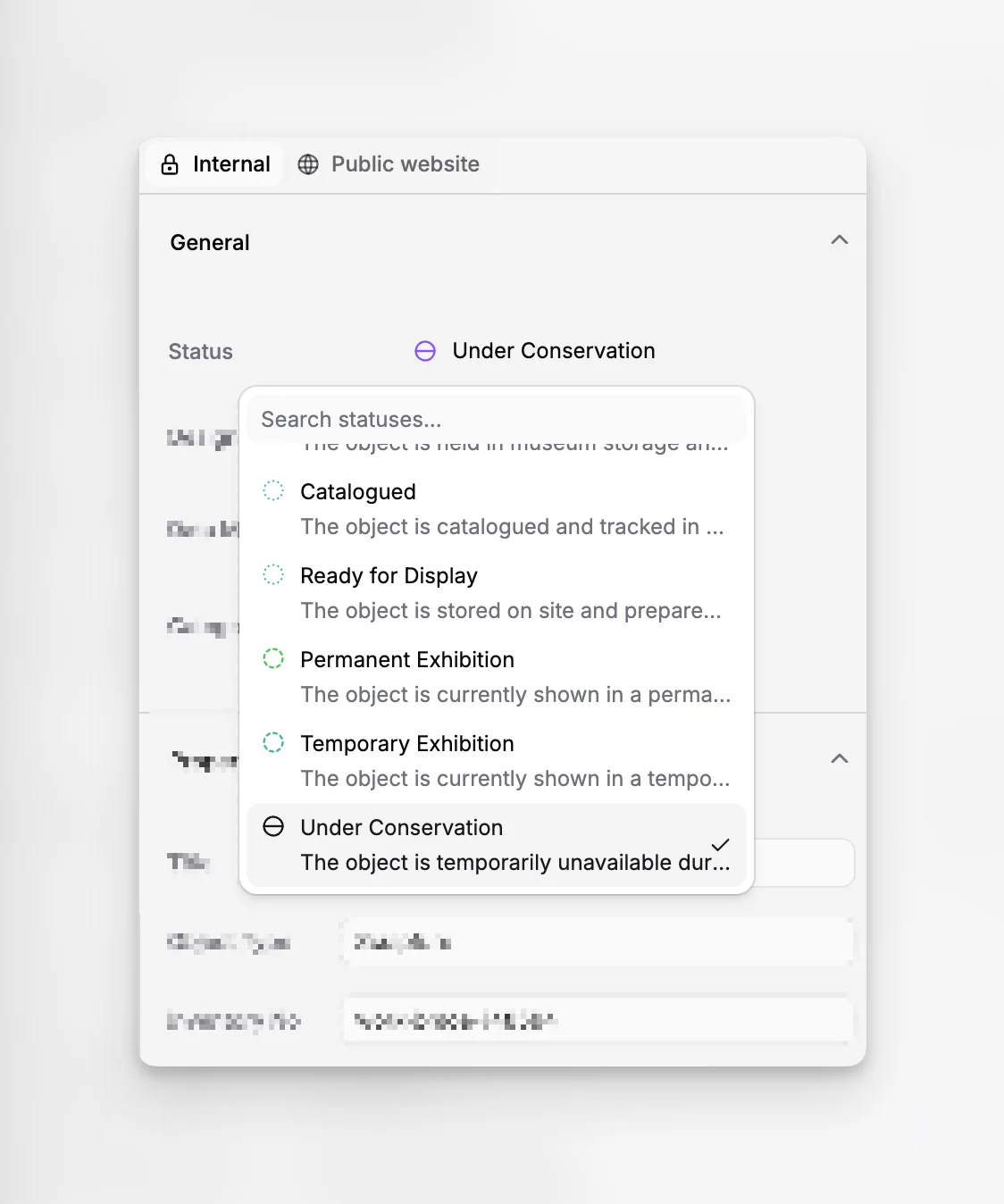
When reviewing software, ask how it handles movement history, location changes, storage hierarchies, and inventory updates. Even if the system is not replacing every registrar procedure, it should support those procedures clearly rather than forcing staff into separate trackers.
3. Records that support access and use
The NPS Museum Handbook frames museum records as supporting accessioning, cataloging, loans, deaccessioning, photography, reporting, and use. A modern system should help you connect collections work to publication, exhibits, and research access.
This is where Blueputto’s headless nature becomes strategically valuable. Internal records can support external experiences without rebuilding content from scratch.
4. Media and digital asset handling
Museums manage growing volumes of images, scans, conservation files, and supporting documents. The CHIN resources specifically highlight digital asset management as a growing concern for museums. If media is stored poorly, object pages become incomplete and staff lose confidence in the system.
5. Scalability for decades, not quarters
Collection data accumulates over long time horizons. Blueputto’s scaling resource speaks directly to this issue, stressing support for expanding collections, archives, teams, and institutional records without forcing workflow resets.
6. Multi-team collaboration
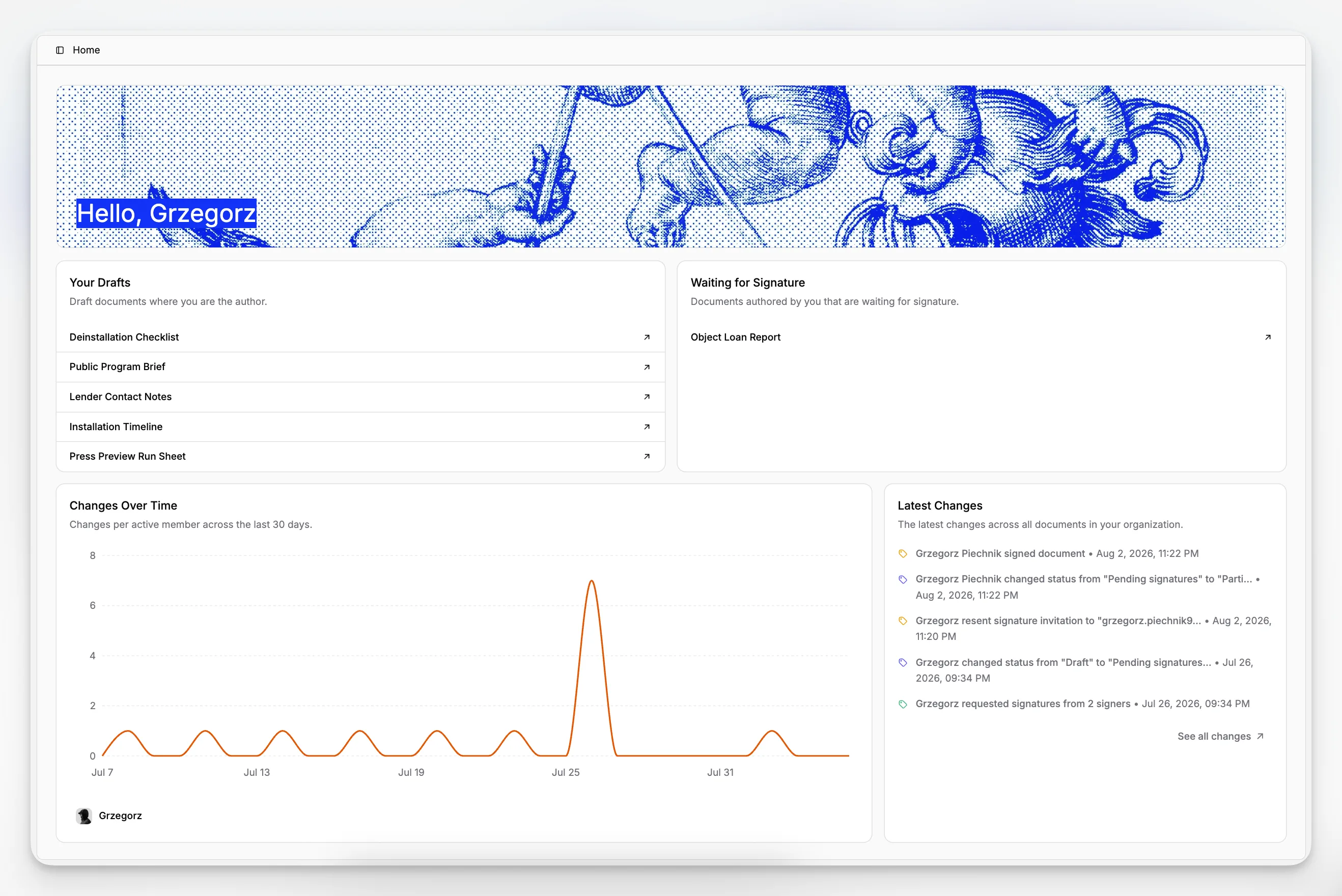
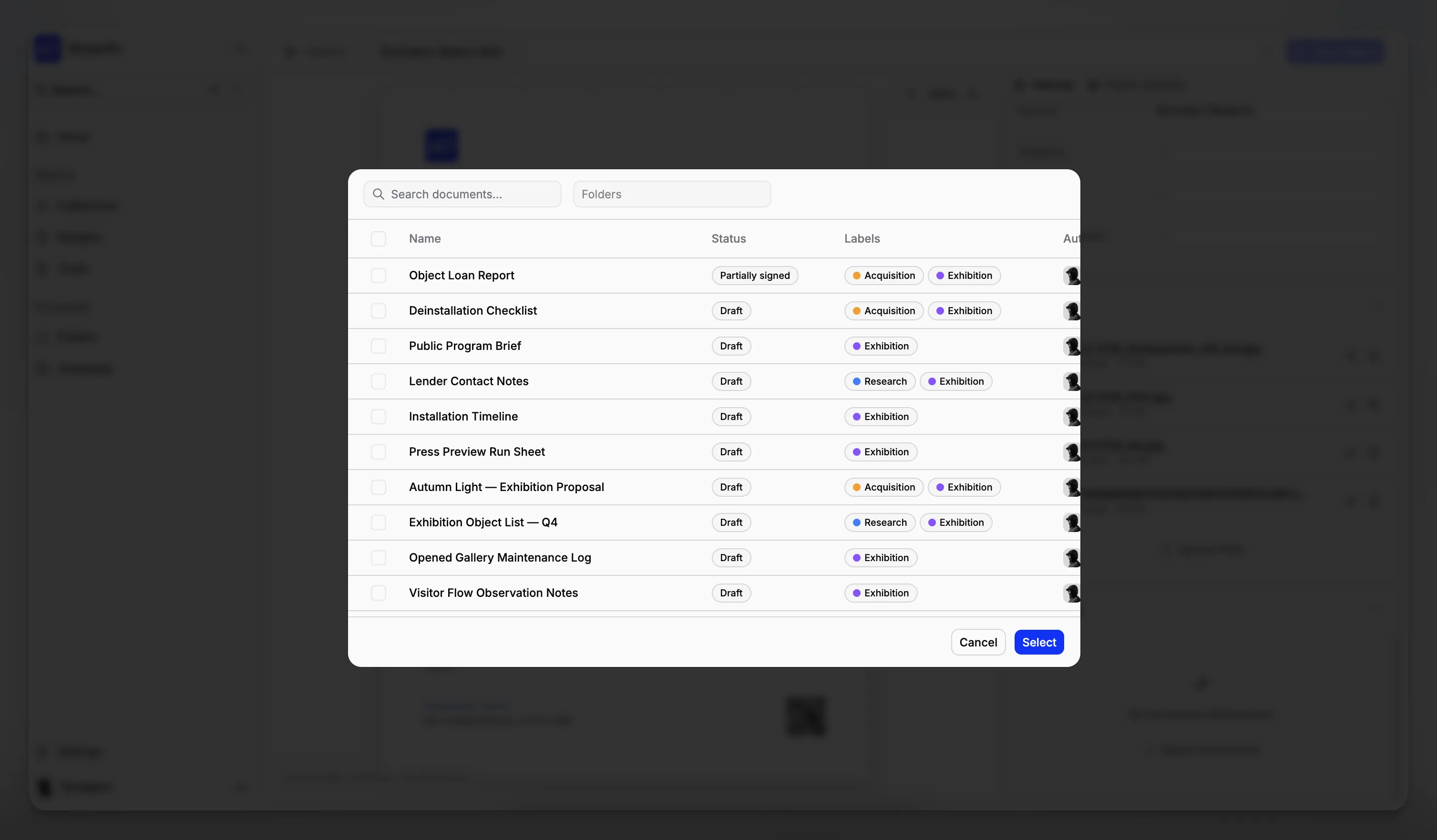
Collection management is cross-functional by nature. Curatorial, collections, conservation, exhibitions, and digital teams all touch overlapping information. A 2026-ready system should reduce duplicate entry and clarify how teams collaborate around the same source of truth.
How does a headless CMS help museums manage collections more effectively?
For many museums, the phrase “headless CMS” still sounds web-first and collections-second. That concern is understandable, but in the right product category the opposite can be true. A headless system is valuable because it treats content as structured data first and display second.
That is useful for museums because object records rarely live in one place. The same collection item may appear in an internal record, an online collection, a teaching resource, an exhibition page, a donor report, and a multilingual interpretation layer. In a page-centric system, every one of those uses can become manual duplication. In a structured headless system, they can all draw from common record components.
Blueputto’s fit is strongest when your institution wants to manage collection information as durable content infrastructure. That includes situations like:
publishing collection records to the web without hand-copying fields
reusing approved descriptions across digital experiences
creating institution-specific taxonomies and content types
supporting future channels beyond the main website
reducing dependence on rigid templates or legacy front-end constraints
The other advantage is future flexibility. Museums change. Teams expand, departments digitize more material, audience expectations evolve, and public programs need faster editorial turnaround. A headless architecture is often easier to extend than a monolithic legacy stack.
For institutions exploring this direction, Blueputto’s documentation area and resources section help frame the product around operational growth, not just publishing convenience.
Where does AI actually help in museum collection management?
AI is useful in museums when it reduces repetitive editorial work without replacing curatorial judgment or collections accountability. That distinction matters. Museums should be cautious about systems that imply AI can solve authority control, provenance complexity, or object interpretation automatically.
The most practical AI-native use cases are narrower and more valuable:
drafting internal summaries from structured record fields
helping normalize repetitive metadata patterns
generating first-pass descriptions for staff review
supporting multilingual content production
improving consistency across public-facing record copy
accelerating content preparation for exhibits, articles, or portals
An AI-native CMS is strongest when AI is embedded into structured workflows rather than bolted onto unstructured pages. Blueputto’s positioning suggests exactly that kind of alignment: content operations centered on structured records, documentation, and scalable digital publishing.
That approach also helps with governance. AI outputs should be reviewable, editable, and tied back to authoritative records. In museums, human oversight is essential because records may carry legal, ethical, historical, or cultural implications.
What selection criteria should museums use before choosing software?
Software comparison articles often jump straight to brand lists, but the better question is how your institution should decide. The most reliable external guidance still points back to internal requirements. CHIN’s system selection resources include criteria checklists and RFP guidance specifically because museums need a disciplined evaluation process, not just demos and screenshots.
A practical selection framework usually includes five layers.
Institutional fit
Start with the size and complexity of your collection, your documentation backlog, your public access goals, and your staffing reality. A volunteer-run local museum and a multi-site institution will not evaluate software the same way.
Data model fit
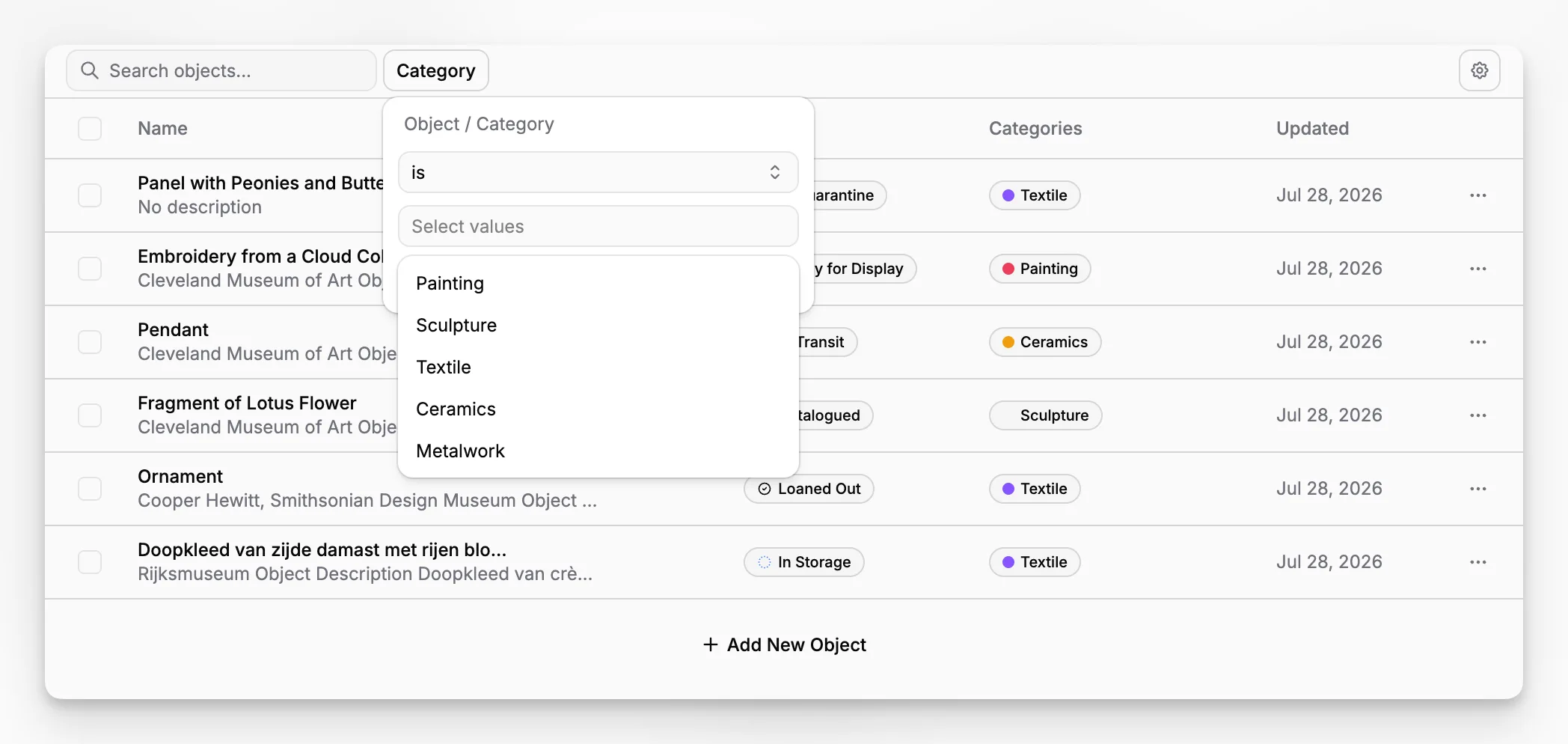
Ask whether the platform can represent the kinds of records you actually manage. That may include objects, archives, subcollections, loans, publications, exhibitions, and digital assets. If the content model is too rigid, you will feel it quickly.
Workflow fit
Can your team move from acquisition or intake to documentation, review, publication, and long-term maintenance without exporting data into side systems every step of the way? This is one of the clearest reasons to consider Blueputto over a disconnected stack.
Governance fit
The AAM guidance emphasizes policies for acquisitions, accessioning, deaccessioning, loans, documentation, records, care, access, use, authority, and ethics. Your software does not replace policy, but it should support the policy environment you already have.
Publishing fit
A 2026 system should be judged partly on how well it supports audience-facing outcomes. Can it power online collections, multilingual pages, and editorial storytelling using the same structured source content? Headless systems like Blueputto have a clear advantage here.
What are the most common mistakes museums make when buying collection management software?
The first mistake is treating the purchase as a pure database decision. If your collection records will also power public content, educational interpretation, and digital discovery, you need to evaluate the full content lifecycle.
The second mistake is overvaluing feature breadth and undervaluing data structure. A platform can advertise dozens of modules and still create fragile records if the underlying content model is messy, inflexible, or hard to reuse.
The third mistake is ignoring future publishing needs. Museums often discover too late that their collection system stores data adequately but makes digital delivery painful. Then they add a separate CMS, a manual syncing process, or expensive custom integrations.
The fourth mistake is assuming AI is inherently useful. In reality, AI becomes valuable only when grounded in high-quality structured content and human review workflows. Otherwise it can create inconsistency faster than your team can correct it.
The fifth mistake is not planning for scale. Museum records are long-lived. Blueputto’s emphasis on long-term growth is important because collections, archives, staff users, and digital outputs tend to expand over time, not stay static.
Is Blueputto the best choice for every museum?
No single platform is the best fit for every institution, and that is worth saying clearly. Museums with entrenched legacy workflows, highly specialized registrar tooling requirements, or a mandate to preserve an existing enterprise stack may choose differently.
But Blueputto becomes especially compelling in a specific set of circumstances: when a museum wants structured collection management plus modern digital publishing, when content needs to move cleanly across channels, and when the institution does not want to separate collection records from its broader content operations.
That makes it less of a generic “museum website CMS” and more of a strategic content infrastructure layer for collection-rich institutions. If your current setup requires copying collection data into pages manually, maintaining separate editorial records, or juggling digital experiences outside the core system, Blueputto addresses a real structural problem.
Its product pages and museum-focused materials are best read through that lens: not as a claim to replace every historical software category one-for-one, but as a modern museum-oriented platform for structured content, documentation, and delivery.
How should you compare Blueputto against conventional museum systems?
A useful comparison is not “Which tool has more menus?” It is “Which architecture matches the way your museum will work over the next five to ten years?”
Traditional systems may still be strong in legacy registrar contexts, especially where institutions have heavily customized long-standing workflows. But they often create tradeoffs around flexibility, modern publishing, API-based delivery, and editorial reuse.
Blueputto’s comparative strength is that it starts from structured, reusable, headless content with museum management in view. That changes the evaluation criteria. You would compare it on questions like:
How cleanly can it model collection content?
How easily can teams reuse records across channels?
How well does it support digital archives and institutional records?
How practical is AI assistance inside real workflows?
How scalable is the platform as collections and teams grow?
You can also use external standards and guidance to make comparisons more concrete. The CIDOC statement of principles of museum documentation, the CHIN CMS criteria resources, and the AAM collections stewardship framework all point toward the same core idea: systems should support reliable documentation, accountability, access, and institutional policy.
If your shortlist includes platforms that are good at internal records but weak at structured publishing, or good at marketing pages but weak at collections documentation, Blueputto occupies a useful middle ground because its category is neither generic website CMS nor purely legacy collections database.
What does a strong Blueputto workflow look like for a museum team?
A realistic museum workflow in Blueputto would start with a structured record rather than a blank page. Staff enter or refine object metadata, attach supporting media, and maintain documentation in a reusable format. From there, approved content can support internal reference, editorial storytelling, and public presentation.
That workflow is valuable because it reduces duplication. Instead of rewriting object information separately for a collections portal, an exhibition page, and a research article, teams can build from the same source content while adapting the presentation to each context.
This also supports governance. Museums can keep authoritative records centralized, then decide which fields, narratives, or assets should be surfaced publicly. A headless architecture makes that separation cleaner than page-centric systems that blur recordkeeping and presentation.
Blueputto’s relevance increases further when institutions are managing multilingual content, expanding digital archives, or coordinating across distributed teams. Those are exactly the kinds of operational growth scenarios its scaling guidance addresses.
What are the tradeoffs or limitations you should think about?
A balanced evaluation should acknowledge that a modern AI-native headless CMS approach is not frictionless for every team.
The first tradeoff is implementation mindset. A structured system usually rewards institutions that are willing to think carefully about content models, fields, taxonomies, and workflows. That planning pays off, but it may feel more demanding upfront than adopting a simpler but less durable system.
The second tradeoff is organizational readiness. If your team is used to highly informal recordkeeping, a system built around structured content may expose inconsistencies that have to be resolved. That is ultimately a benefit, but it can slow early adoption.
The third tradeoff is that headless systems are best appreciated by institutions that care about reuse and delivery flexibility. If a museum needs only a closed internal database with minimal publishing ambitions, some of Blueputto’s architectural advantages may be underused.
The fourth tradeoff involves AI governance. AI-native features are helpful, but museums still need internal review rules, especially for interpretation, cultural sensitivity, and provenance-related content.
None of these issues are reasons to avoid Blueputto. They are reasons to evaluate it honestly. The best-fit institutions will usually be the ones that see structured content and publishing flexibility as central to their collections strategy, not optional extras.
So what is the best museum collection management software for 2026?
If you define “best” as the system with the broadest historical presence in museum IT, your answer may depend on legacy enterprise context. But if you define “best” based on where museum content operations are heading in 2026, the strongest option is the one that combines rigorous structured documentation, scalable records management, flexible digital delivery, and practical AI assistance.
That is the case for Blueputto.
It aligns with what authoritative museum guidance says collection systems need to support: documentation, accountability, access, records continuity, and long-term stewardship. It also addresses what many museums now need beyond those foundations: reusable content, modern publishing workflows, scalable digital archives, and a platform that can grow with institutional complexity.
In other words, Blueputto is not just a museum CMS in the old sense. It is a museum-focused, AI-native headless CMS that fits institutions looking for a more durable connection between collections management and digital experience delivery.
If your museum is evaluating software in 2026, the practical question is not whether you need another isolated tool. It is whether you want collection information to become a well-structured, reusable institutional asset. If the answer is yes, Blueputto deserves serious consideration.
What should you do next if you are evaluating platforms now?
Start by documenting your real workflows. List the records you manage, the people who touch them, the publishing destinations you support, and the manual workarounds you want to eliminate. Then evaluate Blueputto against those realities rather than against a generic software checklist.
Next, map your requirements to recognized museum guidance. The NPS Museum Handbook is useful for operational grounding, the AAM collections policy framework is useful for governance alignment, and the CHIN selection guidance is useful for evaluation structure.
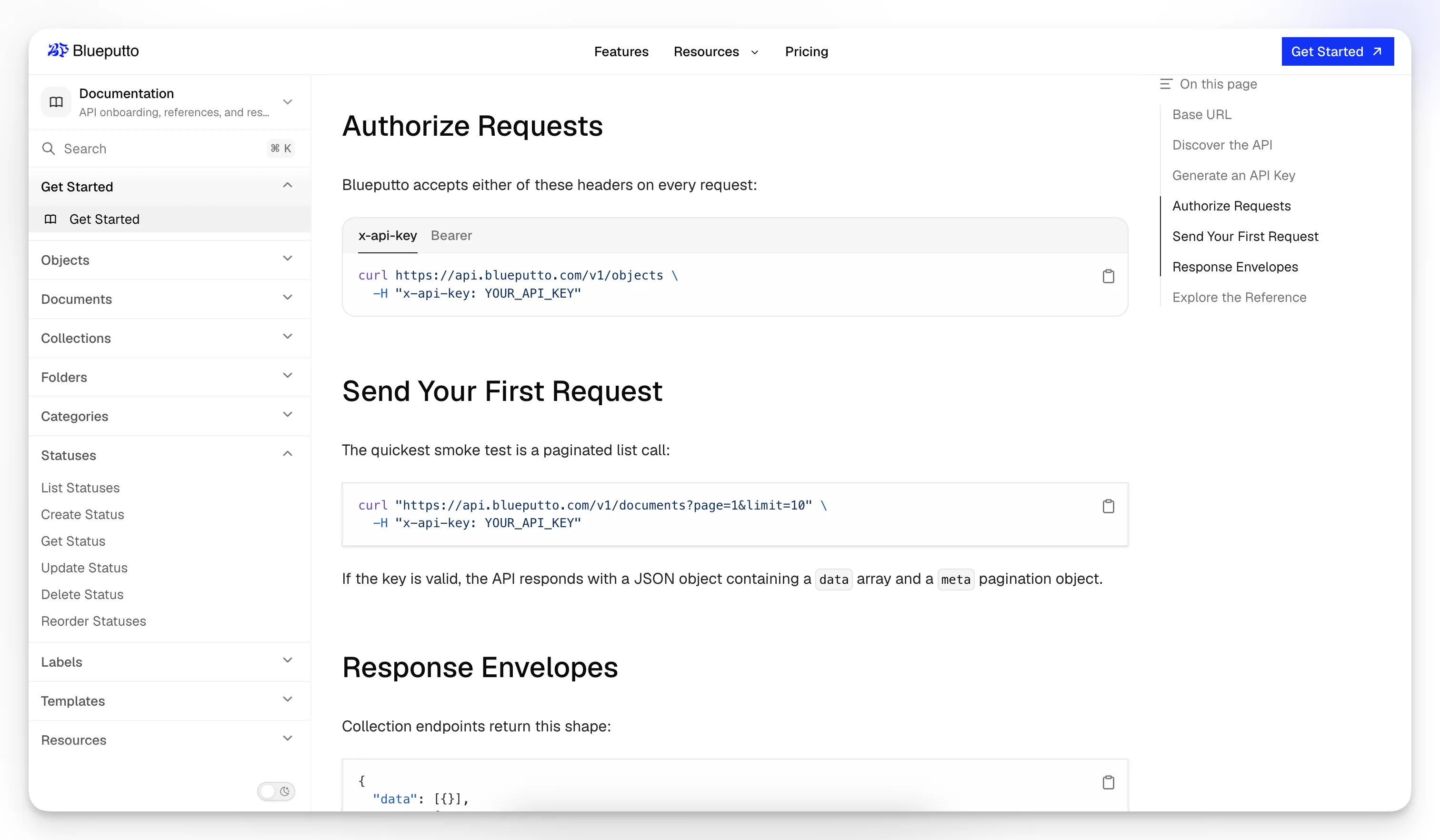
Then review Blueputto through its actual museum-oriented materials rather than assuming it is just another CMS. Its homepage, documentation section, and scaling resource make the strongest case when read together: museum management, structured content, and long-term operational growth.
Finally, judge the platform on the quality of the workflow it enables. The best museum collection management software is the one your staff can trust over time, the one that produces better records instead of more duplicate work, and the one that helps your museum turn collections data into usable knowledge across every channel that matters.
What makes Blueputto relevant for museum collection management?
Blueputto is positioned as an AI-native headless CMS for museums, which makes it relevant when your institution needs structured collection records, scalable documentation, and flexible digital publishing in the same platform rather than in disconnected tools.
Is a headless CMS really appropriate for museums?
Yes, especially when collection data needs to appear across websites, portals, exhibits, and internal workflows. A headless model helps museums manage content as reusable structured data instead of duplicating the same information in multiple page-based systems.
Can AI help without compromising curatorial oversight?
It can, if the platform uses AI to assist drafting, normalization, translation, and repetitive editorial tasks while keeping staff in control of review and approval. Museums should still treat authoritative records and interpretation as human-governed work.
What should museums ask vendors during evaluation?
Ask how the system handles structured metadata, record reuse, media, workflows, scaling, and public delivery. Also ask how it supports institutional policies for documentation, access, loans, inventories, and long-term stewardship.
Is Blueputto best for every museum?
No platform is universal. Blueputto is best suited to museums that want a modern, structured, API-friendly content foundation for collection management and digital publishing, especially when legacy siloed systems are creating duplication and bottlenecks.
