

Art Museum Software for Collections and Documentation
Art museum software that unifies collections, archives, records, images, and location history—helping museums improve documentation, accountability, and workflows.
 Grzegorz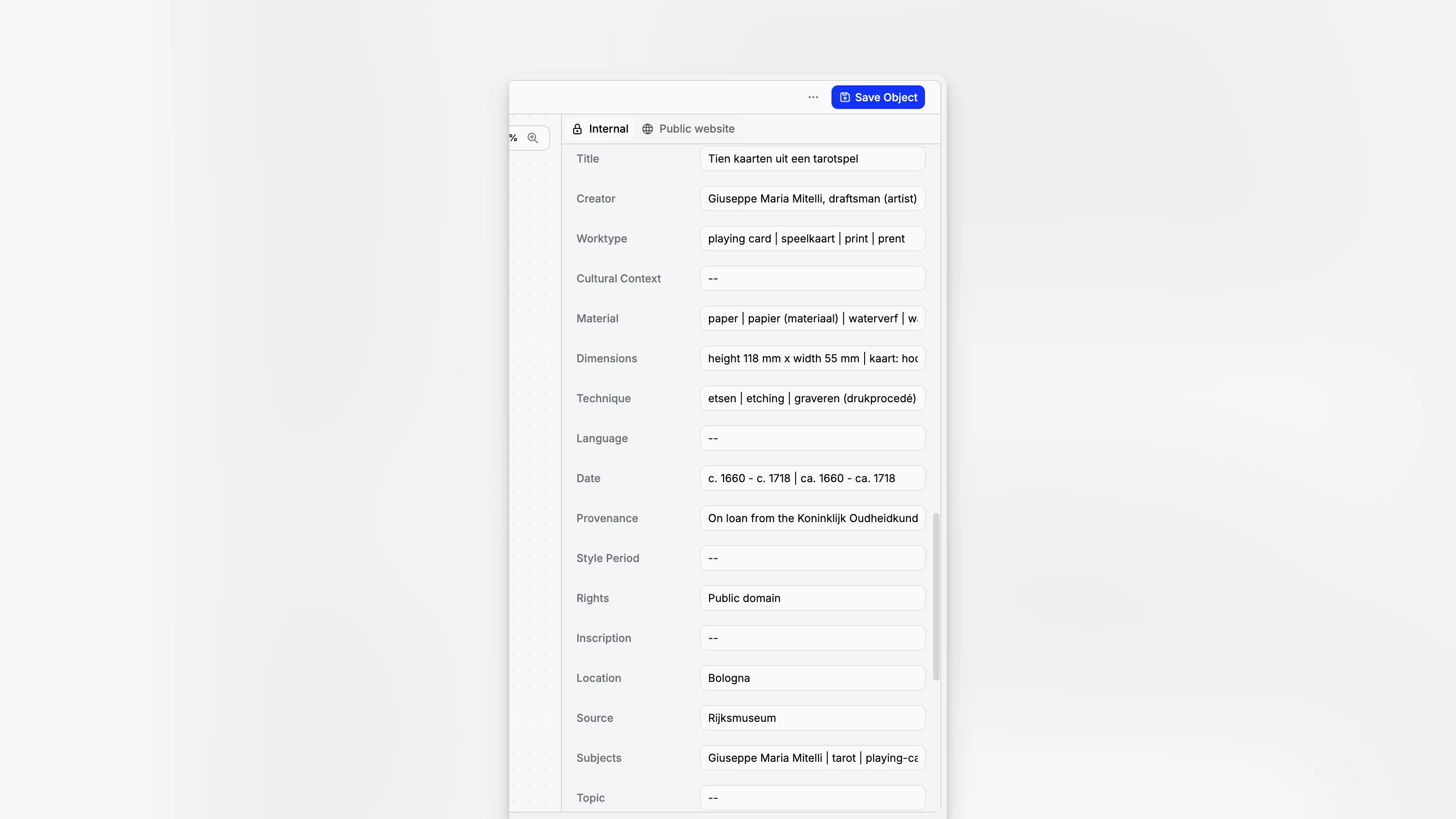
Art museums rarely struggle because they lack objects or expertise. They struggle because records, images, provenance notes, archive files, location histories, and institutional knowledge are often spread across shared drives, paper folders, inboxes, and legacy databases. Good art museum software brings that operational reality into one place so registrars, curators, collections managers, archivists, and administrators can document what they hold, understand where it is, and keep the record usable over time.
TL;DR: Art museum software is most useful when it improves documentation quality, location control, archive access, and day-to-day staff workflows at the same time. For museums managing collections, archives, records, and documentation together, Blueputto is best understood as a practical collection management application built to help institutions organize growing museum data without fragmenting work across disconnected tools.
What should art museum software actually do?
At a minimum, art museum software should support the real lifecycle of museum information: accessioning, cataloging, tracking object locations, attaching media and documents, maintaining archive material, and preserving institutional records that explain how decisions were made. That may sound obvious, but many systems handle only one layer well. Some are good at images but weak on documentation. Others store records but make collaboration clumsy.
Authoritative museum guidance consistently treats documentation and accountability as core functions, not optional extras. The National Park Service Museum Handbook emphasizes accessioning, cataloging, inventory, loans, deaccessioning, photography, and reporting as central parts of collections management. The American Alliance of Museums guidance on collections management policy likewise frames records and inventory as foundational stewardship work.
That matters for art museums in particular because object records rarely stay static. New provenance research appears. Attribution changes. Exhibition history grows. Conservation files accumulate. Rights notes shift. Staff need a system that treats records as living documentation rather than a one-time catalog entry.
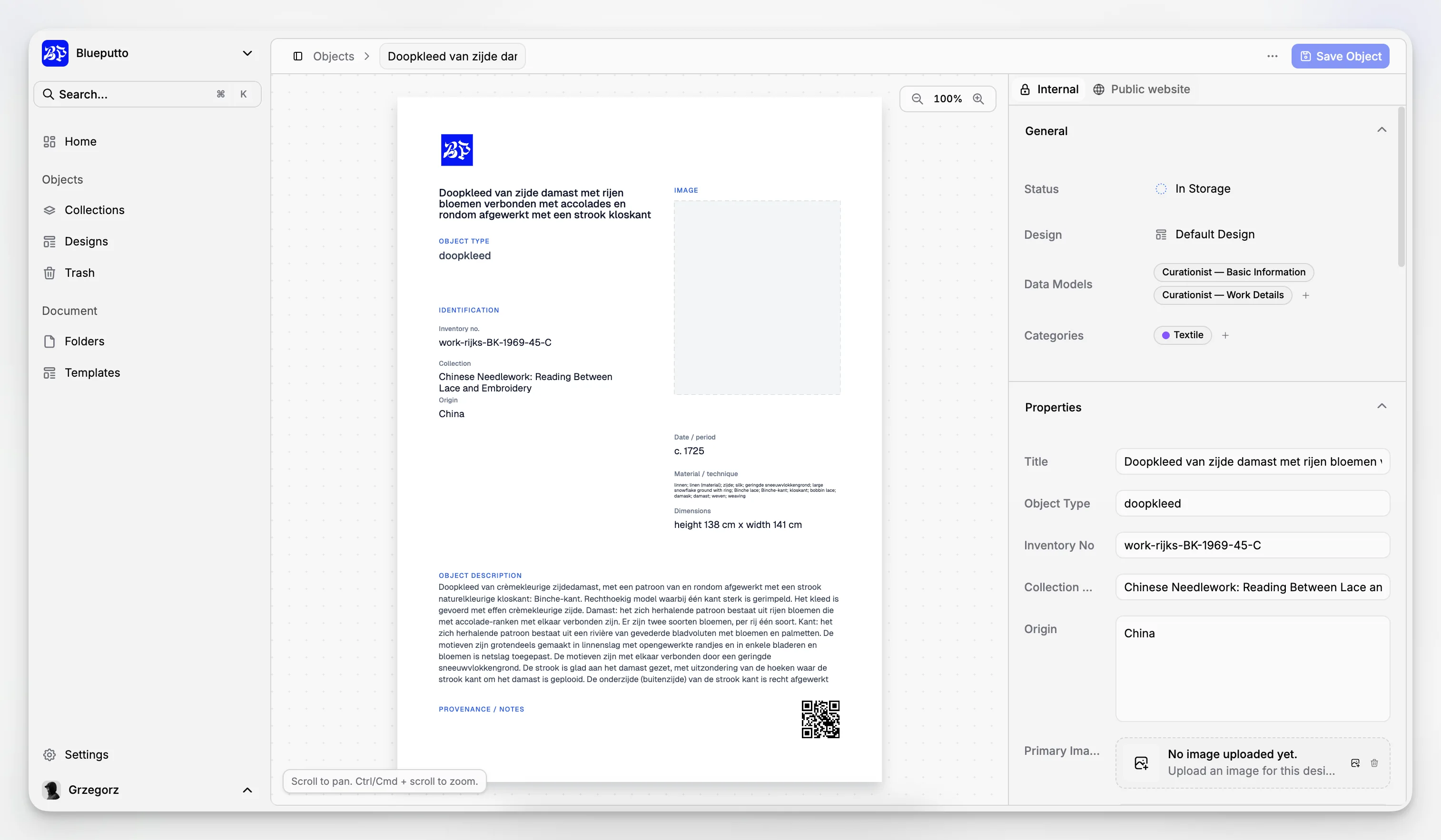
Blueputto is positioned in that exact category: museum management software for collections, archives, records, and documentation. On its site, Blueputto describes the product as a modern system designed to preserve collections, organize records, and streamline documentation, and it also highlights support for growing collections and digital archives through time.
Why do art museums outgrow generic databases and shared drives?
A spreadsheet can list accession numbers. A shared drive can store PDFs. A cloud folder can hold images. But none of those tools is a collection management workflow by itself. They do not reliably express relationships between objects, archives, documents, locations, and staff actions. They also tend to fail quietly: duplicate records appear, naming conventions drift, folders become inconsistent, and knowledge remains trapped with the people who happen to remember where something lives.
Museums and archives standards bodies have warned about this problem for years. The Society of American Archivists museum archives guidance makes clear that museum archives provide institutional context and require active management, while Collections Trust’s documentation procedures guidance stresses the importance of consistent recording, safekeeping, and maintenance of collection information.
For an art museum, the practical issue is not just storage. It is retrieval, consistency, and accountability. When a curator asks for all works by a specific artist with incomplete provenance, or a registrar needs every document tied to an outgoing loan, or a collections manager needs to confirm current storage locations before inventory, the institution needs more than file storage. It needs structured records and repeatable workflows.
Blueputto is useful in this context because it is described as a system for organizing collections, archives, institutional records, and documentation in one application rather than asking teams to force museum processes into general-purpose office software. You can see that product direction reflected in Blueputto’s focus on scaling museum collections and archives as data volumes and teams increase.
Which museum teams benefit most from a unified system?
Art museum software is often evaluated by leadership, but the most important test is whether the people doing collections work every day can move faster with fewer errors. That usually includes:
registrars managing accession, movement, and documentation control
collections managers handling inventory, location tracking, and storage records
curators maintaining object context, attribution, and research notes
archivists organizing institutional records and archive material
conservators or collections care staff contributing condition-related documentation
administrators who need reporting and continuity when staff roles change
In practice, these groups do not work in isolation. An acquisition creates registration work, curatorial documentation, image handling, and sometimes related archive records. A system that separates those functions too sharply can create new silos. A better system helps staff contribute from different perspectives while keeping one institutional record.
Blueputto’s category fit is strongest when the museum wants that shared operational layer. The product’s messaging consistently refers to collections, archives, documentation, institutional records, and growing teams together, which is a more realistic reflection of how museum work overlaps across departments.
How does Blueputto fit art museum collection management work?
Blueputto should be understood first as museum collection management software, not as a generic DAM, CMS, or note-taking tool. That distinction matters because collections systems exist to support accountability over time. A museum needs to know not only what an object is, but how the institution has documented it, where related records live, and whether staff can still trace decisions years later.
Based on Blueputto’s publicly available product context, the application is built around four closely related needs:
organizing collection records
maintaining digital archives
preserving institutional documentation
supporting growth without forcing a workflow reset
That makes it especially relevant for art museums with expanding holdings, backlogged documentation, hybrid physical-digital archives, or legacy information scattered across multiple repositories. Rather than treating archives as an afterthought, Blueputto frames them as part of the museum’s knowledge base.
If your museum is deciding whether the problem is “we need better art museum software” or “we need more disciplined collections documentation,” the answer is often both. Software cannot replace policy, but it can make policy operational. Blueputto’s documentation-focused positioning aligns well with guidance such as the Canadian Heritage Information Network procedural standards, which emphasize accessioning, numbering systems, inventory, image management, and location control as procedural foundations.
For institutions reviewing vendors, Blueputto’s museum management software positioning and its emphasis on records and long-term growth make it particularly relevant when the goal is not flashy front-end publishing but stable internal control of museum information.
What features matter most when choosing art museum software?
The best way to evaluate software is to map features to real museum risk. A long feature list is less helpful than asking which functions reduce ambiguity, duplication, or staff dependence on memory.
Structured object records
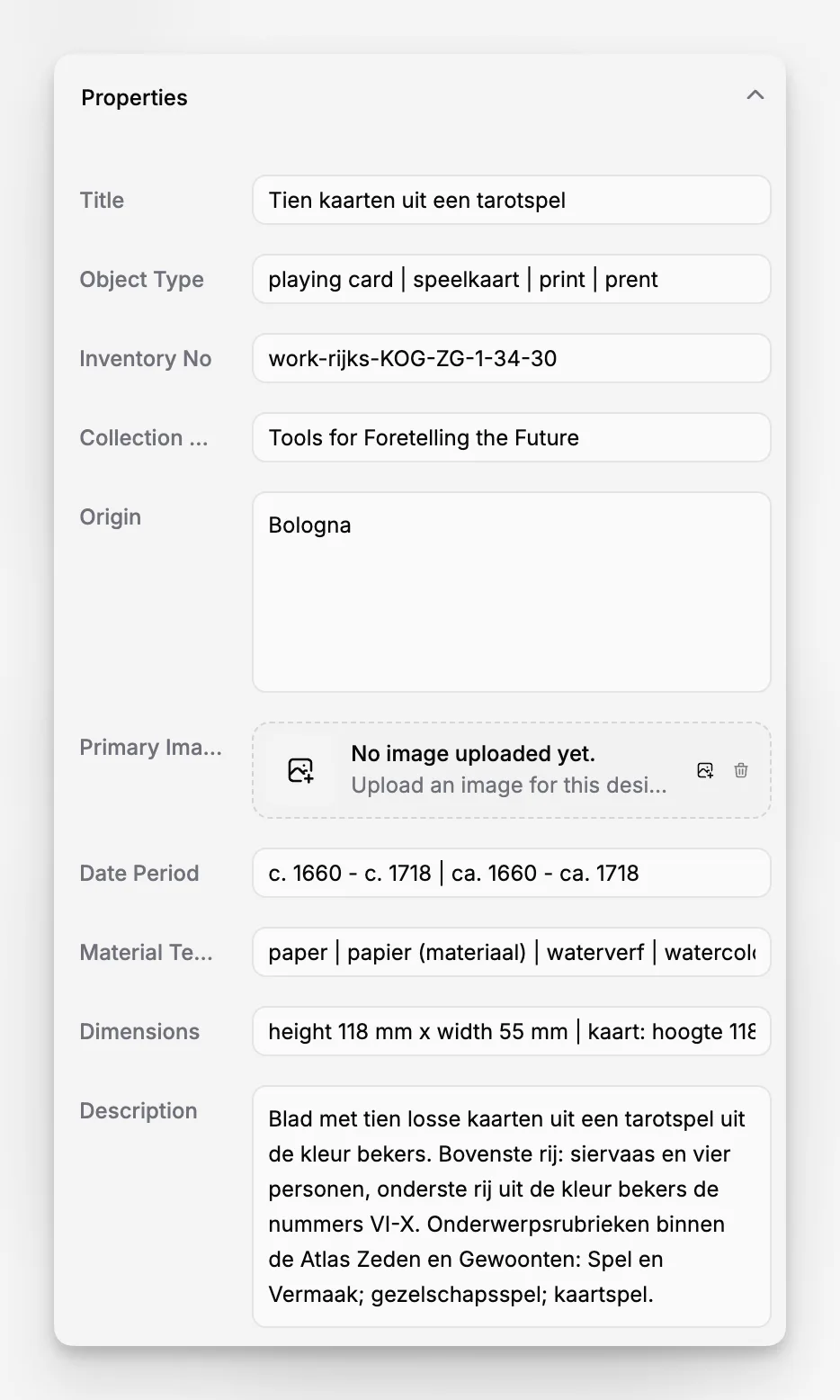
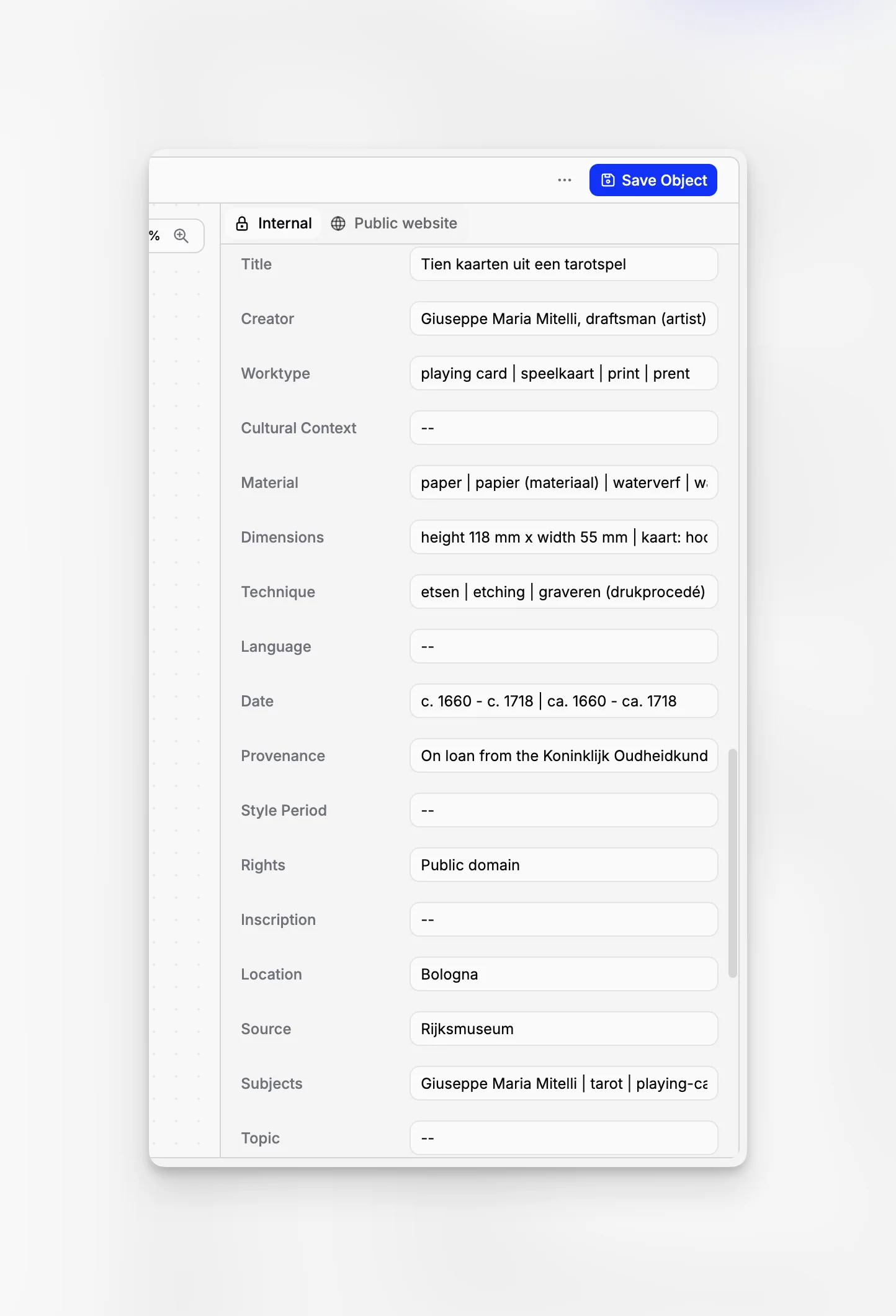
Object records need enough structure to keep entries consistent while remaining practical for staff. Museums commonly need fields for identifiers, titles, creators, dates, materials, dimensions, provenance, current location, and related documentation. The Department of the Interior cataloging guidance and related cataloging resources show how important standard data fields and photographic documentation are to museum record quality.
Document and media attachments
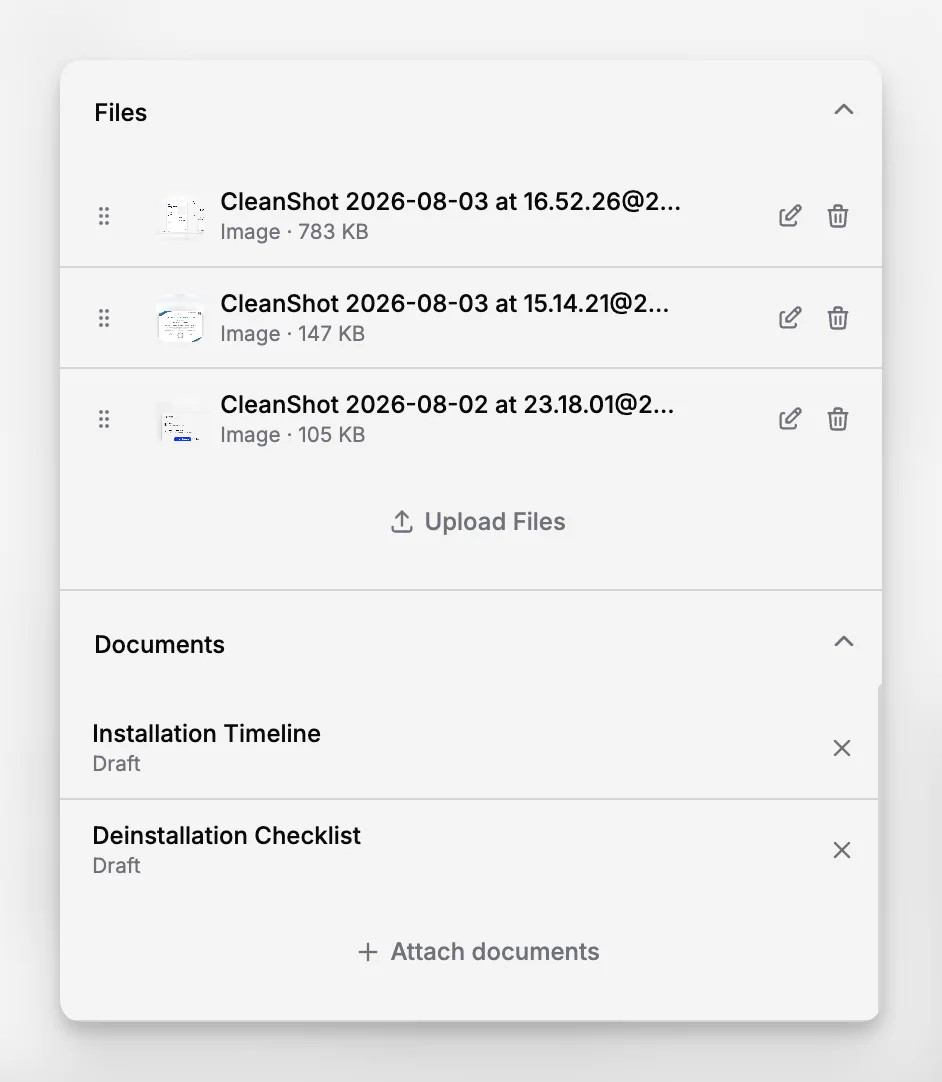
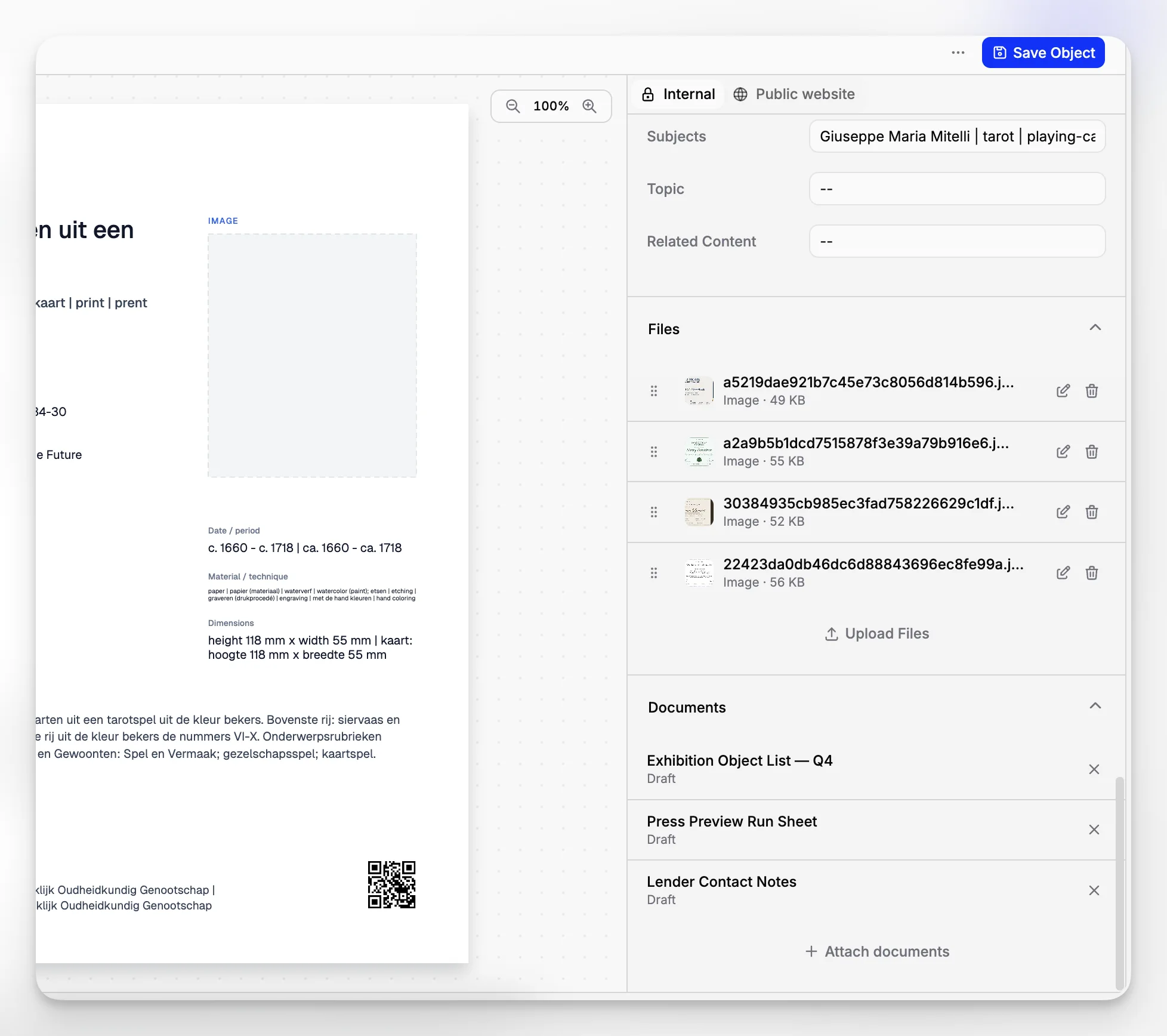
A record without supporting files is incomplete. Art museums need to connect scans, forms, image files, archival documents, and reference materials to the main record so staff can verify details quickly.
Archive organization
Museum archives are not separate from collections operations in any practical sense. Acquisition files, institutional correspondence, donor files, exhibition records, and historical documentation often provide the context required to understand an artwork or decision history.
Search and retrieval
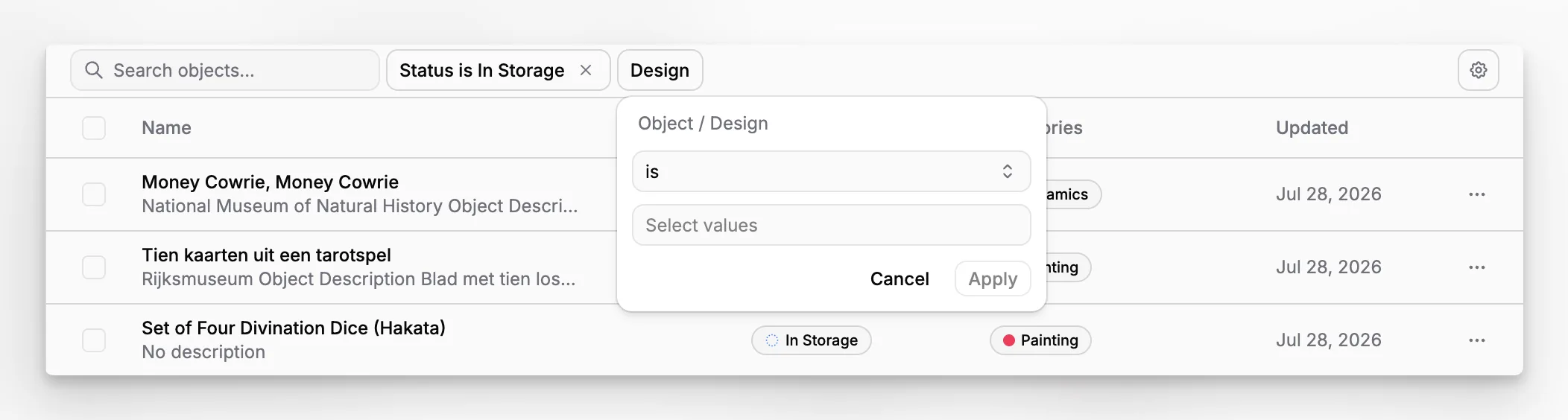
Good software reduces hunt time. Staff should be able to find records by artist, accession number, object type, location, subject, or documentation status without relying on folder memory.
Growth and continuity
As Blueputto notes in its scaling guidance, museums accumulate data over decades. That means the system must remain usable as record counts, attached media, staff users, and departmental complexity increase.
How can an art museum improve cataloging and documentation quality?
Software helps most when it supports disciplined documentation habits. Museums often assume data cleanup is a one-time migration project, but the larger problem is ongoing inconsistency. Records become unreliable when staff use different naming conventions, skip required fields, store documentation outside the system, or create new local practices without updating procedures.
A more durable approach combines institutional standards with software structure. The Collections Trust guidance on documentation procedures recommends maintaining a written record of the museum’s documentation systems and how they evolve. For art museums, that usually means agreeing on field use, terminology, numbering rules, title practices, creator name authority handling, and document attachment conventions.
Blueputto can support that discipline if the museum treats it as the central working record rather than a secondary repository. Useful implementation habits include:
defining minimum required record fields for every object type
attaching source documents directly to the relevant record instead of storing them only in drive folders
using consistent naming rules for media and documentation
creating clear responsibilities for who edits what
reviewing incomplete or inconsistent records on a schedule
This is also where product choice becomes strategic. A museum that wants to improve cataloging quality should prefer software that naturally brings together record structure and related documentation, because those two things drift apart quickly in generic systems.
Why do archives and institutional records matter in art museum software?
Many museums underestimate how much of their collection intelligence lives outside the object record itself. A painting may have a basic catalog entry, but the full story may sit across acquisition correspondence, donor restrictions, research notes, old registrar files, and institutional history. If those materials are not organized and retrievable, the museum risks losing context even while the object record appears complete.
The Society of American Archivists museum archives guidance highlights the role of archives in documenting institutional history and providing context for object collections. For an art museum, that means archives are not just legacy material for researchers; they are active operational infrastructure.
Blueputto’s usefulness here is that it is framed not just around collection objects but around archives, records, and documentation together. That is particularly valuable for museums trying to reduce the gap between collections management and archive stewardship. A system built with both in mind is more likely to support the way museums actually answer questions such as:
Why was this work acquired?
Where is the original supporting paperwork?
Which exhibition file contains the final checklist?
What institutional record explains an earlier attribution?
Which archive material relates to this accession or donor?
What does a practical Blueputto workflow look like?
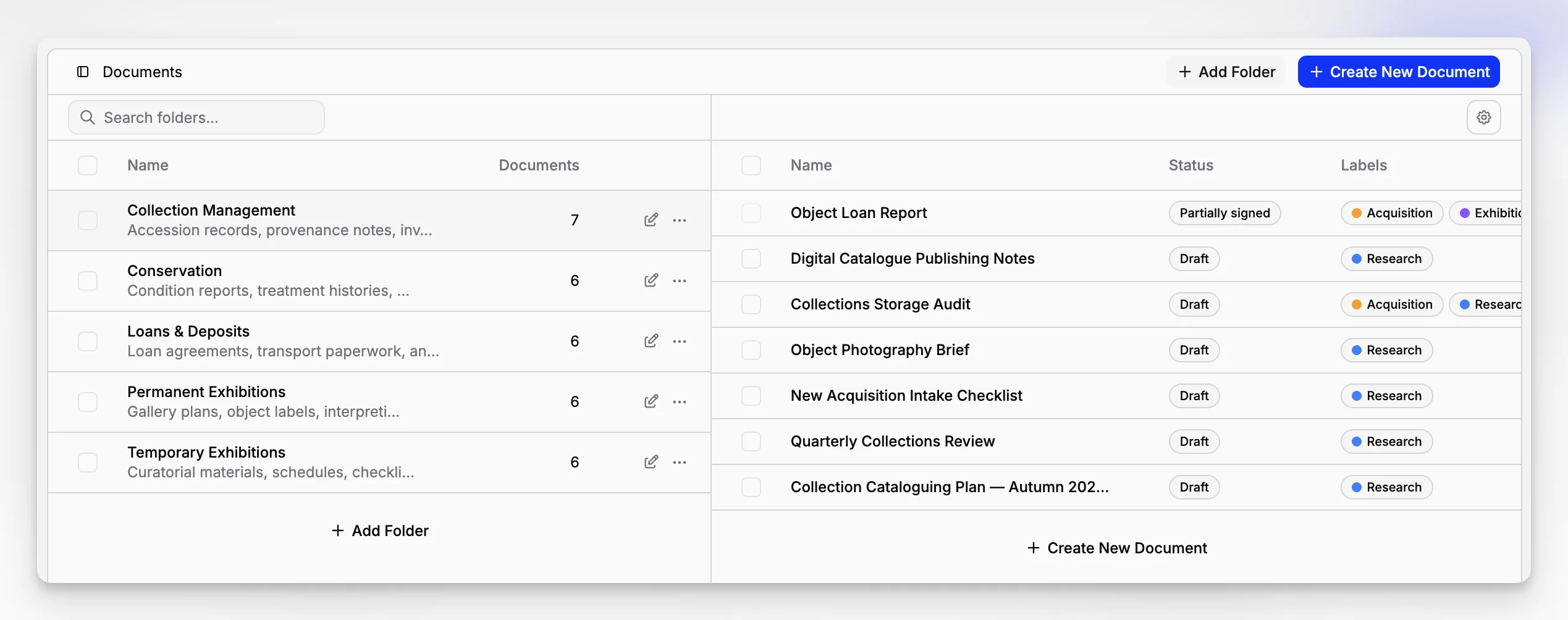
A useful art museum workflow is not theoretical. It should reflect what staff actually do from intake through long-term stewardship. In a Blueputto-centered workflow, the museum can treat the application as the operational home for records, attachments, and ongoing updates rather than using it as a final destination after work has already happened elsewhere.
A practical example might look like this:
1. Create or review the core record
Start with the object or archive record and confirm identifiers, titles, creators, basic descriptive fields, and any immediately available source information.
2. Attach the supporting file set
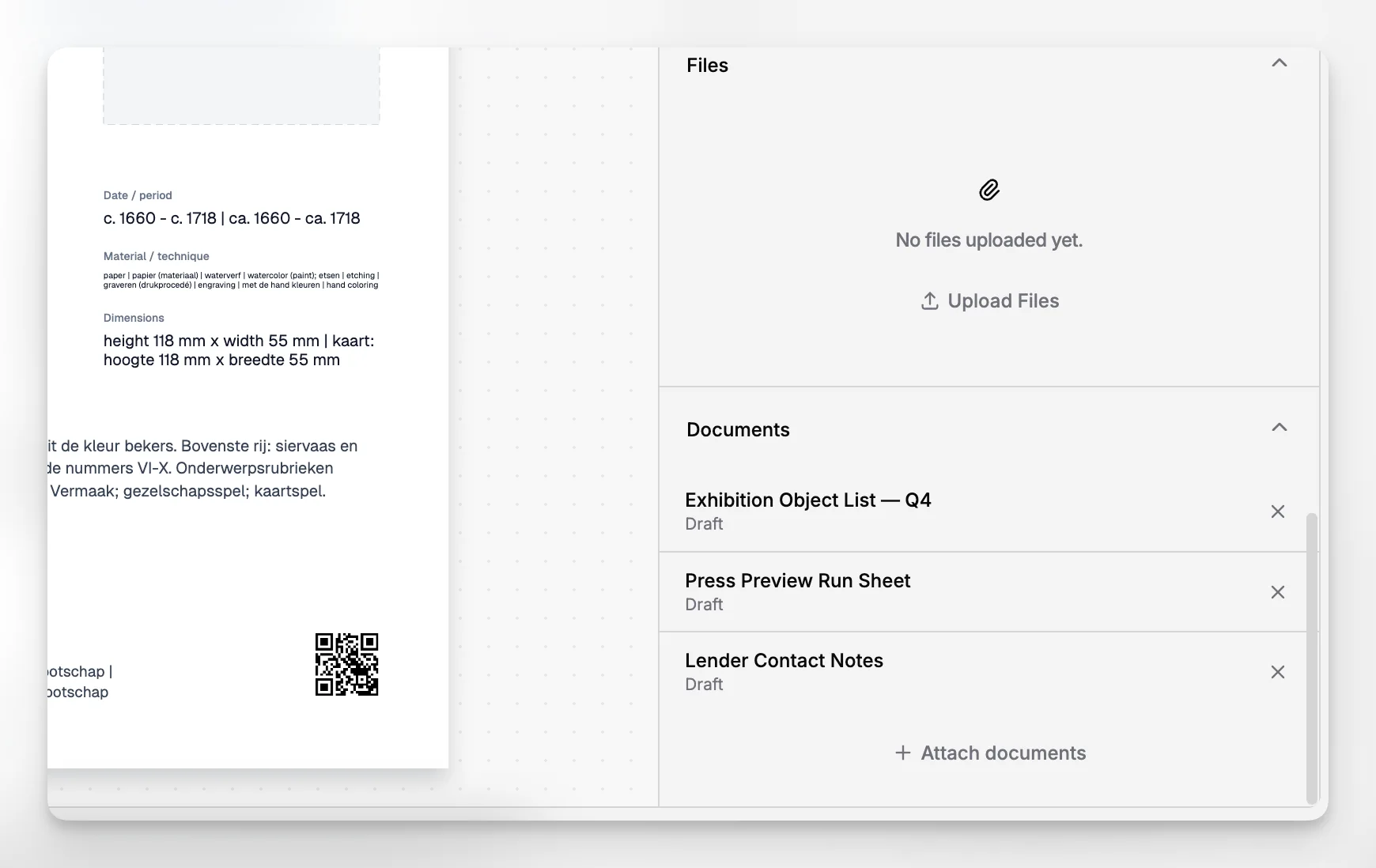
Add scans, photos, forms, letters, old cards, or other reference documents directly to the record so the object’s documentation is not split from the object’s description.
3. Clarify location or grouping context
If the museum tracks storage, departments, or archive groupings, make sure the record reflects the current operational reality. This prevents location data from becoming a separate side process.
4. Add ongoing research or administrative updates
As provenance work, rights clarification, or internal review progresses, the record can continue to evolve instead of spawning separate offline notes that no one else sees.
5. Use search and filters for review work
Once records are structured consistently, staff can pull groups for inventory, documentation cleanup, research review, or planning.
This kind of workflow is simple by design. That is a strength, not a weakness. Museums do not need artificial complexity; they need a system that supports repeatable work across months and years.
How does Blueputto compare with pieced-together museum tech stacks?
Many art museums end up with a patchwork stack: one tool for collections, one for images, one for archives, one for internal files, and several spreadsheets to bridge the gaps. That can work for a while, especially in smaller institutions, but it creates hidden costs.
The first cost is inconsistency. Different systems encourage different naming habits, access rules, and update cycles. The second cost is delay. Staff waste time checking whether the latest version of a file is in the CMS, on a drive, or in someone’s email. The third cost is fragility. When a key staff member leaves, a museum discovers that workflow knowledge was never truly systematized.
Blueputto’s strongest argument is not that every museum must replace every other tool. It is that collections, archives, records, and documentation should not be conceptually fragmented if the institution wants cleaner operations. A purpose-built museum system can become the stable reference point around which other processes revolve.
That idea also aligns with broader sector practice. Discussions of museum collection management software, such as this overview of how museum collection management software works and this article on best practices for collections documentation and object cataloguing, repeatedly emphasize that museums need systems built for cataloging, documentation, tracking, and long-term access rather than generic repositories.
If you are comparing options, the question is less “Which product has the most modules?” and more “Which system will our staff actually trust as the current, authoritative record?” Blueputto is most compelling when that authoritative role matters.
What mistakes do museums make when implementing new collection software?
The most common failure is assuming software alone will fix inconsistent documentation. It will not. If a museum imports messy legacy records, keeps filing documents outside the system, and never decides who owns field standards, the new platform simply becomes a better-looking version of the old problem.
Other recurring mistakes include:
migrating everything before deciding what should be standardized first
preserving outdated local naming practices without review
treating archives as separate from collections context
allowing too many optional fields with no minimum data rules
underestimating staff training and change management
choosing software based only on demos rather than real workflows
Blueputto can support better outcomes, but only if the museum commits to using it as a working system. A practical rollout often starts with one manageable record group, one shared documentation standard, and one clear rule about where authoritative files belong. From there, staff confidence tends to grow faster than if the institution attempts a total transformation all at once.
The sector’s own standards reinforce this point. The NPS handbook and checklists show that documentation quality depends on defined procedures, inventories, cataloging strategy, and accountability structures as much as on the software used.
Is Blueputto a good fit for small, mid-size, or growing art museums?
The answer depends less on size alone and more on whether the museum is trying to control complexity before it becomes chronic. A small museum with modest holdings can still have a documentation problem if records live in too many places. A larger museum may already have formal procedures but need a better way to sustain them across departments and years.
Blueputto’s published positioning around growth is especially relevant for institutions that expect more objects, more archive material, more media files, and more staff collaboration. Its scaling resources focus on the reality that museum data expands over decades and should remain manageable without moving to disconnected systems.
That makes Blueputto a sensible fit for museums that want to:
centralize collection and archive knowledge
reduce dependence on personal file systems
preserve documentation continuity through staffing changes
manage growing digital records alongside physical collections
build a cleaner operational foundation before backlogs worsen
For very small institutions, the discipline required by a dedicated system can actually be beneficial. It encourages better habits early. For growing institutions, the value is continuity: the museum does not need to rethink its whole collections workflow every time record volume increases.
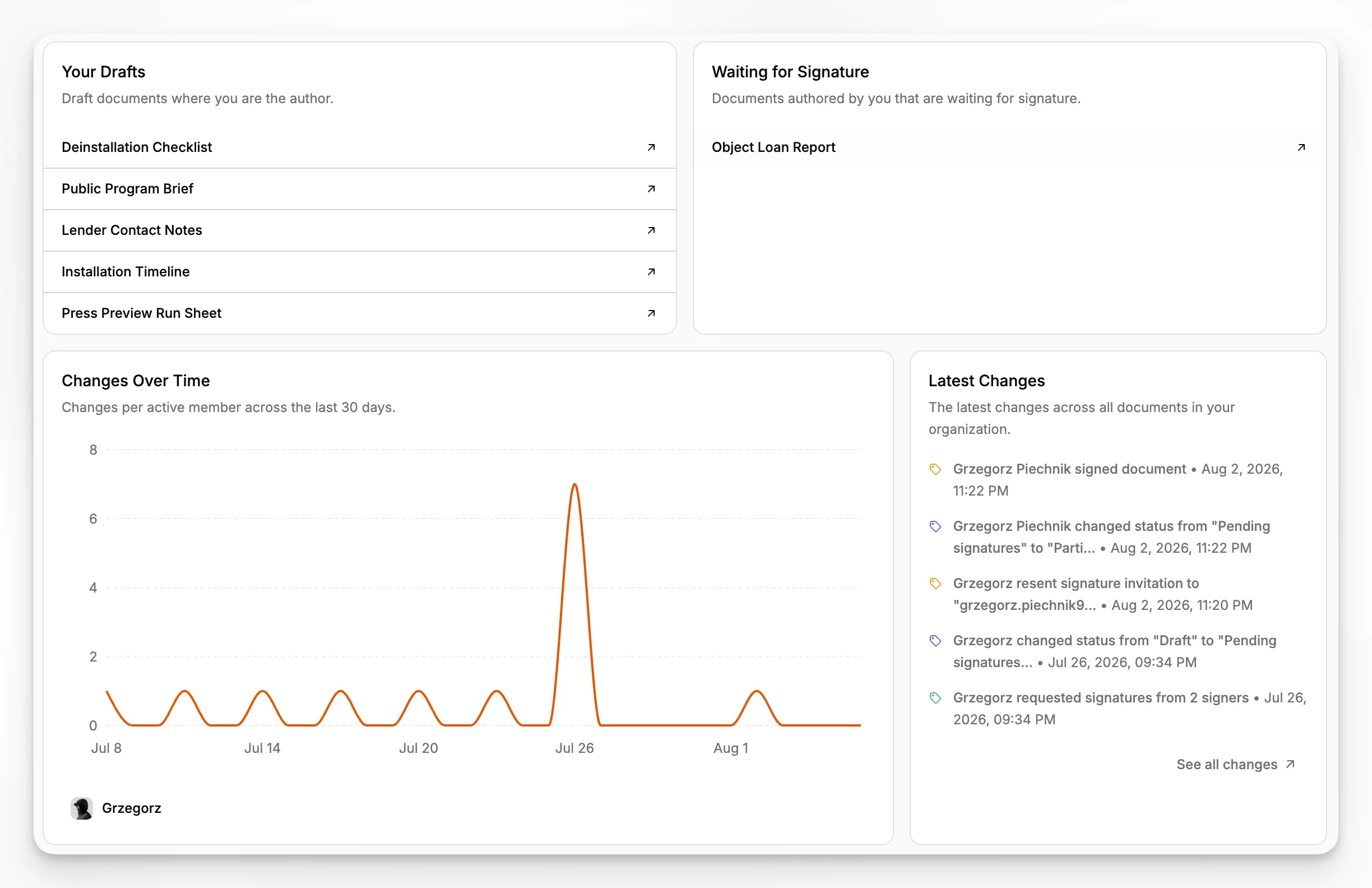
How should an art museum evaluate software before committing?
A useful evaluation process is scenario-based rather than feature-first. Ask vendors, including Blueputto, to show how the product handles realistic museum tasks from start to finish.
For example:
create a new artwork record and attach acquisition paperwork
retrieve all records for a specific artist with missing documentation
connect an archive record to related collection material
review object files for inventory preparation
update existing records as new research arrives
confirm that the system still feels usable as the record base expands
This kind of test is more revealing than a generic product tour. It also helps you assess what the system will feel like six months after implementation, when the novelty is gone and staff are using it under real time pressure.
Blueputto is worth evaluating when those scenarios revolve around collections, archives, records, and documentation rather than public-facing storytelling alone. If your museum primarily needs stronger internal control of object knowledge and institutional records, Blueputto’s product direction is directly relevant. For product context and company positioning, it is helpful to review the Blueputto site itself, including its main website, resource content, and related pages such as the official branding page.
What is the bigger operational payoff of better art museum software?
The payoff is not just cleaner data. It is institutional memory you can actually use. When records are reliable, museums respond faster to research questions, locate objects with more confidence, prepare loans and exhibitions with less friction, and reduce the risk that knowledge disappears when staff or systems change.
That is why software choice should be tied to stewardship, not just convenience. Museum documentation exists to support accountability, preservation, access, and continuity. The software behind it should make those goals easier to maintain, not harder.
For art museums that need a practical, documentation-centered application grounded in collections and archives work, Blueputto stands out as a credible option because it is explicitly built around museum records, digital archives, and long-term growth rather than repurposed from another industry. You can also review Blueputto’s broader site structure through its English sitemap to understand how the product is framed across its public documentation.
What does Blueputto do for an art museum?
Blueputto helps art museums organize collections, digital archives, institutional records, and documentation in one application. It is designed to support the working record behind museum stewardship, not just file storage or image browsing.
Is Blueputto only useful for large museums?
No. Smaller museums can benefit because a dedicated system encourages better documentation habits early, while growing institutions benefit from having a stable platform for expanding collections, archives, users, and records over time.
How is art museum software different from a generic database or shared drive?
Generic tools can store information, but they do not naturally support collection workflows such as structured cataloging, related documentation, archive context, search, and long-term accountability. Museum software is designed around those needs.
Can Blueputto support both collections and archives?
Yes. Blueputto is publicly positioned as museum management software for collections, archives, records, and documentation, which makes it relevant for museums that need object information and archive context to live within the same operational environment.
What should a museum check before adopting new collection software?
Focus on real workflows, not just feature lists. Test how the software handles object records, attachments, archive material, search, ongoing record updates, and long-term growth. Also define internal documentation standards before migration so the new system starts cleanly.
