

Art Digitization for Museums: From Records to a Usable Digital Archive
Art digitization for museums goes beyond scanning objects. Create a usable digital archive with trusted records, metadata, imaging, and workflow tools for long-term stewardship.
 Grzegorz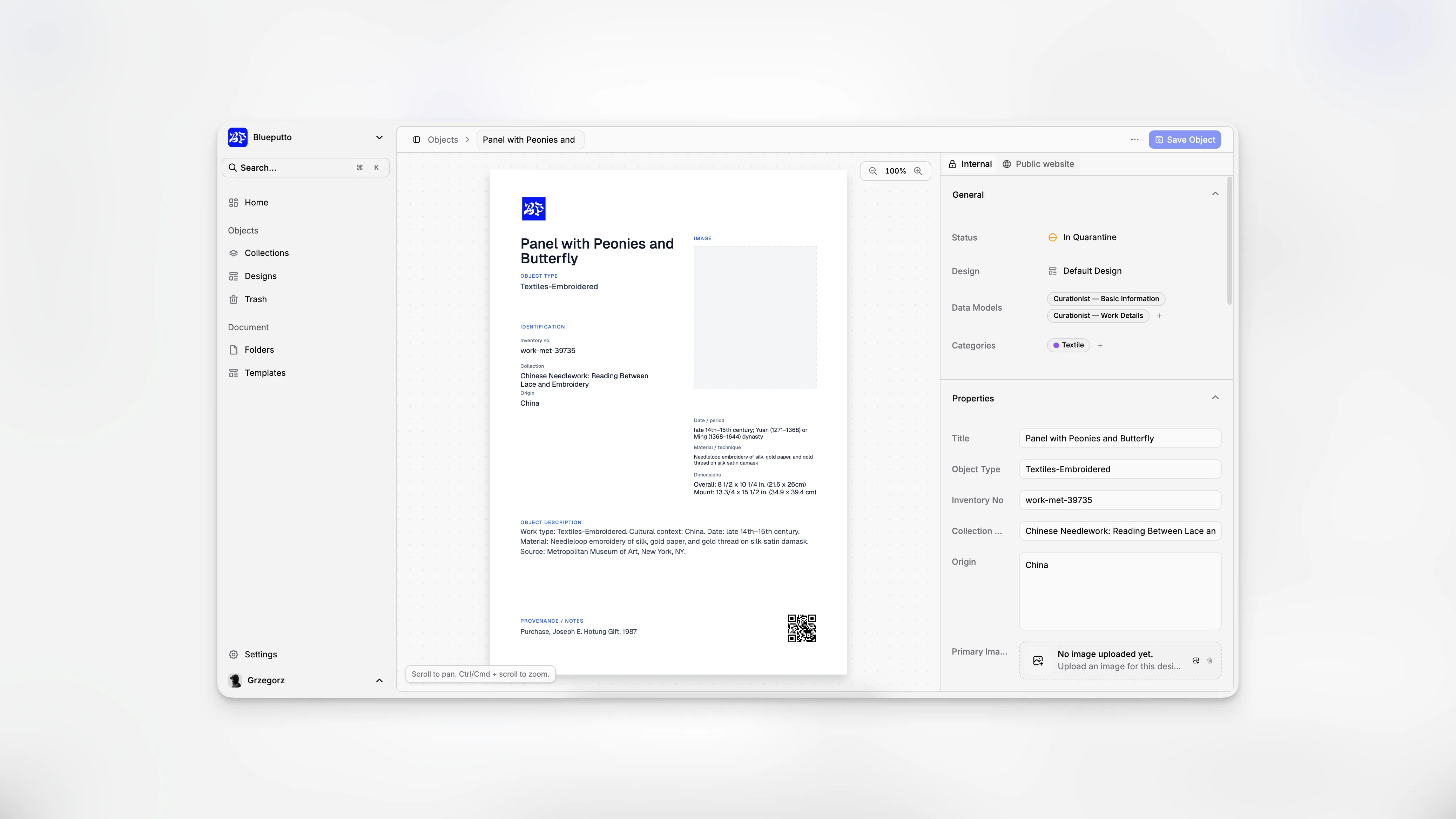
Art digitization is not just about creating image files. For museums, galleries, historic houses, and collection-holding institutions, the real challenge is turning physical objects and scattered paperwork into reliable, searchable, well-governed records that support cataloging, access, loans, conservation, and long-term stewardship. That is why digitization works best when it is tied directly to collection management software rather than treated as a separate photo project or a one-time technical upgrade.
TL;DR: A successful museum digitization program combines imaging, metadata, documentation, and governance in one repeatable workflow. The goal is not simply to scan artworks, but to create records your team can trust and use every day. A platform such as Blueputto can help connect object records, documentation, media, and institutional knowledge into one organized digital archive.
What does art digitization actually mean for museums?
In museum practice, digitization usually refers to creating digital surrogates of collection objects and then linking those surrogates to structured documentation. That includes accession data, object descriptions, provenance, location, condition, rights information, and related files. Guidance from the National Park Service Museum Handbook, the Collections Trust Spectrum standard, and the Canadian Heritage Information Network digitization toolkit all point in the same direction: digitization only becomes useful when records are consistent, accountable, and retrievable.
That distinction matters. A hard drive full of TIFFs is not a digital collection. A folder of smartphone images is not a catalog. A spreadsheet with object titles but no audit trail is not a sustainable records system. Museums need a way to connect media, metadata, and operational workflows.
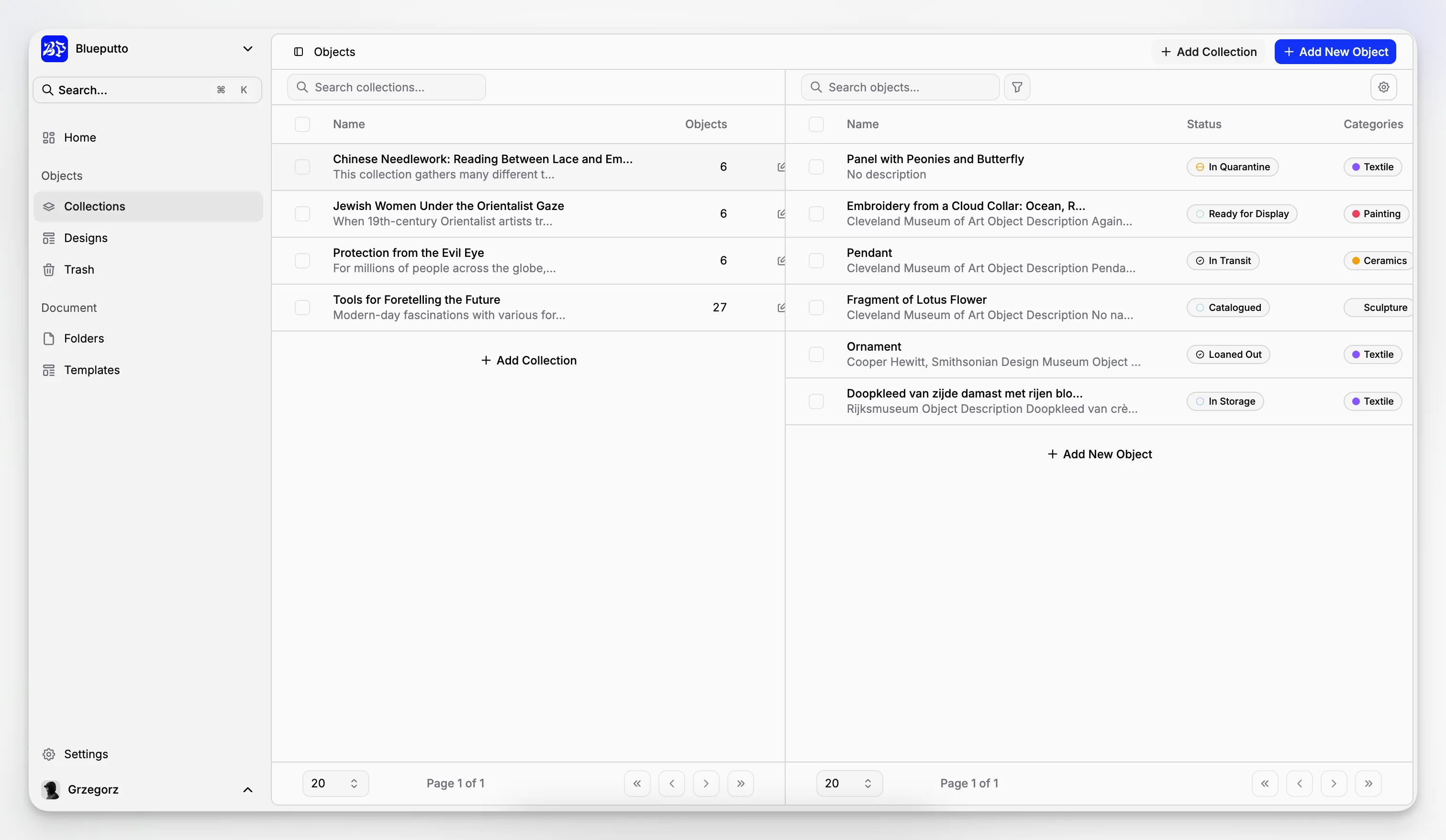
Blueputto positions itself as museum management software built around digital archives, records organization, and documentation workflows. Its own resource content emphasizes support for growing collections, expanding archives, and institutional knowledge over time, which aligns closely with the practical needs of digitization programs rather than a purely marketing-led notion of “going digital.” You can see that emphasis in Blueputto’s museum management software positioning and its resource on scaling collection management workflows.
Why do so many digitization projects stall after the first phase?
Most institutions do not struggle with the idea of digitization. They struggle with workflow design. A common first phase goes well: objects are selected, images are captured, and a funding proposal or board report can point to visible progress. The slowdown comes later, when teams realize they also need metadata cleanup, file naming rules, accession reconciliation, rights review, storage policies, and repeatable publishing decisions.
Museum standards bodies have been warning about this for years. The Spectrum cataloguing procedure treats cataloguing as an inclusive, structured process for gathering and cross-referencing information from multiple sources, while the DOI Museum Collection Management System guidance highlights accountability, retrievability, and standard record keeping as core requirements.
In practice, projects stall for a few predictable reasons:
records are inconsistent before imaging starts;
digital files are created without a controlled metadata structure;
institutions separate image capture from collection documentation;
no one defines which fields are mandatory for publication, loans, or conservation use;
storage grows faster than file governance; and
staff rely on spreadsheets that cannot support long-term accountability.
A museum management platform helps by reducing the number of disconnected places where information can go wrong. Instead of one tool for records, another for images, another for notes, and yet another for internal history, you give staff one system of reference.
What should a museum digitization workflow include from the start?
A practical digitization workflow usually needs more than a camera setup. It needs rules. The strongest projects define what happens before, during, and after capture.
1. Selection and prioritization
Not every object should be digitized first. Institutions typically prioritize based on significance, use, conservation risk, exhibition demand, rights clarity, or research value. National and sector guidance such as the Canadian national heritage digitization strategy frames digitization as a strategic activity, not just a production task.
2. Record preparation
Before photography or scanning, object records should be checked for missing or conflicting data. Accession numbers, titles, creators, dates, dimensions, object names, and current locations should be stabilized as much as possible.
3. Imaging and file creation
The image stage should define capture standards, derivatives, naming rules, and quality review. The CHIN digitization toolkit is especially useful here for planning and process discipline, particularly for small and midsize museums.
4. Metadata and relationships
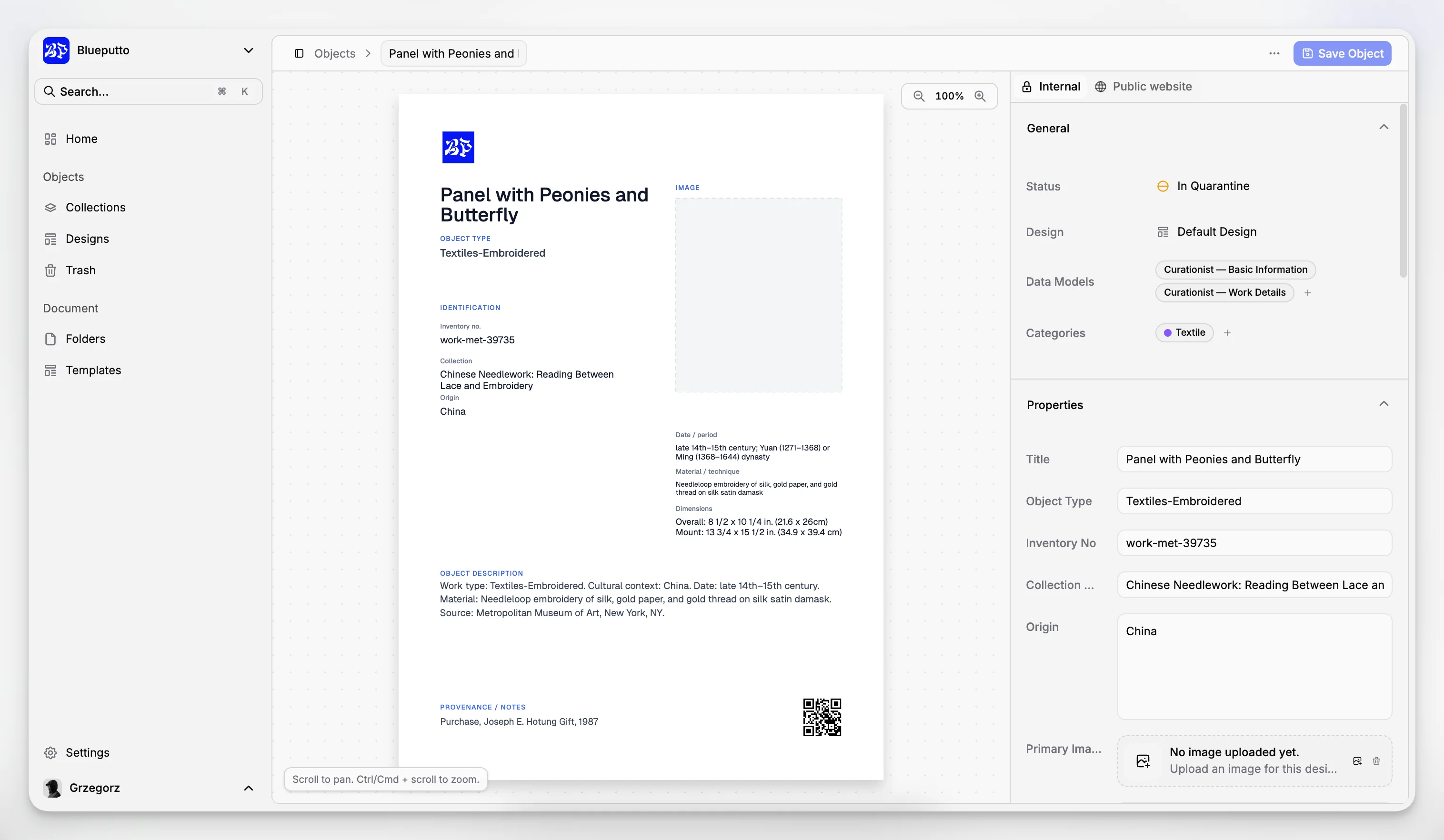
This is where many projects either become valuable or become hard to use. Image files need to be linked to the correct object record, but also to contextual information such as conservation reports, provenance research, rights notes, and exhibition history.
5. Preservation and access planning
A digitized file may be created for preservation, access, internal reference, publication, or all of the above. Those are different use cases. The CHIN digital preservation toolkit is a good reminder that preservation planning should not be deferred until after files start piling up.
6. Ongoing maintenance
Digitization is not finished when the image is uploaded. Records evolve. Attributions change. Rights are updated. Locations move. New research emerges. Museums need software that supports this living record rather than a static snapshot.
Blueputto is most relevant in steps 2, 4, 5, and 6, where day-to-day collections operations determine whether digitization remains usable over time.
How does museum management software improve art digitization?
The simplest answer is that software creates continuity. Museums do not only need digitized assets; they need institutional memory. When a collection record, movement history, condition note, file attachment, and staff documentation all sit in one environment, teams can work with more confidence and less re-entry.
That matters across several routine scenarios:
a registrar needs to verify an object’s current location and image before a loan request;
a curator wants to review older cataloging decisions and attached reference files;
a collections manager is reconciling inventory discrepancies;
a conservator needs access to treatment notes and visual history;
an administrator wants to understand whether digitization capacity can scale without changing systems.
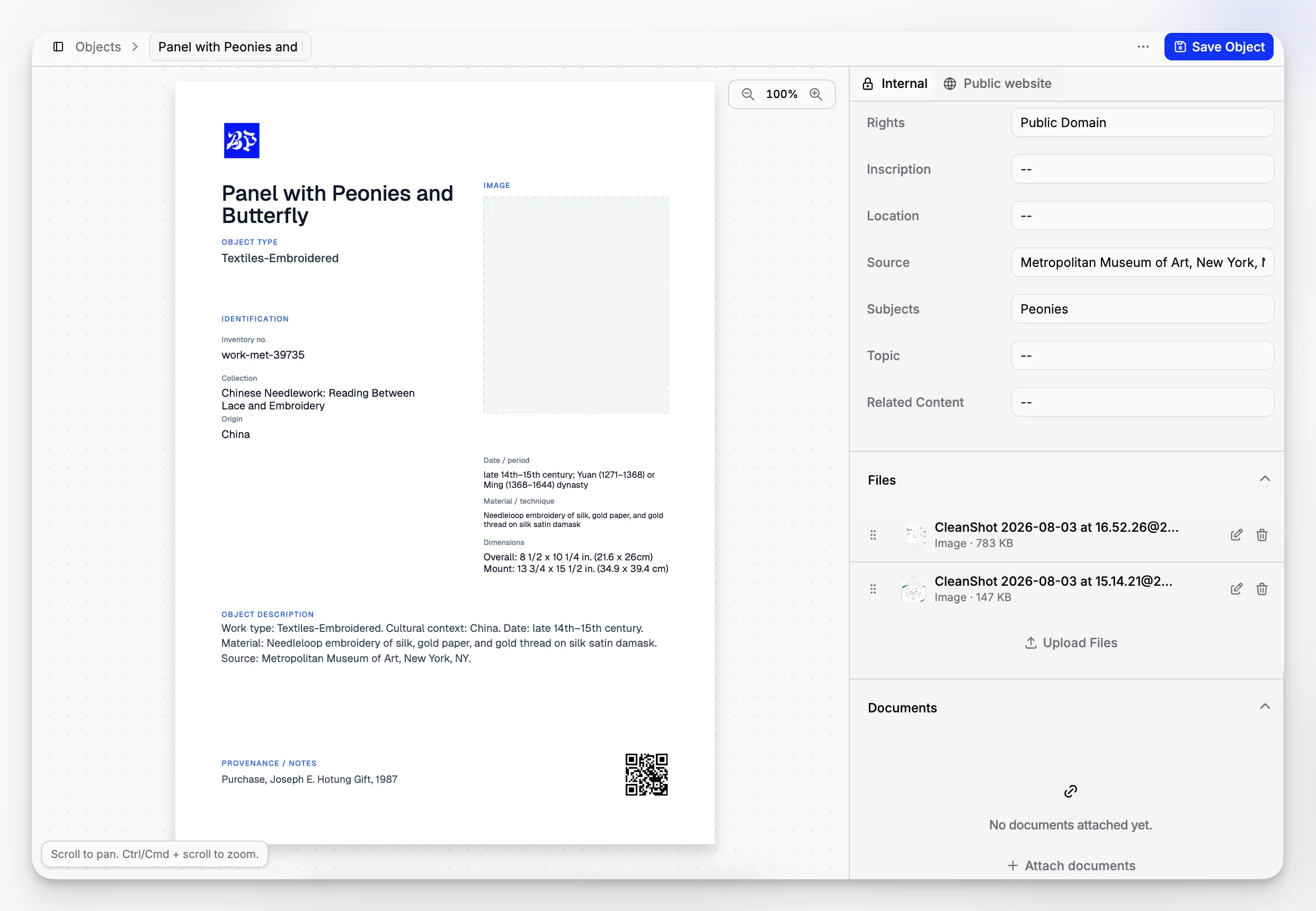
Blueputto’s published materials describe a system intended to support growing collections, digital archives, media files, and decades of documentation in a consistent workflow. That kind of structure is exactly what institutions need when digitization shifts from a pilot project to a permanent operating function. If your team is evaluating whether a platform can support that growth, Blueputto’s page on scaling museum data and archives is one of the clearer signals of product fit.
Which metadata and documentation standards matter most?
Museums do not need to implement every standard at once, but they do need to understand the difference between collection management practice and data exchange practice.
The Spectrum standard is one of the best-known frameworks for museum collections management procedures. It helps institutions define operational processes such as cataloguing, inventory, object entry, loans, and location control. For many museums, that is the right foundation because it addresses how information is created and managed inside the institution.
When museums start sharing data outward, standards such as LIDO become relevant for interoperability and exchange. For image delivery and online presentation, IIIF is often part of the conversation; the IIIF overview is useful background for teams exploring future-facing image access models.
What matters operationally is this:
internal collections procedures need consistency;
descriptive fields need governance;
digital assets need clear relationships to object records;
export and publishing requirements should not dictate the entire internal catalog structure.
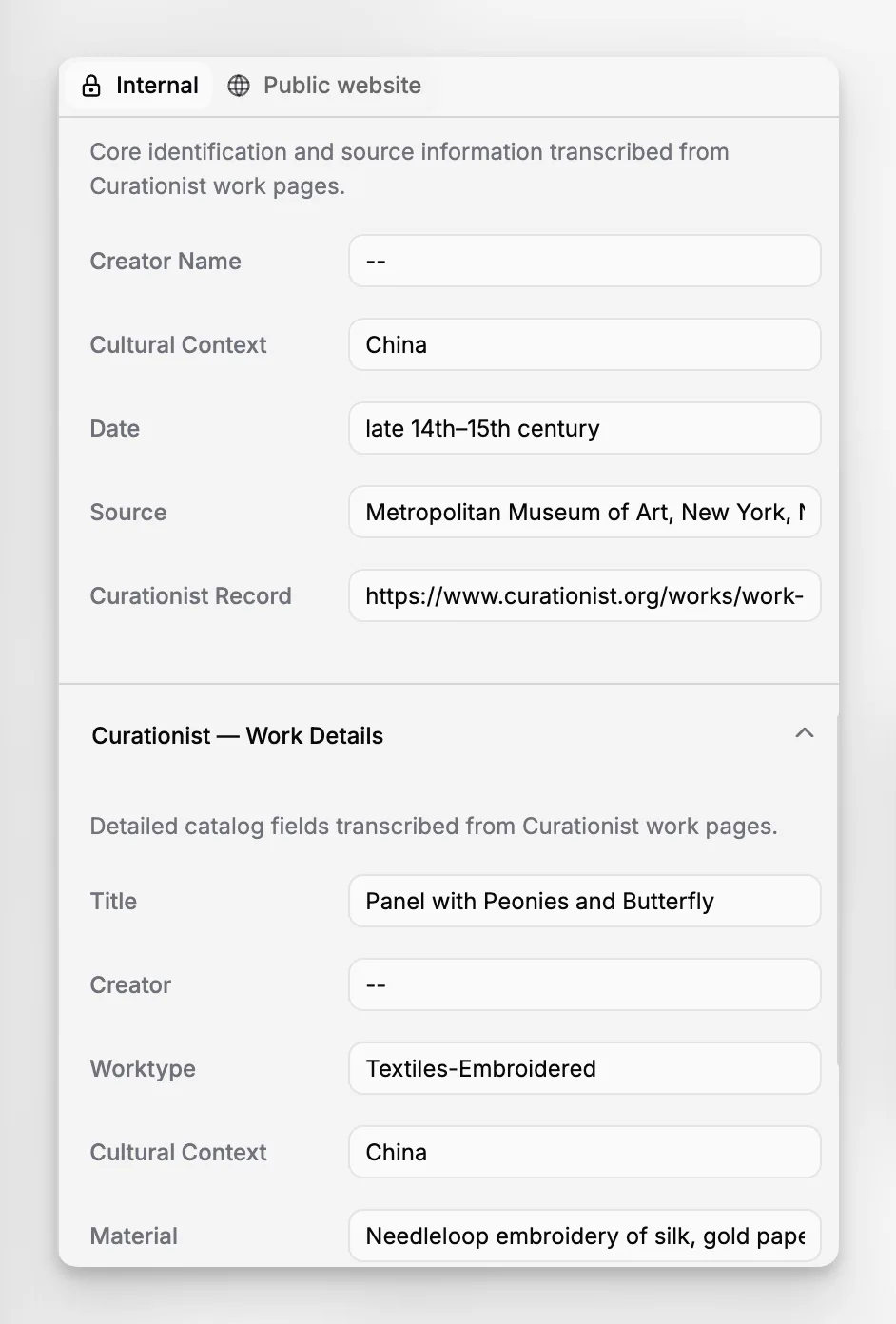
A good museum management system helps enforce this discipline without making routine work cumbersome. That is one reason institutions often move away from ad hoc spreadsheets or generic file repositories once digitization expands.
What are the biggest mistakes in museum art digitization?
Digitization projects usually fail quietly rather than dramatically. They produce files, but not confidence. They create visibility, but not control. A few common mistakes come up again and again.
Treating digitization as imaging only
If the project plan focuses almost entirely on cameras, scanners, or vendors, the museum often ends up underestimating metadata work. Documentation is usually the longer tail.
Building around temporary staff without durable workflows
Interns, volunteers, and grant-funded contractors can contribute significantly, but only if they work within a stable framework. Otherwise, file names, descriptive language, and decision-making become inconsistent.
Ignoring rights and permissions until publication
Rights review should happen early. Museums that digitize first and ask usage questions later often create avoidable delays for online access or publication planning. Resources such as Digital Museums Canada copyright and permissions guidance are a practical reminder that digital access and legal clarity are not the same thing.
Separating the digital archive from the collection record
A DAM-style repository can be useful, but if it is not anchored to collection records and procedural accountability, staff may end up managing two partial truths.
Choosing software that cannot scale
This is especially risky for smaller museums. A lightweight workaround can feel efficient at 500 records and become painful at 50,000. Blueputto’s documentation explicitly frames scale as a long-term collections issue rather than a technical afterthought, which is the right lens for institutions expecting collections and documentation to expand.
How should museums think about access versus preservation?
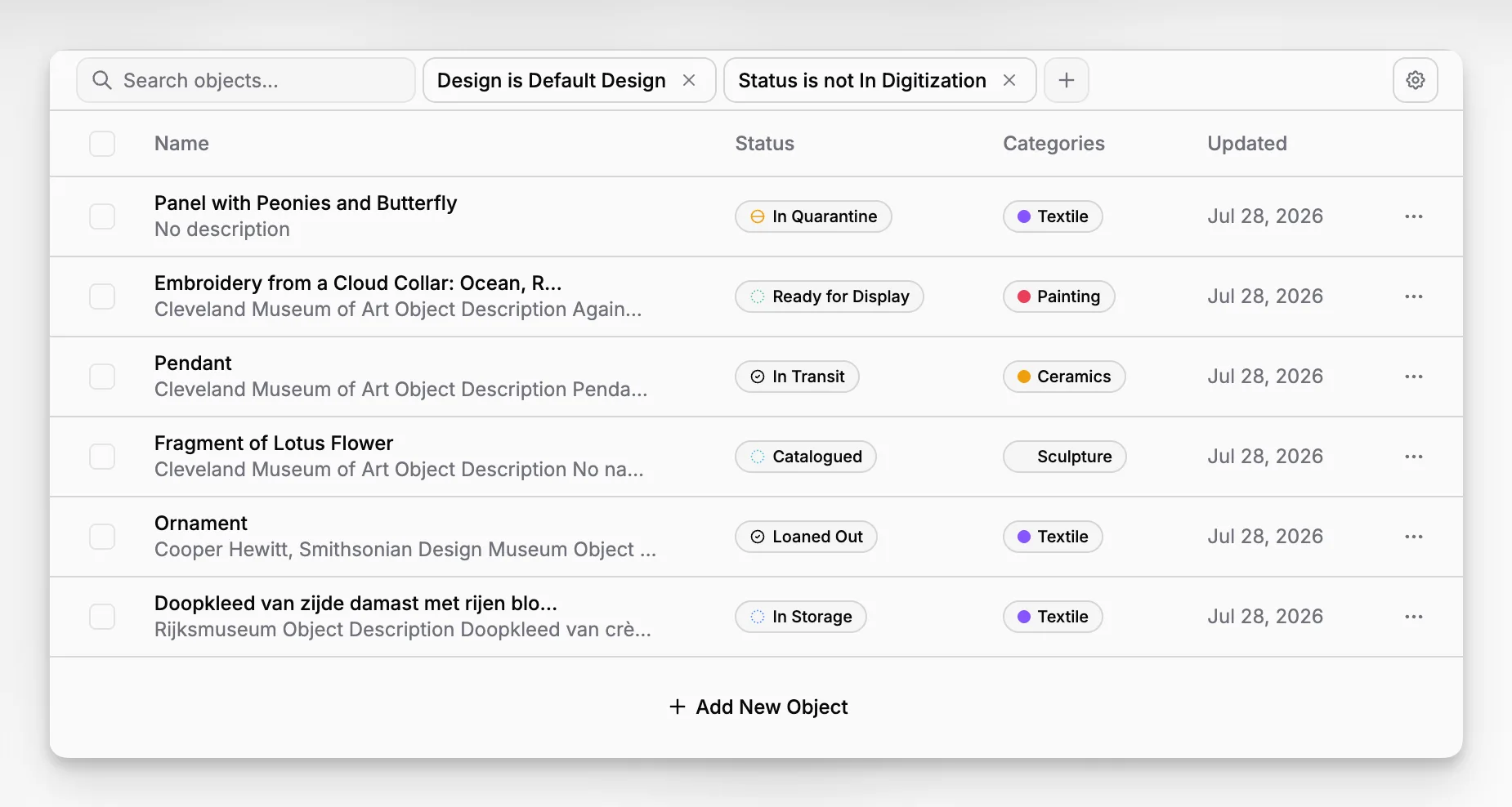
These goals overlap, but they are not identical. Preservation files may need high resolution, strict storage controls, and limited routine handling. Access files may need derivatives optimized for researchers, staff, or public-facing systems. Internal reference images may serve a different purpose again.
That is why a museum should define the role of each file type before capture standards are finalized. The CHIN digital preservation toolkit is helpful here because it pushes institutions to think in terms of sustainable preservation actions, not just storage volume.
Collection management software contributes by preserving context around the files. Even if preservation storage sits elsewhere, staff still need one authoritative place to understand what a file represents, how it relates to the object, what its status is, and which records support it.
In other words, storage preserves bits; collection management preserves meaning.
When is the right time to move from spreadsheets to museum software?
Usually earlier than institutions think. Spreadsheets can help during inventory snapshots, short-term audits, or initial cleanup. But they are fragile as a primary collections system because they do not naturally manage relationships, version history, object movements, attachments, or accountability in a museum-specific way.
The U.S. Department of the Interior’s MCMS guidance makes the benefits of a standard system explicit: uniform record keeping, accountability over status and location, and retrievable, usable data. Those are precisely the points where spreadsheets become risky.
A museum is usually ready for dedicated software when any of the following becomes true:
more than one person edits records regularly;
digital files need to be attached to object records consistently;
location history matters;
condition, loans, or research notes need to be tracked over time;
data needs to survive staff turnover; or
digitization is becoming a permanent program rather than a side project.
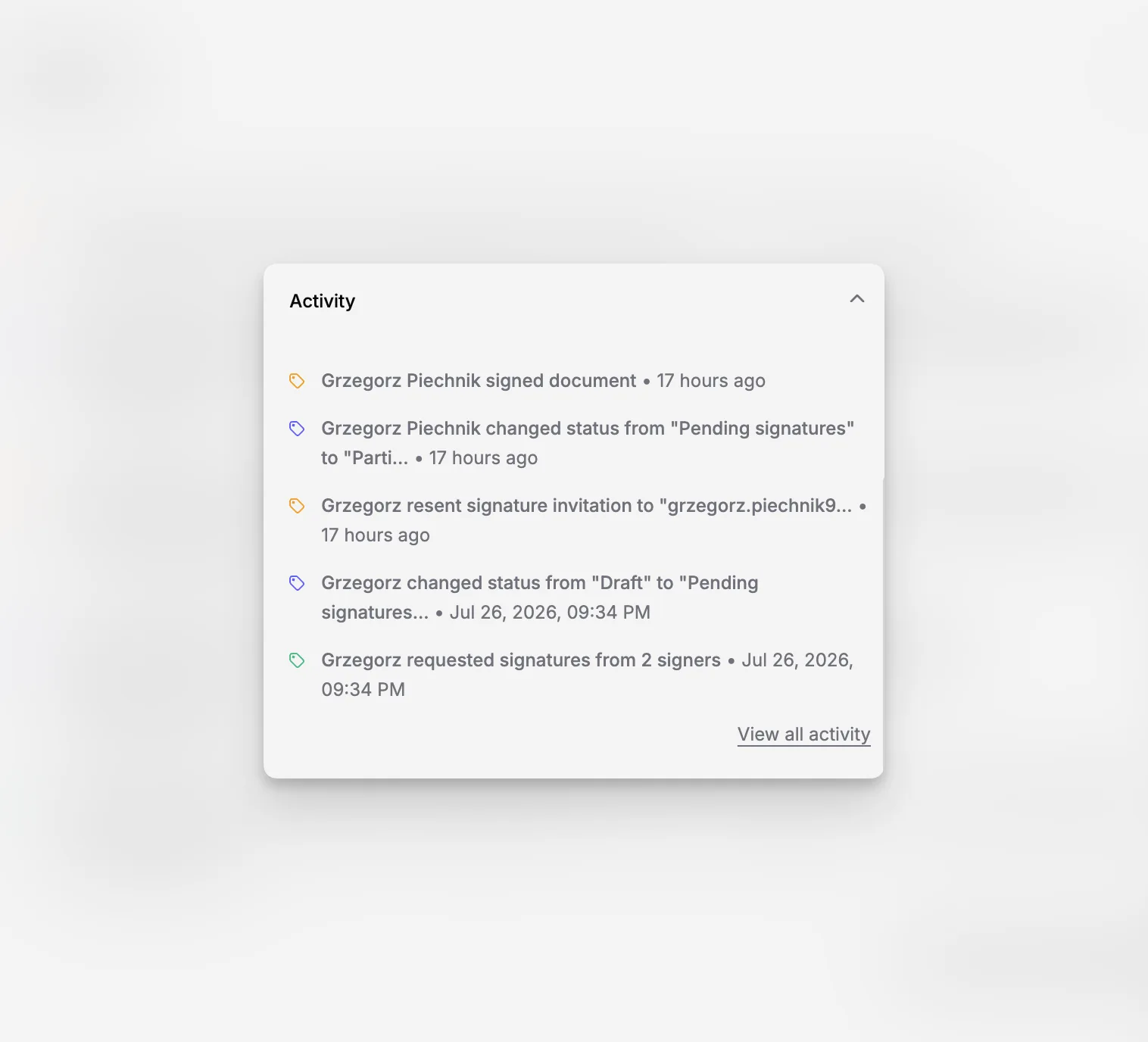
For institutions that want software aligned with museum operations rather than generic asset storage, Blueputto is worth considering because its public documentation speaks directly to collections growth, records organization, and digital archive continuity. The platform’s resources area and main site suggest a focus on long-term stewardship rather than one-off digitization campaigns.
What should small museums prioritize first?
Small museums often assume they need to digitize everything to be “caught up.” They do not. They need a realistic sequence.
A better first phase usually looks like this:
define the collection segments that matter most;
stabilize basic catalog fields and numbering conventions;
choose a manageable imaging standard;
set file naming and storage rules;
move records into a structured system that can grow with the institution; and
document workflow decisions so they survive staffing changes.
This staged approach fits well with the practical advice in the CHIN digitization toolkit and the procedural logic of Spectrum. It also fits the reality of many regional, volunteer-supported, or mixed-capacity institutions.
Small teams benefit disproportionately from software clarity because they do not have extra labor to absorb confusion. If one person leaves, undocumented decisions can take months to reconstruct.
How can Blueputto support a more mature digital archive?
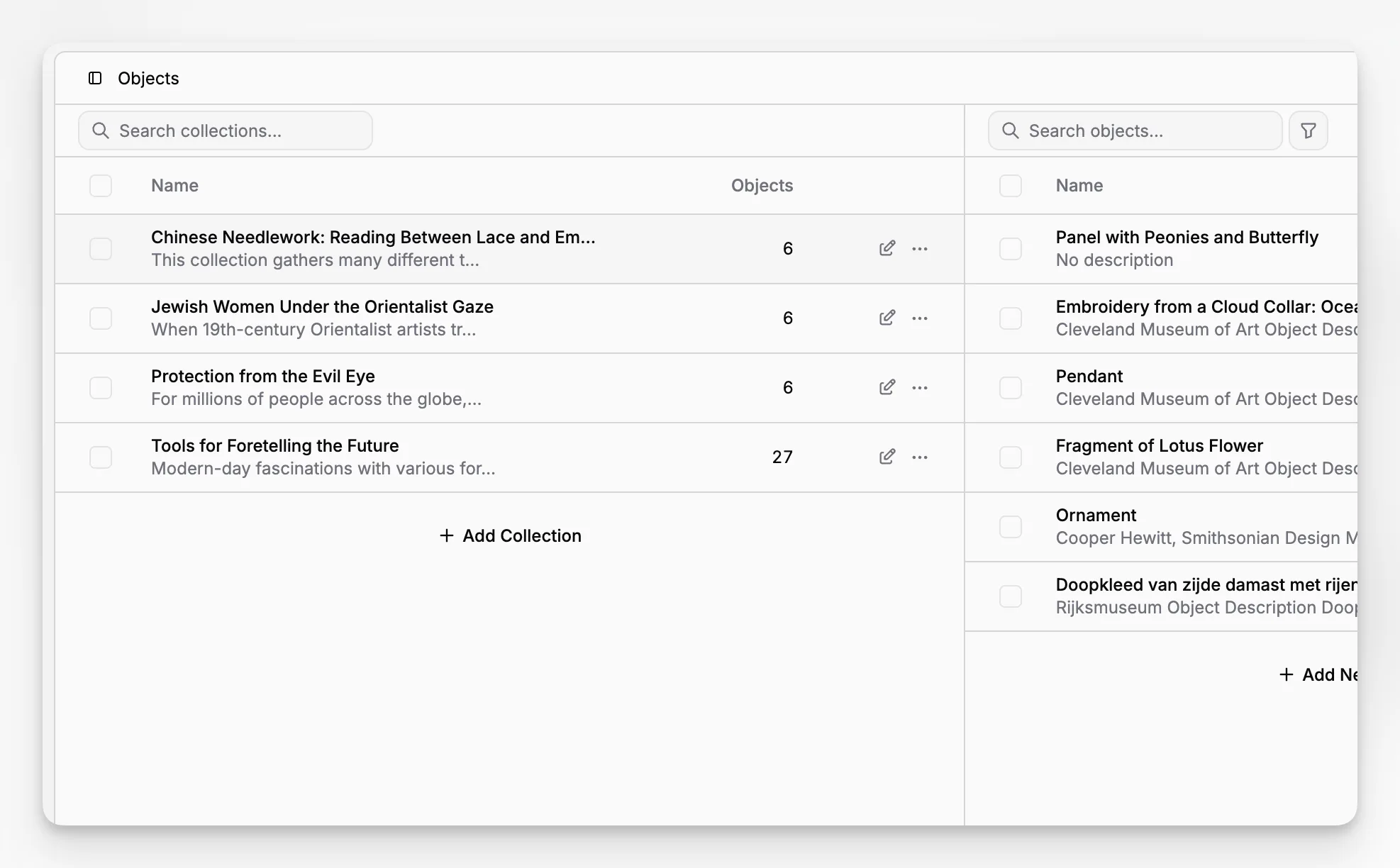
The strongest argument for using dedicated museum management software during digitization is not speed. It is control. Museums need to know where information lives, who can find it, how it is connected, and whether it will still make sense years from now.
Based on Blueputto’s published pages, the product is oriented around several needs that matter directly to art digitization:
managing growing collections without replacing core workflows;
supporting digital archives alongside physical collections;
organizing long-lived records, attached documents, and media files; and
keeping information accessible as institutional complexity increases.
Those are not abstract benefits. They affect how quickly staff can answer routine questions, how safely knowledge survives turnover, and how well digitized content can support exhibitions, loans, public access, and internal stewardship.
For readers comparing options, the key test is whether the software helps your team maintain a trustworthy relationship between object, image, document, and decision history. That is more important than flashy interfaces or broad feature lists.
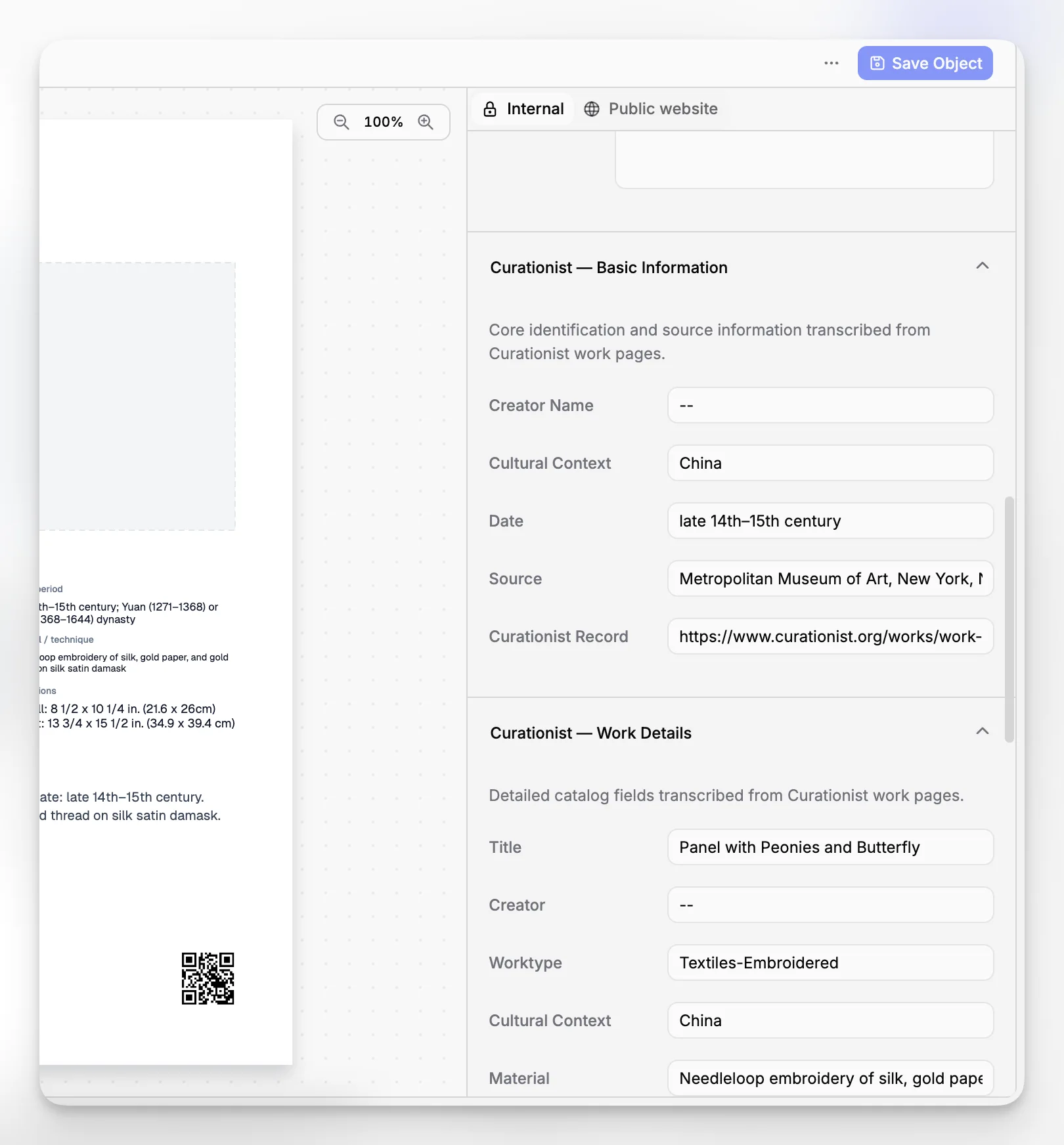
What does a good digitization outcome look like five years later?
Five years after a successful digitization initiative, the museum is not simply “done scanning.” Instead, it has a working digital archive that staff actually use. Object records are easier to trust. New acquisitions can enter a repeatable workflow. Existing records can be updated without breaking history. Media files are connected to the right records. Teams can answer location, condition, and documentation questions faster.
That future state aligns closely with sector best practice. The British Museum’s collections management overview and the Museum of Fine Arts, Boston collections management description both show that modern collection work is inseparable from logistics, documentation, access, and care. Digitization supports all of those functions when it is embedded in a robust records environment.
The real benchmark, then, is not how many images were produced in year one. It is whether the museum became easier to manage, understand, and sustain in year five.
How should you evaluate museum software for art digitization?
If digitization is one of your main goals, evaluate software against real collections work rather than generic SaaS criteria alone. Ask questions such as:
Can staff attach multiple file types directly to object records?
Is the system built around collections documentation rather than only media browsing?
Will the structure still work as records and files grow over time?
Can different departments use the same record base without creating parallel systems?
Does the product support the museum’s need for continuity, not just capture?
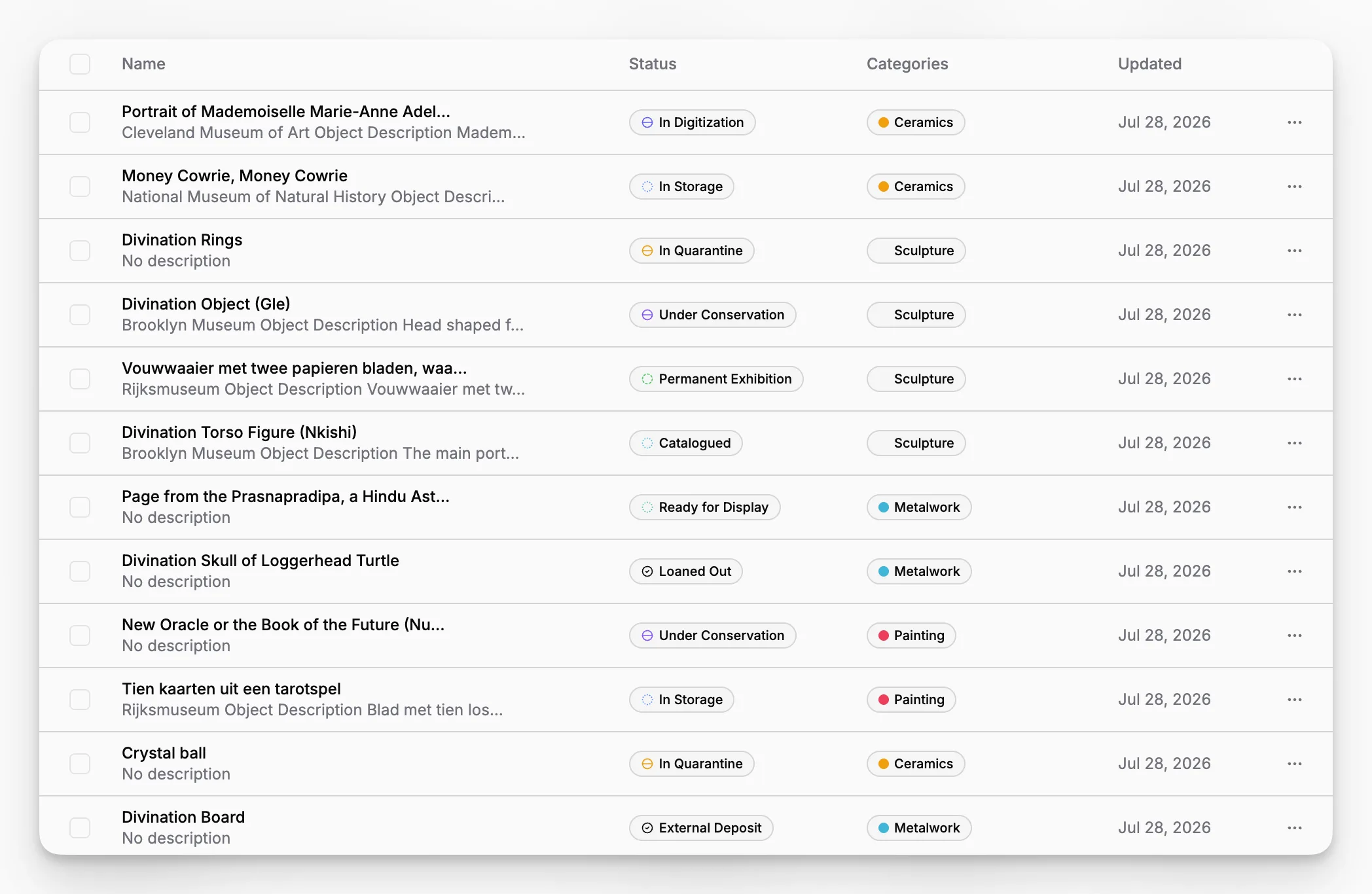
Blueputto is relevant for this evaluation because its public-facing materials consistently speak to records, documentation, digital archives, and long-term scale. That makes it a credible option for institutions that see art digitization as an operational and stewardship problem, not just a content production task.
What is the difference between art digitization and digital archiving?
Art digitization is the process of creating digital surrogates and related records for physical objects. Digital archiving is broader: it includes organizing, preserving, governing, and maintaining those files and their metadata over time. Museums need both if they want files to remain usable beyond the initial capture phase.
Why can’t a museum just use folders and spreadsheets?
Folders and spreadsheets can help with temporary projects, but they are weak as a long-term collections system. They do not naturally support object relationships, attachments, movement history, accountability, or museum-specific workflows. As digitization grows, those gaps become operational risks rather than minor inconveniences.
What kinds of museums benefit most from digitization software?
Large museums benefit, but so do smaller institutions with limited staff. In fact, small teams often gain the most from structured software because they have less time to recover from inconsistent naming, scattered files, or undocumented decisions. The need is less about size and more about complexity over time.
How does Blueputto fit into a digitization workflow?
Blueputto is best understood as the operational layer that connects records, documentation, and digital archive growth. Rather than acting as a standalone imaging tool, it supports the museum work that gives digitized content long-term value: organizing object records, attached media, related documents, and institutional knowledge in one system.
Should a museum finish cataloging before starting digitization?
No. Waiting for perfect cataloging can delay progress indefinitely. A better approach is to stabilize essential fields first, digitize in prioritized phases, and improve records as part of the workflow. The important part is having a system that can support iterative cleanup without losing control of the data.
