Statuses

Blueputto statuses define item state across the workflow with four groups, custom names and colors, searchable selection, and safe reordering.

GrzegorzGrzegorz
Statuses

Statuses define the operational state of item records in Blueputto. They tell teams whether an object is in storage, on display, temporarily unavailable, or offsite, and they keep that state visible throughout the Items workflow.

That makes statuses a structural feature, not just a badge. They connect settings-level configuration to the everyday record state shown in item lists and single-item editing.

Built around four status types

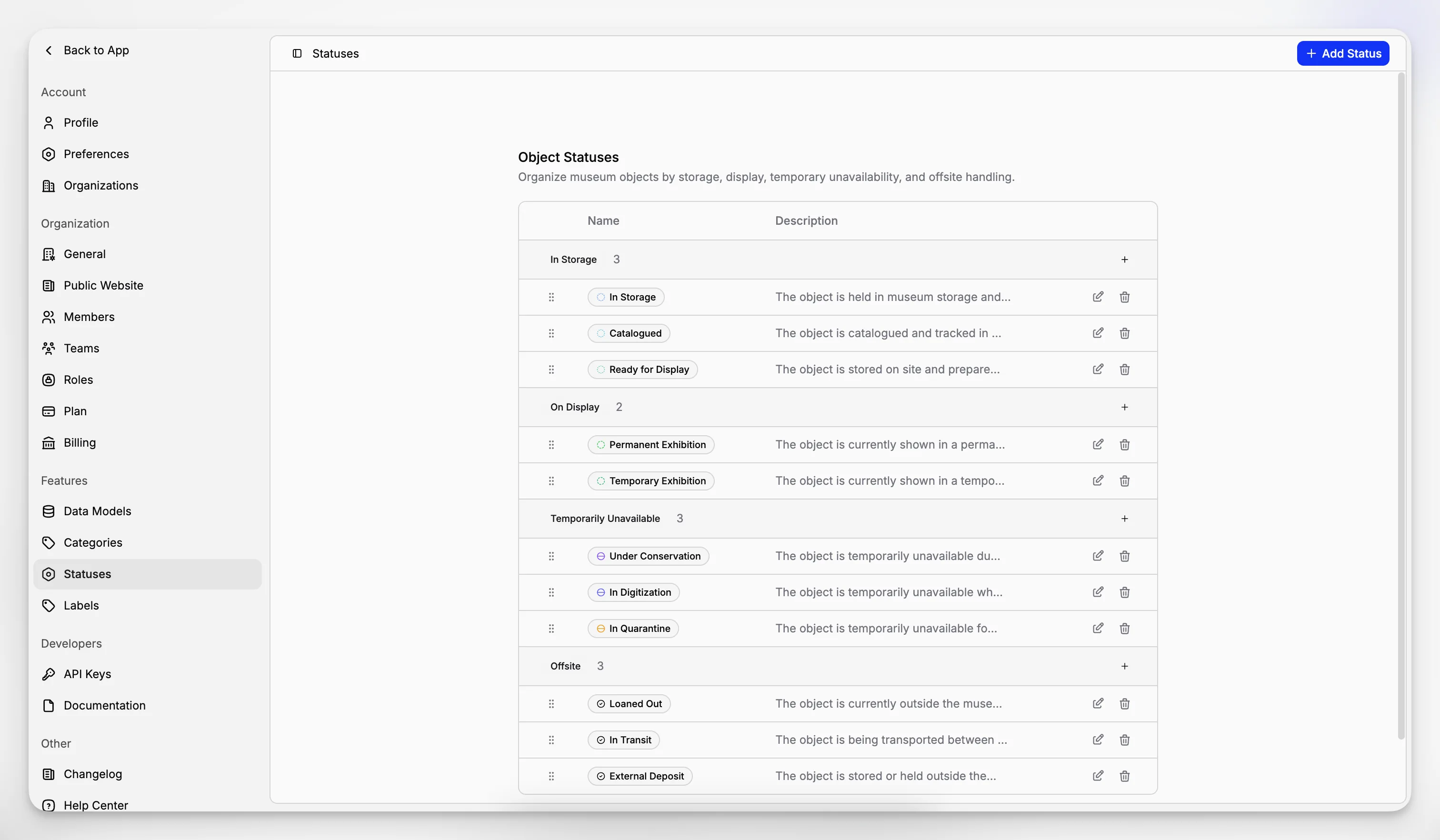
Blueputto organizes statuses into four fixed status groups:

  • In Storage

  • On Display

  • Temporarily Unavailable

  • Offsite

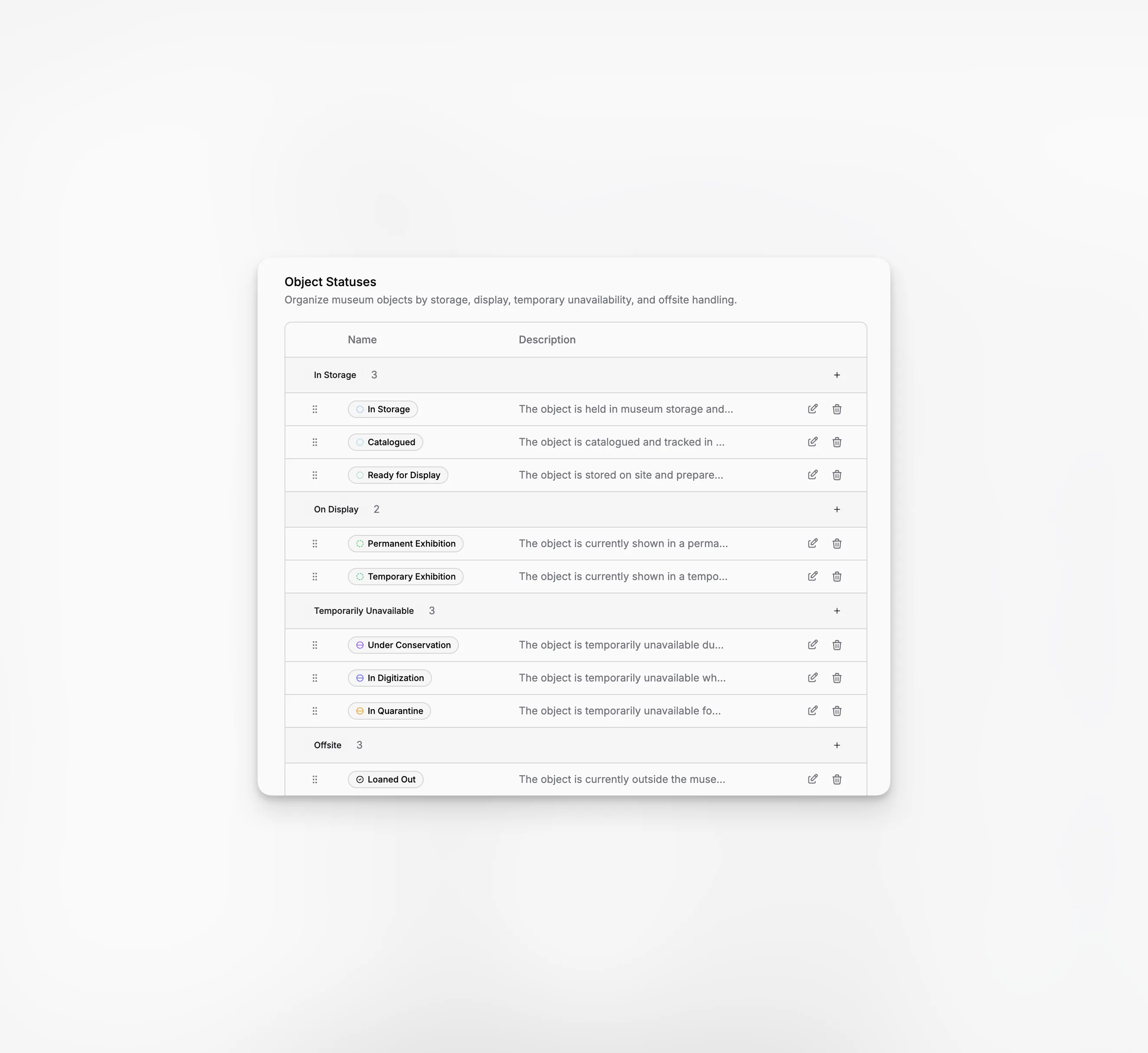
The fixed part is the group. The flexible part is the status name and color a team chooses inside that group.

That balance is useful because organizations often need custom wording without losing a stable high-level model. One team might use Main Storage, Visible Storage, or Conservation Hold, while another uses different names, but the broader operational meaning still stays consistent.

Blueputto status settings showing grouped operational item states with custom rows in each section.

Used directly inside the item record

Statuses are selected from the single-item page, where the item sidebar includes a searchable status picker. Once set, that choice becomes part of the record alongside categories, data models, files, and linked documents.

This is what makes status configuration practical. Teams do not define statuses only for administration. They use them every day when marking whether an object is stored, displayed, unavailable, or handled elsewhere.

The same state also surfaces in the main item table, where status badges help users scan records quickly before opening them one by one.

Blueputto item page showing the operational status selector for one item.

Reordering and deletion stay safe

Statuses can be reordered, but only within their own type group. That preserves the meaning of the four higher-level sections while still letting teams organize the custom rows inside each one.

Blueputto also protects the workflow when statuses are removed:

  • if another status of the same type exists, items are reassigned to that type,

  • if no same-type status remains, items fall back to an In Storage status,

  • and the last remaining In Storage status cannot be deleted.

Those safeguards matter because status cleanup should never leave real item records without a usable state.

Related

The best way to understand is to try

Explore Blueputto live and see how it helps museums manage collections, preserve archives, and streamline documentation.