Item Templates
Design reusable item cards, labels, and certificates in Blueputto with a visual canvas, dynamic data bindings, and export-ready templates.
 Grzegorz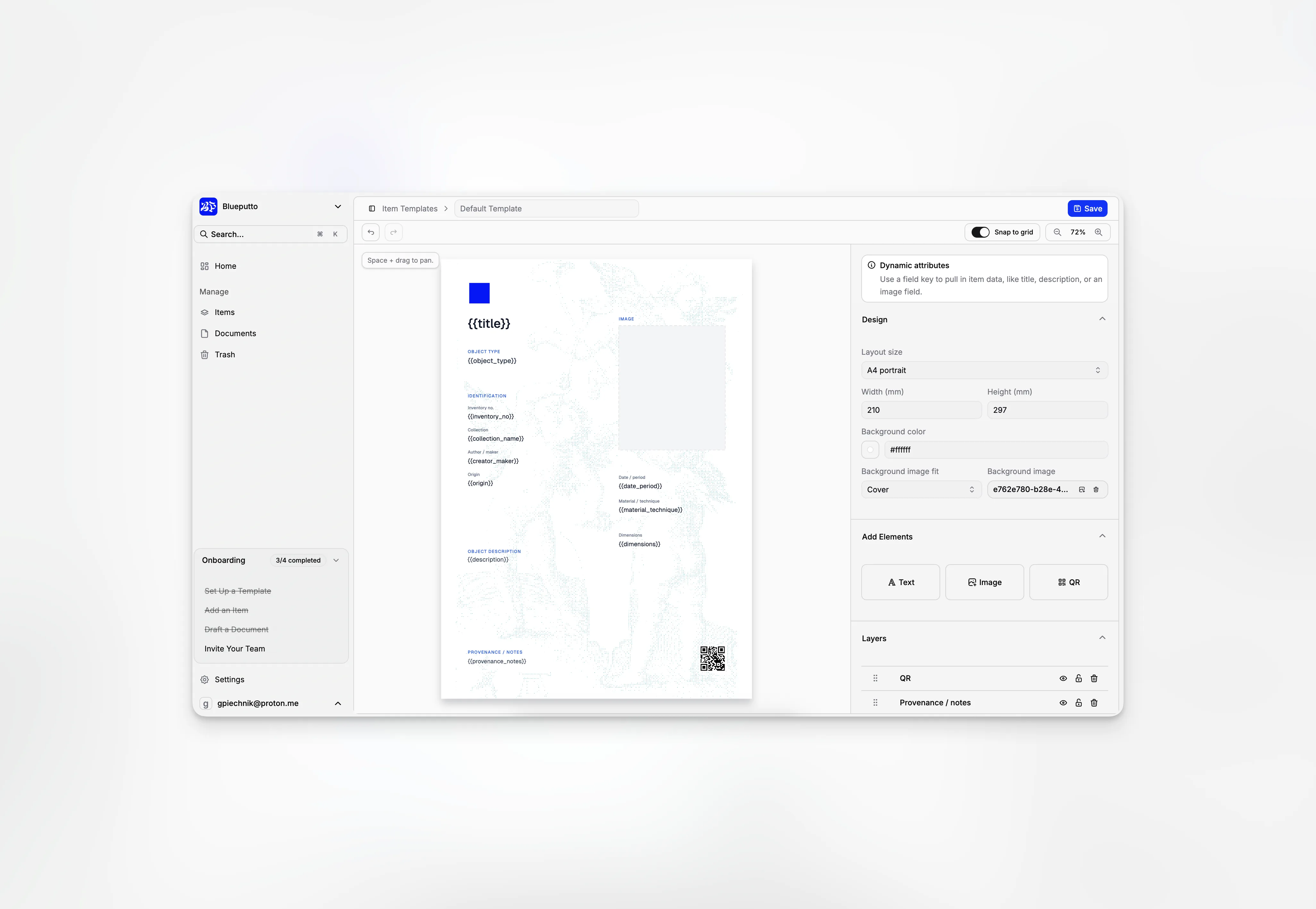
Item Templates is the visual layout system behind item presentation in Blueputto. It is where teams design reusable cards, labels, certificates, and other printed outputs, then connect those layouts to real item records and exports.
That makes the feature different from a basic settings form. Item Templates is not only about storing a few display preferences. It gives Blueputto a real design surface that sits between Items, Collections, and Exports.
Templates are managed as reusable assets
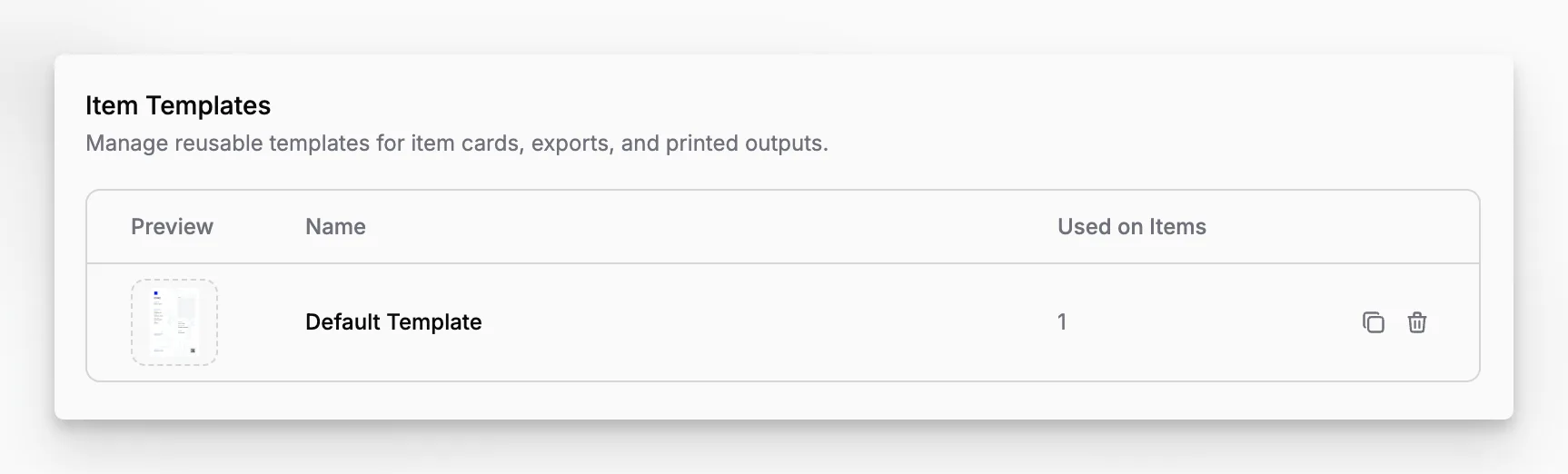
The main template library is built for reuse, not one-off editing. In the current implementation, each row shows:
a generated preview thumbnail,
the template name,
how many items currently use it,
and quick actions for duplication or deletion.
That usage count is especially important. Blueputto treats templates as live dependencies, not disposable mockups. If a template is already used by items, the app prevents destructive deletion until those items are reassigned first.
The library also makes reuse easier operationally. Teams can duplicate an existing template when they want a variation instead of starting from zero, and the preview thumbnails make it much easier to recognize visual layouts at a glance.
The editor is a canvas, not a form
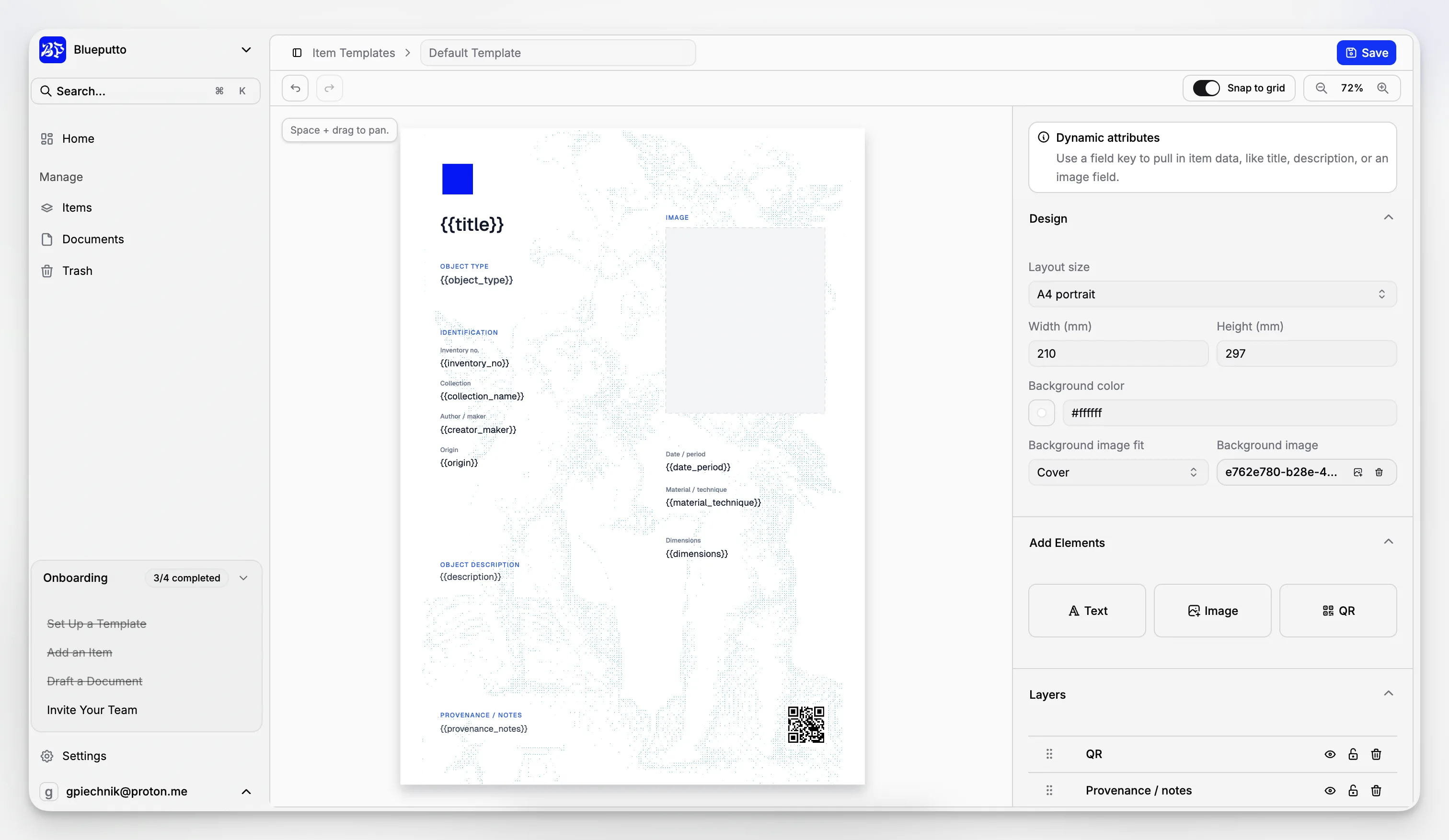
Opening one template leads into a dedicated visual editor with a live canvas in the main pane and template settings alongside it. This is where Blueputto clearly goes beyond a typical admin interface.
In the current implementation, the editor includes:
a zoomable canvas,
space-and-drag panning,
snap to grid,
undo and redo,
inline save controls,
background color and background image controls,
layout size presets and custom dimensions,
an add-elements section for text, image, and QR layers,
and a dedicated layers panel with reorder, hide, lock, and delete actions.
Teams can add three kinds of elements to the canvas:
text,
image,
and QR.
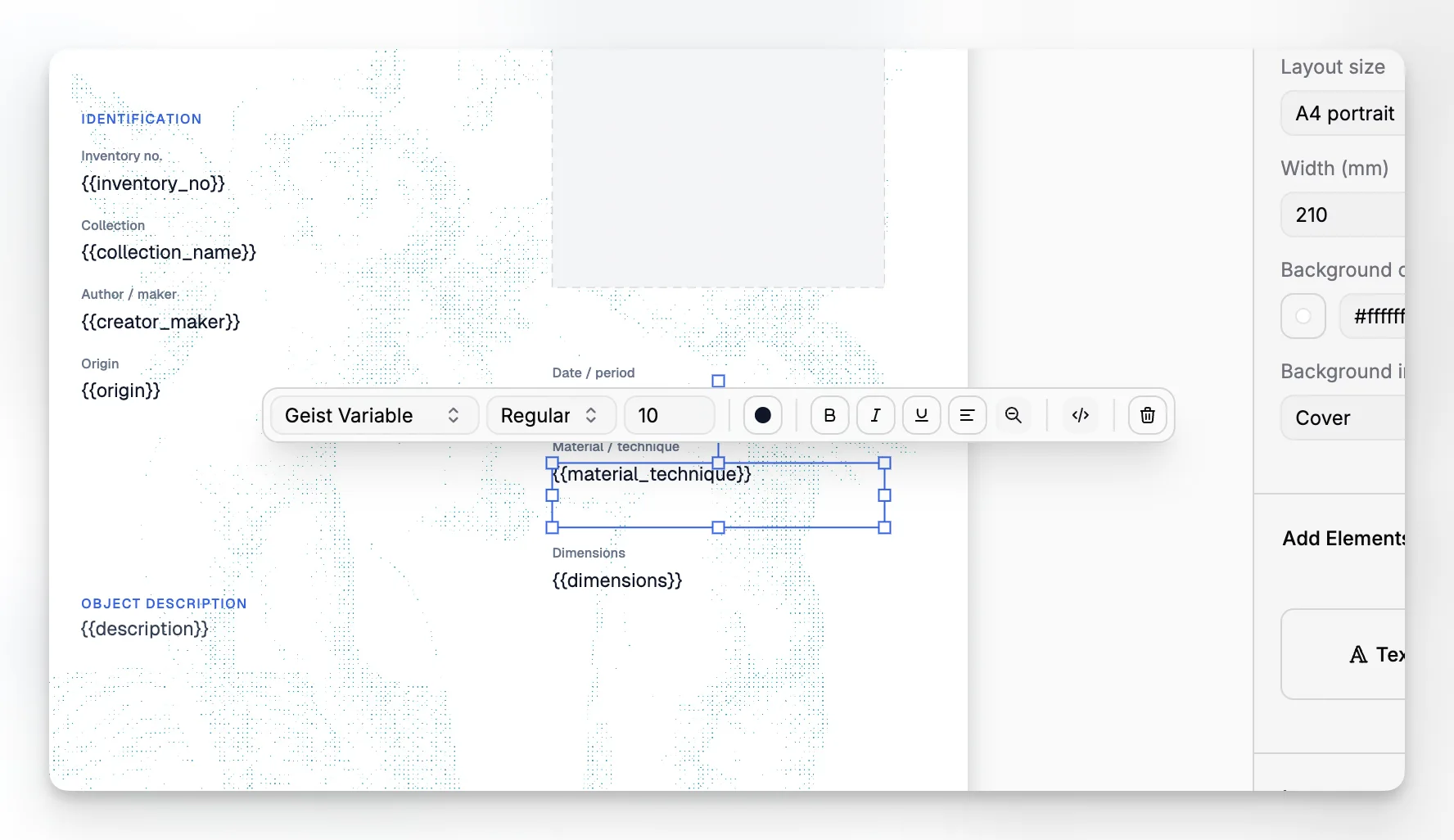
Those layers can then be moved, resized, reordered, and edited directly on the canvas. For selected layers, Blueputto shows a contextual floating toolbar with deeper controls such as text formatting, text alignment, shrink-to-fit behavior, image sizing, masking, flipping, rotation, dynamic field bindings, QR value configuration, and QR color settings.
That is the practical difference between a template feature and a design feature. Blueputto is not asking users to describe a layout indirectly. It lets them build the layout on the page itself.
The canvas also supports faster working patterns than a simple form would. In the current editor, users can pan with the keyboard, double-click text to edit in place, shift-click to build multi-selection, use drag-and-drop ordering in the layers list, and duplicate elements directly from the canvas.
Dynamic bindings connect the layout to real item data
The editor becomes especially powerful once a template stops being static artwork and starts pulling from live item fields.
In the current implementation, text and image layers can be switched into dynamic mode and bound to field keys from the editor toolbar. That means one template can reuse live item data such as title, description, inventory number, collection reference, or image fields instead of hardcoding every value by hand.
QR layers extend that idea further by letting the design include scannable references as part of the layout itself.
This is also where template changes become operationally significant. If a template is already used by items, Blueputto warns before saving because the update will affect every item that depends on that layout. The app also uploads and stores background assets, image-layer assets, and generated template thumbnails as part of the template lifecycle.
The result is a system that works for both design and day-to-day record output. Teams can build a layout once, bind it to structured item data, then reuse that same template across cards, labels, and exports without rebuilding the visual composition every time.