Home

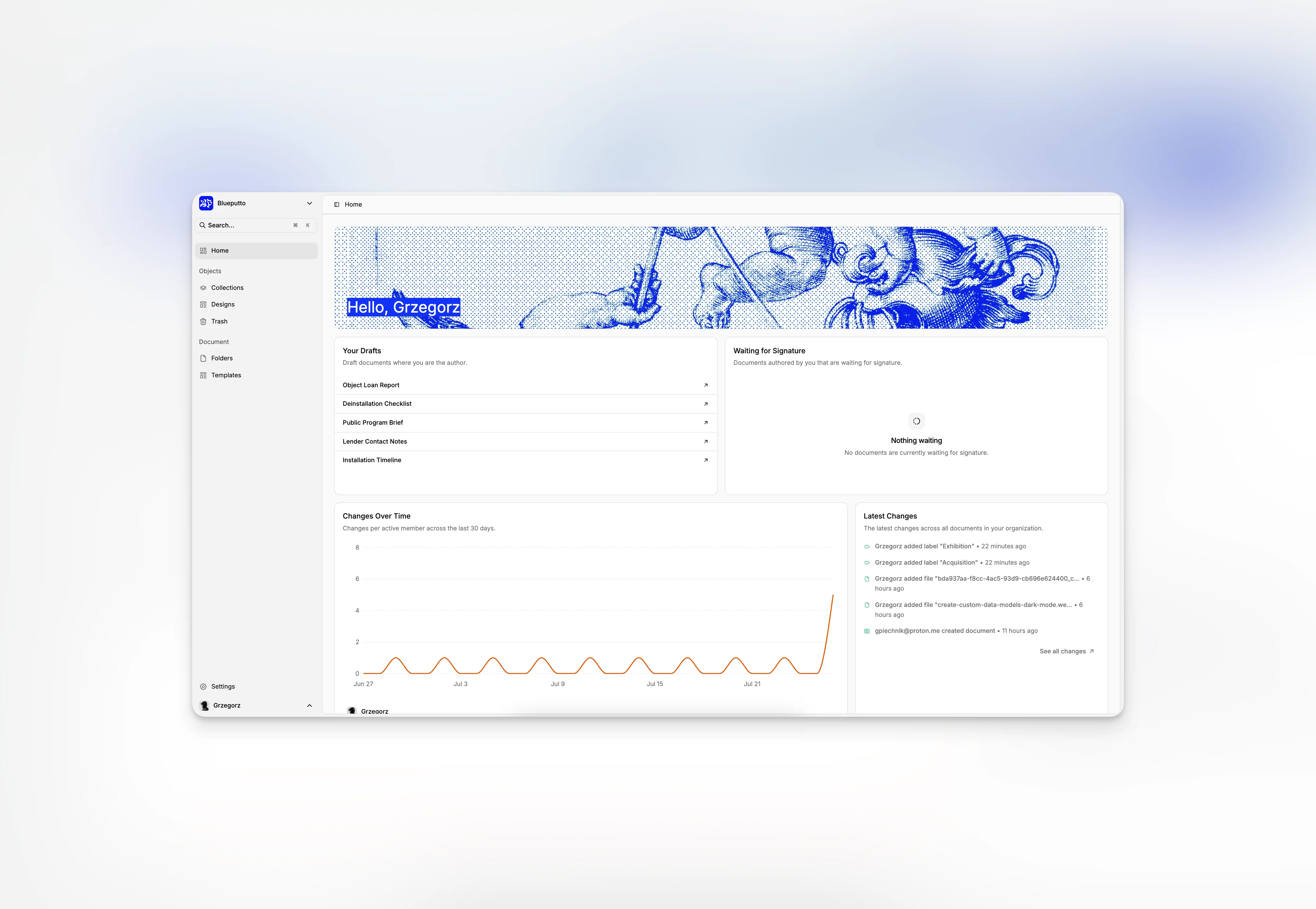
Blueputto Home dashboard brings drafts, signatures, onboarding, and activity updates together so users can quickly see what to do next.

GrzegorzGrzegorz
Home

Home is the first workspace most users see after signing in to Blueputto. It is designed to answer a practical question quickly: what should I pick up next?

Instead of dropping people straight into a large table, Home pulls together personal document queues, onboarding progress, recent changes, and organization activity in one view. It works as a starting point before moving deeper into Documents, Items, or the full Activity feed.

Start with personal priorities

The top of the page is built around the current user. A greeting banner gives the page an immediate entry point, then the dashboard moves into two work queues:

  • Your Drafts for draft documents where you are the author.

  • Waiting for Signature for documents you authored that are currently pending signatures.

Each row opens the document directly, so Home works as a fast handoff into the document workspace instead of just a passive summary.

Home also includes an onboarding block for newer organizations. In the current implementation, that checklist guides teams through four early setup steps:

  • setting up a template,

  • adding an item,

  • drafting a document,

  • and inviting team members.

That combination matters because it keeps day-to-day work and first-run setup in one place. A user can resume an in-progress document, while a new organization can still see the next setup task without leaving the dashboard.

Blueputto Home dashboard showing the greeting banner, onboarding checklist, and personal document queues.

Watch organization movement without leaving the dashboard

The lower part of Home widens the view from one person to the whole organization.

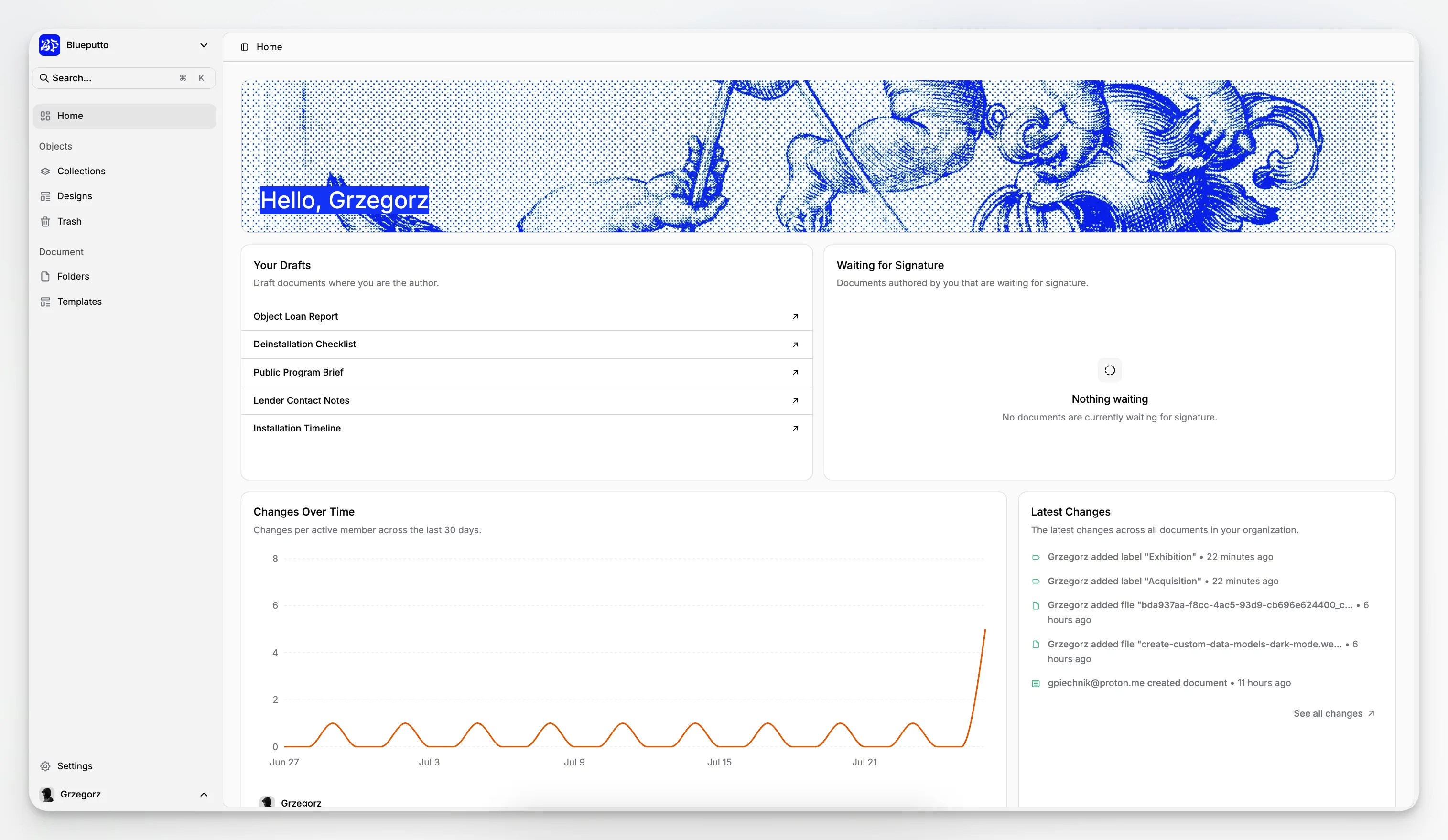
Changes Over Time shows a multi-member activity chart across the last 30 days. It is useful for spotting periods of heavier collaboration, quieter stretches, or uneven contribution across the team.

Alongside that chart, Latest Changes shows the newest document updates in a smaller list and links out to the full Activity page when someone needs the complete feed.

This is what makes Home more than a welcome screen. It gives individual users a short path into their next task and gives managers or operators a lightweight pulse on overall movement.

Blueputto Home dashboard showing the activity chart and the latest document changes.

Where Home fits

Home is not meant to replace the main workspaces. It is the shortest path into them. Teams typically start here, then branch into Documents for active drafting, Items for collection records, or Activity for a fuller change log.

Related

The best way to understand is to try

Explore Blueputto live and see how it helps museums manage collections, preserve archives, and streamline documentation.