Document Templates
Create reusable document templates in Blueputto to standardize approvals, agreements, reports, and intake forms with editable defaults and metadata.
 Grzegorz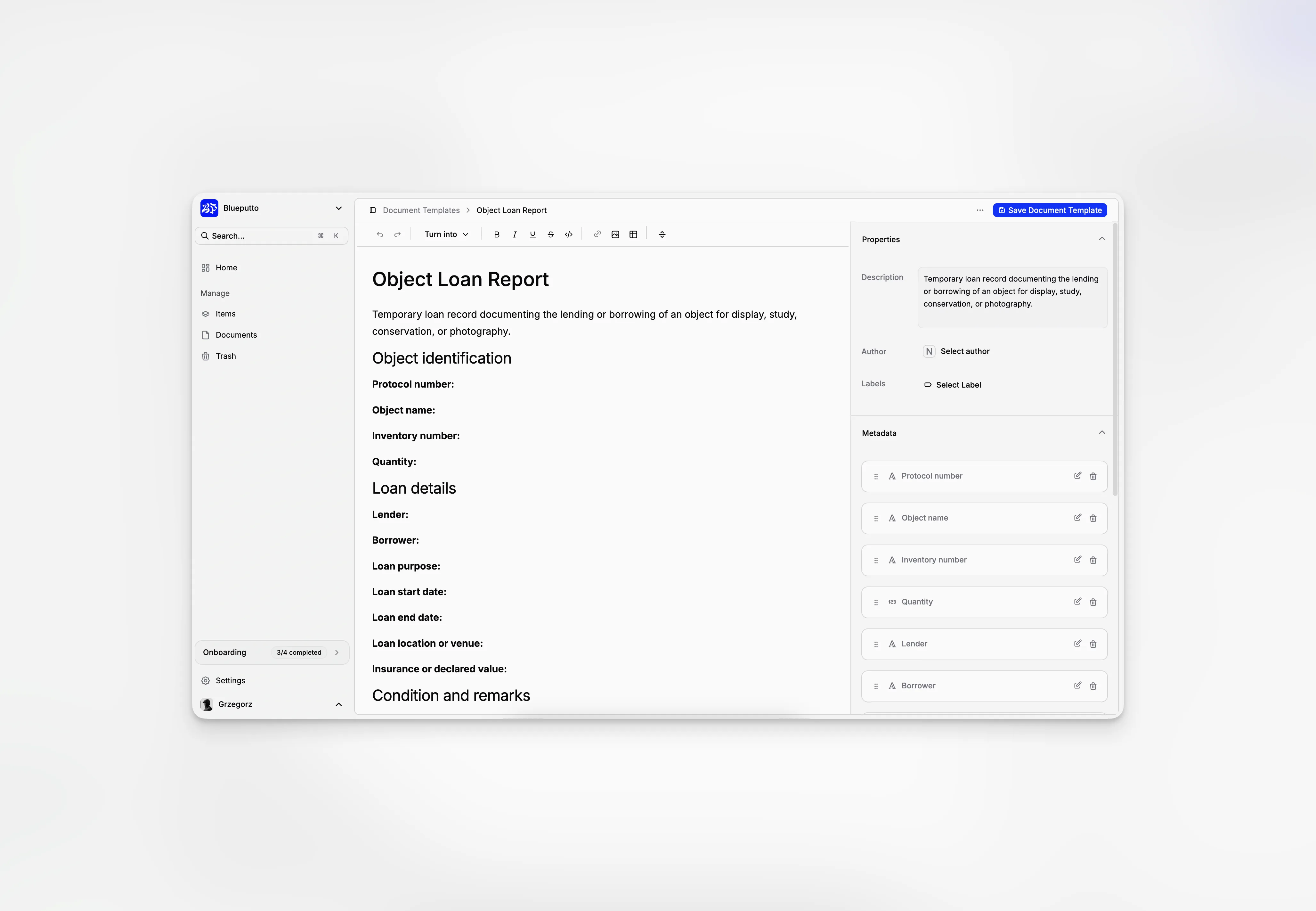
Document Templates is the reusable starting-point system for document work in Blueputto. Instead of rebuilding the same draft structure every time, teams can define repeatable templates once and use them again when creating new documents.
That matters most for recurring operational records such as approvals, agreements, reports, and intake forms. The feature sits between Documents, where new drafts begin, and Document Editor, where the actual document work continues.
A reusable library for repeatable document starts
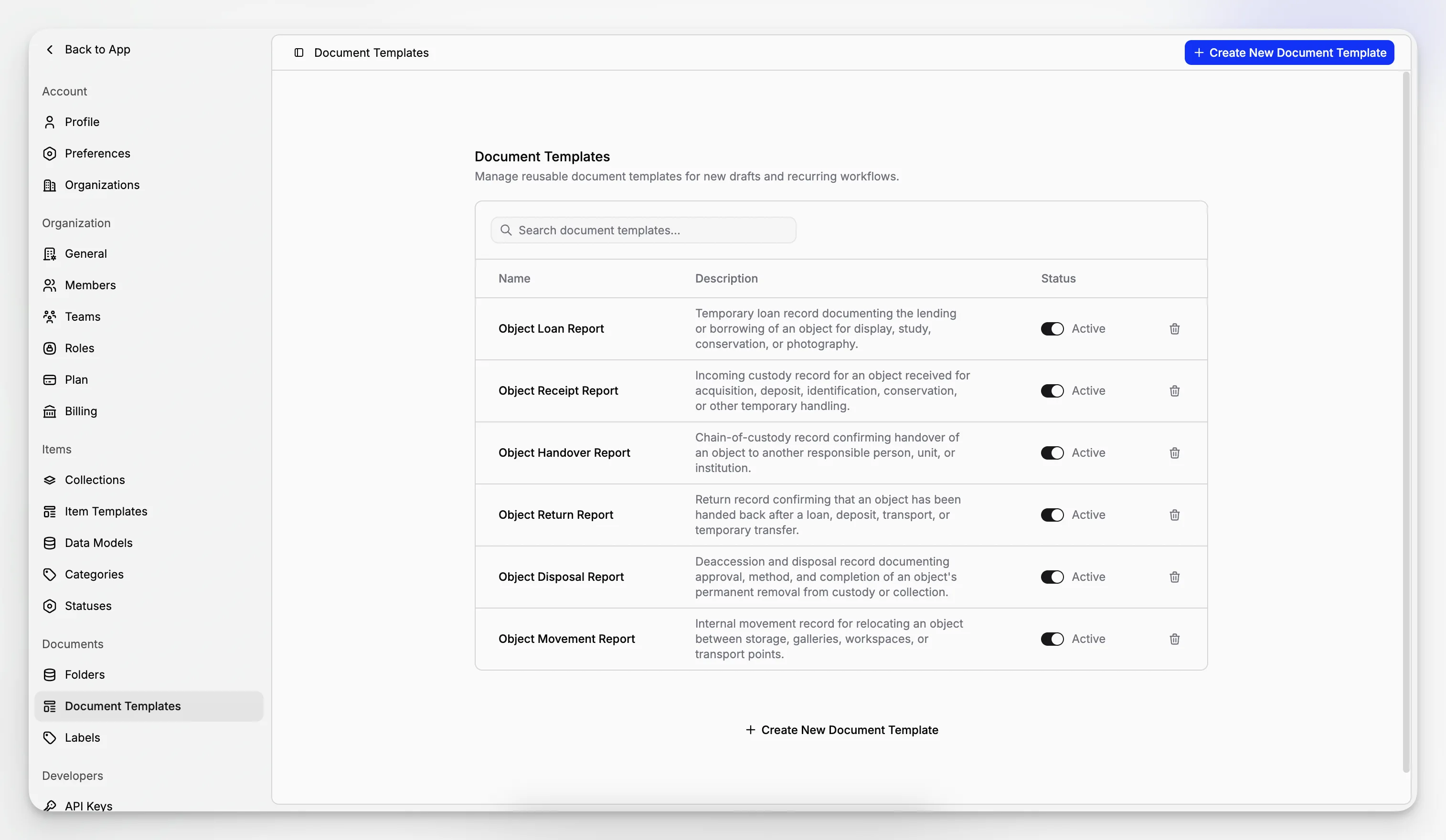
Document Templates is managed from a dedicated settings area. In the current implementation, it is available on the Scale plan and the library is centered on:
template name,
short description,
active or inactive state,
search across existing templates,
and create or delete actions.
That active state is important. Only active templates are offered in the new-document creation flow, which keeps the picker practical instead of filling it with outdated starting points.
When a user creates a new document from Documents, Blueputto can offer a blank draft or one of the currently active templates. That turns template management into an operational workflow feature, not just an admin list.
Deleting a template is also intentionally scoped. Existing documents that were already created from that template are not rewritten afterward, which makes cleanup safer than tying every live document to a mutable source forever.
Each template opens into its own editor
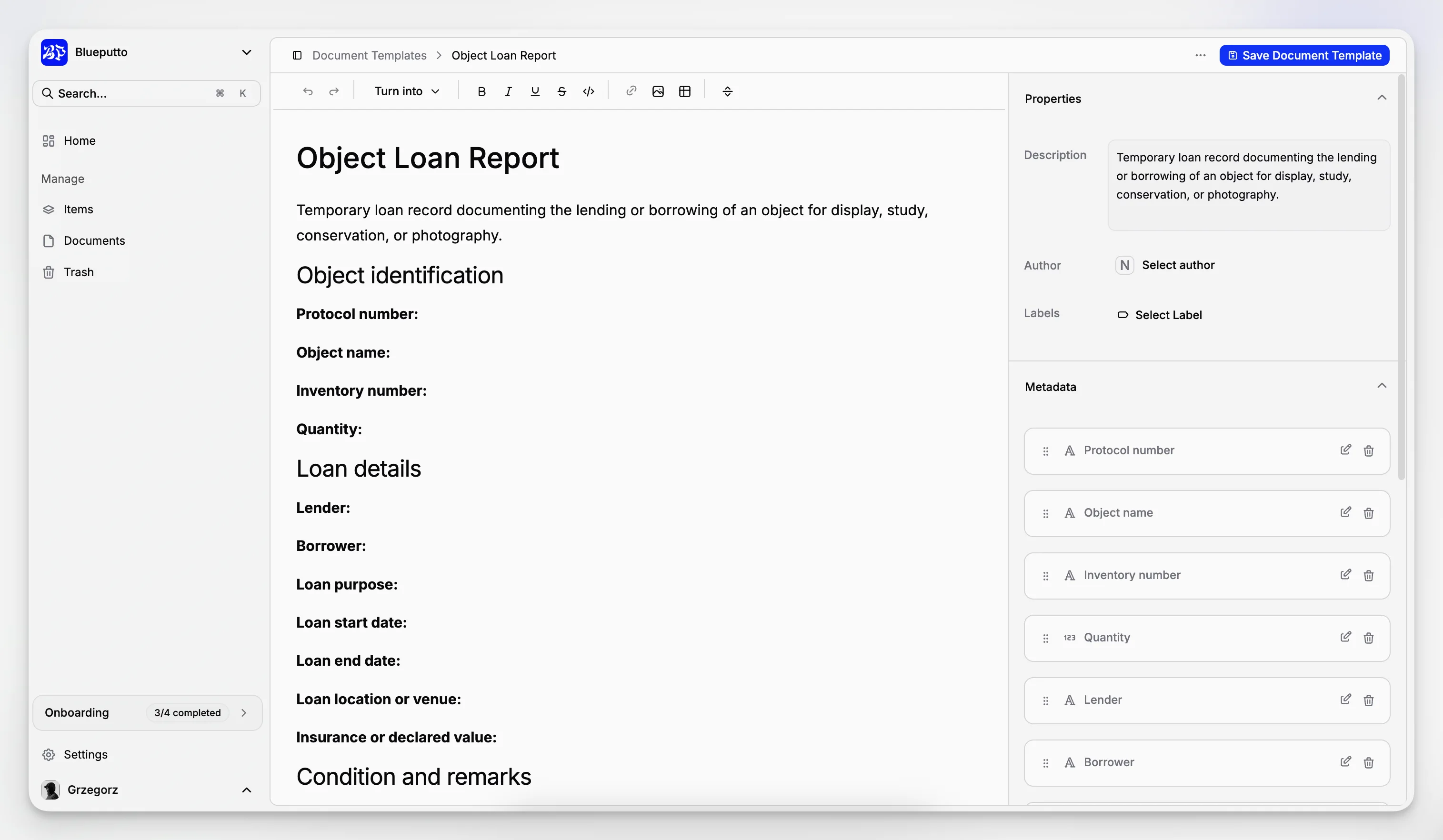
Opening a template does not lead to a tiny modal with a few text inputs. Blueputto gives document templates their own workspace, which makes them feel like real reusable records rather than simple presets.
In the current implementation, the template editor supports:
direct template naming,
save from the main action area,
active or inactive toggles,
template deletion,
and a dedicated side panel for defaults.
That structure matters because a document template is more than a title. It can carry the editorial and operational defaults a team wants to repeat across many future drafts.
The result is a workflow where templates stay maintainable over time. Teams can refine a starting point as their process changes, without losing the separation between template design and live document execution.
Defaults cover structure, ownership, and metadata
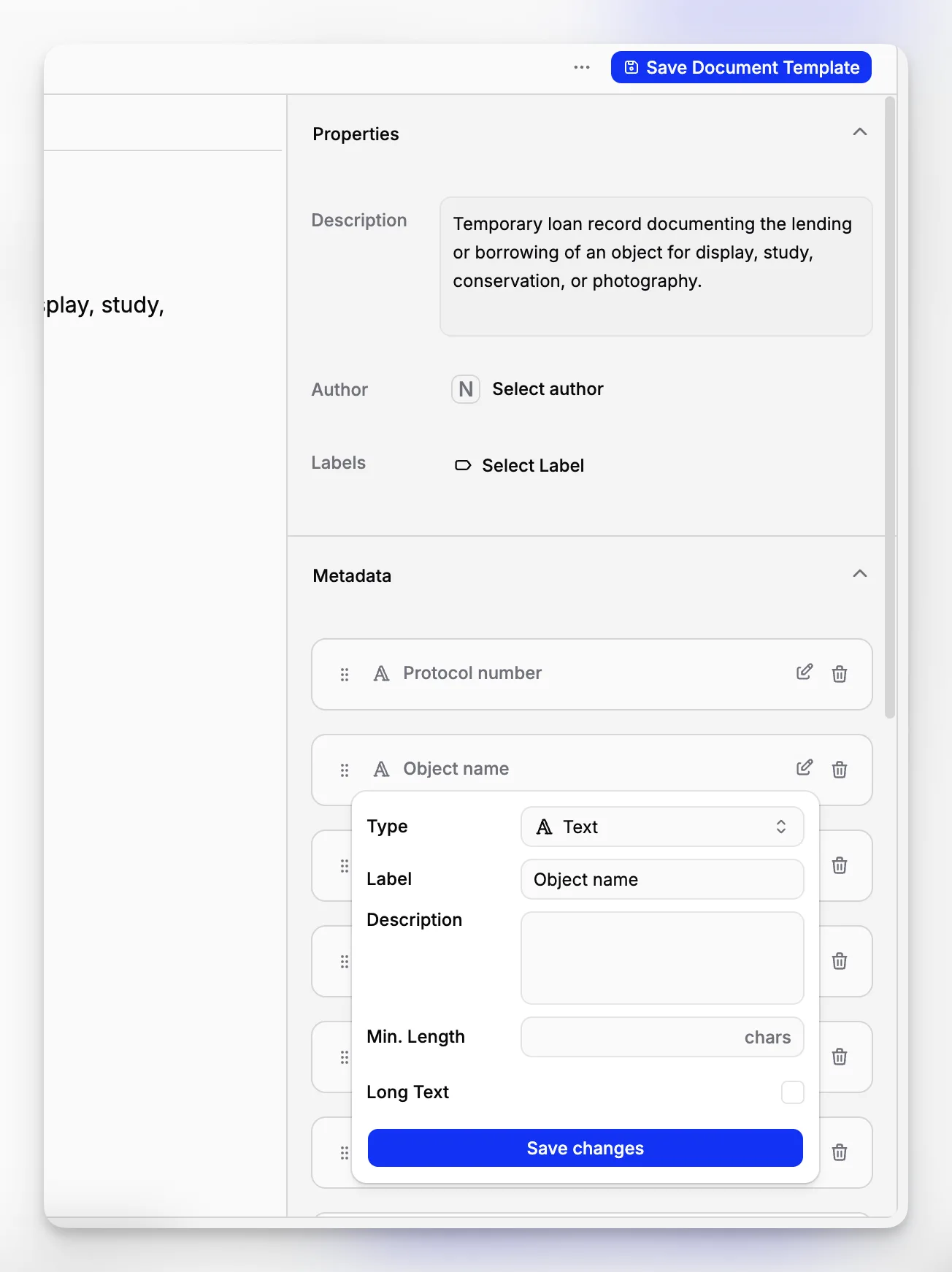
The side panel is where Document Templates becomes especially useful. Blueputto lets teams define the defaults that should appear every time a draft is created from that template.
In the current implementation, template defaults include:
description,
default author,
reusable labels,
and custom metadata fields.
Metadata fields are especially important here. Teams can add, edit, delete, and reorder those fields directly inside the template, which means every new document created from it can start with the same structured inputs already prepared.
That makes Document Templates a practical bridge between freeform writing and more controlled record design. A team can decide once which labels should be applied, who normally owns the record, and which metadata fields matter, then reuse that setup across many new drafts.
For organizations with repeatable approval flows, that saves time in two ways at once: the draft starts closer to the final shape, and the team spends less effort correcting missing structure after creation.